
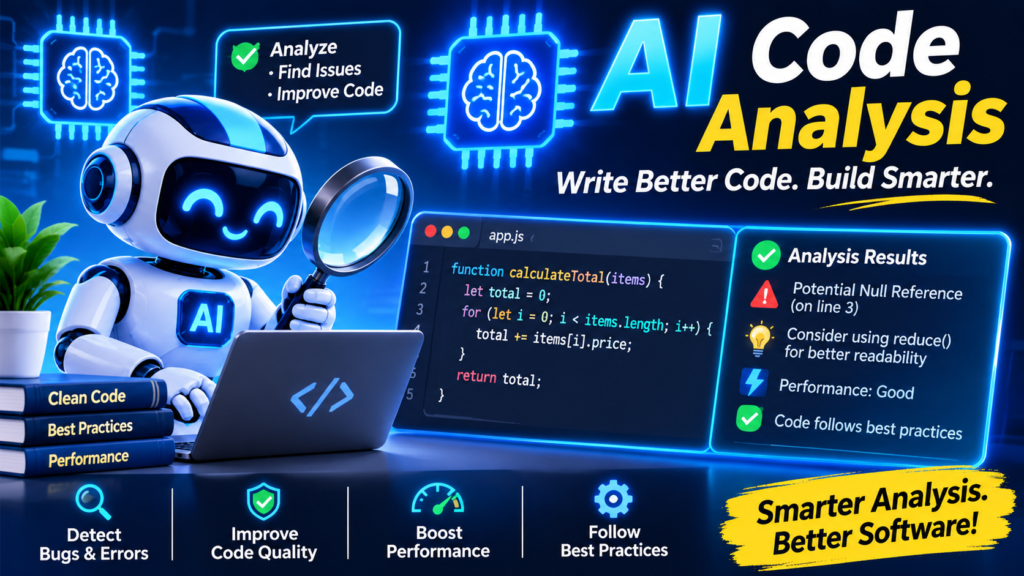
How AI Helps Developers Understand Large and Complex Codebases
Modern software applications are becoming larger and more complex. A single project may contain thousands of files, multiple programming languages, external libraries, databases, APIs, and connected services. Understanding how all these parts work together can take developers days or even weeks.
This problem becomes more challenging when developers join an existing project. They must learn the project structure, understand its business logic, find important functions, and identify how different components communicate.
This is where artificial intelligence is making a difference.
AI code analysis is changing how developers explore, understand, and maintain software projects. Instead of manually reading every file, developers can use AI-powered tools to explain code, identify dependencies, summarize functions, and discover potential problems.
These tools can also support code reviews, debugging, documentation, and legacy code modernization.
Whether you’re an experienced software engineer or a beginner, AI can make complex programming projects easier to understand.
In this guide, we’ll explore seven powerful ways AI helps developers understand large codebases, the tools they can use, practical implementation steps, and the challenges they should consider.
Why Understanding Large Codebases Is Difficult
Before exploring AI solutions, it’s important to understand why large software projects are difficult to manage.
A small application may contain only a few files. However, an enterprise application can include thousands of source files, multiple services, complex business rules, and external integrations.
Developers need to understand more than individual functions. They must also understand how different parts of the application work together.
Let’s look at some common challenges.
1. Thousands of Files and Dependencies
Large applications contain many folders, files, classes, and functions.
For example, an e-commerce platform may include:
- User registration and login.
- Product management.
- Shopping cart functionality.
- Payment processing.
- Order management.
- Inventory management.
- Customer notifications.
- Reporting systems.
Each feature may contain several files and depend on other application components.
Finding the correct file can become difficult, especially when developers don’t know where a particular feature is implemented.
2. Limited or Outdated Documentation
Documentation explains how software works, but many development projects have incomplete documentation.
Sometimes, developers create documentation during the initial development stage but don’t update it after making changes.
As a result, the documentation may not match the current application.
This creates confusion for new developers who depend on old instructions to understand the project.
3. Legacy Code and Technical Debt
Many companies maintain applications that were developed years ago.
These applications may use outdated programming languages, old frameworks, and complicated coding structures.
Developers often need to understand existing functionality before making changes.
Poor naming conventions, duplicate functions, and outdated dependencies make this process even harder.
AI-powered software maintenance tools can help developers explore these applications without manually examining every section of the code.
4. Complex Software Architecture
Modern applications often use microservices, APIs, databases, cloud services, and third-party integrations.
A single user action may trigger several operations across different services.
Understanding these connections requires knowledge of both the source code and the overall system architecture.
Without proper visibility, developers may struggle to identify where a particular process starts and how information moves through the application.
7 Powerful Ways AI Helps Developers Understand Large Codebases
Artificial intelligence provides several useful capabilities that make complex software projects easier to explore. Here are seven important ways developers can use these technologies.
1. Automated Code Explanation
One of the most useful applications of AI is explaining existing source code.
Developers often encounter functions or classes that contain complicated logic. Understanding them requires reading multiple lines and checking related files.
AI tools can explain this code using simple language.
For example, a developer may provide a function and ask:
“Explain what this function does, identify its main operations, and describe its input and output.”
The AI tool can provide a structured explanation covering:
- The main purpose of the function.
- Parameters and return values.
- Important conditions.
- External function calls.
- Possible errors.
- Related components.
This is particularly useful when working with unfamiliar programming languages or older applications.
Example:
Imagine a developer finds the following JavaScript function:
function calculateDiscount(price, percentage) {
if (price <= 0 || percentage < 0) {
return 0;
}
return price – (price * percentage / 100);
}
An AI tool can explain that the function calculates a discounted price using the original price and discount percentage.
It can also identify that the function returns zero when the price is not positive or the discount percentage is negative.
The developer can then ask follow-up questions about validation, edge cases, or possible improvements.
This makes AI code understanding useful for both beginners and experienced engineers.
2. Intelligent Code Search and Navigation
Finding a particular function in a large project can be time-consuming.
Traditional code search usually depends on exact keywords, filenames, or variable names.
However, developers don’t always know the exact name of the function they need.
AI-powered intelligent code search can understand the meaning behind a search query.
For example, instead of searching for a specific function name, a developer can ask:
“Where does this application handle user password verification?”
The AI tool can examine relevant code and identify files, functions, and related components.
It can also help answer questions such as:
- Where is user authentication implemented?
- Which file manages payment processing?
- Where are API requests handled?
- Which function validates user information?
- How does the application manage database connections?
This improves code navigation and reduces the time spent searching through unrelated files.
Semantic search is especially useful because it can connect a developer’s natural-language question with relevant programming concepts.
As a result, developers can spend more time understanding application logic and less time searching for files.
3. Software Architecture Analysis
Understanding individual files isn’t enough to understand a large application. Developers also need to understand the relationship between different components. Software architecture analysis helps identify how different parts of an application communicate. AI tools can examine source files, imports, API calls, configuration files, and other available project information to explain these relationships.
For example, an AI tool may help developers understand:
- Frontend and backend communication.
- Database connections.
- API dependencies.
- Authentication workflows.
- Microservice relationships.
- External library usage.
- Application entry points.
Consider a web application built using React, Node.js, and MongoDB.
A developer may ask: “Explain the architecture of this application and show how a user registration request moves from the frontend to the database.”
An AI assistant can help identify the frontend registration component, backend API endpoint, validation logic, and database operation.
The result can provide a useful starting point for understanding the system.
Some tools can also help create architecture diagrams and visualize dependencies.
However, developers should verify these diagrams against the actual application because an AI-generated explanation may miss dynamic connections or runtime behavior.
4. AI-Powered Code Reviews
Code reviews are an important part of software engineering practices.
They help developers identify mistakes, improve code quality, and maintain consistent programming standards.
However, reviewing large changes manually can take considerable time.
AI code review tools can examine code changes and highlight potential issues.
They may identify:
- Incorrect conditions.
- Duplicate code.
- Unused variables.
- Potential security problems.
- Performance concerns.
- Missing error handling.
- Inconsistent coding practices.
For example, a developer makes changes to a payment processing function.
An AI-powered review tool can examine the modified code and highlight possible validation problems or missing error handling.
It may also suggest improvements to make the code easier to maintain.
How AI code review works:
- A developer creates or updates code.
- The AI tool examines the changes.
- It checks relevant code patterns and available project context.
- It identifies potential problems.
- It provides explanations and suggested improvements.
- A developer reviews the suggestions before applying them.
Code review automation can reduce repetitive review work.
However, AI feedback should not replace human approval, especially for security-sensitive applications and critical business operations.
5. Automatic Code Documentation
Documentation is essential for maintaining software projects. Unfortunately, developers don’t always have enough time to write detailed explanations for every function, class, and module. AI can help generate documentation from existing source code.
For example, developers can ask an AI tool to:
- Explain the purpose of a module.
- Generate function descriptions.
- Document API endpoints.
- Summarize important classes.
- Explain configuration files.
- Create setup instructions.
- Describe database operations.
AI can also summarize large sections of source code into shorter explanations.
This is useful when a new developer joins an existing project and needs to understand its structure quickly.
Example prompt: “Analyze this folder and create documentation explaining the purpose of each file, its important functions, and its dependencies.”
The tool can generate a starting document that developers can review and improve. Codebase documentation using artificial intelligence can also help teams maintain consistent project records.
However, generated documentation must be checked whenever the underlying code changes. Otherwise, outdated explanations may create additional confusion.
6. AI-Assisted Debugging
Debugging is another area where AI can improve developer productivity.
When an application produces an error, developers need to understand what caused it and where the problem originated.
In a large project, an error in one module may be connected to another function or external service.
AI-assisted debugging can help developers investigate these relationships.
Developers can provide:
- Error messages.
- Stack traces.
- Relevant source files.
- Recent code changes.
- Expected application behavior.
The AI tool can then explain possible causes and suggest debugging steps.
For example, suppose an application displays an error when users submit a registration form.
A developer can ask:
“Analyze this error and identify which part of the registration process may be causing it. Explain the possible causes and suggest how to investigate them.”
The AI assistant may suggest checking input validation, API responses, database operations, or authentication logic.
This can make debugging more systematic.
AI can also help explain unfamiliar error messages and recommend test cases for reproducing problems.
Still, developers should test suggested fixes instead of assuming that the first explanation is correct.
7. Legacy Code Modernization
Legacy applications often contain years of accumulated development work.
They may depend on outdated libraries, older programming languages, and complicated application structures.
Replacing such applications completely can be expensive and risky.
A better approach is often to understand the existing system and modernize it gradually.
AI can support this process by helping developers:
- Explain older functions.
- Identify outdated programming patterns.
- Find duplicate logic.
- Understand dependencies.
- Suggest refactoring opportunities.
- Generate test cases.
- Identify potentially unused code.
- Document existing business rules.
For example, a company may have an older application written in PHP.
The development team wants to migrate selected features to a newer framework.
Before changing anything, developers need to understand how the existing application works.
AI tools can help explain important modules, identify dependencies, and create documentation for the modernization process.
This makes understanding legacy code with AI more manageable.
However, modernization still requires careful planning, automated testing, and human review to avoid breaking existing functionality.
Best AI Tools for Code Analysis and Understanding
Several AI software development tools can help developers understand source code and work with complex projects.
The right choice depends on the programming language, project size, development environment, and security requirements.
Here are some popular options.
1. GitHub Copilot
GitHub Copilot is an AI-powered coding assistant that supports developers throughout the software development process.
It can help developers understand unfamiliar files, explain code, answer questions about repositories, and review code changes.
Its repository exploration capabilities are particularly useful for developers working with existing projects.
Developers can ask questions such as:
- Explain the overall architecture of this repository.
- Identify the main entry points.
- Explain how authentication works.
- Find the files responsible for API communication.
- Summarize the purpose of this module.
GitHub provides an official guide explaining how to use Copilot to explore a codebase.
2. ChatGPT for Programming
ChatGPT for programming can help developers understand code, investigate errors, and learn unfamiliar technologies.
Developers can share relevant source files or project information and ask questions in natural language.
Common applications include:
- Explaining complicated functions.
- Understanding programming concepts.
- Summarizing code.
- Reviewing selected code.
- Identifying possible bugs.
- Understanding API workflows.
- Generating documentation.
- Suggesting refactoring approaches.
For example, developers can ask ChatGPT to explain how a particular module communicates with another module.
For better results, they should provide relevant files, configuration details, and project context instead of asking broad questions without supporting information.
3. Cursor
Cursor is an AI-powered code editor designed to support developers directly within their coding environment. It can help developers explore project files, ask questions about existing code, and make changes with relevant code context. Its project-level assistance can be useful when developers need to understand relationships between different files.
4. Sourcegraph Cody
Sourcegraph Cody is an AI coding assistant associated with Sourcegraph’s code intelligence capabilities. It can help developers search, understand, and work with code across larger repositories. Its code navigation and repository context capabilities can be useful for teams working with complex software projects.
AI Tool Comparison
|
Tool |
Main Purpose |
Useful Application |
|
GitHub Copilot |
AI coding assistance |
Repository exploration and code reviews |
|
ChatGPT |
Conversational AI assistance |
Code explanations and debugging |
|
Cursor |
AI-powered code editor |
Project exploration and editing |
|
Sourcegraph Cody |
Code intelligence |
Code search and navigation |
The best tool isn’t necessarily the one with the most features. Developers should select a solution that fits their existing workflow, repository size, privacy requirements, and budget.
How to Use AI to Understand a Large Codebase
Using AI effectively requires more than copying source code into a chatbot.
Developers should follow a structured approach to get accurate and useful results.
Here is a practical five-step process.
Step 1: Start With the Project Structure
Begin by examining the main folders and files.
Identify important directories such as:
- Source code.
- Components.
- Controllers.
- Services.
- Models.
- Routes.
- Configuration.
- Tests.
- Documentation.
Ask an AI assistant:
“Analyze this project structure and explain the purpose of each major folder. Identify the likely application entry points and important configuration files.”
This provides an initial understanding of the application.
Step 2: Understand Important Components
Once you understand the folder structure, identify the most important application components.
For example, in an e-commerce application, start with authentication, products, shopping carts, payments, and order management.
Ask the AI tool to explain each component separately.
A useful prompt is:
“Explain this module in simple language. Describe its main functions, business logic, inputs, outputs, and connections with other modules.”
This approach makes complex projects easier to explore.
Step 3: Analyze Dependencies
Next, investigate how different components depend on each other.
Look for:
- Imported modules.
- API connections.
- Database queries.
- Shared functions.
- External libraries.
- Service communication.
Ask: “Identify the important dependencies of this module. Explain which components call it and which components it depends on.” This supports code dependency analysis and helps developers understand the impact of potential changes.
Step 4: Generate Documentation
After understanding the important components, create documentation.
Ask the AI assistant to generate:
- Project overview.
- Folder structure explanation.
- Module descriptions.
- API documentation.
- Dependency summaries.
- Setup instructions.
- Important development workflows.
Review the generated content and correct any mistakes. Keep the documentation updated as the project changes.
Step 5: Review and Verify AI Results
This is one of the most important steps.
AI-generated explanations can contain incorrect assumptions or miss important details.
Therefore, developers should:
- Check file references.
- Verify function names.
- Test suggested code changes.
- Review dependency information.
- Compare explanations with actual application behavior.
- Run automated tests.
- Check security-related recommendations.
AI should support the developer’s understanding, not replace technical judgment.
Key Benefits of AI Code Understanding for Developers
AI-assisted software development provides several benefits for development teams.
1. Improved Developer Productivity
Developers can spend less time searching for files and reading unfamiliar functions.
AI can provide summaries and explanations that help them understand relevant parts of a project.
This can make everyday development tasks more efficient.
2. Faster Onboarding
New developers often need time to understand an existing application.
AI can help explain the project structure, development workflows, and important modules.
This provides a useful starting point for onboarding.
3. Better Software Maintenance
Maintaining existing software requires understanding its current behavior. AI-powered software maintenance can help teams explore older modules, identify possible issues, and document existing functionality.
4. Improved Code Quality
AI-assisted reviews can identify potential problems before code is merged. Developers can use these suggestions to improve readability, consistency, and maintainability.
5. Reduced Technical Debt
AI can help identify duplicated code, outdated patterns, and possible refactoring opportunities.
These findings can support long-term technical debt reduction. However, developers must prioritize improvements based on their actual impact rather than automatically changing every suggested issue.
Limitations and Challenges of AI Code Analysis
Although AI provides useful capabilities, it also has limitations. Developers should understand these limitations before depending on AI for important software decisions.
1. Incorrect Explanations
AI tools may misunderstand complicated business logic or generate explanations that don’t match the actual implementation.
Always verify important information against the source code.
2. Limited Project Context
Some AI tools cannot automatically access every file, repository, database, or external service.
Their answers depend on the context available to them.
Providing relevant files and clear questions can improve the results.
3. Data Privacy and Security
Source code may contain confidential business information, API keys, credentials, and proprietary logic.
Developers should follow company security policies before sharing code with external AI services.
Never expose passwords, private keys, or sensitive production data in prompts.
4. Human Review Is Still Necessary
AI-generated code can introduce bugs or security problems.
Developers must review suggested changes, run tests, and confirm that modifications meet project requirements.
5. Tool and Subscription Costs
Some AI development tools require paid subscriptions or usage-based pricing.
Organizations should evaluate their features, limits, security policies, and expected productivity benefits before purchasing them.
The Future of AI in Software Development
AI is becoming an important part of modern software engineering.
Its role is expanding beyond code generation into repository understanding, debugging, code reviews, documentation, and software maintenance.
In the future, AI-powered development environments may provide deeper insights into how entire applications work.
Developers may be able to ask questions about application behavior and receive explanations connected to specific source files, functions, and dependencies.
AI agents may also help investigate bugs, prepare code changes, generate tests, and propose improvements across multiple project files.
However, human expertise will remain important.
Software engineers will still need to understand system requirements, evaluate technical decisions, protect sensitive information, and verify application behavior.
The strongest development teams will combine AI assistance with sound software engineering practices.
Know More:
”FAQs”
1. How does AI help developers understand large codebases?
AI helps developers explore source code, explain functions, identify dependencies, summarize modules, and understand application architecture. It can also generate documentation and assist with debugging, making unfamiliar software projects easier to understand.
2. What are the best AI tools for code analysis?
Popular options include GitHub Copilot, ChatGPT, Cursor, and Sourcegraph Cody. Each offers different capabilities for code explanation, repository exploration, intelligent search, debugging, and development assistance.
3. Can AI understand an entire software project?
AI tools can analyze substantial amounts of project information when they have access to relevant repository context. However, their ability to understand an entire application depends on indexing, available context, tool capabilities, and project complexity.
Developers should examine important files and verify AI-generated explanations.
4. How can AI help with legacy code?
AI can explain older programming patterns, summarize functions, identify dependencies, generate documentation, and suggest refactoring opportunities. These capabilities help developers understand existing applications before modernizing them.
5. Can ChatGPT explain complex programming code?
Yes. ChatGPT can explain programming functions, classes, algorithms, and selected project files. Developers can also ask follow-up questions about code behavior, dependencies, and potential errors.
Providing sufficient project context generally produces more useful explanations.
6. Does AI replace manual code reviews?
No. AI can automate parts of the code review process by identifying potential bugs, security concerns, and coding inconsistencies.
However, human developers must review important changes and approve modifications according to project requirements.
7. How does AI improve developer productivity?
Yes. Beginners can use AI tools to understand unfamiliar programming concepts, explore project files, and receive explanations in simple language. However, they should also learn programming fundamentals and practice reading source code independently. Understanding large and complex codebases is one of the biggest challenges in modern software development.


