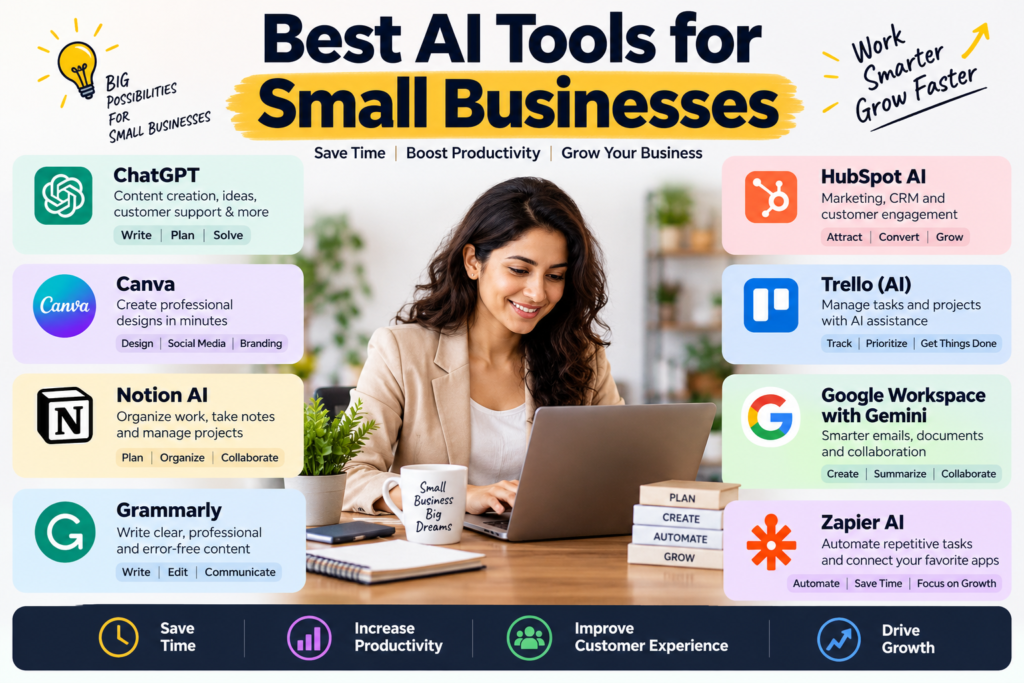
15 Best AI Tools for Small Businesses in 2026 to Boost Growth
The best AI tools for small businesses help owners save time, improve customer service, create better marketing content, and manage daily tasks with less effort. Today, businesses don’t need large budgets or technical teams to benefit from artificial intelligence. Many tools are easy to use and offer features for startups, freelancers, local shops, and growing companies.
Small businesses often face the same challenges. They must attract customers, manage money, answer questions, and complete daily work with limited staff. AI can help solve these problems by handling repetitive tasks and giving teams more time to focus on customers and growth.
However, choosing the right software can be difficult. There are many AI tools for business, and each one serves a different purpose. Some help with writing and design. Others support sales, accounting, customer service, and workflow automation.
This guide covers 15 useful AI tools for small businesses in 2026. You’ll learn what each tool does, who should use it, and how to choose the right solution for your needs.
Why Do Small Businesses Need AI Tools?
AI is no longer useful only to large companies. Small businesses can also use it to improve daily operations without hiring more employees for every task.
For example, a local shop can use AI to write product descriptions. A digital marketing agency can create content ideas. An online store can answer common customer questions with an AI chatbot.
Here are the main benefits.
1. Save Time on Repetitive Tasks
Business owners spend hours writing emails, updating spreadsheets, preparing reports, and answering similar questions. AI can reduce the time spent on many of these tasks.
For example, an AI assistant can draft an email, summarize a meeting, or organize information from a long document. Employees can then review the results instead of starting from scratch.
2. Reduce Operating Costs
Small businesses often work with tight budgets. AI automation software can help reduce manual work and make better use of existing staff. You may not need a separate employee to complete every routine task. However, AI should support your team rather than replace human judgment in important decisions.
3. Improve Customer Service
AI customer support tools can answer common questions, suggest relevant information, and help customers find products or services.
When a question requires personal attention, the system can direct it to a human employee. This creates a better balance between speed and personal service.
4. Improve Marketing and Sales
AI marketing tools can help businesses research topics, draft social media posts, create campaign ideas, and analyze customer behavior.
AI sales software can also help organize leads, summarize conversations, and identify follow-up tasks. These features make it easier to maintain customer relationships.
5. Support Business Growth
AI-driven business growth doesn’t mean using technology everywhere. It means finding tasks that consume time or create problems and using the right tools to improve them. The best results often come from starting small, measuring progress, and expanding successful workflows.
15 Best AI Tools for Small Businesses in 2026
The following tools cover different business needs. Some provide general AI assistance, while others specialize in marketing, accounting, sales, or automation.
|
Tool |
Main purpose |
Best for |
|
ChatGPT |
Research, writing, and problem-solving |
General business tasks |
|
Google Gemini |
AI assistance and research |
Google Workspace users |
|
Microsoft Copilot |
Office productivity |
Microsoft 365 users |
|
Canva Magic Studio |
Graphic design |
Marketing teams |
|
Jasper |
Marketing content |
Content-focused businesses |
|
HubSpot |
CRM and marketing |
Sales and marketing teams |
|
Zoho CRM with Zia |
CRM assistance |
Small sales teams |
|
Intercom Fin |
Customer support |
Online services |
|
Tidio Lyro |
AI chat support |
Small online stores |
|
Zapier |
App integrations |
Workflow automation |
|
Make |
Visual automation |
Connected business workflows |
|
QuickBooks |
Accounting |
Small businesses |
|
Xero |
Financial management |
Growing businesses |
|
Grammarly |
Writing improvement |
Professionals and teams |
|
Notion AI |
Knowledge and project management |
Small teams |
Tool features, availability, and pricing can change. Check each provider’s official website for current plans, limits, and regional availability before purchasing.
1. ChatGPT: Best for Everyday Business Tasks
ChatGPT is one of the most flexible AI tools for business. It can help owners draft emails, summarize documents, brainstorm marketing campaigns, organize research, and prepare business plans.
For example, a small digital agency can use ChatGPT to create content briefs, draft client updates, and develop social media calendars. A retailer can use it to generate product description ideas and customer response templates.
Key features and uses:
- Draft emails, proposals, and business documents.
- Generate content ideas and marketing plans.
- Summarize text and organize information.
- Help with spreadsheet formulas and basic data analysis.
- Support research, planning, and problem-solving.
Best for: Freelancers, startups, consultants, agencies, and small business owners who need a general-purpose AI assistant.
Limitation: AI-generated answers can contain mistakes. Verify facts, figures, legal information, and financial recommendations before using them.
Explore the official website: https://chatgpt.com/
2. Google Gemini: Best for Google Workspace Users
Google Gemini helps users research topics, create drafts, summarize information, and work with supported Google services. Depending on the plan and integration, it can assist with tasks involving Gmail, Docs, Sheets, and other Google Workspace products.
A small business using Google Workspace may find it useful for drafting customer emails, summarizing long documents, or organizing ideas for a campaign.
Key benefits:
- Assist with writing and research.
- Help summarize information.
- Support planning and brainstorming.
- Work with supported Google applications and services.
Best for: Businesses that already use Google’s productivity tools.
Limitation: Features and integrations vary by subscription, region, and account type. Review the available features before choosing a plan.
Official website: https://gemini.google.com/
3. Microsoft Copilot: Best for Office Productivity
Microsoft Copilot provides AI assistance across supported Microsoft products. Depending on the product and subscription, it can help with documents, spreadsheets, presentations, meetings, and email.
For example, a consulting firm can use Copilot to prepare presentation drafts, summarize meeting notes, or improve the structure of a business report.
Key benefits:
- Help draft and improve documents.
- Support spreadsheet analysis and formula creation.
- Assist with presentation preparation.
- Summarize supported meeting and communication content.
Best for: Businesses that rely on Microsoft 365.
Limitation: Not every feature is included in every Microsoft plan. Some capabilities require additional licensing or an eligible business subscription.
Official website: https://www.microsoft.com/en-us/microsoft-365/copilot
4. Canva Magic Studio: Best for Graphic Design
Canva Magic Studio brings AI-assisted features into Canva’s design platform. It helps users create and edit visual content for digital marketing, presentations, social media, and business communication.
A small business can use Canva to prepare promotional graphics, product announcements, presentation slides, and branded social media posts without needing advanced design skills.
Key benefits:
- Generate and edit visual content using supported AI features.
- Create marketing graphics and presentations.
- Resize or adapt designs for different formats.
- Maintain a consistent visual identity.
Best for: Retailers, online sellers, agencies, and businesses that create regular visual content.
Limitation: Some features have usage limits or require a paid plan. Review generated images and text for accuracy, quality, and brand suitability.
Official website: https://www.canva.com/
5. Jasper: Best for Marketing Content
Jasper focuses on marketing content creation. It can help teams draft campaign copy, develop brand messaging, and create content for different marketing channels.
For instance, a small e-commerce company can use Jasper to generate product campaign ideas, prepare email drafts, and adapt messaging for social media.
Key benefits:
- Assist with marketing copy.
- Support campaign planning.
- Help maintain consistent brand messaging.
- Generate drafts for different content formats.
Best for: Marketing agencies, content teams, and businesses that publish content regularly.
Limitation: AI drafts still need human editing, fact-checking, and SEO review. Using an AI writer alone doesn’t guarantee higher rankings or better conversions.
Official website: https://www.jasper.ai/
6. HubSpot: Best for CRM and Sales
HubSpot offers customer relationship management (CRM), marketing, sales, and service tools. Its AI features can support tasks such as content drafting, customer research, sales preparation, and communication, depending on the product and plan.
A small business can use a CRM to keep contact details, sales opportunities, and customer interactions organized in one place.
Key benefits:
- Organize customer and lead information.
- Track sales opportunities.
- Support marketing campaigns.
- Assist with customer communication and sales workflows.
- Provide reporting through supported features.
Best for: Businesses that want to connect sales, marketing, and customer service.
Limitation: Advanced features may require paid subscriptions. Costs can increase as your team, contact list, or feature requirements grow.
Official website: https://www.hubspot.com/
7. Zoho CRM with Zia: Best for Customer Relationship Management
Zoho CRM includes Zia, an AI assistant that offers supported predictive, analytical, and productivity features. The available capabilities depend on the product edition and configuration.
Small sales teams can use CRM software to manage leads, record customer conversations, track follow-ups, and maintain a clearer view of the sales pipeline.
Key benefits:
- Organize leads and customer records.
- Support sales forecasting with eligible features.
- Assist with selected data insights.
- Help automate parts of the sales process.
- Track customer activity.
Best for: Small businesses that need structured sales management.
Limitation: AI features vary by plan, and reliable insights depend on accurate data. Review the system’s recommendations instead of treating predictions as guaranteed outcomes.
Official website: https://www.zoho.com/crm/
8. Intercom Fin: Best for AI Customer Support
Intercom Fin is an AI-powered customer service agent designed to help answer customer questions using approved support information and configured sources.
A software company or online service provider can use it to handle common questions about account access, product features, and support procedures. More complex cases can be directed to a human support representative.
Key benefits:
- Answer supported customer questions.
- Reduce repetitive support work.
- Help customers find relevant information.
- Support escalation to human agents.
Best for: Online businesses with frequent customer inquiries.
Limitation: Performance depends on the quality of support content, configuration, and integrations. Monitor incorrect answers and make sure customers can reach a person when needed.
Official website: https://www.intercom.com/fin
9. Tidio Lyro: Best for Small Online Stores
Tidio offers customer communication tools, including Lyro, its AI customer service solution. It can help businesses answer common questions through supported customer service channels.
For example, an online store can use AI support to answer questions about shipping, returns, product information, and store policies when the necessary information is available.
Key benefits:
- Support automated customer conversations.
- Answer common questions using configured information.
- Reduce pressure on small support teams.
- Help customers get quick responses.
Best for: Small e-commerce businesses and service providers that receive frequent website inquiries.
Limitation: Review integrations, conversation limits, and plan costs. Test the assistant before allowing it to handle customer-facing conversations at scale.
Official website: https://www.tidio.com/
10. Zapier: Best for Business Workflow Automation
Zapier connects supported applications and automates tasks between them. Its automation workflows, often called Zaps, can move information between apps and trigger actions when specific events occur. AI features are available for supported workflows and plans.
For example, a business can create a workflow that adds a new form submission to a spreadsheet and sends a notification to its sales team.
Key benefits:
- Connect different business applications.
- Automate repetitive data entry.
- Send notifications when events occur.
- Build workflows without extensive coding.
- Use supported AI steps in automation processes.
Best for: Small teams that use several online business tools.
Limitation: Some integrations and advanced features require paid plans. Poorly designed workflows can duplicate records or trigger unwanted actions, so test them before launch.
Official website: https://zapier.com/
11. Make: Best for Visual Workflow Automation
Make is a visual automation platform that connects applications and services through configurable workflows. It allows users to build processes with different steps, conditions, and data transformations.
A small agency could use Make to move lead information between forms, a CRM, and a reporting system. It can also support AI-powered workflows when connected to compatible services.
Key benefits:
- Design visual automation workflows.
- Connect supported applications.
- Add conditions and branching logic.
- Reduce repetitive administrative tasks.
- Integrate AI services into suitable processes.
Best for: Businesses that need more control over multi-step automation.
Limitation: Complex workflows require careful setup and testing. Review usage limits and learn how errors, failed steps, and data handling are managed.
Official website: https://www.make.com/
12. QuickBooks: Best for Small Business Accounting
QuickBooks provides accounting and financial management features for eligible businesses. Depending on the product and subscription, AI-assisted capabilities may help with tasks such as financial insights, transaction management, and administrative work.
Small businesses can use accounting software to organize transactions, track expenses, prepare reports, and support bookkeeping processes.
Key benefits:
- Track income and expenses.
- Organize financial records.
- Prepare accounting reports.
- Support invoice and transaction management.
- Reduce some repetitive bookkeeping tasks.
Best for: Small businesses that need organized financial records.
Limitation: AI and automation features vary by plan and region. Review tax treatment, bank connections, and financial records carefully, and consult a qualified accountant when necessary.
Official website: https://quickbooks.intuit.com/
13. Xero: Best for Financial Management
Xero is cloud-based accounting software designed to help businesses manage financial records. It offers features such as invoicing, bank reconciliation, expense management, and financial reporting. Additional automation and AI-assisted capabilities depend on available features and integrations.
A growing business can use Xero to monitor cash flow, organize transactions, and improve collaboration with its accountant.
Key benefits:
- Manage invoices and expenses.
- Reconcile supported bank transactions.
- Review financial reports.
- Organize records for accounting purposes.
- Connect compatible business applications.
Best for: Small businesses that want cloud-based accounting and financial visibility.
Limitation: Features, integrations, and prices differ by market and subscription. AI-assisted features don’t replace professional accounting advice.
Official website: https://www.xero.com/
14. Grammarly: Best for Business Writing
Grammarly helps users improve written communication. Its writing assistance can identify grammar issues, suggest clearer wording, adjust tone, and support drafting in eligible applications.
A business owner can use it to improve emails, proposals, website copy, customer responses, and internal documents.
Key benefits:
- Identify grammar and spelling issues.
- Improve clarity and readability.
- Adjust tone for different audiences.
- Support professional communication.
- Help teams maintain consistent writing standards.
Best for: Business owners, freelancers, sales teams, and customer support staff.
Limitation: Suggestions can change the meaning or tone of a message. Review every important document before sending it.
Official website: https://www.grammarly.com/
15. Notion AI: Best for Knowledge and Project Management
Notion combines documents, notes, databases, and project management features. Notion AI adds supported AI assistance for writing, summarizing, searching, and working with information.
A small team can use Notion to maintain standard operating procedures, project plans, meeting notes, and internal knowledge resources.
Key benefits:
- Summarize documents and meeting notes.
- Draft internal content.
- Organize project information.
- Help teams find and use stored knowledge.
- Support collaboration through shared workspaces.
Best for: Startups, remote teams, consultants, and businesses that need organized documentation.
Limitation: AI features and access depend on the current plan. Keep permissions organized, and avoid storing sensitive information without reviewing the company’s data policies.
Official website: https://www.notion.com/
How to Choose the Best AI Software for Small Businesses
Choosing software isn’t just about finding the tool with the most features. The right choice depends on your goals, budget, team, and existing systems.
1. Identify Your Biggest Business Problem
Start by listing tasks that take too much time or cause frequent mistakes.
For example:
- Too many customer questions? Consider AI customer support tools.
- Slow content production? Explore AI marketing tools.
- Missed sales follow-ups? Consider CRM AI tools.
- Repetitive data entry? Evaluate business automation tools.
- Disorganized financial records? Review AI accounting tools and established accounting platforms.
Solve one clear problem before purchasing several subscriptions.
2. Compare Costs and Available Features
Affordable AI tools for startups may offer enough functionality for a small team. However, a low starting price doesn’t always mean a low total cost.
Compare these factors:
|
Factor |
What to check |
|
Subscription cost |
Monthly and annual fees |
|
Usage limits |
Messages, tasks, credits, or records |
|
Integrations |
Compatibility with current software |
|
Team access |
Number of users and permissions |
|
Support |
Help options and response times |
|
Security |
Data retention, privacy, and access controls |
|
Scalability |
Ability to support future growth |
Calculate the total cost of ownership rather than comparing headline prices alone.
3. Check Integration With Existing Tools
A tool becomes more useful when it works with your current business systems. Before buying, confirm whether it connects to your CRM, email, website, accounting platform, and reporting tools.
For example, connecting a lead form to a CRM can reduce manual data entry. Connecting customer support software to an approved knowledge base can improve the quality of responses.
4. Review Privacy and Security
AI tools may process customer details, business documents, or financial information. Read the provider’s privacy policy and understand how submitted data is handled.
Use access controls, strong authentication, and approved company accounts. Don’t upload confidential information unless your business has confirmed that the service is suitable for it.
5. Test Before Committing
Use a trial or small pilot where available. Test real tasks, review output quality, and measure time saved.
A tool that works well for one business may not suit another. Your own results should guide the decision.
How Small Businesses Can Implement AI Successfully
AI adoption doesn’t need to be complicated. A clear process helps small businesses reduce risk and get useful results.
Step 1: Choose One Repetitive Task
Select a task that happens often and follows a clear process. Examples include drafting routine emails, categorizing support requests, or transferring form data.
Avoid starting with tasks that involve complex legal, financial, or personnel decisions.
Step 2: Define a Measurable Goal
Set a target before introducing the tool. For example, you might want to reduce the time spent preparing weekly reports or shorten the response time for common support questions.
Measure the starting point so you can compare results later.
Step 3: Select the Right Tool
Choose software that matches the task. A general AI assistant may work for drafting content, while a CRM or automation platform may be better for managing customer records.
Don’t pay for overlapping features unless they provide clear value.
Step 4: Build a Human Review Process
AI can make mistakes, misunderstand requests, or generate unsupported information. Decide which tasks need human approval.
For example, a marketing employee should review public-facing content, while an authorized finance professional should verify important accounting outputs.
Step 5: Train Your Team
Give employees clear instructions on how to use the software, what information they can share, and when they should ask for help.
Start with simple examples. Document successful workflows so others can follow them.
Step 6: Measure Results and Improve
Review performance after a suitable trial period. Track time saved, errors, customer satisfaction, operating costs, and business outcomes.
If a workflow isn’t helping, adjust it or stop using it. AI should solve a real problem, not add another layer of work.
Common Mistakes to Avoid When Using AI Tools
Even the best AI software for small businesses can produce poor results when used without a clear plan.
Buying Too Many Tools at Once
Multiple subscriptions can create extra costs and confusion. Begin with one or two tools that address your most important needs.
Trusting Every AI Answer
AI-generated information can be incomplete or inaccurate. Check facts, calculations, sources, and customer-facing claims.
Ignoring Data Privacy
Don’t enter passwords, confidential customer information, or sensitive company documents into unapproved services. Review permissions and data handling before connecting business systems.
Automating a Broken Process
Automation can make a poor process faster without making it better. Simplify the workflow first, then automate the parts that are clear and repeatable.
Measuring Activity Instead of Results
The number of AI-generated articles or automated tasks doesn’t prove business value. Measure outcomes such as time saved, improved service, fewer errors, or higher-quality leads.
Forgetting the Human Touch
Customers may still need empathy, judgment, and personal attention. Make it easy to reach a human when an automated response isn’t enough.
Best AI tools for small businesses
The best AI tools for small businesses can help owners save time, improve customer experiences, organize daily work, and build more efficient operations. From content creation and graphic design to CRM, accounting, and automation, there are many options for businesses with different budgets and goals.
However, the best approach isn’t to adopt every new AI platform. It’s to choose tools that solve real problems, work well with your existing systems, and deliver measurable benefits. Start with a clear business need. Test a suitable solution, review its results, and train your team to use it responsibly. Protect customer information and keep human oversight in place for important decisions.
With a practical strategy, AI tools for business can support smarter workflows, stronger customer relationships, and sustainable growth in 2026 and beyond.
Know More:
”FAQs”
1. What Are the Best AI Tools for Small Businesses in 2026?
The best tool depends on your needs. ChatGPT is useful for general business tasks, Canva Magic Studio supports design, HubSpot and Zoho CRM help manage customer relationships, and Zapier and Make support workflow automation. QuickBooks and Xero help organize accounting.
Start with the problem you want to solve rather than choosing software based on popularity.
2. Are AI Tools Affordable for Small Businesses?
Yes. Many providers offer free tiers, entry-level plans, or trials. However, usage limits and advanced features vary.
Compare the full subscription cost, team requirements, and expected savings before making a purchase.
3. How Can Small Businesses Use AI to Save Time?
Businesses can use AI to draft emails, summarize documents, create marketing ideas, answer common customer questions, organize leads, and connect applications.
The biggest savings often come from automating tasks that repeat frequently and follow a predictable process.
4. Which AI Tools Are Best for Small Business Marketing?
Canva Magic Studio can help with visual content, Jasper can support marketing copy, and ChatGPT can assist with research, campaign planning, and content drafts.
For better results, combine AI assistance with audience research, fact-checking, brand guidelines, and performance tracking.
5. Can AI Replace Employees in a Small Business?
AI can automate some tasks, but it doesn't replace every responsibility. Human judgment, customer relationships, quality control, and complex decisions remain important.
Businesses should use AI to support employees, improve processes, and create more time for valuable work.
6. What Is the Best AI Software for Entrepreneurs?
ChatGPT is a flexible starting point for entrepreneurs who need help with research, planning, writing, and problem-solving. Notion AI can help organize knowledge and projects, while automation platforms can connect different business applications.
The right choice depends on your budget, daily workload, and business model.
7. Is AI Safe for Small Business Data?
AI can be used responsibly, but safety depends on the provider, account settings, integrations, and type of information involved.
Review data policies, control user access, and avoid submitting sensitive information to unapproved tools. Follow relevant legal and industry requirements.
8. What Is the Best Way to Start Using AI in a Small Business?
Choose one repetitive task, define a measurable goal, and test a suitable tool. Review its accuracy, cost, security, and impact before expanding its use. A small, successful pilot is usually more useful than adopting many tools without a clear purpose.
9. Do AI Tools Guarantee Business Growth?
No. AI tools can support productivity, marketing, customer service, and decision-making, but they don't guarantee higher revenue or profits.
Results depend on product quality, customer needs, business strategy, execution, and how well the tools are used.
10. Where Can I Learn More About Responsible AI Use?
The National Institute of Standards and Technology's AI Risk Management Framework provides guidance for understanding and managing AI-related risks. Small businesses can use its principles to think about reliability, accountability, and risk controls when adopting AI solutions.