

How to Use AI Assistants to Save Time at Work and Home: 15 Powerful Ways to Boost Productivity
AI Assistants Can Give You Back Your Time
Time is one thing we can’t make more of. Yet many people spend hours each week on tasks that don’t really need their full attention. Writing emails, making lists, searching for information, taking meeting notes, planning a day, summarizing documents, and organizing tasks can all eat into valuable time.
This is where AI assistants can help. Modern AI assistants use artificial intelligence, natural language processing, machine learning, and large language models (LLMs) to understand instructions and generate useful responses. They can act as a digital assistant for work, study, business, and everyday life.
The goal isn’t to let AI do everything for you. Instead, the smarter approach is to let AI handle repetitive work while you focus on tasks that need human judgment, creativity, experience, and decision making.
If you’re wondering how to use AI assistants to save time at work and home, there are many simple ways to start.
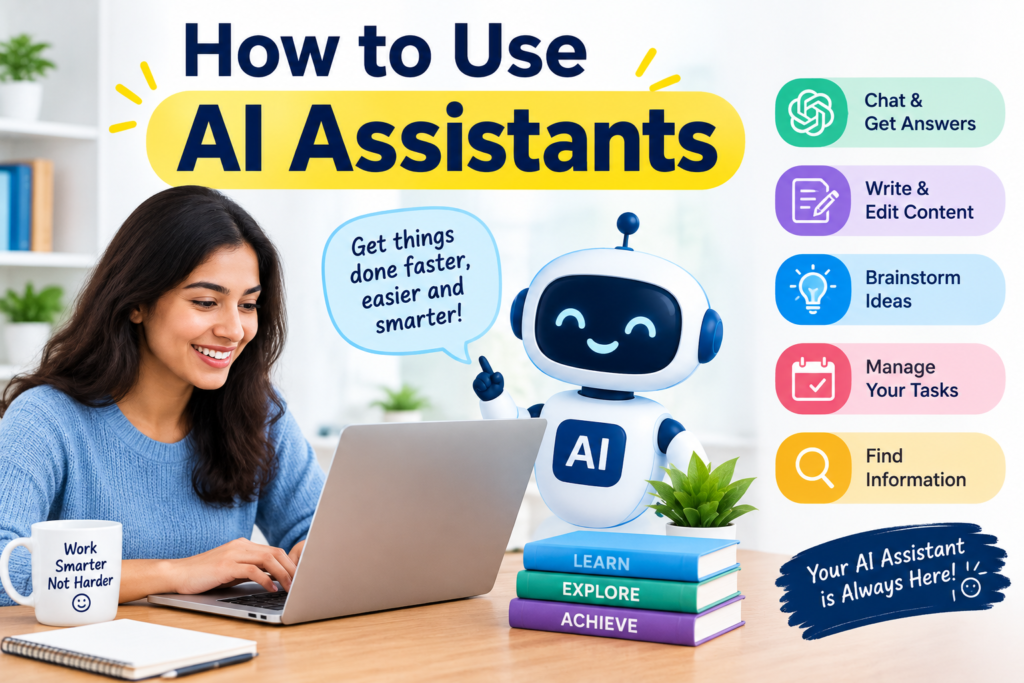
You can use an AI assistant to:
- Write and improve emails
- Summarize long documents
- Create meeting notes
- Plan your schedule
- Organize tasks
- Research a topic
- Brainstorm ideas
- Create first drafts
- Build checklists
- Plan meals and trips
- Explain difficult subjects
- Automate repetitive workflows
Used properly, AI can become a practical AI productivity assistant rather than another app that adds to your workload.
What Is an AI Assistant?
An AI assistant is software that uses artificial intelligence to understand requests and help complete tasks. You can communicate with many modern AI assistants using normal language. You don’t need to know programming or complicated commands.
For example, you could type:
“Create a simple plan for my workday. I have three meetings, 20 emails to answer, and a report due at 5 PM.”
An AI assistant can turn that information into a structured plan.
You could also ask:
“Summarize this report in five bullet points.”
Or:
“Rewrite this email so it sounds polite and professional.”
This conversational approach is one reason AI assistants have become useful for productivity.
What Can AI Assistants Do?
Depending on the tool, an AI assistant can help with:
- Writing
- Research
- Planning
- Scheduling
- Summarizing
- Brainstorming
- Data organization
- Task management
- Communication
- Learning
- Content creation
- Workflow automation
In simple terms, an AI assistant can help you move from “I need to do this” to “Here’s a useful first step.”
How Do AI Assistants Work?
Most modern AI assistants are powered by AI language models.
These models are trained to recognize patterns in large amounts of information. They can understand natural language and generate responses based on the context of your request.
For example, when you ask an AI chatbot to create an email, it doesn’t simply copy an email from a database. It generates a response based on your instructions and the information provided.
This makes conversational AI useful for many different tasks.
AI Assistants Understand Context
A good AI prompt provides context.
Compare these two requests:
Basic prompt:
“Write an email.”
Better prompt:
“Write a short and polite email to a client explaining that the project will be delayed by two days.”
The second request gives the AI more useful information. This is where prompt engineering can make a difference. Clear AI assistant prompts usually produce more useful results.
How Can AI Assistants Save Time?
AI can save time in two major ways. First, it can complete parts of a task faster.
Second, it can reduce the number of steps needed to complete a task. For example, writing a report may normally involve:
- Researching information
- Creating an outline
- Writing the first draft
- Editing the draft
- Creating a summary
An AI assistant can help with each stage. You still need to check facts, add your experience, and make the final decisions. But the first draft and basic organization can become much faster. This is the basic idea behind AI assistants for productivity.
A Simple Time-Saving Example
Imagine you spend 30 minutes every morning organizing your tasks.
An AI assistant could help turn your task list into:
- Urgent tasks
- Important tasks
- Tasks that can wait
- Quick tasks
- Tasks that can be delegated
Instead of spending 30 minutes organizing everything manually, you may only need a few minutes to review the AI-generated plan.
Small savings can add up.
If an AI tool saves 20 minutes each workday, that’s more than 80 minutes in a typical four-day workweek and many hours over a month.
AI Assistants for Work
The workplace is one of the best places to use AI productivity tools. Professionals often spend a large part of their day on communication, meetings, research, documents, and task management. AI can support many of these activities.
1. Use AI for Email Management
Email is a major time drain for many employees. An AI email assistant can help you:
- Draft replies
- Shorten long messages
- Change the tone
- Summarize email threads
- Extract action items
- Create follow-up messages
- Improve grammar
For example, instead of starting from an empty screen, you can tell your AI assistant:
“Write a short professional reply confirming that I received the proposal and will review it by Friday.”
You can then review and personalize the response.
The human review is important, especially for sensitive business communication.
2. Use AI for Writing
An AI writing assistant can help with:
- Reports
- Proposals
- Blog posts
- Social media content
- Internal messages
- Presentations
- Product descriptions
- Job applications
AI is often most useful when you already know what you want to say but need help organizing it. Instead of asking AI to create everything from scratch, give it your key points. That usually produces a more natural result.
AI Meeting Assistants and Note-Taking Tools
Meetings can create another productivity problem. You attend a one-hour meeting and then spend another 20 minutes trying to remember what everyone agreed to do. AI meeting assistants can help by creating:
- Meeting summaries
- Key discussion points
- Action items
- Decisions
- Follow-up tasks
- Speaker notes
An AI meeting assistant can therefore reduce the amount of manual note taking.
However, you should always check whether your workplace allows AI meeting tools and whether participants need to be informed before a meeting is recorded or processed.
Turn Meeting Notes Into Tasks
One useful workflow is: Meeting → Summary → Action items → Task list → Follow-up
For example:
| Meeting Information | AI Output |
| Project deadline | June 15 |
| Person responsible | Marketing team |
| Required task | Finalize campaign |
| Next step | Review creative |
| Follow-up | Friday |
This can turn unstructured information into an actionable plan.
AI Research Assistants for Faster Information Gathering
Research can take hours. An AI research assistant can help you create an initial research plan, identify important questions, summarize documents, compare ideas, and organize information.
For example, if you’re researching a new marketing strategy, you could ask:
“Create a research checklist for comparing three digital marketing strategies. Include cost, time, expected benefits, risks, and measurement methods.”
The AI can create the structure.
You can then verify the information using reliable sources.
AI should not automatically be treated as a source of truth. It can make mistakes, misunderstand context, or provide outdated information.
For important decisions, always verify critical facts.
AI Task Management and Time Management
A long task list can feel overwhelming.
AI can help turn a large list into a realistic schedule.
For example:
Unorganized list:
- Reply to emails
- Write report
- Call client
- Buy groceries
- Study chapter 4
- Book appointment
- Review presentation
An AI assistant can organize these into categories:
High Priority
- Write report
- Call client
Quick Tasks
- Reply to emails
- Book appointment
Personal Tasks
- Buy groceries
Study
- Study chapter 4
This is a simple example of AI task management.
Use AI for Time Blocking
You can also ask an AI scheduling assistant to create time blocks.
For example:
| Time | Activity |
| 9:00–9:30 | |
| 9:30–11:00 | Deep work |
| 11:00–11:30 | Meeting |
| 11:30–12:00 | Follow-ups |
| 2:00–3:30 | Project work |
| 4:00–4:30 | Planning |
The key is to leave some free time. A schedule that’s packed from morning to evening isn’t always productive. Unexpected tasks happen.
AI Workflow Automation Can Remove Repetitive Work
One of the most powerful uses of AI is workflow automation. Many people repeat the same process every day.
For example:
- Receive an email
- Copy information
- Add it to a spreadsheet
- Notify a team member
- Create a task
- Send a confirmation
Some of these steps can be automated with AI automation tools and workflow platforms.
What Tasks Can AI Automate?
Common examples include:
- Sorting information
- Creating task entries
- Sending routine notifications
- Summarizing documents
- Categorizing messages
- Extracting information
- Generating reports
- Creating content drafts
- Updating records
The best candidates for automation are tasks that are repetitive, predictable, and low risk. Don’t start by automating your most complicated process.
Start small.
Automate one repetitive task, measure the time saved, and then improve the workflow.
AI Assistants for Home and Everyday Life
AI isn’t only for office work. AI assistants for home can also reduce mental clutter.
People often spend time planning meals, creating shopping lists, organizing trips, managing household tasks, and remembering appointments.
AI can help with these everyday tasks.
1. Meal Planning
You could ask:
“Create a five-day dinner plan for two people using simple ingredients and a limited budget.”
You can then ask for a shopping list. The result may help reduce planning time. You still need to check allergies, dietary requirements, food availability, and personal preferences.
2. Travel Planning
An AI travel planning assistant can help create:
- Day-by-day itineraries
- Packing lists
- Activity ideas
- Questions to research
- Budget categories
- Travel checklists
For current prices, opening hours, transport schedules, or travel rules, verify the information with current official sources.
3. Household Organization
You can also use AI as an organization assistant.
For example:
“Create a weekly household checklist with cleaning, shopping, bills, laundry, and maintenance tasks.”
The AI can turn a vague goal into a clear list.
AI Assistants for Students
Students can also benefit from AI productivity tools when they’re used responsibly. AI tools for students can support learning rather than replace learning.
Useful applications include:
- Explaining difficult topics
- Creating study plans
- Generating practice questions
- Summarizing notes
- Brainstorming ideas
- Creating flashcards
- Improving writing
- Organizing research
- Creating revision checklists
How Can Students Use AI Productively?
A student could ask:
“Explain photosynthesis in simple language and then give me five questions to test my understanding.”
This is more useful than simply asking AI to complete homework.
Another example:
“Create a seven-day study plan for my biology exam. I have two hours available each evening.”
The AI can create a starting plan.
AI Should Support Learning
Students should avoid submitting AI-generated work as their own when academic rules prohibit it. AI can help explain a topic, but students still need to think, practice, research, and produce their own work.
The best approach is:
Learn with AI, not simply submit with AI.
AI Tools for Everyday Tasks
There are dozens of everyday uses for AI.
Here are some practical examples:
| Task | How AI Can Help |
| Grocery shopping | Create a shopping list |
| Cooking | Suggest meal ideas |
| Travel | Build an itinerary |
| Emails | Draft replies |
| Studying | Explain difficult concepts |
| Work | Summarize documents |
| Meetings | Create action items |
| Planning | Build schedules |
| Writing | Improve drafts |
| Research | Organize questions |
| Personal tasks | Create checklists |
| Budget planning | Organize spending categories |
These may seem like small improvements.
But productivity isn’t always about one huge breakthrough.
Sometimes it’s about removing dozens of small frustrations.
10 Practical Ways to Use AI to Save Time
If you’re new to AI, start with these practical uses.
1. Create Your Daily Plan
Give AI your tasks and deadlines and ask it to organize your day.
2. Summarize Long Documents
Paste or upload permitted content and ask for the main points, decisions, risks, and action items.
3. Draft Routine Emails
Provide the purpose, audience, tone, and important information.
4. Turn Notes Into a Checklist
Give AI messy notes and ask it to extract tasks.
5. Create Meeting Summaries
Use an approved meeting assistant to generate notes and action items.
6. Brainstorm Ideas
Ask for 10 or 20 ideas and then select the best ones yourself.
7. Build Study Plans
Students can provide their subjects, available time, and exam dates.
8. Plan Meals
Give AI your preferences and ingredients.
9. Create Travel Checklists
Ask for a checklist based on destination, trip length, and activities.
10. Automate Repetitive Workflows
Identify one repetitive task and explore whether it can be automated.
How to Use AI Without Wasting Time
Ironically, AI can also waste time. You can spend 30 minutes trying different prompts for a task that would have taken 10 minutes manually. That’s why how to use AI effectively matters.
Use the 5-Part Prompt Method
A simple prompt can include:
Role + Task + Context + Format + Goal
For example: “Act as a professional project manager. Create a weekly task plan from the project details below. Group tasks by priority and show the deadline for each task. Keep it simple and practical.” This gives the AI a clear job.
Don’t Over-Optimize Every Prompt
You don’t need a perfect prompt for every small task. Start with a simple request.
If the answer isn’t useful, improve the prompt. This keeps AI from becoming another productivity project.
AI Productivity Tips That Actually Work
Here are several practical productivity tips.
Start With High-Frequency Tasks
Find something you do repeatedly.
Email, reports, notes, research, and planning are good starting points.
Give AI Context
More useful information often leads to more useful output.
Use Templates
Create reusable prompts for common tasks.
Keep a Human Review Step
AI should assist you, not remove your judgment.
Verify Important Information
Check facts, figures, legal information, financial information, medical information, and business-critical details.
Protect Sensitive Data
Don’t paste confidential company information, passwords, financial details, private customer data, or other sensitive information into an AI service unless your organization has approved the practice.
Measure Time Saved
Before automating something, estimate how long it takes.
After using AI, check the difference.
That’s how you know whether the tool is actually improving productivity.
Best AI Assistants for Productivity
There isn’t one best AI assistant for everyone. The right tool depends on your needs.
You may need:
- A general AI chatbot
- An AI writing assistant
- An AI research assistant
- An AI scheduling assistant
- An AI email assistant
- An AI meeting assistant
- An AI note-taking tool
- An AI workflow automation tool
For example, a student may value study and research features. A manager may care more about meetings, email, scheduling, and project management. A freelancer may need writing, research, client communication, and workflow automation. The best AI productivity tool is the one that solves a real problem in your workflow.
Benefits of AI Assistants
The major benefits include:
Faster Routine Work
AI can reduce the time needed for repetitive tasks.
Better Organization
It can turn scattered information into structured lists and plans.
Faster First Drafts
AI can help you get started instead of staring at a blank page.
Easier Research
AI can help organize questions and summarize information.
Improved Time Management
AI can help prioritize tasks and create realistic schedules.
Lower Mental Load
Offloading simple planning tasks can reduce mental clutter.
Better Work-Life Balance
If AI reduces routine work, you may have more time for important work and personal activities.
Limitations and Risks of AI Productivity Tools
AI isn’t perfect.
It can:
- Make factual mistakes
- Misunderstand instructions
- Produce generic content
- Miss important context
- Generate incorrect information
- Reflect errors in source material
There’s also a risk of overdependence.
If you ask AI to make every decision, you may stop developing your own judgment.
That’s why the best approach is human + AI, not human versus AI.
Think of AI as a smart assistant.
You remain responsible for the final decision.
A Simple AI Productivity Workflow
If you want to start today, try this workflow.
Step 1: Find One Time-Consuming Task
Choose something you do at least several times per week.
Step 2: Break It Into Steps
Write down exactly what you do.
Step 3: Identify the Repetitive Parts
Look for copying, summarizing, formatting, sorting, drafting, or organizing.
Step 4: Ask AI to Help
Give the AI clear instructions.
Step 5: Review the Output
Check accuracy and quality.
Step 6: Improve the Process
If the workflow works, create a reusable prompt or automation.
Step 7: Measure the Result
Compare the time before and after AI.
This simple process can help you build AI-powered productivity without making your workflow unnecessarily complicated.
”FAQs”
What is an AI assistant?
An AI assistant is software that uses artificial intelligence to understand natural-language requests and help with tasks such as writing, research, planning, summarization, organization, and automation.
How can AI assistants save time?
AI assistants can save time by speeding up repetitive tasks, creating first drafts, summarizing information, organizing tasks, preparing schedules, and helping automate workflows.
How do AI assistants help at work?
They can help employees with email writing, document summaries, research, meeting notes, task management, brainstorming, scheduling, and workflow automation.
How do AI assistants help at home?
AI assistants can help with meal planning, travel planning, shopping lists, household schedules, reminders, personal organization, and other everyday tasks.
How do AI assistants help students?
Students can use AI to explain difficult topics, create study plans, generate practice questions, summarize notes, organize research, and brainstorm ideas. Students should follow their school's academic integrity rules.
What tasks can AI assistants automate?
AI can help automate repetitive tasks such as information extraction, document summarization, email drafting, task creation, categorization, reporting, and certain workflow steps.
Is AI good for productivity?
Yes, when used correctly. AI can improve productivity by reducing repetitive work and helping people organize information. However, poor prompts, excessive tool use, or failure to verify AI output can reduce productivity.
How can I use AI without wasting time?
Start with one repetitive task. Give AI clear instructions, review the result, and measure the time saved. Don't use AI simply because it's available.
What are the best AI assistants for productivity?
The best option depends on your needs. General AI assistants are useful for writing, planning, research, and brainstorming, while specialized tools can be better for email, meetings, scheduling, notes, or workflow automation.
Can I use ChatGPT as a personal assistant?
Yes. You can use ChatGPT for planning, writing, brainstorming, research support, task organization, learning, summaries, checklists, and many other personal productivity tasks. For current information or actions involving external services, use appropriate tools and verify important details.







Pingback: Large Language Models (LLMs) Explained: How They Work, Uses & Future
Pingback: Environmental Cost of AI : Top 7 Ways to Make AI Sustainable