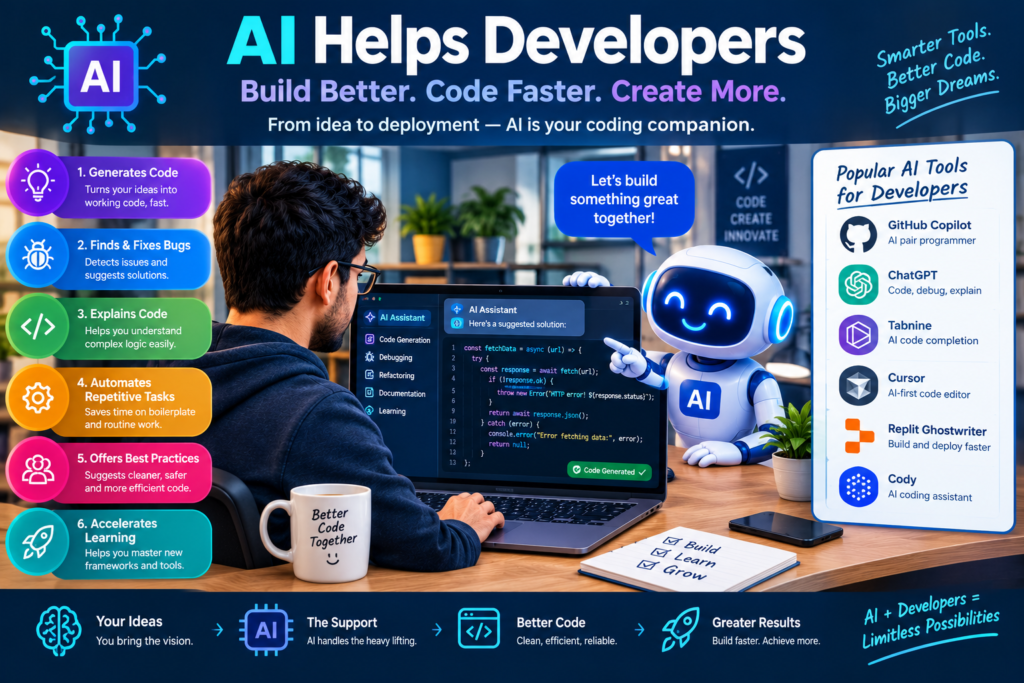
10 Powerful Ways AI Helps Developers Understand Large and Complex Codebases
Modern software applications are growing larger and more complex every year. A single project may contain thousands of files, several programming languages, external services, databases, and many interconnected components. For developers, understanding how all these parts work together can be a real challenge.
This is where AI codebase analysis becomes useful.
Artificial intelligence can help developers explore source code, identify relationships between files, explain unfamiliar functions, and understand how different parts of an application work together. Instead of reading every file from beginning to end, developers can ask focused questions and receive explanations based on the available code and project context.
For example, a developer joining an existing team might ask, “How does user authentication work in this application?” An AI programming assistant can help locate authentication-related files, explain the login process, and identify relevant functions and dependencies.
However, AI isn’t a replacement for careful engineering. Its explanations must be checked against the actual source code, tests, and system behavior.
In this guide, you’ll discover 10 powerful ways AI helps developers understand large and complex codebases, explore popular tools, and learn practical methods for using artificial intelligence in everyday development work.
Why Are Large Codebases Difficult to Understand?
Understanding a small application is usually straightforward. A developer can inspect a few files and quickly learn how the program works.
Large applications are different. They often contain years of changes, multiple services, complex business rules, and dependencies that aren’t obvious at first glance.
1. Growing Code and Complex Dependencies
As applications expand, their components become increasingly connected.
A change in one module may affect several other modules. For example, modifying a payment function could affect the checkout page, order database, invoice generator, and notification service.
Developers must understand these relationships before making changes.
Common challenges include:
- Finding which files control a particular feature.
- Identifying functions that depend on one another.
- Understanding how data moves between services.
- Discovering outdated or unused code.
- Predicting the impact of a proposed change.
Code dependency mapping helps reveal these relationships. AI can assist by examining imports, function calls, configuration files, and other available project information.
This makes large codebase management more organized and reduces the time developers spend searching for relevant files.
2. Legacy Code and Missing Documentation
Many businesses depend on software that has been running for years. Some applications were built by developers who have since left the organization.
Over time, technical documentation may become outdated. Function names may be unclear, and important business rules may exist only inside the source code.
This creates a serious knowledge gap.
Developers may understand individual functions but struggle to explain how the complete application operates.
AI tools can help bridge this gap by summarizing functions, explaining unfamiliar logic, and generating initial technical documentation.
Still, generated documentation should be reviewed by someone who understands the application. AI may misunderstand unusual business rules or miss behavior that depends on external systems.
3. Multiple Languages and Frameworks
Large applications often combine several technologies.
For instance, a project might use JavaScript for its frontend, Python for data processing, Java for backend services, and SQL for database operations.
Developers must understand how these technologies interact.
AI developer tools can explain unfamiliar syntax, identify related components, and help developers follow a feature across different parts of the system.
4. Limited Time for Code Exploration
Developers usually need to deliver features, fix bugs, and review changes while learning the existing application. Reading thousands of lines manually isn’t always practical.
AI-powered code exploration tools can speed up initial research by summarizing relevant files and suggesting where to investigate next. As a result, developers can spend more time solving problems and less time searching for basic information.
What Is AI Codebase Analysis?
AI codebase analysis is the use of artificial intelligence to examine source code and help developers understand a software project.
It combines capabilities such as language understanding, code search, repository indexing, and contextual analysis.
Depending on the tool, it may analyze a single file, a selected group of files, or a broader repository.
The goal is simple: make code easier to explore, explain, maintain, and improve.
How AI Reads and Interprets Code
AI tools can use different methods to understand software.
Some tools analyze the text of source files. Others combine language models with syntax analysis, repository indexing, symbol references, and code retrieval.
More advanced systems can connect a developer’s question with relevant files and functions before generating an answer.
Consider this question:
“Where is the user’s profile information saved, and which components use it?”
An AI assistant may help identify:
- The profile form or interface.
- The API endpoint that receives profile information.
- The backend function that processes the request.
- The database model or storage layer.
- Other components that read the profile information.
The quality of the answer depends on the tool’s repository access, indexing, and ability to follow the application’s actual execution paths.
How AI Differs From Traditional Code Analysis Tools
Traditional code analysis tools are excellent at checking specific rules. They can detect syntax errors, style problems, type mismatches, and certain security risks.
AI adds another layer by explaining code in natural language and connecting information across files.
|
Feature |
Traditional Tools |
AI-Powered Tools |
|
Syntax and style checks |
Strong |
Depends on the tool |
|
Natural-language explanations |
Usually limited |
Often strong |
|
Cross-file exploration |
Available in some tools |
Can provide contextual explanations |
|
Dependency analysis |
Often rule-based or graph-based |
Can explain relationships and suggest paths |
|
Documentation generation |
Usually template-based |
Can produce contextual summaries |
|
Debugging support |
Rules and diagnostics |
Can help form and test hypotheses |
|
Accuracy |
Depends on rules and configuration |
Depends on context and model quality |
The strongest approach is to combine both methods. Traditional tools provide structured checks, while AI helps developers interpret results and explore unfamiliar code.
10 Powerful Ways AI Helps Developers Understand Complex Codebases
AI can support many parts of the software development lifecycle. The following ten applications show how it can improve code comprehension and make complex projects easier to manage.
1. Intelligent Code Search
Finding a specific function in a large repository can take time, especially when its name doesn’t clearly describe its purpose.
AI-powered search can help developers search using natural language. For example, a developer might ask: “Find the code that sends a password reset email after a user requests account recovery.”
Instead of searching only for a specific function name, the developer can investigate files related to password recovery, email services, authentication, and user accounts.
This is especially helpful when the project uses inconsistent naming conventions.
AI search can also summarize why a result appears relevant and suggest related files to inspect.
However, natural-language search doesn’t guarantee that every relevant file will be found. Developers should verify the results with repository search, symbol references, and tests.
2. Software Architecture Analysis
Software architecture describes how the main parts of an application fit together. It may include frontend components, backend services, APIs, databases, authentication systems, and external integrations. Understanding this structure is essential when working with unfamiliar software.
AI can assist with software architecture analysis by explaining:
- The purpose of major application modules.
- Communication between frontend and backend components.
- The role of shared services.
- Possible connections between business features.
- Areas that may require further architectural investigation.
For example, an AI assistant may explain how a shopping application connects its product catalog, cart, payment service, and order management system.
Some tools can also help create architecture diagrams or dependency summaries from repository information.
Still, an AI-generated architecture explanation should be treated as a starting point. The actual system may include runtime connections, external services, and configuration-based behavior that isn’t visible in the code provided.
3. Code Dependency Mapping
Dependencies show how one part of a program relies on another.
When developers change a shared function, they need to know which other components could be affected.
AI can help explain these relationships by examining imports, references, function calls, and related files.
For example, suppose a developer wants to modify a shared authentication service. AI may help identify the login page, account settings, protected API routes, and session-management code that need review.
This makes code dependency mapping useful for:
- Planning code changes.
- Identifying possible regression risks.
- Understanding shared modules.
- Reviewing complex refactoring work.
- Improving large codebase management.
Dependency graphs and static analysis tools remain important because language models can overlook indirect relationships.
Combining AI explanations with automated dependency reports gives developers a stronger view of the application’s structure.
4. Automated Software Documentation
Technical documentation is essential for maintaining software, but writing and updating it can take significant time.
AI can generate initial documentation from source code, function definitions, comments, tests, and repository context.
For example, it can help produce:
- Function and class summaries.
- API endpoint descriptions.
- Module overviews.
- Setup instructions.
- Architecture explanations.
- Developer onboarding guides.
Suppose a project contains an unfamiliar function named processOrder().
An AI tool might summarize its inputs, outputs, main operations, and connections to other modules.
The developer can then review the explanation and add missing business context.
This approach can make technical documentation easier to create and maintain.
However, documentation should never be generated and accepted blindly. If the code changes, the documentation may become outdated. AI-generated descriptions should be checked for accuracy and updated alongside the implementation.
5. Faster Debugging and Root Cause Analysis
Debugging becomes difficult when a problem appears in one part of an application but originates somewhere else.
For example, a page may display incorrect user information because of a backend transformation, a database query, or a caching issue.
AI debugging tools can help developers examine error messages, relevant code, logs, and related functions.
They can suggest possible causes and recommend tests that help distinguish between competing explanations.
A useful debugging workflow looks like this:
- Share the error message and relevant code with an approved AI tool.
- Ask for possible causes, ranked by evidence.
- Inspect the functions and dependencies involved.
- Reproduce the problem with a test case.
- Apply a targeted fix.
- Run relevant tests to confirm the result.
AI can accelerate investigation, but a plausible explanation isn’t proof of the root cause. Developers should verify every important claim against actual application behavior.
6. Better AI Code Review
Code review helps teams identify defects before changes reach production.
AI code review can provide an additional layer of analysis by examining proposed changes and highlighting possible problems.
Depending on the tool, it may flag:
- Missing error handling.
- Inconsistent validation.
- Potential security weaknesses.
- Unclear function behavior.
- Duplicate logic.
- Missing test coverage.
- Possible performance problems.
For instance, an AI assistant reviewing a new payment endpoint may suggest checking authorization, input validation, and failure handling.
These suggestions can help reviewers focus on areas that deserve attention.
However, AI code review isn’t a substitute for human review, security testing, or established engineering checks. False positives and missed defects are possible, particularly when the tool lacks business context.
7. Exploring Legacy Codebases
Legacy systems can be difficult to change because their original design decisions may be poorly documented.
Some applications contain outdated frameworks, deeply connected modules, and business rules that aren’t easy to identify.
AI tools can help developers explore these systems gradually.
A practical approach is to begin with a high-level question, such as:
“What are the main modules in this application, and how do they interact?”
Next, investigate individual modules and trace important user workflows.
For example, when exploring an older customer management system, developers might examine customer creation, account updates, reporting, and authentication separately.
This step-by-step method helps build an accurate mental model without requiring a complete understanding of the repository on day one.
AI tools for exploring legacy codebases are most useful when developers verify their explanations against existing tests, production behavior, and trusted documentation.
8. Understanding Data Flow Across Applications
A feature often involves several stages. Information may enter through a user interface, pass through an API, undergo validation, reach a database, and then appear in another component.
Following this process manually can be time-consuming. AI can help trace data flow by identifying relevant functions, API calls, models, and transformations.For example, a developer investigating a registration issue may ask how an email address moves from a signup form to the database and verification service. The assistant can help identify likely points of interest and explain their roles.
This improves application structure understanding and can help developers locate missing validation, inconsistent transformations, or unexpected dependencies.
Nevertheless, the complete data flow may depend on runtime configuration, queues, external services, or database triggers. These should be checked separately.
9. Supporting Development Collaboration
Large software projects often involve developers with different levels of experience and knowledge.
AI can help teams share technical information more efficiently.
A developer who understands a module can use AI to prepare a summary for another team member. A new employee can ask questions about unfamiliar code, while an experienced developer can use AI to prepare onboarding documentation.
This supports development collaboration by making technical information easier to communicate.
AI can also help explain complex code changes in simpler language, making discussions more accessible to product managers, testers, and other stakeholders.
For the best results, teams should maintain clear coding standards, review AI-generated explanations, and store approved documentation in a shared location.
AI can support collaboration, but it doesn’t replace direct discussion about design decisions and business requirements.
10. Improving Software Scalability and Maintenance
Software needs to evolve as businesses grow.
New features, higher traffic, and changing customer requirements can place pressure on existing architecture.
AI can help developers investigate possible maintenance and scalability concerns by reviewing relevant code, configuration, and performance information.
For example, it might identify repeated database queries, duplicated business logic, or large modules that deserve closer review.
It may also suggest tests or profiling steps to determine whether a suspected problem is real.
This makes software maintenance AI useful during refactoring, performance investigations, and long-term application planning.
However, developers shouldn’t assume that complicated code is automatically slow or that a suggested optimization will improve performance. Benchmarking, monitoring, and controlled testing are necessary to confirm the benefits.
Best AI Tools for Codebase Analysis
The best AI tools for codebase analysis depend on the project’s size, programming languages, security needs, and development workflow.
Some tools focus on interactive coding, while others specialize in repository search, code navigation, or automated review.
Here are several widely used options.
|
Tool |
Main Strength |
Useful For |
|
GitHub Copilot |
AI assistance within supported development workflows |
Code explanations, suggestions, and repository-related questions |
|
Cursor |
AI-focused code editor with codebase context |
Exploring files and understanding related code |
|
Sourcegraph |
Code search and repository navigation |
Finding code across large repositories |
|
Claude Code |
AI-assisted work across code and development tasks |
Investigating modules and following multi-step workflows |
|
JetBrains AI |
AI features within JetBrains development tools |
Understanding and working with code in supported IDEs |
Features and availability can change, so check each vendor’s current documentation before choosing a tool.
How to Choose the Right Tool
Before selecting an AI programming assistant, consider these questions:
- Repository context: Can it access the files needed to answer your questions?
- Language support: Does it work well with your programming languages and frameworks?
- Code navigation: Can it help locate definitions, references, and dependencies?
- Privacy: Does its data policy meet your organization’s requirements?
- Verification: Can you check its suggestions against source code and tests?
- Workflow fit: Does it work with your existing editor, version control, and review process?
- Cost: Does the pricing fit your team and usage needs?
For a small project, an IDE assistant may be sufficient. For a large organization with many repositories, code search and repository-wide navigation may be equally important. The best solution is the one that provides useful context without compromising security or engineering quality.
How to Understand Large Software Projects Using AI: A Practical Guide
AI works best when developers ask focused questions and investigate the answers systematically.
The following workflow offers a practical starting point.
Step 1: Start With the Repository Structure
Begin by asking AI to explain the top-level folders, configuration files, and major application modules.
Look for the entry point, frontend, backend, database layer, tests, and deployment configuration.
Don’t ask the tool to explain the entire repository in one response. Start with the broad structure, then explore individual areas.
Step 2: Identify the Main User Workflows
Choose a key feature, such as login, search, payment, or registration.
Ask AI to identify the files involved and explain the workflow from beginning to end.
Then verify the answer by following function references, API routes, and relevant tests.
Step 3: Trace Dependencies
Identify the functions and modules used by the selected feature.
Ask which components call them and whether they rely on shared services.
Use available code navigation and dependency tools to confirm the relationships.
Step 4: Review Tests and Documentation
Existing tests can provide valuable evidence about expected behavior.
Read unit tests, integration tests, API documentation, and configuration files related to the feature.
If AI explanations conflict with these sources, investigate the difference instead of automatically trusting the generated response.
Step 5: Create a Verified Summary
Once you understand a module, write a short summary that covers:
- Its purpose.
- Its main inputs and outputs.
- Its dependencies.
- Its important business rules.
- Its tests and known limitations.
Store useful summaries in approved project documentation where appropriate.
Step 6: Repeat the Process for Other Modules
Build your understanding one feature at a time.
As you explore more modules, connect them into a broader architecture map.
This method improves code comprehension without requiring developers to read every file before becoming productive.
How AI Improves Code Comprehension and Development Productivity
AI can improve development productivity by reducing the time required to locate information, interpret unfamiliar code, and prepare technical documentation.
Its value isn’t limited to writing new code. It can also help developers understand existing systems before making changes.
Faster Developer Onboarding
New team members can use AI to explore architecture, understand terminology, and find important files.
This may reduce the time spent asking basic questions, although onboarding still requires guidance from experienced engineers.
More Efficient Application Maintenance
Developers can use AI to investigate defects, review dependencies, and prepare for refactoring.
These activities can make application maintenance more systematic.
Better Technical Communication
AI-generated summaries can help explain complex modules to developers, testers, and product teams.
Human review ensures that the explanations reflect actual business requirements.
More Focused Problem Solving
Instead of manually searching every file, developers can begin with a focused question and investigate relevant code.
This can shorten the initial research process, particularly in unfamiliar repositories.
However, productivity gains depend on the task, tool quality, and developer experience. AI may save time on routine exploration but require additional verification for complex or safety-critical changes.
Challenges and Limitations of AI Codebase Analysis
AI offers valuable support, but it has important limitations.
1. Incorrect Explanations
AI may generate explanations that sound convincing but don’t match the actual code.
Developers should verify important statements against implementations, tests, and runtime behavior.
2. Incomplete Repository Context
Some tools cannot inspect every file or may miss important dependencies.
Large repositories, ignored directories, generated files, and external services can limit the available context.
3. Security and Privacy Risks
Source code may contain confidential business logic, internal endpoints, or sensitive configuration.
Before uploading code to an external service, check company policies, access controls, retention settings, and the provider’s data-handling terms.
Never share secrets, passwords, API keys, or production credentials with an AI assistant.
4. Overreliance on AI
Developers who accept every suggestion without checking it may introduce bugs or weaken software quality.
AI should support engineering judgment, not replace it.
5. Maintenance of AI-Generated Documentation
Generated documentation can become inaccurate as the software changes.
Teams should review and update it alongside code changes, ideally as part of their normal development process.
Best Practices for AI-Powered Code Navigation
To get more reliable results from AI developer tools, follow these practical guidelines.
- Ask specific questions. Focus on a function, module, workflow, or error instead of asking for a complete explanation of a huge project.
- Provide relevant context. Include the necessary code, error message, configuration, or test results.
- Request evidence. Ask the assistant to identify the files and functions supporting its explanation.
- Verify dependencies. Check symbol references, imports, call sites, and generated dependency reports.
- Use tests as evidence. Run existing tests and add new tests when investigating uncertain behavior.
- Protect source code. Follow organizational security and privacy rules before connecting a repository to an AI service.
- Review changes before merging. Use human review, automated tests, and static analysis.
- Document confirmed findings. Keep useful explanations in a shared, maintained knowledge base.
These practices help teams use AI for codebase understanding while maintaining control over software quality.
Understanding large and complex software projects doesn’t have to mean reading every file manually.
AI codebase analysis gives developers practical ways to explore source code, understand architecture, trace dependencies, generate documentation, investigate bugs, and maintain existing applications.
From intelligent code search to AI-assisted debugging, these capabilities can make software engineering more accessible and efficient. They are particularly useful when developers join unfamiliar projects or work with legacy systems that lack clear documentation.
However, AI is most effective when combined with reliable engineering practices. Developers should verify explanations, protect confidential code, run tests, and review every proposed change.
Start with one important feature in your repository. Use an AI assistant to identify the relevant files, trace the workflow, and summarize the dependencies. Confirm what you learn, then repeat the process for other modules.
Over time, this approach can improve code comprehension, support development collaboration, and make large software projects easier to maintain.
Know More:
”FAQs”
1. How does AI help developers understand complex codebases?
AI helps developers search source code, explain unfamiliar functions, trace dependencies, summarize modules, and investigate application workflows. It can reduce manual exploration, but its explanations should be checked against the actual code.
2. What are the best AI tools for codebase analysis?
GitHub Copilot, Cursor, Sourcegraph, Claude Code, and JetBrains AI are options worth evaluating. The right choice depends on repository size, supported languages, code navigation features, security requirements, and budget.
3. Can AI understand an entire software repository?
Some tools can index and search large repositories or retrieve relevant files across a project. However, no tool should be assumed to understand every file and dependency perfectly. Repository size, configuration, context limits, and external services can affect results.
4. Can AI help developers understand legacy code?
Yes. AI can summarize old functions, identify related modules, explain unfamiliar syntax, and help generate documentation. Developers should compare these explanations with existing tests, business requirements, and application behavior.
5. How does AI improve code comprehension?
AI can translate complex code into simpler language, explain function behavior, identify relationships between modules, and answer questions about specific workflows. This helps developers build a mental model of an application more quickly.
6. Is AI code analysis better than traditional code analysis?
Neither approach is universally better. Traditional tools are effective at detecting defined rule violations and structural issues. AI adds natural-language explanations and contextual assistance. Using both usually provides broader support.
7. Can AI automatically generate software documentation?
Many AI tools can draft function descriptions, module summaries, API explanations, and setup guides. Developers should review the output for correctness and update it whenever the underlying implementation changes.
8. Is AI codebase analysis safe for company projects?
It can be safe when the chosen tool and its configuration meet company security requirements. Teams should review data-handling policies, repository permissions, retention practices, and access controls before sharing private code.
9. Can AI find bugs in large software applications?
AI can identify suspicious code, interpret errors, suggest possible causes, and recommend tests. However, it may miss defects or suggest incorrect fixes. Automated testing, debugging, monitoring, and human review remain essential.
10. How can beginners use AI to explore a large codebase?
Beginners can start by asking AI to explain the repository structure, identify the main application entry points, and trace one feature at a time. Reviewing the relevant source code and tests helps them build a reliable understanding.