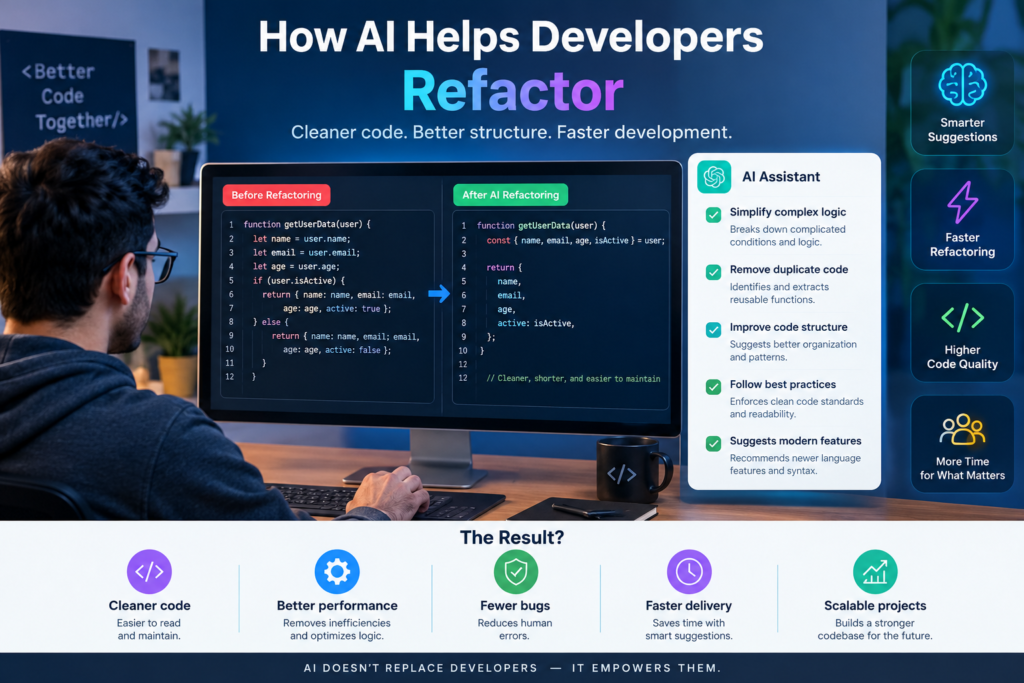
How AI Helps Developers Refactor and Optimize Existing Code: 10 Powerful Ways to Boost Code Quality
Why Existing Code Needs Improvement
Software changes over time. A small application may begin with a few simple functions. Later, new features, customer requests, and business needs make it much larger. As a result, the code can become difficult to understand, test, and maintain.
Developers often face duplicated logic, slow database queries, confusing functions, and outdated coding patterns. These problems can increase maintenance costs and make new features harder to build.
This is where AI code refactoring can help.
AI programming tools can examine source code, identify possible issues, suggest cleaner structures, and help developers improve existing applications. They can also explain unfamiliar code, recommend performance improvements, and support code review. However, AI isn’t a magic button. It doesn’t guarantee better performance or perfect code. Developers must review its suggestions, run tests, and check the results.
When used correctly, code optimization with AI can support faster development, better code quality, and more reliable software. This guide explores how AI helps developers refactor existing code, which tools they can use, and how to apply these methods safely.
2. Understanding AI Code Refactoring
What Is Code Refactoring?
Code refactoring means changing the internal structure of software without changing its expected behavior. The main goal is to make code easier to read, test, update, and maintain.
For example, a developer may replace a long function with several smaller functions. The application should still produce the same results, but the code becomes easier to understand.
Common refactoring tasks include:
- Removing duplicated code.
- Renaming unclear variables and functions.
- Breaking large functions into smaller units.
- Simplifying complex conditions.
- Improving error handling.
- Organizing related classes and modules.
- Removing unused code after confirming it’s safe to delete.
These changes support clean code practices and make future development easier.
What Is AI Code Refactoring?
AI code refactoring uses artificial intelligence to analyze code and recommend or perform structural improvements.
An AI developer assistant can examine a function, explain its purpose, identify repeated logic, and suggest a cleaner implementation.
Some tools can also generate tests, identify potential bugs, and help developers understand unfamiliar codebases.
For example, imagine a function contains the same validation rules in five different places. An AI tool may suggest creating one reusable validation function.
The developer can review the suggestion, test it, and decide whether to apply it.
How Does AI Code Optimization Differ?
Code optimization focuses on improving how efficiently software uses time, memory, network resources, and computing power. AI-assisted optimization may help developers identify:
- Slow database queries.
- Unnecessary loops.
- Repeated calculations.
- Excessive API requests.
- Memory-intensive operations.
- Inefficient data structures.
- Slow application loading.
Refactoring and optimization often work together. Refactoring improves code structure, while optimization targets measurable performance or resource improvements. Still, cleaner code isn’t automatically faster. Developers should measure performance before and after making changes.
3. Why Developers Need AI for Code Improvement
Modern software teams work under pressure. They must deliver features, fix bugs, maintain security, and support existing customers.
At the same time, many applications contain years of accumulated code. Understanding every part of such a system can take considerable effort. AI software development tools can help address several common challenges.
3.1 Managing Complex Codebases
Large applications may contain thousands of files, shared services, and complex dependencies.
A developer working on one feature may need to understand how several other modules interact with it. AI code analysis can summarize files, explain functions, trace relationships, and identify areas that deserve closer review.
This support is especially useful when developers join an existing project or maintain code written by someone else.
3.2 Reducing Technical Debt
Technical debt develops when earlier design choices make future changes more difficult or expensive.
Examples include duplicated logic, outdated dependencies, poor documentation, and tightly connected components.
AI can help identify suspicious patterns and recommend ways to simplify them. Developers can then prioritize the changes that create the greatest business value.
Technical debt reduction doesn’t require rewriting an entire application. Small, well-tested improvements can gradually make a codebase healthier.
3.3 Improving Development Productivity
Developers spend time reading code, writing tests, reviewing pull requests, and investigating errors.
AI coding solutions can assist with these repetitive tasks. They may explain unfamiliar logic, generate test cases, or propose alternative implementations.
This gives developers more time to focus on system design, business requirements, and complex technical decisions.
3.4 Supporting Legacy Code Improvement
Legacy applications often use outdated frameworks, old programming patterns, or limited documentation.
Replacing them entirely can be expensive and risky.
AI can help developers understand legacy logic, identify obsolete patterns, and plan gradual improvements. This approach supports software maintenance without requiring a complete rebuild.
The key is to preserve existing behavior while improving the code in manageable steps.
4. How AI Helps Developers Refactor Existing Code
AI-assisted refactoring works best as a controlled process. The tool analyzes the code, offers suggestions, and helps developers make changes that can be verified.
Step 1: Analyze the Existing Code
First, developers provide the AI tool with relevant code, repository context, or selected files.
The tool may identify:
- Long and complex functions.
- Repeated code blocks.
- Poorly named variables.
- Unnecessary conditions.
- Potential bugs.
- Missing tests.
- Possible performance issues.
The findings help developers understand where improvements may be useful.
However, an AI-generated analysis is a starting point, not a complete technical audit.
Step 2: Identify the Main Problem
Before changing code, developers should define the issue they want to solve.
Is the code difficult to understand? Does a page load slowly? Are bugs appearing after every update? Is the same logic repeated across several modules?
A clear objective helps the AI produce more relevant suggestions.
For example, asking an AI tool to simplify a function is more useful when the developer also explains the function’s expected behavior and important constraints.
Step 3: Generate Refactoring Suggestions
The AI tool can propose changes such as extracting helper functions, reducing duplication, simplifying conditions, or improving naming.
Developers should compare the proposed version with the original code.
They must also check whether the suggestion respects the application’s framework, coding standards, and architecture.
Step 4: Apply Changes in Small Steps
Large refactoring changes are harder to review and debug.
A safer approach is to improve one function, module, or clearly defined area at a time.
After each change, developers can run relevant tests and review the differences. If something breaks, the cause is easier to locate.
Step 5: Test the Results
Testing is essential because code that looks correct may still behave differently.
Developers should run unit tests, integration tests, and regression tests where appropriate.
They should also test important user journeys and compare performance measurements if optimization was the goal.
Step 6: Review and Document the Changes
Before merging the changes, developers should inspect the final code, check security implications, and confirm that it follows project standards.
Source code management tools such as Git help teams track modifications and restore earlier versions when necessary.
This process makes automated refactoring more reliable and easier to manage.
10 Powerful Ways AI Improves Code Quality and Performance
AI offers several practical ways to improve existing software. The following methods can support better code quality, maintainability, and development productivity.
5.1 Detecting Duplicate Code
Duplicated code increases maintenance effort. When the same rule appears in multiple places, developers must update every copy correctly.
AI can identify similar code blocks and recommend a shared function or reusable component.
This supports code structure enhancement and reduces the chance of inconsistent changes.
5.2 Simplifying Complex Functions
A function with many nested conditions can be difficult to understand.
AI can suggest clearer conditions, smaller functions, and simpler control flow.
Developers should confirm that the revised function handles all original cases, including errors and unusual inputs.
5.3 Improving Variable and Function Names
Names such as data1, tempValue, or processInfo may not explain what the code does.
AI can suggest descriptive names based on the surrounding logic.
Clear naming makes code easier for team members to understand, review, and maintain.
5.4 Finding Potential Bugs
AI code analysis can highlight suspicious conditions, incorrect assumptions, missing checks, and possible edge cases.
For example, it may notice that a function doesn’t handle an empty list or that a value could be undefined.
These suggestions should be verified through tests and other analysis tools. AI may miss real bugs or flag code that is actually correct.
5.5 Improving Application Performance
AI can help developers investigate slow operations and consider more efficient approaches.
It may suggest reducing repeated calculations, improving data access, or avoiding unnecessary network requests.
However, profiling tools and real measurements are necessary to confirm the cause of a slowdown and verify the improvement.
5.6 Generating Unit Tests
Tests protect existing behavior during refactoring.
AI tools can generate test ideas, sample inputs, expected outputs, and tests for unusual cases.
Developers should review these tests carefully. A test that simply repeats the same mistake as the implementation won’t provide meaningful protection.
5.7 Supporting Code Reviews
AI code review assistance can highlight readability problems, inconsistent patterns, possible defects, and missing error handling.
It can also summarize changes in a pull request.
Human reviewers remain important because they understand business requirements, project history, and architectural decisions that the AI may not know.
5.8 Updating Outdated Patterns
Older code may rely on patterns that newer language features or frameworks can replace.
AI can explain modern alternatives and help developers plan gradual updates.
Before applying changes, teams should check framework compatibility, dependency requirements, and the project’s supported runtime versions.
5.9 Improving Error Handling
Poor error handling can make applications difficult to debug and unreliable for users.
AI may suggest clearer exceptions, safer input validation, and more consistent logging.
Developers must ensure that error messages don’t expose passwords, personal data, API keys, or other sensitive information.
5.10 Improving Documentation
AI can create draft explanations for functions, classes, APIs, and complex workflows.
It can also help update documentation after a refactoring change.
Documentation must match the actual implementation. Incorrect explanations can be more harmful than missing ones, so every important claim should be checked.
6. AI Code Optimization vs. Traditional Refactoring
AI-assisted development and traditional refactoring can achieve similar goals, but they differ in how developers discover and implement improvements.
|
Factor |
Traditional Refactoring |
AI-Assisted Refactoring |
|
Code analysis |
Mainly manual inspection and existing tools |
AI suggestions combined with analysis tools |
|
Repetitive tasks |
Often require manual effort |
Some tasks can be automated |
|
Code explanation |
Depends on developer knowledge and documentation |
AI can generate explanations |
|
Test creation |
Written manually or through existing generators |
AI can suggest and draft tests |
|
Performance work |
Profilers, benchmarks, and developer investigation |
AI can help interpret findings and suggest changes |
|
Accuracy |
Depends on the developer and tools |
Depends on the developer, tools, context, and verification |
|
Final responsibility |
Developer or engineering team |
Developer or engineering team |
AI doesn’t replace traditional software engineering practices. Instead, it adds another source of assistance.
For example, a profiler may show that a database query is slow. An AI assistant can help explain the query and suggest alternatives. The developer then tests the revised query against realistic data.
The strongest results come from combining AI suggestions, established development tools, and human judgment.
7. Key Benefits of AI Code Refactoring
Better Maintainability
Well-structured code is easier to understand and modify.
AI can help identify areas where smaller functions, clearer names, and reusable components may improve maintainability.
Faster Development
Developers can use AI to draft repetitive code changes, explain unfamiliar functions, and generate test ideas.
This can shorten some tasks, although complex changes still require careful review.
Lower Maintenance Costs
When code becomes easier to understand, teams may spend less time investigating simple changes and fixing problems caused by duplication.
The actual savings depend on the project, the quality of implementation, and the time required to review AI output.
Improved Software Scalability
Applications are easier to extend when their components have clear responsibilities and well-defined interfaces.
AI can suggest architectural improvements, but developers must consider the full system, including databases, services, security, and deployment requirements.
Stronger Coding Standards
AI tools can help identify inconsistent formatting, naming, and implementation patterns.
Teams should combine these suggestions with automated linters, formatters, and code review rules.
More Effective Technical Debt Reduction
AI can help teams identify repeated problems and organize potential improvements.
A prioritized plan allows developers to address high-impact issues without interrupting every feature release.
8. Best AI Tools for Code Optimization
Several AI programming tools can help developers understand, refactor, and improve existing code. The right choice depends on the programming language, development environment, security requirements, and team workflow.
8.1 GitHub Copilot
<Entity value=”GitHub Copilot” category=”software” disambig=”AI coding assistant”/> supports code suggestions, explanations, and development workflows within supported environments.
It can help developers draft refactoring changes, write tests, and understand existing functions.
Official website: https://github.com/features/copilot
8.2 ChatGPT
<Entity value=”ChatGPT” category=”software” disambig=”AI assistant for coding and software development”/> can explain code, compare alternative implementations, identify potential issues, and help draft unit tests.
Developers can provide a small code sample and describe the expected behavior to receive focused suggestions.
For better results, include relevant constraints, language versions, and test cases. Avoid sharing confidential source code unless the company’s data policies permit it.
Official website: https://chatgpt.com/
8.3 Cursor
<Entity value=”Cursor” category=”software” disambig=”AI-powered code editor”/> is an AI-focused code editor that supports working with existing code and broader project context.
It can assist with code explanations, multi-file changes, and refactoring workflows.
Developers should review the full change set before accepting modifications across multiple files.
Official website: https://cursor.com/
8.4 JetBrains AI
<Entity value=”JetBrains AI Assistant” category=”software” disambig=”AI coding assistance for JetBrains IDEs”/> supports AI-assisted coding tasks in supported JetBrains development environments.
It can help explain code, generate documentation, and support selected development workflows. Teams should check current language support, feature availability, and licensing before adopting it.
Official website: https://www.jetbrains.com/ai/
8.5 Amazon Q Developer
<Entity value=”Amazon Q Developer” category=”software” disambig=”AI assistant for software development”/> can support code understanding, development tasks, and selected modernization workflows.
It may be useful for teams working with supported AWS services and development environments.
Developers should verify that proposed changes meet their application’s requirements and security standards.
Official website: https://aws.amazon.com/q/developer/
How to Choose the Right AI Tool
Before selecting a tool, consider the following questions:
- Does it support your programming language and framework?
- Can it understand the relevant project context?
- Does it fit your current IDE and repository workflow?
- What privacy and data-handling controls are available?
- Can the team review and test generated changes easily?
- Does its cost match the expected productivity benefits?
The best AI tools for code optimization are not necessarily the ones with the most features. They are the ones that fit the development team’s real needs.
9. Practical Examples of AI Code Improvement
Simple examples show how AI can help improve code structure. The following examples use JavaScript.
Example 1: Removing Repeated Logic
Consider this original code:
function getAdultStatus(age) {
if (age >= 18) {
return “Adult”;
}
return “Minor”;
}
function canRegister(age) {
if (age >= 18) {
return true;
}
return false;
}
Both functions check the same age condition.
A clearer version could use one shared helper:
function isAdult(age) {
return age >= 18;
}
function getAdultStatus(age) {
return isAdult(age) ? “Adult” : “Minor”;
}
function canRegister(age) {
return isAdult(age);
}
This version reduces duplicated logic and makes the shared rule easier to update.
However, the developer should confirm that both functions are intended to use the same definition of adulthood and that the inputs are validated appropriately.
Example 2: Simplifying a Condition
Original code:
function isEligible(score) {
if (score >= 50) {
return true;
} else {
return false;
}
}
Simplified version:
function isEligible(score) {
return score >= 50;
}
The revised function is shorter and easier to read. Its behavior remains the same for ordinary numeric inputs.
This is a straightforward example of AI code improvement. The value comes from making the code clearer without introducing unnecessary complexity.
Example 3: Optimizing a Repeated Calculation
Suppose an application calculates the total of an array of numbers several times.
function getTotal(items) {
let total = 0;
for (let i = 0; i < items.length; i++) {
total += items[i];
}
return total;
}
A developer might replace the loop with:
function getTotal(items) {
return items.reduce((total, item) => total + item, 0);
}
The second version is more concise, but it isn’t automatically faster. Performance depends on the runtime, data, and surrounding operations.
AI can suggest alternatives, but developers should benchmark performance-sensitive code before claiming an optimization.
Example 4: Improving Database Queries
Imagine a page loads 100 records and then makes a separate database request for each record.
This can create many unnecessary queries.
AI may help developers recognize the repeated request pattern and explore a batch query or another suitable data-loading strategy.
The actual solution depends on the database, data relationships, indexes, and application architecture.
This example illustrates why AI code analysis should be combined with logs, profiling, and realistic testing.
10. How to Optimize Legacy Applications Using AI
Legacy code improvement requires a careful plan because existing applications may contain undocumented rules and dependencies.
A safe workflow helps developers modernize code without creating unnecessary risk.
Step 1: Establish a Baseline
Before making changes, record important information about the application.
This may include response times, error rates, test coverage, memory use, and build results.
A baseline helps the team determine whether the changes actually improve the system.
Step 2: Map Important Dependencies
Identify the modules, APIs, databases, and services that the target code relies on.
AI can help summarize dependencies, but the team should verify them against the actual repository and runtime behavior.
Step 3: Identify High-Value Targets
Start with areas that are difficult to maintain, frequently changed, or linked to measurable performance problems.
Avoid large rewrites unless there is a clear reason to undertake them.
Step 4: Build a Safety Net
Write tests around existing behavior before changing critical code.
If automated tests are limited, begin with important user journeys and representative inputs.
This reduces the chance of breaking functionality that isn’t documented.
Step 5: Refactor in Small Changes
Ask the AI tool to focus on a defined function, module, or issue.
Review the proposed changes and apply them in manageable steps.
Keep each change focused enough that the team can understand and test it.
Step 6: Measure the Results
Compare the revised application against the baseline.
Check whether the code is easier to maintain and whether any intended performance gains are measurable.
If the results are unclear or negative, reconsider the change.
Step 7: Document the Improvements
Record why the refactoring was needed, what changed, which tests passed, and any remaining limitations.
Good documentation helps future developers understand the decision and continue improving the application.
11. Risks and Limitations of AI-Assisted Refactoring
AI can make development work easier, but it also introduces risks that teams must manage.
Incorrect Suggestions
AI tools can misunderstand business logic or produce code that looks correct but fails in practice.
Solution: Review changes and run appropriate tests before merging them.
Security and Privacy Concerns
Code may contain API keys, credentials, personal information, or confidential business logic.
Solution: Follow company policies, use approved tools, remove secrets from prompts, and review available data-handling controls.
Unnecessary Complexity
An AI-generated solution may introduce extra abstractions or dependencies when a simpler change would work.
Solution: Prefer the smallest change that solves the problem while meeting the project’s requirements.
Missing Context
An AI assistant may not know every dependency, production constraint, or business rule.
Solution: Provide relevant context, inspect the surrounding code, and verify the proposed implementation.
False Performance Claims
A shorter function isn’t always a faster function, and fewer lines don’t guarantee better quality.
Solution: Use profiling, benchmarks, automated tests, and production metrics where appropriate.
AI should support engineering judgment rather than replace it.
12. Best Practices for AI Code Refactoring
Developers can improve results by following a few practical rules.
- Define the goal first. Decide whether you want cleaner code, fewer bugs, lower latency, or easier maintenance.
- Provide useful context. Include the relevant code, expected behavior, framework version, and known constraints.
- Make small changes. Avoid broad rewrites when a focused refactor will solve the problem.
- Protect existing behavior. Use tests to confirm that the application still works as expected.
- Use static analysis. Linters and other code analysis tools can catch issues that AI may miss.
- Measure performance. Benchmark important operations before and after optimization.
- Review security. Check access controls, input validation, error messages, and sensitive data handling.
- Use version control. Track changes in Git and maintain a clear path to revert unsafe modifications.
- Follow coding standards. Ensure generated code matches the project’s style and architecture.
- Keep developers accountable. The engineering team remains responsible for the final implementation.
These practices make AI code optimization more consistent and reduce the risks associated with automated changes.
13. The Future of AI Software Development
AI software development is moving beyond simple code completion. Modern tools increasingly support code understanding, test generation, code review, and multi-step development workflows.
This creates new opportunities for software teams.
More Context-Aware Refactoring
AI assistants may become better at understanding relationships across files, modules, and services.
Better context can help them suggest changes that fit an application’s architecture instead of focusing on isolated functions.
Improved Automated Testing
AI can help identify missing test cases and generate tests for unusual inputs.
Combined with reliable test execution, this may help teams detect problems earlier in the development process.
Smarter Performance Tuning
AI may help developers interpret profiling data, identify possible bottlenecks, and compare alternative implementations.
However, reliable performance optimization will continue to depend on measurement and real application behavior.
Support for Software Modernization
Older applications often require careful dependency upgrades, API changes, and migration planning.
AI can help explain legacy code and draft modernization steps, allowing developers to focus on risk assessment and system design.
Human Expertise Will Remain Important
Software engineering involves more than producing code. Developers must understand customer needs, privacy, security, reliability, cost, and long-term maintenance.
AI can assist with these tasks, but teams still need human judgment and accountability.
The most effective approach will combine AI capabilities with sound engineering practices.
Build Better Software With AI Code Refactoring
Existing code doesn’t have to remain difficult to maintain. AI code refactoring gives developers another way to understand complex software, reduce duplication, simplify functions, and identify possible improvements. When combined with testing, code review, profiling, and version control, AI programming tools can support cleaner code and more efficient development workflows.
Know More:
”FAQs”
1. How does AI help developers refactor existing code?
AI helps developers understand code, identify duplication, simplify complex functions, suggest clearer names, and generate test ideas. Developers review the suggestions and verify that the revised code preserves the required behavior.
2. What are the best AI tools for code optimization?
GitHub Copilot, ChatGPT, Cursor, JetBrains AI Assistant, and Amazon Q Developer are options worth evaluating. The right tool depends on the programming language, IDE, project requirements, privacy policies, and budget.
3. Can AI automatically refactor an entire application?
Some AI development tools can propose or apply changes across multiple files. However, automatically refactoring an entire application without review is risky. Developers should work in small steps, use version control, and test every significant change.
4. Can AI improve software performance?
Yes. AI can suggest ways to reduce repeated work, improve data access, and simplify inefficient operations. However, developers should use profiling and benchmarks to identify actual bottlenecks and confirm that the changes improve performance.
5. Is AI code refactoring safe for legacy applications?
It can be safe when developers use a controlled process. They should understand important dependencies, establish a baseline, write tests, review changes, and preserve rollback options. Critical applications may also require staging tests and additional security reviews.
6. Does AI code optimization reduce technical debt?
AI can help identify duplicated logic, complex functions, outdated patterns, and possible maintenance problems. Developers can use these findings to prioritize technical debt reduction. Long-term results depend on implementation quality and ongoing maintenance.
7. Will AI replace software developers?
AI can automate or assist with some repetitive programming tasks, but it doesn't remove the need for software engineering expertise. Developers still need to understand requirements, design systems, assess security, test behavior, and make technical decisions.
8. How can developers measure the success of AI refactoring?
Success can be measured through relevant indicators, such as test results, defect rates, code complexity, maintenance effort, response times, and resource usage. The chosen metrics should match the original goal of the refactoring work.
9. Can AI refactor code without changing its behavior?
AI can suggest behavior-preserving changes, but it cannot guarantee equivalence in every situation. Developers should use regression tests, code reviews, and other verification methods to check that the expected behavior remains unchanged.
10. How should beginners start using AI programming tools?
Beginners can start with a small, well-understood function. Ask an AI assistant to explain the code, identify possible improvements, and suggest tests. Compare the original and revised versions, run the tests, and learn why each change works.