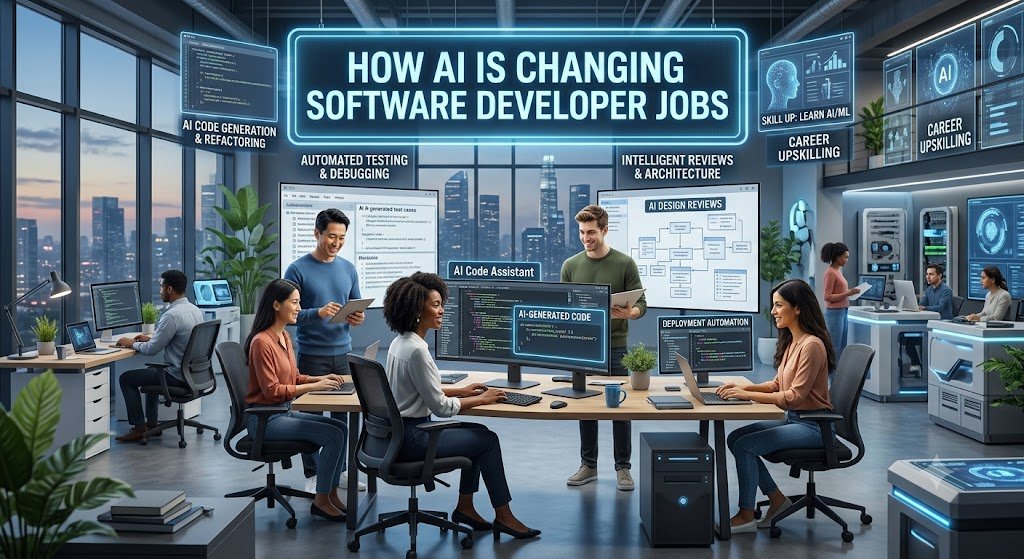
How AI Is Changing Software Developer Jobs: Introduction to AI in Software Development
Artificial intelligence is changing the world of technology. It is changing how people work, learn, and solve problems. Software development is one of the areas seeing major changes.
Today, developers can use AI to write code, find bugs, explain errors, and build applications. These tools can save time and make programming easier. But what does this mean for software developer jobs?
Many people ask whether AI will replace programmers. Others want to know if learning programming is still worth it. The answer is encouraging.
AI is changing software developer jobs, but it isn’t removing the need for human skills. Instead, it is changing the work developers do every day. Developers can now spend less time on repetitive coding and more time solving problems, planning software, and improving user experiences.
AI software development is becoming a partnership between human developers and intelligent tools.
This partnership can make software development faster, more creative, and more accessible.
However, developers must also learn new skills. They need to understand AI tools, check generated code, protect data, and make good technical decisions.
In this article, we’ll explore nine powerful ways AI is changing software developer jobs and what programmers can do to prepare for the future.
1. AI Is Changing How Developers Write Code
Writing code is one of the most important parts of software development.
Traditionally, developers wrote most code manually. They needed to understand programming languages, remember syntax, and create solutions step by step.
AI is changing this process.
Modern AI coding tools can generate code from simple instructions. Developers can describe what they want, and the tool can suggest a possible solution.
This process is called AI code generation.
For example, a developer might ask an AI tool to create a function that checks whether an email address is valid.
The AI can suggest code, explain how it works, and help the developer improve it.
This doesn’t mean developers no longer need programming knowledge.
In fact, strong programming knowledge is more important than ever.
AI can produce incorrect code. It can misunderstand instructions or suggest solutions that don’t fit the project.
Developers must review every important suggestion.
AI Code Generation
AI code generation helps developers create code with fewer manual steps.
It can support tasks such as:
- Creating simple functions
- Writing repetitive code
- Generating database queries
- Building basic application components
- Creating documentation
- Explaining unfamiliar programming languages
For example, a developer working on a website might ask AI to create a simple contact form.
The AI could generate the HTML structure, CSS styling, and basic JavaScript behavior.
The developer can then review the code and adjust it to meet the project’s needs.
This approach can reduce the time spent on routine tasks.
However, generated code still needs testing.
A contact form might look correct but fail to validate user input. It might also lack important security protections.
Therefore, AI code generation works best when developers understand the code they accept.
AI Coding Assistants
Coding assistants are tools that help programmers during development.
They can suggest code while developers type. They can also explain errors, answer questions, and help complete functions.
One popular example is <a href=”https://github.com/features/copilot”>GitHub Copilot</a>.
Coding assistants can help developers:
- Understand unfamiliar code
- Complete repetitive programming tasks
- Explore different solutions
- Write unit tests
- Improve code readability
- Learn new frameworks
These tools are especially useful when developers work with unfamiliar projects.
For example, a developer joining a large project might ask an AI assistant to explain a complex function. The assistant can provide a simple explanation and identify important parts of the code. This can make learning easier. Still, developers should verify the explanation. AI tools don’t always understand the full project or its design choices.
The biggest change is that developers can use AI as a coding partner instead of relying only on manual coding.
2. AI Is Improving Developer Productivity
Developer productivity means how effectively developers complete useful work.
It isn’t simply about writing more lines of code.
Good productivity includes creating reliable software, solving problems, testing applications, and maintaining existing systems.
AI can improve developer productivity by reducing repetitive work.
For example, developers often spend time searching for errors, writing basic tests, and reviewing documentation.
AI tools can help with these tasks.
This allows developers to focus on work that requires deeper thinking.
Faster Development Workflows
AI can support many stages of the software development process.
Consider a typical development workflow.
A developer first understands a problem. Then they plan a solution, write code, test it, and fix errors.
AI can assist at each stage.
|
Development Task |
How AI Can Help |
|
Planning |
Suggest possible solutions |
|
Coding |
Generate code examples |
|
Debugging |
Explain errors |
|
Testing |
Create test cases |
|
Documentation |
Draft technical explanations |
|
Code review |
Identify possible issues |
|
Maintenance |
Explain existing code |
These improvements can make development workflows more efficient.
For example, a developer creating a small web application might use AI to generate a basic project structure. They can then focus on the application’s important features.
This can reduce the time spent on setup. However, faster development doesn’t always mean better software. Developers must still consider performance, security, accessibility, and user needs.
Better Debugging and Testing
Debugging is an important part of software development. A small mistake can cause an application to behave incorrectly. Finding the source of an error can take time, especially in large projects.
AI debugging tools can help developers understand error messages and identify possible causes. They can also suggest solutions.
For example, a developer might receive an error because a variable contains an unexpected value.
An AI assistant can explain the error and suggest ways to investigate it.
AI can also help generate tests.
Tests check whether software behaves as expected. A developer might ask an AI tool to create test cases for a function. The tool could suggest tests for normal inputs, empty values, and unusual situations.
This can help developers find problems earlier. However, generated tests aren’t always complete.
Developers should check whether the tests cover important situations.
3. How AI Is Changing Software Developer Jobs
AI is changing the responsibilities of software developers.
In the past, developers often spent much of their time writing code manually.
Today, AI can handle some basic coding tasks.
As a result, developers are increasingly expected to understand the complete software development process.
They need to know how applications work, how users interact with them, and how different systems connect.
This is an important change in software developer jobs AI discussions.
The role is becoming less focused on typing code and more focused on designing, checking, and improving software.
Traditional Developer Responsibilities
Traditional software development includes several important activities.
Developers write code, fix errors, maintain applications, and work with other team members.
They also review requirements and help decide how software should behave.
Many of these responsibilities remain important.
However, AI can now support some routine tasks.
For example, developers may use AI to create basic code structures or explain common programming patterns.
This can reduce the amount of time spent on repetitive work.
The change doesn’t remove the need for developers.
Instead, it can allow them to focus on more complex tasks.
New Responsibilities for Developers
Modern developers may need to take greater responsibility for reviewing AI-generated code.
They must check whether the code:
- Solves the correct problem
- Follows project requirements
- Uses secure practices
- Works with existing systems
- Performs well
- Is easy to maintain
Developers also need to understand how AI tools affect their workflows.
They must know when AI is useful and when manual work is a better choice.
For example, AI might generate a simple database query quickly.
But a developer must still check whether the query exposes private information or creates performance problems.
This requires technical judgment.
AI also makes communication more important.
Developers need to explain their decisions to teammates, product managers, and users.
They must understand business requirements and translate them into reliable software.
4. Will AI Replace Software Developers?
This is one of the biggest questions in programming careers.
Will AI replace software developers?
The short answer is that AI can automate some programming tasks, but replacing the entire developer role is much more difficult.
Software development involves more than writing code.
It includes understanding people, solving complex problems, making decisions, and managing systems.
AI can help with many technical tasks.
However, it doesn’t always understand the full purpose of a project.
Developers must still decide what software should do and whether it works correctly.
Tasks AI Can Perform
AI tools can automate or support several common programming activities.
These include:
- Generating simple code
- Writing basic documentation
- Creating test examples
- Explaining programming concepts
- Suggesting code improvements
- Finding possible errors
- Converting code between languages
These abilities can reduce the time developers spend on routine work.
However, automation depends on the task.
A simple function may be easy for AI to generate.
A large system involving complex business rules, security requirements, and multiple services is much harder.
Tasks That Need Human Developers
Human developers remain important for many reasons.
They understand project goals and can communicate with people.
They can also make decisions when requirements are unclear.
Important human responsibilities include:
Problem definition: Developers must understand what users actually need.
System design: Developers must decide how different parts of an application should work together.
Security: Developers must protect systems and user information.
Quality control: Developers must check whether software works correctly.
Team communication: Developers must work with designers, managers, and other engineers.
Accountability: Developers and organizations must take responsibility for software decisions.
AI can assist with these activities, but it doesn’t remove the need for human judgment.
The future of programming careers will depend on how developers adapt.
People who learn to use AI effectively may become more productive.
Those who understand programming fundamentals can also review generated code more confidently.
Therefore, learning programming remains valuable.
The key is to combine traditional programming knowledge with modern AI skills.
5. AI Developer Tools Every Programmer Should Know
AI developer tools are becoming an important part of modern programming.
They help developers write code, understand errors, create tests, and improve workflows.
Different tools serve different purposes.
Some focus on code completion.
Others help with conversations, debugging, documentation, or application development.
Here are several categories worth exploring.
GitHub Copilot
GitHub Copilot is an AI coding assistant.
It can suggest code, help complete functions, and support developers while they work.
Developers can use it to:
- Generate code suggestions
- Complete repetitive tasks
- Explore programming examples
- Create tests
- Understand code
It can be useful for both beginners and experienced programmers.
However, developers should review suggestions before using them.
The tool can generate code that looks correct but contains errors.
ChatGPT and AI Programming Tools
ChatGPT can help developers understand programming concepts and solve technical problems.
Developers can use it to ask questions about code.
For example:
- How does this function work?
- Why is this error happening?
- How can I improve this code?
- What are the differences between these programming methods?
- How can I test this feature?
AI programming tools can also help developers learn new languages.
A beginner might ask for an explanation of a Python function.
An experienced developer might use AI to compare different architectural approaches.
The quality of the response depends partly on the instructions provided.
Clear questions usually produce more useful answers.
AI Tools for Testing and Debugging
Testing and debugging tools help developers find problems.
AI can support these activities by generating test cases, explaining errors, and suggesting improvements.
For example, a developer might ask AI to identify possible problems in a function.
The tool may suggest checking empty inputs or unexpected data types.
These suggestions can help developers improve their tests.
However, AI-generated tests should not replace careful quality checks.
Developers must decide whether the tests cover the application’s important requirements.
Choosing the Right AI Tool
The best AI tool depends on the task.
|
Need |
Useful AI Capability |
|
Writing code |
Code generation |
|
Understanding errors |
Debugging assistance |
|
Learning a language |
Explanations and examples |
|
Testing applications |
Test generation |
|
Reviewing code |
Code analysis |
|
Writing documentation |
Documentation assistance |
Developers don’t need every available tool.
They should choose tools that solve real problems and fit their workflows.
They should also consider privacy, cost, and project requirements.
6. Skills Developers Need in the AI Era
AI is changing programming careers.
Developers who want to remain competitive should build a combination of technical and professional skills.
The goal isn’t to compete with AI at every task.
The goal is to understand how to use AI while maintaining strong programming knowledge.
Programming Fundamentals
Programming fundamentals remain essential.
Developers should understand:
- Variables and data types
- Functions
- Loops
- Conditional statements
- Data structures
- Algorithms
- Databases
- APIs
- Testing
These skills help developers understand generated code.
Without them, developers may struggle to identify errors.
For example, AI might suggest a function that works for simple inputs but fails when the input is empty.
A developer with strong fundamentals can recognize the problem.
Learning programming also helps developers ask better questions.
AI Literacy and Critical Thinking
AI literacy means understanding how AI tools work and where they can fail.
Developers should learn how to:
- Write clear instructions
- Review generated code
- Identify possible errors
- Check security risks
- Understand limitations
- Verify important results
Critical thinking is especially important.
AI can produce confident answers that are incorrect.
Developers must compare suggestions with project requirements and reliable technical information.
They should also understand that AI-generated code may contain outdated patterns.
Communication and Problem-Solving
Software development is a team activity.
Developers work with people who have different responsibilities.
These may include designers, managers, testers, and customers.
Strong communication helps developers understand requirements.
Problem-solving helps them choose suitable solutions.
AI can generate several possible approaches.
However, developers must decide which approach is practical.
For example, a simple application may not need a complex architecture.
A developer must understand the project’s size, budget, and future needs.
These decisions require judgment.
7. AI Is Creating New Software Development Careers
AI is changing existing jobs.
It is also creating opportunities in new areas.
Businesses are building AI-powered applications.
They need professionals who understand programming and artificial intelligence.
This creates opportunities for developers who want to learn new technologies.
AI Engineer
AI engineers build systems that use artificial intelligence.
They may work with language models, machine learning systems, and data pipelines.
Their responsibilities can include:
- Building AI applications
- Integrating AI services
- Testing AI systems
- Improving model performance
- Managing AI workflows
AI engineering requires strong programming skills.
Developers may also need knowledge of machine learning, databases, and cloud systems.
Machine Learning Developer
Machine learning developers work with systems that learn from data.
They may create models that identify patterns or make predictions.
Their work can involve:
- Preparing data
- Training models
- Evaluating results
- Improving model accuracy
- Deploying machine learning systems
Machine learning development often requires knowledge of mathematics and statistics.
Python is a common language in this field.
However, the required skills depend on the project.
AI Application Developer
AI application developers build software that uses AI features.
For example, they may create applications with:
- AI chatbots
- Document analysis
- Intelligent search
- Automated customer support
- AI writing features
- Personalized recommendations
These developers connect AI services with existing applications.
They must understand APIs, user interfaces, databases, and software security.
AI application development can be a practical career path for developers who want to work with AI without focusing entirely on model training.
Other Emerging Opportunities
AI is also creating demand for skills in:
- AI testing
- AI security
- AI infrastructure
- AI product development
- AI integration
- AI system monitoring
These areas show that AI is changing the software industry in several ways.
Developers can explore different career paths based on their interests.
Some may focus on building AI applications.
Others may work on traditional software that uses AI tools during development.
8. Challenges of AI in Software Development
AI offers many benefits.
However, it also creates challenges.
Developers must understand these challenges before using AI in important projects.
Security and Privacy
AI-generated code can contain security problems.
For example, a generated application might fail to validate user input.
It might also use unsafe database queries.
Developers must check whether code follows secure practices.
They should also protect sensitive information.
Private code, passwords, customer data, and confidential documents shouldn’t be shared with AI tools unless the organization permits it.
Businesses should review tool settings and data policies.
Security must remain a priority.
Code Quality and Reliability
AI-generated code isn’t always reliable.
It may contain errors or use inefficient methods.
It can also create code that doesn’t follow the project’s existing standards.
Developers should review generated code carefully.
They should run tests and check whether the solution meets requirements.
Code review is especially important for complex applications.
A solution that works in a small example may fail in a production environment.
Learning and Overdependence
AI can help beginners learn programming.
However, relying on AI for every task can slow skill development.
Developers need practice solving problems independently.
They should understand the logic behind their code.
A good learning approach is to try solving a problem first.
Then use AI to review the solution or explain difficult parts.
This creates a balance between learning and assistance.
Developers should also practice debugging without AI.
These skills can help them handle situations where AI tools are unavailable.
Responsible AI Use
Responsible AI use means applying AI carefully.
Developers should consider accuracy, fairness, privacy, and security.
They should also understand the limits of AI-generated information.
AI tools can support development.
However, humans remain responsible for important decisions.
9. The Future of Software Development With AI
The future of software development will likely involve greater collaboration between developers and AI tools.
AI systems may become better at understanding project requirements.
They may also support more complex development tasks.
However, software development will continue to require human judgment.
Developers will need to understand systems, communicate with teams, and make decisions.
More AI-Assisted Coding
AI-assisted coding is becoming a common development approach.
Developers can use AI to generate code and explore solutions.
This can make programming more accessible.
It may also help experienced developers complete tasks faster.
However, developers must continue reviewing the results.
More Focus on Software Design
As AI handles more routine coding, developers may spend more time on software design.
They will need to understand how applications should work.
They must also consider performance, reliability, and security.
Good design helps prevent problems.
It can also make applications easier to maintain.
Greater Demand for AI Integration
Businesses are adding AI features to existing products.
They may use AI for customer support, search, recommendations, or automation.
Developers who understand AI integration can help build these products.
This creates opportunities for people who combine traditional software engineering with AI knowledge.
More Accessible Programming
AI may make programming easier for beginners.
People can ask questions and receive explanations.
They can also explore examples without searching through many resources.
However, beginners still need to learn programming fundamentals.
Understanding code remains important.
AI can help people learn, but it cannot replace the value of practice.
Human Skills Will Remain Important
Software development requires creativity and judgment.
Developers must understand users.
They must also decide whether a technical solution is appropriate.
These skills will remain valuable as AI improves.
The future of software development with AI will depend on how people use these tools.
Developers who continue learning can adapt to changing responsibilities.
How Developers Can Prepare for AI
Developers don’t need to learn everything about AI at once.
They can start with practical steps.
Step 1: Strengthen Programming Fundamentals
Learn one programming language well.
Practice writing functions, working with data, and solving problems.
Understand how your code works.
Step 2: Try AI Coding Tools
Explore AI coding assistants.
Use them to explain code, generate examples, and support debugging.
Start with small tasks.
Step 3: Review Every AI Suggestion
Don’t accept generated code automatically.
Check whether it works.
Look for security problems and incorrect assumptions.
Step 4: Build Real Projects
Create applications that solve real problems.
Practice designing, testing, and maintaining software.
Use AI as a helper rather than a replacement for learning.
Step 5: Learn AI Integration
Explore APIs and AI services.
Build simple applications that use AI features.
Learn how to manage data and handle errors.
Step 6: Improve Communication
Practice explaining technical decisions.
Learn to understand project requirements.
Work with others whenever possible.
Step 7: Keep Learning
Technology changes quickly.
Developers should continue learning new tools and methods.
However, they don’t need to follow every trend.
Focus on skills that support your goals.
AI is changing software development in powerful ways. It can generate code, support debugging, create tests, and improve programming efficiency. These capabilities are changing software developer jobs. However, AI doesn’t remove the need for human developers.
Software development still requires problem-solving, system design, security, communication, and technical judgment. Developers must understand how applications work. They must also check AI-generated code and make sure it meets project requirements. The future of programming will likely involve greater collaboration between humans and AI.
Know More:
”FAQs”
1. How is AI changing software developer jobs?
AI is changing software developer jobs by automating some routine coding tasks. Developers can use AI to generate code, explain errors, write tests, and improve workflows. As a result, developers may spend more time on software design, testing, problem-solving, and reviewing generated code.
2. Will AI replace software developers?
AI can automate certain programming tasks. However, software development involves more than writing code. Developers must understand requirements, design systems, protect data, and make technical decisions. AI is more likely to change many developer responsibilities than eliminate the need for human software engineering.
3. Is learning programming still worth it in the AI era?
Yes. Programming fundamentals help developers understand AI-generated code. They also help people solve problems independently and identify errors. Learning programming remains useful for building applications, working with AI, and developing technical skills.
4. What are the best AI tools for software developers?
Useful AI developer tools include coding assistants, conversational AI tools, debugging assistants, and AI testing tools. GitHub Copilot and ChatGPT are examples of tools that can support coding and problem-solving. The best choice depends on your programming language, workflow, budget, and project requirements.
5. Can AI help beginner programmers?
Yes. AI can explain programming concepts, generate examples, and help beginners understand errors. However, beginners should practice writing code themselves. They should also learn programming fundamentals instead of copying every AI suggestion.
6. What skills should software developers learn for the future?
Developers should learn programming fundamentals, software design, testing, debugging, and security. They should also understand AI tools and how to review generated code. Communication, critical thinking, and problem-solving are valuable skills.
7. What is AI-assisted software engineering?
AI-assisted software engineering is the process of using AI tools to support software development. These tools can help with coding, testing, debugging, documentation, and planning. Human developers remain responsible for reviewing the results and making important decisions.
8. How can AI improve developer productivity?
AI can improve developer productivity by reducing repetitive work. It can generate code examples, explain errors, create tests, and help developers understand unfamiliar projects. However, productivity also depends on code quality. Developers should check generated solutions before using them.
9. What is the future of software development with AI?
The future of software development will likely involve more AI-assisted coding and automation. Developers may focus more on system design, security, testing, and AI integration. Human judgment and programming knowledge will remain important.