

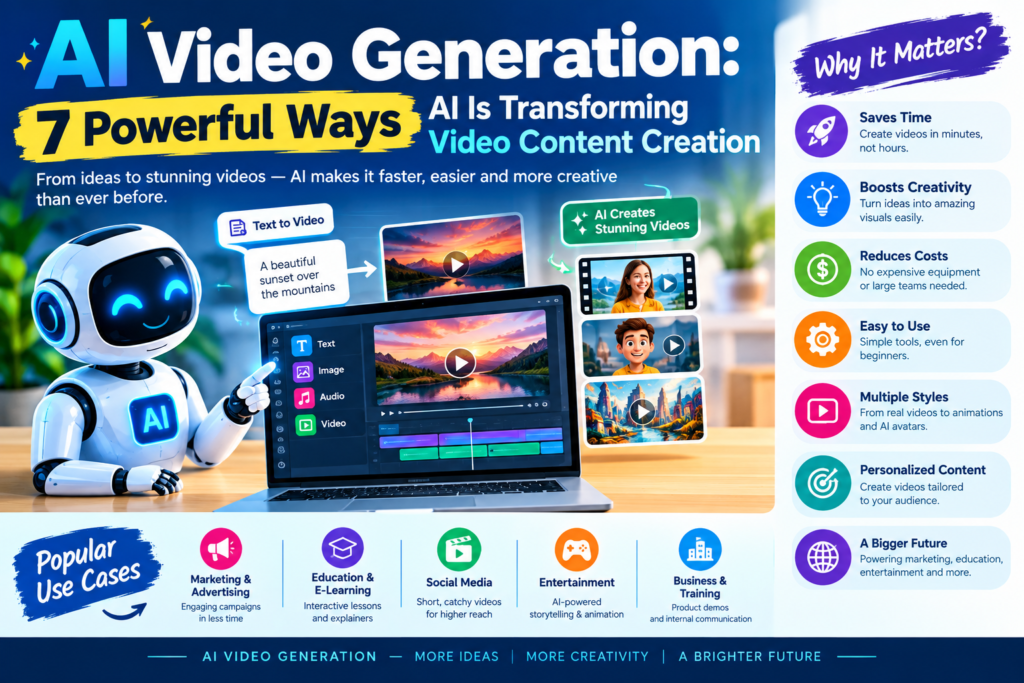
AI Video Generation
Videos are everywhere. We watch them to learn new skills, follow the news, promote products, and enjoy entertainment. Businesses use videos to reach customers, while teachers use them to explain difficult topics. Students also create videos for projects, presentations, and online portfolios.
However, making a good video can take time. Traditional production often requires cameras, lights, microphones, editing software, and technical skills.
AI video generation is changing this process. It allows people to create video content from text prompts, images, scripts, and other inputs. Some tools can also generate voices, add subtitles, and help with editing. For example, a student can write a short story and turn it into an animated video. A small business can create a product advertisement without hiring a large production team. A teacher can prepare a visual lesson using a written explanation.
These changes don’t mean human creativity is becoming less important. Instead, AI gives creators new ways to bring their ideas to life.
In this guide, you’ll learn what AI video generation is, how it works, where it’s useful, and how you can start using it.
What Is AI Video Generation?
AI video generation is the process of using artificial intelligence to create video content. The system studies patterns in data and uses them to produce new visual scenes, motion, and sometimes audio. In simple terms, you describe what you want to see, and an AI tool attempts to create it.
For example, you might enter this prompt:
“Create a 10-second video of a small robot walking through a colorful garden at sunrise.”
A text-to-video AI system may generate a moving scene based on that description. AI video generation can also work with images. You might upload a photograph of a mountain and ask the system to add moving clouds, flowing water, or a slow camera movement.
Common Types of AI Video Creation
There are several ways to create videos with artificial intelligence.
- Text-to-video: Converts written descriptions into video clips.
- Image-to-video: Adds motion to still images.
- AI animation: Creates animated characters, objects, and scenes.
- AI video editing: Helps cut clips, remove backgrounds, and improve footage.
- Avatar videos: Uses digital presenters to deliver scripts.
- Video extension: Creates additional footage to continue an existing scene.
- AI-assisted dubbing: Translates spoken content and may synchronize new speech with a speaker’s lips.
These features serve different needs. A teacher might use an AI avatar to explain a lesson, while a filmmaker might generate background scenes for a short film.
Why Is AI Video Generation Becoming Popular?
Creating videos has traditionally required several separate tasks. Creators needed to write scripts, record footage, edit clips, add sound, and prepare the final file. AI-powered video tools can simplify parts of this process.
They also make video creation more accessible. Beginners can experiment with visual storytelling without learning every technical skill first. Still, results depend on the tool, prompt, and complexity of the scene. AI-generated videos may contain visual mistakes, inconsistent characters, or unnatural movement. Human review remains important.
How AI Video Generation Works
Understanding how AI generates videos step by step makes the technology easier to use.
Most modern systems combine machine learning, deep learning, image understanding, and motion generation. The exact process varies between tools, but the general workflow follows several stages.
Step 1: The User Provides an Input
The process begins with an instruction. This might be a text prompt, a photograph, a script, or a reference video.
For example:
“Show a student studying in a quiet library, turning pages in a book, with sunlight entering through the window.”
The description gives the system information about the setting, subject, action, and visual mood.
A clear prompt usually produces more useful results than a vague one.
Step 2: The AI Interprets the Prompt
The model analyzes the input to understand what the user wants.
Large language models can help interpret instructions, organize scripts, and improve prompts. Multimodal systems can connect language with visual concepts and other forms of information.
For instance, the system needs to understand that a library is a location, a student is the main subject, and turning pages is an action.
However, not every video generator uses a large language model directly. Some rely on separate language encoders or other components.
Step 3: The System Generates Visual Content
The AI uses patterns learned during training to produce visual information.
Modern generative systems may use diffusion models or related architectures. These systems gradually create or refine visual content until it forms a scene that matches the input.
Earlier generative approaches, including generative adversarial networks (GANs), have also played an important role in synthetic image and video research.
Step 4: The Model Adds Motion
Video requires more than a collection of attractive images. Objects must move in ways that make sense over time.
The model estimates how people, objects, backgrounds, and camera views should change between frames.
For example, if a person walks across a room, their body position should change naturally. Their clothing, face, and surroundings should also remain reasonably consistent.
Maintaining this consistency is one of the major challenges in deep learning video synthesis.
Step 5: The Tool Produces the Final Clip
The system creates a video clip that the user can preview and review.
Depending on the tool, the creator may be able to change the duration, aspect ratio, camera movement, visual style, or other settings.
Some platforms also provide sound generation, voiceovers, captions, and editing features.
Step 6: The Creator Reviews and Refines the Result
The first result may not be perfect. The user might need to change the prompt, generate another version, or edit the output manually.
A simple workflow looks like this:
Prompt → AI interpretation → Scene generation → Motion creation → Video preview → Human review
This process shows why AI video generation is best treated as a creative assistant rather than a completely automatic replacement for every production task.
The Role of Diffusion Models and GANs
Diffusion models are widely used in modern generative AI. They learn to generate content by reversing a process that gradually adds noise to training data. Video systems extend these ideas to represent motion and relationships across frames.
GANs use two competing neural networks: a generator creates synthetic content, while a discriminator learns to distinguish generated content from real examples.
Both approaches have contributed to generative AI research, although their capabilities and practical uses differ.
Key Features of AI Video Technology
AI video technology offers several features that help creators produce different types of content.
| Feature | What It Does | Example |
| Text-to-video | Creates clips from written prompts | A video of a forest in winter |
| Image-to-video | Adds motion to still images | Moving clouds in a landscape photo |
| AI voice generation | Produces synthetic speech | Narration for a tutorial |
| Automatic subtitles | Creates captions from speech | Captions for educational videos |
| Background removal | Separates a subject from its background | A presenter on a virtual set |
| AI translation | Helps adapt content for other languages | A product video for global audiences |
| AI avatars | Creates digital presenters | A virtual instructor |
| Video editing assistance | Automates selected editing tasks | Finding and trimming useful moments |
Not every tool offers every feature. Some focus on realistic video generation, while others specialize in avatars, editing, or marketing.
Text-to-Video AI
Text-to-video AI transforms a written description into a moving visual scene. It can be useful when creators don’t have access to a camera or when they want to explore an idea before filming it. For better results, describe the subject, action, environment, lighting, and camera movement.
For example: “A red bicycle moving along a quiet coastal road at sunset, wide camera view, gentle wind, realistic lighting.” This prompt gives the model more direction than simply asking for a bicycle video.
Image-to-Video Generation
Image-to-video generation starts with a still image and creates motion around it. Students can use this feature to animate illustrations. Businesses can bring product images to life. Artists can test movement before producing a full animation.
However, the original image may change during generation. Faces, hands, text, and fine details can become distorted, so the result should be checked carefully.
Multimodal AI Video Generation
Multimodal AI works with more than one type of information, such as text, images, video, and audio. This can help a system connect a spoken instruction with a visual scene or use a reference image to guide video generation.
For example, a creator could provide a character image and a written description of an action. A compatible system may use both inputs to generate a clip that follows the reference.
As these systems improve, creators may gain more control over characters, scenes, sound, and storytelling.
AI Video Generation vs. Traditional Video Editing
AI video generation and traditional editing are related, but they solve different problems.
AI video generation creates new footage from prompts, images, or other inputs. Traditional editing usually works with recorded or previously created footage.
Many modern projects combine both approaches.
| Factor | AI Video Generation | Traditional Video Editing |
| Starting material | Prompts, images, or reference clips | Recorded or existing footage |
| Equipment | Often needs a computer and internet access | May require cameras and recording equipment |
| Production speed | Can create initial clips quickly | Depends on footage and editing needs |
| Creative control | Depends on model and available controls | Often offers precise manual control |
| Real-world accuracy | May generate incorrect details | Can preserve actual recorded events |
| Cost | Depends on subscriptions, credits, and computing | Depends on equipment, software, and staff |
| Best use | Concept scenes, creative clips, and rapid drafts | Interviews, documentaries, and detailed edits |
Which Method Is Better?
Neither approach is best for every situation. AI video generation is useful when you need a quick visual concept, an animated explanation, or a scene that would be expensive to film. Traditional production is often preferable when factual accuracy, real people, precise performance, or documentary evidence is essential. For example, a travel company could use AI to create a fictional fantasy destination. But a video claiming to show the actual condition of a hotel should use authentic footage or clearly disclose any synthetic scenes.
The strongest workflow may combine AI-generated visuals with real footage, human editing, and careful fact-checking.
Applications of AI Video Generation
AI video generation has applications across education, marketing, entertainment, training, and communication. Its value depends on the task. It can reduce production effort, make visual explanations easier, and help creators test different ideas.
Applications of AI Video Generation in Education
Education is one of the most promising areas for AI-generated video content.
Teachers can create visual explanations of difficult topics. Students can turn written assignments into short presentations. Online learning platforms can experiment with different teaching formats.
For example, a science student might generate a short animation showing the water cycle. A history student might create an illustrative scene of an ancient marketplace, with a clear note that the scene is AI-generated rather than historical footage.
Useful educational applications include:
- Explaining scientific processes through animation.
- Creating visual summaries of textbook chapters.
- Producing language-learning dialogues.
- Building short presentations for class projects.
- Making revision videos for exams.
- Demonstrating abstract concepts with visual examples.
AI-generated content should support learning rather than replace research. Students should check facts, cite reliable sources, and follow their school’s rules for AI use.
AI Video Generation Examples for Students
Here are five practical project ideas for beginners.
- Science explainer: Create a short video explaining photosynthesis.
- Digital storytelling: Turn an original short story into a sequence of scenes.
- History presentation: Create an illustrative reconstruction of a historical setting.
- Career guidance video: Explain a career path, its skills, and its opportunities.
- Environmental awareness: Generate scenes showing ways to reduce waste and save energy.
These projects help students practise writing prompts, planning scenes, reviewing outputs, and presenting information clearly.
AI Video Marketing for Businesses
Businesses use video to introduce products, explain services, and connect with customers.
AI video generation can help teams create draft advertisements, product explainers, social media clips, and personalized messages.
For example, a small online store might generate a short product concept video before investing in a professional shoot.
Marketing teams may also use AI to adapt a script for different audiences or produce multiple versions of a campaign.
However, businesses must avoid misleading product demonstrations, fake testimonials, and synthetic endorsements presented as genuine.
AI in Filmmaking and Animation
Filmmakers can use AI-generated footage to explore visual ideas before production.
They may create storyboards, test camera angles, develop fictional environments, or produce temporary visual effects.
Animation teams can use AI to experiment with character designs and scene concepts.
These tools may help smaller teams test ideas that once required large budgets. Yet a finished film still needs direction, storytelling, editing, sound design, and artistic judgment.
Virtual Video Production and Training
Companies can use virtual production tools to create simulated settings, training scenarios, and instructional videos.
For example, a business could prepare a training clip about customer service or workplace safety.
Generated scenes can demonstrate fictional situations that are difficult to film. Still, safety training should be checked by qualified people, especially when mistakes could put employees at risk.
Benefits of AI-Powered Video Tools
AI-powered video tools can make video production more accessible and flexible.
1. Faster Content Creation
AI can generate a first draft of a video much faster than a full traditional production process in suitable cases.
This is useful for brainstorming, short clips, and simple visual explanations.
However, complex videos may still require repeated generation and substantial editing.
2. Lower Barriers for Beginners
Beginners don’t always need cameras, lighting equipment, or advanced editing knowledge to start experimenting.
A clear idea and a suitable tool may be enough to create a basic clip.
This makes video creation more accessible to students, small businesses, and independent creators.
3. More Creative Experiments
Creators can test different styles, backgrounds, and visual approaches.
For example, a student can compare a realistic science animation with a cartoon version of the same concept.
This makes it easier to explore ideas before committing to a final production.
4. Support for Multiple Languages
AI tools can help creators translate scripts, generate voiceovers, and prepare localized video versions.
This can make educational and business content accessible to a wider audience.
Human review is still necessary because automated translations may miss cultural meaning or technical terms.
5. Scalable Content Production
A team can use AI to prepare variations of a basic video for different channels or audiences.
For instance, a business may create a long product explanation and then adapt it into several short clips.
The team must still check each version for accuracy, quality, and brand consistency.
Limitations and Ethical Concerns
Despite its benefits, AI video generation has limitations. Understanding them helps creators use the technology responsibly.
Visual Errors and Inconsistent Motion
Generated clips can contain unusual hand movements, changing facial features, distorted objects, or inconsistent backgrounds.
The errors may be difficult to notice in a quick preview.
Reviewing the video frame by frame can help identify important problems.
Copyright and Training Data
Questions about training data, ownership, licensing, and the rights to generated content remain important.
Rules vary by country and use case. Creators should review the tool’s terms and make sure they have permission to use uploaded images, voices, music, and other materials.
For commercial projects, legal advice may be appropriate.
Deepfakes and Misinformation
Synthetic video can make fictional events appear real.
A manipulated video of a public figure, for example, could spread false information or damage someone’s reputation.
Creators should clearly label realistic synthetic scenes when viewers could mistake them for real events. They should never use AI to impersonate someone deceptively or create harmful fake evidence.
Privacy and Consent
Uploading a person’s face, voice, or private footage to an AI service may create privacy risks.
Before uploading sensitive content, check the platform’s data policies and obtain appropriate permission.
This is especially important for student projects involving classmates, teachers, or children.
Cost and Access
Some AI video tools offer free trials, but advanced features may require paid plans or credits.
High-quality generation can also require substantial computing resources. Availability, pricing, and limits may change over time.
Best AI Video Generation Tools for Beginners
Several tools can help beginners explore AI video creation. Their features differ, so choose based on the type of video you want to make.
Runway
Useful for experimenting with generative video and creative visual effects.
Explore: runwayml.com
Adobe Firefly
Offers generative features for creative workflows, including AI video capabilities where available.
Explore: firefly.adobe.com
Canva
Useful for combining visual assets, text, layouts, and supported AI video features.
Explore: canva.com
Pika
Designed for generating and transforming creative video clips.
Explore: pika.art
Luma Dream Machine
Useful for exploring prompt-based video generation and visual storytelling.
Explore: lumalabs.ai
Features, availability, and pricing may change. Before choosing a platform, check its current terms, supported countries, free-use limits, and commercial licensing rules.
For beginners, the best tool is usually the one that supports your specific task and is easy to learn.
How to Create Your First AI Video: A Beginner’s Tutorial
You don’t need to master machine learning to make your first AI-generated video. Follow these steps to get started.
Step 1: Choose a Simple Topic
Pick an idea that can be explained in a short clip.
Examples include a healthy habit, a science fact, a travel scene, or a short fictional story.
Avoid starting with a complicated film involving many characters and scene changes.
Step 2: Write a Clear Prompt
A useful prompt describes the subject, action, setting, and style.
Try this example:
“Create a 10-second educational animation showing the water cycle. Show water evaporating from a lake, forming clouds, and falling as rain. Use clear colors and a simple classroom animation style.”
The prompt explains both the topic and the visual sequence.
Step 3: Choose Your Settings
Select the available options for duration, video size, aspect ratio, and style.
For example, a vertical video may work well for short-form social content, while a horizontal format may suit a classroom presentation.
Step 4: Generate the Video
Submit your prompt and wait for the tool to create the clip.
Generation time depends on the platform, video length, and system demand.
Step 5: Review the Output
Check whether the video matches your original idea.
Look for:
- Incorrect objects or details.
- Unnatural movement.
- Missing actions.
- Inconsistent characters.
- Unclear visual information.
If needed, change the prompt and generate another version.
Step 6: Add Text, Voice, or Music
You can use a suitable editor to add a title, captions, narration, or background music.
Make sure any music, images, and other assets are properly licensed for your intended use.
Step 7: Export and Share
Save the final video in a suitable format.
Before sharing, watch it from beginning to end. Check the sound, captions, spelling, and factual accuracy.
Students should also follow assignment rules and disclose AI assistance when required.
AI Video Generation Projects for Students
Students can use AI video generation projects to develop research, communication, and digital skills.
| Project | Main Goal | Skills Developed |
| Science explainer | Explain a scientific process | Research and visual communication |
| Short animated story | Present an original story | Creativity and storytelling |
| Career guide | Explain a profession | Research and presentation |
| Language lesson | Teach useful phrases | Writing and communication |
| Environmental campaign | Promote sustainable habits | Awareness and planning |
| Historical scene | Illustrate a past setting | Research and critical thinking |
How to Make a Strong Student Project
Start with a clear learning objective. Decide what the viewer should understand after watching the video. Next, research the subject using reliable sources. Write a short script and divide it into scenes.
Generate the visuals, then compare them with your research. Correct any inaccurate details before presenting the project. Finally, explain which parts were created with AI and which parts involved your own research and editing.
This approach makes AI video generation a learning activity rather than simply a way to produce attractive images.
The Future of Generative Video AI
The future of video creation will likely involve closer cooperation between humans and AI systems. As models improve, creators may gain more control over movement, camera angles, scene continuity, sound, and character behavior.
More Realistic and Consistent Videos
One important research goal is to improve consistency between frames. Future systems may become better at keeping the same character, clothing, objects, and environment across longer sequences. This could make AI-generated storytelling more useful for films, training materials, and interactive media. However, greater realism will also increase the need for clear labeling and reliable methods to identify synthetic content.
Personalized Video Content AI
AI may help create video messages tailored to a viewer’s language, interests, or learning needs.
An educational platform, for example, could offer different explanations of the same concept for beginners and advanced learners.
Personalization must be handled responsibly. Companies should protect user data and avoid using sensitive information without a proper basis.
Real-Time and Interactive Video
Another possible development is interactive video that responds to user choices. Imagine a training simulation where the next scene changes according to the learner’s decision. Or consider an educational video that offers a simpler explanation when a student struggles with a concept. These experiences could combine video generation, language models, and interactive software.
AI in Professional Video Production
AI may become more integrated into editing software and filmmaking workflows.
Creators could use it to develop storyboards, generate temporary backgrounds, translate dialogue, or prepare alternative versions of a scene.
Human directors, writers, editors, and performers will remain important for shaping meaning, emotion, and artistic quality.
New Skills for the Future
As automated video creation becomes more accessible, several skills may become especially valuable:
- Writing clear prompts and scripts.
- Planning scenes and telling stories.
- Evaluating AI-generated information.
- Editing and reviewing visual content.
- Understanding copyright, consent, and disclosure.
- Combining AI tools with traditional production methods.
The future of AI video content creation is not only about generating clips faster. It’s also about using the technology thoughtfully to communicate better.
AI video generation is opening new possibilities for education, marketing, filmmaking, and everyday communication. It allows people to turn written ideas and images into moving scenes without always relying on traditional production methods.
For students, it offers a way to create visual presentations and explore storytelling. For businesses, it can help produce content more efficiently. For professional creators, it provides new options for planning, experimenting, and editing. However, the technology still has limitations. Generated videos can contain errors, and creators must consider privacy, copyright, accuracy, and consent.
Know More:
”FAQs”
1. What is AI video generation?
AI video generation is the use of artificial intelligence to create video clips from text prompts, images, scripts, or other inputs. Depending on the tool, it can generate scenes, animate images, create avatars, or assist with editing.
2. How does AI create videos step by step?
The user provides a prompt or image. The system interprets the input, generates visual content, creates motion, and produces a video. The user then reviews and edits the result to improve quality and accuracy.
3. Is AI video generation free?
Some platforms offer free trials or limited free features. Others require subscriptions or credits. Check the current pricing and usage limits before starting a project.
4. What are the best AI video generation tools for beginners?
Runway, Adobe Firefly, Canva, Pika, and Luma Dream Machine are options to explore. The right choice depends on whether you need text-to-video generation, image animation, editing, or presentation content.
5. What is the difference between AI video generation and traditional video editing?
AI video generation creates new visual content using learned patterns and user instructions. Traditional editing arranges and modifies existing footage. Many creators combine both methods in the same project.
6. How can students use AI video generation?
Students can create science explainers, animated stories, language lessons, career guides, and environmental campaigns. They should verify facts, follow school policies, and disclose AI use when required.
7. Can AI-generated videos be used commercially?
Some tools permit commercial use under specific conditions, while others may impose restrictions. Review the platform's terms and check the rights associated with uploaded and generated content before publishing.
8. Can AI video generation replace human video creators?
AI can automate selected tasks and generate visual drafts, but it doesn't remove the need for human judgment. Storytelling, direction, factual review, editing, and ethical decisions remain important.
9. What are the main limitations of AI video technology?
Common limitations include visual errors, inconsistent movement, limited control over complex scenes, generation costs, and copyright or privacy concerns. Human review helps reduce these risks.
10. What is the future of AI video content creation?
Future tools may provide better scene consistency, more realistic movement, interactive video, multilingual content, and closer integration with editing software. Their impact will depend on technical progress and responsible use.




Pingback: AGI vs Generative AI: 7 Powerful Key Differences Explained for Beginners