
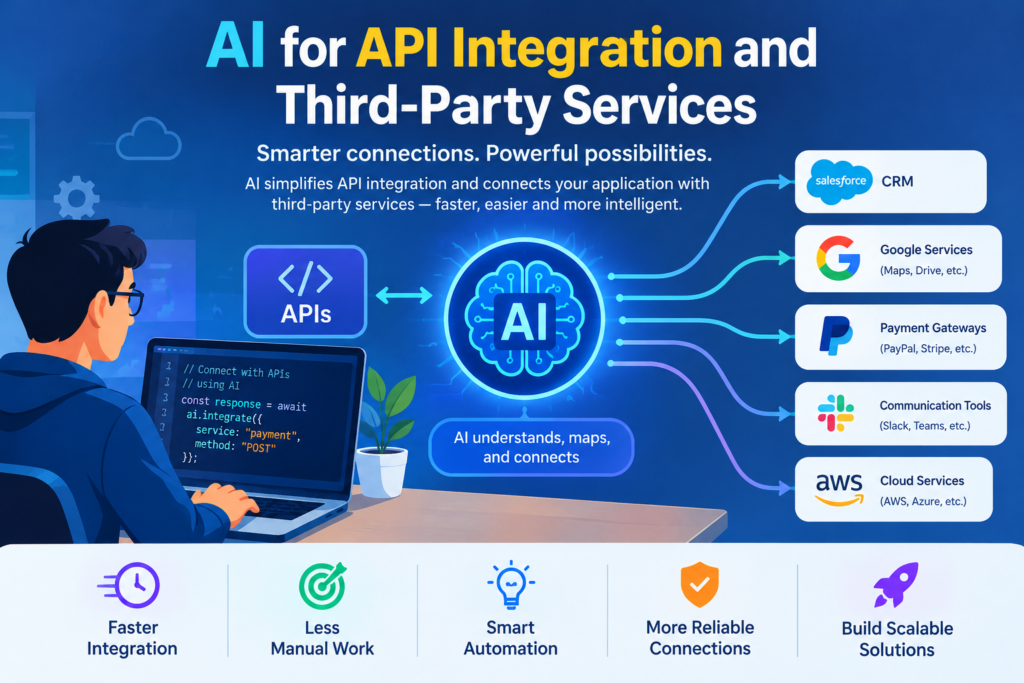
Modern applications rarely work alone. Websites and software products often connect with payment gateways, CRM systems, analytics platforms, email services, cloud storage, and external databases.
These connections usually rely on application programming interfaces, or APIs.
Building an integration can involve reading documentation, configuring authentication, writing requests, processing responses, and handling errors. Testing and maintaining these connections also requires time.
AI API integration tools can help developers complete many of these tasks more efficiently. AI coding assistants can explain API documentation, generate request code, create test cases, and suggest solutions to integration errors.
However, AI-generated code still needs validation. Incorrect authentication, poor error handling, or unsafe data processing can create serious problems.
This guide explains how to use AI for API integration projects, select suitable tools, automate testing, and build reliable connections between applications.
1. Understanding AI API Integration
What Is AI API Integration?
AI API integration means using artificial intelligence to assist with connecting software applications through APIs. An API defines how one application can request information or services from another. For example, an online store may use a payment API to process transactions. A business website may connect with a CRM to store customer enquiries.
AI can help developers understand the API requirements, write initial code, interpret responses, and create tests.
How AI Supports API Development
AI-assisted API connectivity can help with several tasks:
- Reading API documentation.
- Generating request and response code.
- Creating authentication examples.
- Writing data transformation functions.
- Drafting API tests.
- Generating documentation.
- Explaining error messages.
- Suggesting retry and timeout strategies.
AI doesn’t automatically establish a secure connection. Developers must still obtain valid credentials, follow the provider’s requirements, and test the integration.
2. AI for API Integration Benefits and Development
Faster Coding
AI coding assistants can generate initial code for REST API requests and common integration patterns. This can reduce repetitive work, especially when connecting applications to well-documented services.
Better Documentation
AI can turn technical notes into readable documentation that explains endpoints, request parameters, response fields, and error codes. Always compare generated documentation with the actual API specification.
Improved Testing
AI can suggest test cases for successful responses, invalid requests, expired tokens, missing fields, and service failures. These tests help developers identify issues before deployment.
Easier Troubleshooting
When an API returns an error, AI can help explain possible causes.
For example, a 401 Unauthorized response may indicate an authentication problem, while a 429 Too Many Requests response often indicates that a rate limit has been reached.
The exact cause should be confirmed using the provider’s documentation and response details.
3. Best AI Tools for API Integration
|
Tool |
Main Use |
|
ChatGPT |
Explaining documentation, generating code, and troubleshooting |
|
GitHub Copilot |
Coding assistance within development workflows |
|
Postman |
API requests, collections, and testing workflows |
|
Swagger / OpenAPI tools |
API specifications, documentation, and client generation |
|
Zapier |
Connecting supported applications through automation |
|
n8n |
Building visual workflows and API-based integrations |
These tools serve different purposes. Some assist with code generation, while others help test APIs or automate application workflows.
Official resources:
- ChatGPT: https://chatgpt.com/
- GitHub Copilot: https://github.com/features/copilot
- Postman: https://www.postman.com/
- OpenAPI: https://www.openapis.org/
- Zapier: https://zapier.com/
- n8n: https://n8n.io/
4. Step-by-Step AI Workflow for REST API Integration
Step 1: Define the Integration
Decide what the applications need to exchange. For example, a website may send new customer enquiries to a CRM system. Identify the required data, expected response, authentication method, and failure behavior.
Step 2: Read the API Documentation
Find the official documentation for the third-party service. Check the base URL, endpoints, supported HTTP methods, request format, response format, rate limits, and authentication requirements. Give the AI assistant only the documentation and context it needs.
Step 3: Generate the Initial Request
Suppose you need to retrieve a list of users from a REST API.
A basic JavaScript example using fetch() is:
async function getUsers() {
const response = await fetch(
“https://jsonplaceholder.typicode.com/users”
);
if (!response.ok) {
throw new Error(`Request failed: ${response.status}`);
}
return response.json();
}
getUsers()
.then((users) => console.log(users))
.catch((error) => console.error(error));
This example uses a public demonstration API and does not require authentication. Real services may require additional headers, tokens, or request parameters.
Step 4: Add Error Handling
Production integrations should handle timeouts, network failures, invalid responses, and provider-specific errors.
For example, you may need to retry temporary failures using a controlled backoff strategy.
Avoid retrying every request blindly. Repeating a payment or another non-idempotent operation can cause duplicate actions.
Step 5: Validate the Data
Check that the response contains the fields your application expects.
Validate data types, required properties, and any business rules before saving or displaying the information.
Step 6: Test the Integration
Use an API testing tool to verify successful requests and expected failure cases.
Test invalid credentials, missing parameters, rate limits, and unavailable services where appropriate.
Step 7: Deploy and Monitor
Store credentials securely, configure timeouts, and log useful diagnostic information without exposing private data. Monitor failures and provider changes after deployment.
5. AI-Powered API Testing and Documentation
Generate Test Cases
AI can help draft tests for common scenarios, including:
- Successful requests.
- Invalid input.
- Missing required fields.
- Expired authentication tokens.
- Unexpected response structures.
- Rate-limit responses.
- Temporary service failures.
Developers must review these tests and ensure they reflect the API’s actual contract.
Create API Documentation
A useful API reference explains the endpoint, method, parameters, authentication, response format, and possible errors.
If the project uses an OpenAPI specification, AI can help draft or review descriptions. Validate the specification before using it to generate clients or documentation.
Automate Regression Testing
When an API changes, existing functionality may break.
Automated tests can verify that expected request and response behavior remains intact. Run these checks during development and, where appropriate, in a continuous integration pipeline.
6. Security and Reliability in AI-Assisted API Integration
Protect API Credentials
Never place private API keys or secrets in public frontend code, prompts shared outside approved environments, or source-control repositories.
Use server-side environment variables or an approved secrets manager.
Validate Input and Output
Treat external API data as untrusted. Validate data before using it in database operations, HTML output, or sensitive application workflows.
Apply Least-Privilege Access
Use credentials with only the permissions required for the integration.
Separate development and production credentials, and rotate credentials when necessary.
Respect Rate Limits
Follow the provider’s rate limits and retry instructions. Add timeouts and controlled retry behavior to reduce the risk of service overload.
7. Common API Integration Challenges
Authentication errors: Check token validity, scopes, permissions, and header formatting.
Inconsistent data: Validate response structures and handle missing optional fields.
Rate limits: Use controlled retries, caching where appropriate, and request throttling.
Changing APIs: Monitor provider announcements and update tests and integrations.
AI-generated mistakes: Verify endpoints, request formats, authentication, and library versions against official documentation.
8. AI API Integration Best Practices
- Start with official API documentation.
- Define expected inputs and outputs.
- Use AI to draft code rather than blindly accepting it.
- Validate responses and handle failures.
- Keep secrets out of client-side code.
- Test both successful and unsuccessful requests.
- Monitor performance and error rates.
- Document assumptions and maintain version control.
Know More:
”FAQs”
1. What is AI API integration?
It is the use of AI tools to assist with connecting applications through APIs, including generating code, understanding documentation, testing requests, and troubleshooting errors.
2. Can AI integrate third-party APIs automatically?
Some tools can automate parts of an integration or connect supported applications through visual workflows. Custom integrations still require configuration, validation, and testing.
3. Which AI tools help with API development?
ChatGPT and GitHub Copilot can help with coding and troubleshooting. Postman supports API testing, while OpenAPI tools help describe and document API contracts.
4. Can AI generate API documentation?
Yes. AI can draft endpoint descriptions and explain request and response formats. Developers should verify all generated details against the official specification.
5. Is AI-generated API code secure?
Not automatically. Review authentication, permissions, input validation, logging, secret management, and error handling before deployment.
6. Can AI automate API testing?
AI can generate test ideas and draft test scripts. Automated testing tools can then execute those tests as part of a repeatable development workflow.
7. How does AI help developers troubleshoot API errors?
It can interpret error messages, explain common causes, and suggest debugging steps. Developers must verify the suggestions against actual logs and provider documentation.
8. Can AI replace backend developers?
No. AI can assist with repetitive coding, but backend developers remain responsible for architecture, data integrity, security, reliability, and production operations.


