Claude vs ChatGPT vs Gemini: Key Differences, Features, and Best Uses
Artificial intelligence is changing how people study, work, write, and solve problems. Among today’s popular AI assistants, Claude, ChatGPT, and Google Gemini stand out for their ability to understand questions and generate useful responses.
But which one is right for you?
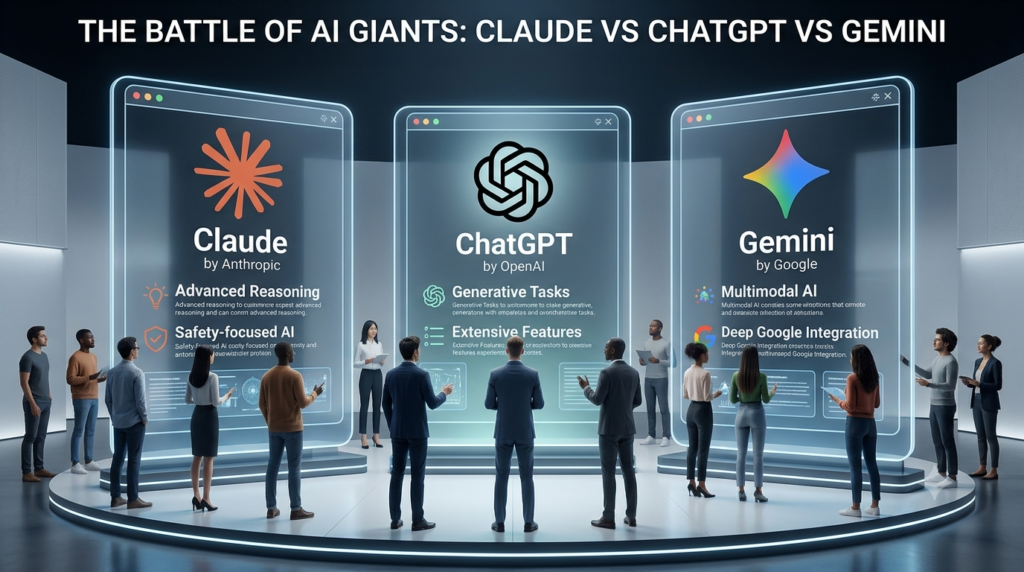
The answer depends on your goals. ChatGPT offers a broad range of conversational and productivity tools. Claude is well suited to many writing, document-analysis, and coding workflows. Gemini is especially useful for people who work with Google’s ecosystem.
This Claude vs ChatGPT vs Gemini comparison explores their features, strengths, limitations, and practical applications to help you make an informed choice.
1. What Are Claude, ChatGPT, and Gemini?
All three are AI assistants powered by large language models (LLMs). These models learn patterns from large amounts of data and use those patterns to generate text, answer questions, explain ideas, and help with complex tasks. Although they share a common purpose, their products, available tools, and integrations differ.
What Is Claude AI?
Developed by Anthropic
Claude is an AI assistant developed by Anthropic. It can help users write, summarize documents, analyze information, understand code, and work through complex problems.
Claude is often considered for tasks that require clear writing, careful explanations, and work with lengthy documents. Developers can also use it to understand existing code, identify errors, and plan software changes.
Key uses of Claude include:
- Drafting articles, reports, and professional documents.
- Summarizing long files and extracting key information.
- Reviewing code and explaining programming concepts.
- Organizing ideas and improving written content.
- Supporting research and analytical workflows.
Claude can still produce incorrect information. Important facts, calculations, and references should be checked before using its output.
What Is ChatGPT?
Developed by OpenAI
ChatGPT is a general-purpose AI assistant developed by OpenAI. Depending on the model, plan, and available tools, it can help with writing, coding, data analysis, image-related tasks, research, learning, and creative work.
Its broad range of capabilities makes it useful for both beginners and experienced professionals.
Key uses of ChatGPT include:
- Explaining difficult topics in simple language.
- Generating and improving written content.
- Helping developers write, debug, and understand code.
- Analyzing supported files and datasets.
- Brainstorming ideas and planning projects.
- Supporting research and everyday productivity.
ChatGPT’s available features vary by plan and region. Users should check the current product details to confirm which tools are included.
What Is Google Gemini?
Developed by Google
Gemini is Google’s AI assistant, powered by its Gemini model family. It supports conversational tasks and, depending on the version, can work with text, images, files, and other types of information.
Gemini is particularly relevant to users who already rely on Google services. Available integrations can help connect AI assistance with supported Google apps and workflows.
Key uses of Gemini include:
- Explaining concepts and answering questions.
- Summarizing information and working with documents.
- Supporting writing, brainstorming, and coding.
- Working with supported image and file inputs.
- Assisting with tasks connected to Google services.
- Helping students organize notes and study materials.
Not every integration is available to every user. Access may depend on the subscription, account type, location, and product settings.
2. Claude vs ChatGPT vs Gemini: Features Comparison
The three assistants overlap in many areas. However, their overall value depends on the tools available, the task being performed, and the quality of the instructions provided.
| Feature | Claude | ChatGPT | Gemini |
| Writing and editing | Strong option | Strong option | Strong option |
| Coding assistance | Strong option | Strong option | Strong option |
| Research support | Useful for analysis | Useful with research tools | Useful with Google-related workflows |
| Document analysis | Available features vary | Available features vary | Available features vary |
| Multimodal tasks | Model and plan dependent | Model and plan dependent | Model and plan dependent |
| Google ecosystem integration | More limited native integration | Depends on connected tools | Major area of integration |
| Creative brainstorming | Suitable | Suitable | Suitable |
| Student support | Suitable | Suitable | Suitable |
| Business productivity | Depends on workflow | Broad tool selection | Useful for Google-centered workflows |
This table provides a general product-level comparison, not a controlled benchmark. Exact performance varies by model version, task difficulty, context length, and available tools.
Claude Features
Claude is a good option to consider when writing quality, document analysis, and code comprehension are important. Its useful capabilities may include:
- Producing structured explanations.
- Editing drafts while preserving their main meaning.
- Reviewing long documents.
- Helping reason through programming problems.
- Supporting complex writing and analytical projects.
For example, a student can provide a draft report and ask Claude to identify unclear sentences, repetitive ideas, and gaps in the argument.
ChatGPT Features
ChatGPT is designed for a wide range of tasks. Its value comes from the combination of language capabilities and additional tools available within the product.
Common uses include:
- Writing and editing content.
- Explaining concepts at different difficulty levels.
- Working with supported files and datasets.
- Generating code and troubleshooting errors.
- Brainstorming campaigns and business strategies.
- Using available research and multimodal tools.
For example, a marketer can use ChatGPT to develop a campaign outline, create draft social media posts, analyze supported performance data, and refine the final messaging.
Google Gemini Features
Gemini is worth considering when AI assistance needs to fit into a Google-centered workflow. Depending on the product and account, its capabilities may include:
- Processing text and supported multimedia inputs.
- Summarizing and explaining information.
- Helping with coding and research.
- Assisting with supported Google app workflows.
- Working with information from compatible files and services.
For example, a student who keeps notes and assignments in Google Drive may find supported Gemini integrations useful for organizing and reviewing study material.
3. Claude vs ChatGPT vs Gemini for Writing and Content Creation
AI writing assistants can help with article planning, email drafting, editing, brainstorming, and content improvement. However, they don’t automatically guarantee originality, factual accuracy, or strong search performance.
Which AI Assistant Is Best for Writing?
Claude is worth testing when you need help refining long-form content, improving flow, or reviewing lengthy drafts. ChatGPT is useful for structured writing workflows, including outlines, alternative introductions, FAQs, email drafts, and content variations.
Gemini can be useful for drafting, summarizing, and refining content, particularly when your work connects with supported Google services. For SEO content, the best AI writing assistant is the one that helps you create accurate, helpful, original material for readers.
A practical workflow looks like this:
- Research the topic and identify the reader’s needs.
- Create an outline that covers the main questions.
- Draft the content using your chosen AI assistant.
- Verify statistics, quotations, and factual claims.
- Add original insights, examples, and expert review.
- Edit for readability, relevance, and repetition.
- Review titles, headings, internal links, and search intent.
Note : AI-generated content should not be published without review simply because it reads well. Search performance depends on usefulness, relevance, quality, and many other factors, not just the tool used to write it.
4. ChatGPT vs Claude vs Gemini for Coding
AI coding assistants can help programmers understand unfamiliar code, generate examples, investigate errors, and learn new languages. However, no assistant should be trusted to produce production-ready software without testing.
Claude for Programming
Claude is worth evaluating for understanding large code sections, explaining unfamiliar logic, reviewing changes, and planning implementations. It can help answer questions such as:
- What does this function do?
- Why might this code produce an error?
- How can this component be simplified?
- What edge cases should these tests cover?
ChatGPT for Programming
ChatGPT can assist with coding explanations, debugging, code generation, test creation, and learning programming concepts. It can also help beginners work through a problem step by step. The available coding-related tools depend on the product and plan.
Gemini for Programming
Gemini can assist with code generation, debugging, technical explanations, and other programming tasks. Its suitability also depends on the model and the developer tools being used.
Which AI Tool Is Best for Coding?
There is no universal winner in a Claude vs ChatGPT vs Gemini coding comparison. To evaluate them fairly, give each assistant the same programming task and compare:
- Whether the code runs correctly.
- How well it follows requirements.
- Whether it handles edge cases.
- The number of errors requiring correction.
- The clarity of its explanation.
- The quality of its tests.
- How well it respects security and performance needs.
For example, ask all three assistants to create a small form with input validation. Run the generated code, test invalid inputs, and check whether errors are handled correctly. The result will provide more useful evidence than choosing an assistant based on popularity alone.
5. Claude vs ChatGPT vs Gemini for Research and Accuracy
AI assistants can speed up research, but they can also generate incorrect statements, misunderstand sources, or present uncertain information too confidently. For this reason, research quality should be judged by evidence, not just by how convincing an answer sounds.
Research Capabilities
Claude can help summarize supplied documents and compare arguments. ChatGPT can support research through conversation, file analysis, and available web research tools.
Gemini can assist with information analysis and workflows involving compatible Google services. All three can be useful for developing research questions, explaining unfamiliar terminology, summarizing material, and identifying areas that need further investigation.
Which AI Chatbot Gives the Most Accurate Answers?
There is no single assistant that is always the most accurate. Performance depends on the question, model version, available sources, and the quality of the prompt.
For reliable research:
- Ask a focused question.
- Request sources for important factual claims.
- Open the original sources.
- Check dates, figures, and quotations.
- Compare conflicting claims.
- Separate verified facts from AI-generated interpretation.
For academic work, use primary research papers, official documentation, government publications, and reputable institutional sources whenever appropriate.
You can also consult the Google Scholar research search engine to locate academic literature. AI should support research rather than replace source evaluation or independent thinking.
6. Claude vs ChatGPT vs Gemini for Students
Students can use AI tools to understand lessons, revise for exams, organize notes, and practise difficult concepts. The right assistant should support learning rather than simply provide answers.
Best AI Assistant for College Students
| Student task | Assistant to consider | Why |
| Understanding difficult concepts | ChatGPT | Flexible explanations and follow-up questions |
| Reviewing essays and reports | Claude | Useful for editing and document feedback |
| Working with Google-based study materials | Gemini | Relevant integrations may simplify workflows |
| Learning programming | All three | Compare explanations and test generated code |
| Preparing revision questions | All three | Can generate practice questions and quizzes |
| Reviewing long reading materials | Claude or other assistants | Useful document-analysis workflows |
| Researching academic topics | All three | Verify sources and claims independently |
These are starting points, not fixed rankings. The best option depends on the student’s subject, preferred learning style, and available features.
How Students Can Use AI Responsibly
AI tools for students are most valuable when they encourage active learning.
Try these approaches:
- For homework: Ask for an explanation of the method before requesting the final answer.
- For exam preparation: Generate practice questions and answer them without assistance.
- For writing: Ask for feedback on structure, grammar, and clarity.
- For coding: Request explanations of each step and test the code yourself.
- For research: Use AI to discover concepts and keywords, then read the original sources.
- For revision: Ask the assistant to identify weak areas and create a study plan.
Students should follow their institution’s rules about AI use, citations, collaboration, and academic integrity. Never submit generated work as your own if your institution prohibits that practice.
Claude vs ChatGPT vs Gemini: Pricing and Free Versions
Pricing is an important factor when choosing an AI assistant. However, subscription costs and included features can change over time, so it’s best to check official pricing pages before purchasing.
Free Version Comparison
All three products offer free access options, although usage limits, available models, and features may differ.
| Consideration | Claude Free | ChatGPT Free | Gemini Free |
| Everyday questions | Available within limits | Available within limits | Available within limits |
| Writing assistance | Available | Available | Available |
| Coding support | Available | Available | Available |
| Advanced models | Access may be limited | Access may be limited | Access may be limited |
| File and multimodal features | Availability varies | Availability varies | Availability varies |
| Usage limits | Can vary | Can vary | Can vary |
Free plans may be enough for occasional use, homework support, simple writing tasks, and basic programming questions. However, people who use AI throughout the day may encounter message limits or restrictions on advanced tools.
Paid Plans and Subscription Value
Paid subscriptions may provide higher usage limits, access to additional models, or advanced features. Exact benefits depend on the plan.
Before subscribing, compare:
- Monthly and annual costs.
- Model access and usage limits.
- File upload and analysis features.
- Research and coding tools.
- Integration with existing applications.
- Privacy and administrative controls.
- Availability in your country.
Official resources:
Which is the best free AI chatbot? Start by testing the free versions with the tasks you perform most often. A paid plan is worthwhile only if its additional capabilities justify the cost.
8. Performance, Reasoning, and Multimodal AI
A meaningful AI chatbot comparison must look beyond writing quality. Different tasks require different skills, and performance can vary between models from the same company.
Reasoning and Problem-Solving
Reasoning helps AI assistants break down complex questions, compare options, and work through multi-step problems. Claude, ChatGPT, and Gemini all offer models designed for different levels of capability and efficiency. The strongest available model may differ by task, product tier, and release.
When comparing reasoning ability, look at whether the assistant:
- Understands all parts of the question.
- Follows constraints correctly.
- Explains its assumptions.
- Produces a logically consistent answer.
- Identifies missing information.
- Corrects mistakes when challenged.
A detailed explanation isn’t proof that the underlying answer is correct. Always verify critical results.
Multimodal Capabilities
A multimodal AI assistant can work with more than one type of information, such as text, images, audio, or video, depending on the product. These capabilities can support tasks such as explaining a diagram, summarizing supported media, interpreting an image, or discussing information from a file. However, supported formats and limits vary. Some features may require a particular plan or model.
Context Length and Large Documents
Context length refers to how much information a model can process within a single interaction. A larger context can be helpful when reviewing long reports, codebases, or collections of documents.
Still, a large context window doesn’t guarantee perfect recall. An assistant may overlook details or misinterpret information even when a document fits within its limits. For document-heavy work, test the assistant with specific questions about different sections and confirm its answers against the original material.\
How to Compare AI Models Fairly
An LLM benchmark comparison can help assess model performance, but no single benchmark captures every real-world task.
A useful comparison should include:
- The same task and instructions for each assistant.
- The same source material and input conditions.
- Clear criteria for success.
- Independent verification of results.
- Multiple examples rather than a single test.
- Consideration of speed, cost, and usability.
This approach is more reliable than assuming that one company’s newest model is automatically the best choice for every situation.
9. Real-World Use Cases: Claude, ChatGPT, and Gemini
Let’s look at how the three assistants can fit into everyday workflows.
Use Case 1: Creating an SEO Blog Post
Suppose you need to write an article targeting a competitive search query.
You can use an AI assistant to organize keywords, identify reader questions, create an outline, and draft sections. You should then check facts, add original examples, and improve the article using your own expertise.
Claude may be useful for reviewing long drafts. ChatGPT can help organize a repeatable content workflow. Gemini may fit well into workflows built around compatible Google services.
The final quality depends on the research, editorial judgment, and value provided to readers.
Use Case 2: Preparing for a College Exam
Imagine a student studying biology.
The student can ask an assistant to explain a complex concept in simple language, generate ten practice questions, and provide feedback on attempted answers.
For better learning, the student should answer questions independently before checking the solutions. This turns an AI assistant into a learning companion rather than a shortcut.
Use Case 3: Debugging a Programming Problem
A developer can share a relevant code snippet and describe the error. The assistant can suggest possible causes, recommend a fix, and create test cases. The developer must then run the tests, inspect the proposed changes, and confirm that the solution doesn’t introduce security issues.
Use Case 4: Analyzing a Business Report
A business professional may need to review a report, summarize its key findings, and identify areas for further investigation. An AI assistant can help extract major points and draft an executive summary. Important calculations and conclusions should be checked against the original data. Sensitive company information should only be shared through tools and accounts approved by the organization.
Use Case 5: Managing Everyday Productivity
AI assistants can help plan projects, create task lists, draft messages, and organize ideas. For example, you might ask an assistant to turn a list of project requirements into a weekly plan with priorities and deadlines. You can then refine the plan based on your schedule and available resources.
The most useful assistant is the one that fits naturally into your routine and produces results you can trust after review.
10. Advantages and Limitations of Each AI Assistant
Every AI assistant has strengths, and each has limitations.
Claude: Advantages and Limitations
Advantages
- Useful for many writing and editing tasks.
- Can help analyze documents and explain complex information.
- Supports programming and code review workflows.
- Can provide structured feedback on drafts.
Limitations
- Usage limits may affect intensive workflows.
- Some integrations may not match the needs of every user.
- Generated facts and code still require verification.
- Available capabilities vary across models and plans.
ChatGPT: Advantages and Limitations
Advantages
- Supports a broad range of everyday tasks.
- Offers writing, learning, coding, and analytical assistance.
- Provides additional tools depending on the plan.
- Can adapt explanations to different levels of knowledge.
Limitations
- Some advanced tools have usage restrictions.
- Answers can sound convincing while being incorrect.
- Available features can change between plans and models.
- Complex tasks may require detailed instructions and multiple revisions.
Gemini: Advantages and Limitations
Advantages
- Useful for general questions, writing, and learning.
- Offers multimodal capabilities in supported experiences.
- Can fit naturally into certain Google-based workflows.
- Supports a range of personal and professional tasks.
Limitations
- Features and integrations depend on account and plan.
- Generated answers still require fact-checking.
- Results can vary between models and tasks.
- Some workflows may require tools outside Google’s ecosystem.
The important lesson is simple: evaluate the complete product, not just the underlying model. Ease of use, integrations, reliability, privacy, and cost all influence the experience.
How to Choose the Best AI Assistant in 2026
Choosing the best AI assistant doesn’t have to be complicated. Start with your main goal, test a few options, and compare the results.
Step 1: Identify Your Main Need
Different users need different capabilities.
- Students: Look for clear explanations, practice questions, and study support.
- Content writers: Focus on writing quality, editing, research, and document handling.
- Developers: Prioritize code correctness, debugging, testing, and technical explanations.
- Researchers: Look for reliable source handling and accurate summaries.
- Business professionals: Consider integrations, privacy, productivity, and cost.
- Beginners: Choose an assistant that is easy to use and explains unfamiliar concepts clearly.
Step 2: Test the Same Tasks
Give Claude, ChatGPT, and Gemini the same three to five tasks. For example, ask each to summarize a document, explain a difficult concept, and solve a coding problem. Compare their answers based on accuracy, clarity, completeness, and the amount of editing required.
Step 3: Check Pricing and Limits
Test the free versions first. If you regularly reach usage limits or need advanced tools, compare paid plans using the official pricing pages.
Step 4: Consider Privacy
Read the relevant privacy policies and account settings before uploading personal, academic, or company information. For workplace use, follow your organization’s AI and data-handling policies.
Step 5: Choose Based on Results
You don’t necessarily need to use only one assistant. Many people benefit from using different tools for different tasks.
For example, you could use ChatGPT for brainstorming, Claude for reviewing a long document, and Gemini for a workflow connected to supported Google services.
The best AI assistant is the one that consistently helps you complete your real tasks accurately, efficiently, and responsibly.
The comparison of Claude vs ChatGPT vs Gemini shows that each assistant offers useful capabilities, but their value depends on how you plan to use them.
- Choose ChatGPT if you want a versatile assistant for writing, learning, coding, brainstorming, and supported productivity workflows.
- Consider Claude if your work involves long documents, writing improvements, analytical tasks, or code review.
- Consider Gemini if you want AI assistance that fits into supported Google services and workflows.
For students, all three can support exam preparation, research, and learning. For professionals, they can reduce repetitive work and help organize ideas. For developers and content creators, they can speed up parts of the creative and technical process.
Before making a final decision, test the free versions, compare their current features, and verify their output on real tasks.
Ultimately, the best AI chatbot isn’t necessarily the most popular or the one with the most features. It’s the assistant that helps you produce reliable results, learn more effectively, and work smarter.
Know More:
”FAQs”
1. What is the difference between Claude, ChatGPT, and Gemini?
Claude is developed by Anthropic, ChatGPT by OpenAI, and Gemini by Google. All three support conversational AI, writing, coding, and learning. Their models, additional tools, integrations, usage limits, and performance differ.
2. Which AI assistant is best in 2026?
There is no universal winner. ChatGPT is a strong general-purpose option, Claude is worth considering for writing and document-heavy tasks, and Gemini is especially relevant for users who rely on Google's ecosystem. Compare the current versions against your own needs.
3. Is Claude better than ChatGPT?
Claude may be a better fit for some long-form writing, editing, and document-analysis tasks. ChatGPT may be more suitable for users who want a broad collection of conversational and productivity tools. The better choice depends on the task and available features.
4. Is Gemini better than ChatGPT?
Gemini may be preferable when supported Google integrations are important. ChatGPT may suit users who prefer its particular tools and workflows. Neither assistant is consistently better for every task.
5. Which AI chatbot is most accurate?
Accuracy varies by subject, model version, and question. None of these assistants is always correct. Check important claims against reliable sources, especially for academic, legal, medical, financial, and technical decisions.
6. Can students use Claude AI?
Yes. Students can use Claude for explanations, essay feedback, summarization, coding practice, and study planning. They should follow their institution's academic integrity rules and verify factual information.
7. Which AI tool is best for coding?
Claude, ChatGPT, and Gemini can all assist with programming. Test them using your programming language, project requirements, and actual code. Check correctness, security, edge cases, and test results before adopting a solution.
8. Which AI assistant is best for writing?
All three can help with writing. Claude is worth testing for long-form editing, ChatGPT for structured content workflows, and Gemini for writing connected to supported Google tools. Human review remains essential.
9. Can Google Gemini replace ChatGPT?
Gemini can replace ChatGPT for many everyday tasks, including writing, explanations, brainstorming, and supported research workflows. However, the choice depends on which features and integrations you use. Some people may prefer to use both.
10. Which AI chatbot is best for students on a budget?
Start with the free versions of all three. Compare their usage limits, educational usefulness, and available tools before paying for a subscription. Free access may be sufficient for many routine study tasks.
11. Which AI assistant is best for research?
All three can support research by summarizing material, explaining concepts, and organizing information. Choose based on source access, document-handling features, and the quality of verified results rather than relying on the assistant alone.
12. Which AI assistant is most powerful?
There is no single answer across all tasks. Model capability depends on the specific version and its strengths in reasoning, coding, multimodal processing, and other areas. Independent evaluations and your own tests can help identify the best fit.