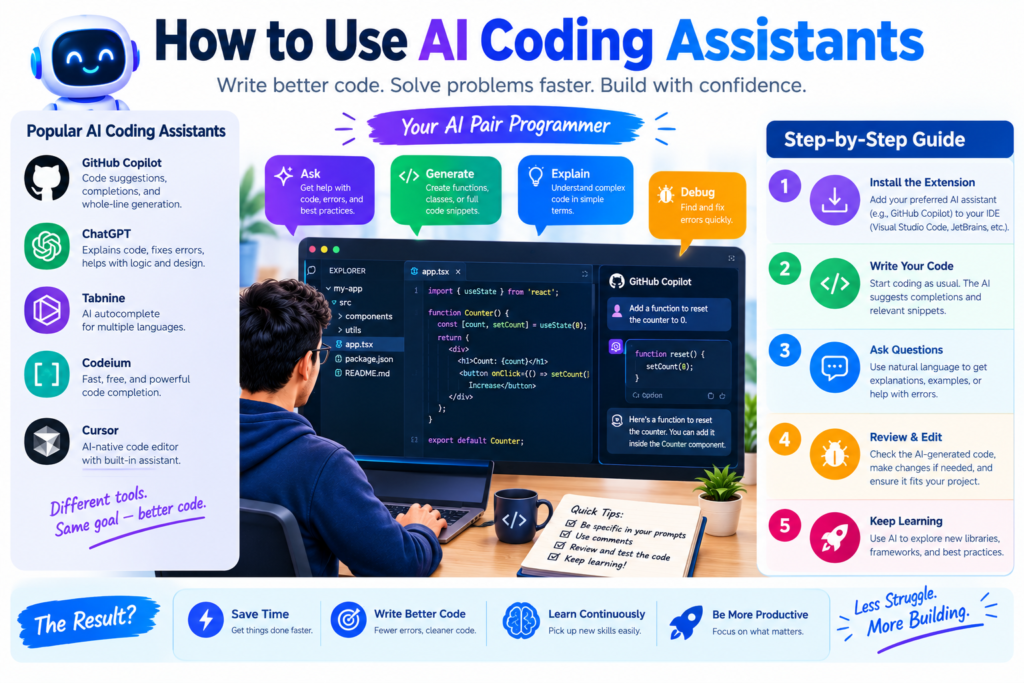
How to Use AI Coding Assistants to Build Projects Step by Step: 10 Powerful Steps
AI coding assistants have made software development easier to approach. You no longer need to write every line of code from scratch. Instead, you can explain what you want to build and use AI tools to help plan, write, test, and improve the code.
These tools can help students create their first website. They can also help professional developers work on complex applications. However, good results still depend on clear instructions, careful testing, and an understanding of the project.
In this guide, you’ll learn how to use AI coding assistants to build projects step by step. You’ll also discover popular tools, practical coding examples, common mistakes, and ways to improve your development workflow.
What Are AI Coding Assistants?
AI coding assistants are software tools that help people write, understand, test, and improve computer programs. They use artificial intelligence and machine learning to suggest code, explain programming concepts, and support common development tasks. Think of an AI coding assistant as a programming helper. You describe a task, and the tool offers suggestions. You can review those suggestions, make changes, and use the parts that fit your needs.
For example, you might ask an AI programming assistant to create a contact form for a website. It could suggest HTML for the form, CSS for its appearance, and JavaScript for basic interactions. Some AI coding tools work inside code editors. Others work through chat interfaces. Some can also inspect project files and help with tasks across multiple files.
How Do AI Coding Assistants Work?
AI coding assistants learn patterns from large collections of text and code. When you provide an instruction, the system uses the available context to predict or generate a useful response.
A typical process looks like this:
- You explain the programming task.
- The AI examines your instructions and available code context.
- It suggests code, an explanation, or a possible solution.
- You review and test the suggestion.
- You provide feedback or ask for improvements.
The quality of the result depends on the tool, the context, and the clarity of your instructions.
AI-generated code isn’t automatically correct. It may contain errors, outdated methods, or security problems. That’s why human review remains important.
What Can You Build with AI Coding Tools?
You can use AI coding tools for many types of projects, including:
- Personal websites and business landing pages.
- Student projects and programming exercises.
- Task managers and productivity applications.
- Simple mobile applications.
- Data analysis scripts and automation tools.
- APIs and database-backed applications.
- Online stores and customer dashboards.
- Internal business software.
The best starting point is a small project with a clear purpose. Once you understand the workflow, you can move on to larger applications.
Why Should You Use AI Coding Tools?
AI coding tools can improve the software development process in several ways. They can reduce repetitive work, explain unfamiliar code, and help developers explore different solutions.
Still, these benefits aren’t automatic. You get better results when you use AI as a helper rather than treating it as a replacement for programming knowledge.
1. Save Time on Repetitive Tasks
Developers often repeat common tasks, such as writing form validation, creating basic functions, formatting data, and building standard components.
AI code generation can speed up this work. You can describe the required behavior and ask the tool for an initial implementation.
For instance, you might request a JavaScript function that checks whether an email field is empty. The assistant can provide a starting point that you then review and test.
2. Learn Programming More Easily
Beginners often struggle with unfamiliar terms, error messages, and complex examples.
An AI programming assistant can explain these concepts in simple language. You can ask questions such as:
- What does this function do?
- Why is this error appearing?
- How does this API request work?
- Can you explain this code line by line?
- Is there a simpler way to solve this problem?
This kind of programming help can make learning more interactive.
However, don’t simply copy every answer. Try to understand the logic and write a similar solution yourself.
3. Find and Fix Errors
Debugging can take a large part of a developer’s time. AI coding assistants can help identify likely causes of errors and suggest possible fixes.
For better results, provide the exact error message, the relevant code, and the steps that reproduce the problem.
The assistant may identify a missing variable, an incorrect condition, or an unexpected data type. You should still verify the diagnosis because multiple issues can produce similar errors.
4. Improve Developer Productivity
AI developer tools can help with documentation, code explanations, test generation, and routine edits.
They can also support code review by highlighting possible problems. This may improve developer productivity and make the software engineering workflow more efficient.
The key is to measure useful results, not just the amount of code produced. A fast solution that creates bugs can take longer to fix than a carefully written one.
Popular AI Coding Assistants to Consider
Several AI coding tools support different stages of project development. The right option depends on your experience, programming language, budget, and preferred workflow.
- GitHub Copilot
GitHub Copilot helps developers with code completion, suggestions, explanations, and supported coding tasks in compatible development environments. It’s useful for developers who want assistance while working directly in their code editor.
Website: github.com/features/copilot
- ChatGPT for Coding
ChatGPT can help plan applications, explain code, generate examples, troubleshoot errors, and review design choices. It’s especially useful when you want to discuss a problem before making changes.
Website: chatgpt.com
- Cursor
Cursor is an AI-focused code editor designed to help developers work with project context, generate code, and make changes across files. It’s useful for people who prefer an integrated AI-assisted coding environment.
Website: cursor.com
- Gemini
Gemini can assist with programming explanations, code generation, debugging, and technical problem-solving. Its usefulness depends on the specific product and development features available to you.
Website: gemini.google.com
Which AI Coding Assistant Is Best for Beginners?
There’s no single best option for every beginner. A chat-based tool may be easier when you’re learning basic programming. An editor-based assistant may be more convenient once you’re working with several project files.
|
Tool |
Good starting point |
Main use |
|
ChatGPT |
Students and beginners |
Explanations, planning, and debugging |
|
GitHub Copilot |
Developers using supported editors |
Code completion and coding assistance |
|
Cursor |
Developers building multi-file projects |
AI-assisted editing and project context |
|
Gemini |
Learners and developers |
Programming help and code explanations |
Check each tool’s current pricing, supported features, and privacy settings before choosing one.
How to Use AI Coding Assistants to Build Projects Step by Step
Now let’s explore a practical AI coding workflow. We’ll use a simple task manager as an example. The application will allow users to add tasks, view them, and mark them as complete.
You can apply the same process to websites, dashboards, scripts, and other beginner coding projects.
Step 1: Choose a Clear Project Idea
Start by identifying a problem you want to solve. Don’t begin with a vague goal such as “make an advanced application.”
Instead, define the main purpose of your project.
For example:
Project idea: Build a task manager that lets users add tasks, view a task list, and mark completed tasks.
This is a useful beginner project because it introduces basic interface design, user input, data handling, and testing.
Before coding, answer three questions:
- Who will use the application?
- What problem will it solve?
- What are the three most important features?
You can ask ChatGPT for coding project ideas, but choose one that matches your current skill level.
Example prompt:
Suggest five beginner web development projects using HTML, CSS, and JavaScript. For each project, explain its purpose, core features, difficulty level, and what I will learn. Keep the projects small enough for a beginner to complete.
Review the suggestions and select one project. A clear starting point makes the rest of the process easier.
Step 2: Plan the Project Before Writing Code
Once you’ve selected an idea, define its requirements.
AI project development works better when the assistant knows what the application should do. Without a plan, the generated code may include unnecessary features or miss important requirements.
For the task manager, the first version might include:
- A text field for entering tasks.
- An Add Task button.
- A list of saved tasks.
- A way to mark tasks as complete.
- A way to delete tasks.
You don’t need user accounts, payment systems, or cloud storage in the first version.
Example prompt:
Help me plan a beginner task manager using HTML, CSS, and JavaScript. List the main features, page layout, required files, user interactions, and testing steps. Keep the first version simple and avoid adding a backend.
The assistant might recommend three files:
|
File |
Purpose |
|
index.html |
Defines the page structure |
|
style.css |
Controls colors, spacing, and layout |
|
script.js |
Handles task creation and interactions |
This structure keeps the project easy to understand.
Step 3: Choose Your Technology and Set Up the Tools
Your technology choices should match the project requirements.
For a simple website, HTML, CSS, and JavaScript may be enough. A larger application might require a framework, a backend service, and a database.
Don’t choose a complicated technology just because an AI assistant recommends it. Ask why the technology is needed and whether a simpler option would work.
Next, prepare your development environment.
You may need:
- A code editor.
- A modern web browser.
- A folder for project files.
- Git for version control.
- An AI coding assistant that fits your workflow.
Create a folder named task-manager and add the required files.
If you’re using Git, create a repository so you can track changes and return to an earlier version if something breaks.
Example prompt:
Explain how to set up a basic HTML, CSS, and JavaScript project in a code editor. Give me the folder structure, explain what each file does, and provide simple steps to run the project in a browser.
Follow the instructions carefully. If something doesn’t work, share the error message instead of guessing.
Step 4: Generate the First Version of Your Code
Now you can start writing code with AI assistance.
The best approach is to generate one part at a time. Begin with the HTML structure, then add the styling, and finally implement the JavaScript behavior.
For example, ask the assistant to create an accessible task input and a button. After reviewing the result, move on to the task list.
Example prompt:
Write the HTML for a simple task manager. Include a heading, a labeled text input, an Add Task button, and an empty list for tasks. Use semantic HTML and explain the purpose of each main element. Do not add CSS or JavaScript yet.
Next, request the styling:
Create simple CSS for this task manager. Use readable text, clear spacing, visible focus states, and a responsive layout that works on mobile and desktop.
Finally, request the JavaScript:
Write JavaScript that lets users add tasks, mark them as complete, and delete them. Prevent empty tasks from being added. Explain the important parts and tell me how to test each feature.
This step-by-step method makes it easier to identify mistakes. It also helps you understand how the files work together.
Step 5: Review and Understand the Generated Code
Never assume that AI-generated code is correct simply because it looks professional.
Read the code and check whether it matches your original requirements. Look for missing features, unnecessary complexity, and confusing logic.
Ask questions if you don’t understand something.
For example:
Explain this JavaScript function in simple English. Describe its inputs, output, and main steps. Then identify any potential errors or edge cases.
You can also request a simpler version of a complex function.
As you learn, compare the generated code with official documentation and reliable programming tutorials. This helps you build knowledge instead of relying entirely on AI.
Important: Don’t paste code into your project without knowing what it does, especially when it handles user data, passwords, payments, or database access.
Step 6: Run the Project and Test Each Feature
After adding the code, run the project in your browser or development environment.
Test one feature at a time.
For the task manager, check the following:
|
Test |
Expected result |
|
Add a valid task |
The task appears in the list |
|
Submit an empty input |
No empty task is added |
|
Complete a task |
Its completed state is visible |
|
Delete a task |
The selected task disappears |
|
Use a mobile screen |
The layout remains usable |
If a feature fails, reproduce the problem and collect the relevant error message.
Then provide the AI assistant with the smallest useful amount of code and explain what happened.
Example prompt:
When I click Add Task, nothing appears in the list. Here is my HTML and JavaScript, followed by the browser console error. Find the likely cause, explain why it happens, and suggest the smallest safe fix. Don’t rewrite the entire project.
This approach supports more reliable debugging than asking the AI to rebuild everything.
Step 7: Fix Bugs and Improve the User Experience
Once the main features work, improve the application.
Check whether the interface is easy to understand. Are the buttons clear? Can users read the text? Does the layout work on small screens? Are error messages helpful?
Ask your AI coding assistant to review specific issues.
For example:
Review this task manager for usability and accessibility. Identify issues with labels, keyboard navigation, focus states, mobile layout, and error handling. List the problems first, then suggest changes one at a time.
Make changes gradually and test after each change.
If the application becomes harder to maintain, ask the assistant to explain the trade-offs before refactoring the code.
The goal isn’t to make the application look complicated. It’s to make it useful, reliable, and easy to operate.
Step 8: Add Data Storage When Needed
The first version of the task manager may lose its tasks when the page reloads. That can be acceptable for an early learning exercise, but users may expect their tasks to remain available.
For a small browser-based project, you could use localStorage to store non-sensitive task data on the user’s device.
Ask the AI assistant to explain how storage works before implementing it.
Example prompt:
Add localStorage support to my task manager so tasks remain after a page refresh. Explain how the data is saved and loaded. Include error handling and tell me how to test the feature.
For larger applications, you may need a backend and a database.
For instance, a team task manager with user accounts would require proper authentication, authorization, and server-side data protection. Browser storage alone isn’t enough to protect sensitive information or share data securely between users.
Choose the simplest solution that meets your actual requirements.
Step 9: Test Security, Performance, and Code Quality
Before releasing the project, check more than its appearance.
AI-powered development can produce code quickly, but speed doesn’t guarantee security or quality.
Review the following areas:
- Input handling: Can unexpected input break the application?
- Data safety: Is sensitive information stored or exposed improperly?
- Dependencies: Are the libraries necessary and trustworthy?
- Performance: Does the application load and respond efficiently?
- Accessibility: Can people navigate the interface using a keyboard?
- Maintainability: Is the code organized and understandable?
For example, if users can submit task names, avoid inserting untrusted input directly into HTML. Use safe DOM methods and appropriate output handling.
For applications that use authentication, payments, or private data, seek additional security review. AI suggestions aren’t a substitute for a security assessment.
You can ask the assistant to identify possible issues, but independently verify important findings and fixes.
Step 10: Deploy the Project and Maintain It
Once the project works locally, you can prepare it for other people to use.
A static HTML, CSS, and JavaScript project can often be hosted through a suitable static website hosting service. Applications with server-side functionality may require a different deployment process.
Before publishing:
- Test the final version.
- Remove test data and unnecessary files.
- Review configuration and secrets.
- Confirm that the project works on different screen sizes.
- Write a short README with setup and usage instructions.
- Publish through an appropriate hosting service.
- Test the live application after deployment.
Ask your AI coding assistant to help prepare documentation or explain the deployment process for your chosen platform.
Once the application is live, monitor feedback and fix problems as they appear. Use version control so changes can be tracked and rolled back when needed.
This completes the basic AI coding workflow: plan, build, test, improve, and deploy.
Best Practices for AI-Assisted Software Development
AI coding assistants are most useful when you combine them with sound engineering habits.
Write Clear and Specific Prompts
A vague prompt often produces a vague result.
Instead of saying, “Build me a website,” explain the purpose, technology, features, and limitations.
A useful prompt includes:
- The goal of the task.
- The relevant programming language or framework.
- The expected result.
- Existing code or project context.
- Constraints and requirements.
- How the result should be tested.
Clear instructions help the assistant focus on the actual problem.
Work in Small, Manageable Steps
Don’t ask the AI to build a large application in one response.
Break the project into small tasks, such as creating a page, adding a form, connecting an API, and testing the results.
This makes the output easier to review and reduces the chance that one mistake will affect the whole application.
Verify Important Information
AI tools can generate outdated methods, incorrect explanations, or nonexistent functions.
Check important recommendations against official documentation. For example, consult the MDN Web Docs for web development topics.
Run the code and confirm that it behaves as expected.
Protect Private Data
Don’t share passwords, API keys, customer records, private business information, or confidential source code unless you have authorization and the tool’s data-handling terms permit it.
Use environment variables and approved secret-management methods for credentials. Review your organization’s AI usage policies when working on business projects.
Use Version Control
Git makes it easier to track changes, compare versions, and recover from mistakes.
Commit working changes before making large modifications. Review AI-generated edits before accepting them, especially when they affect several files.
Learn the Fundamentals
AI programming help can make learning easier, but basic knowledge remains valuable.
Understand variables, functions, conditions, loops, data structures, HTTP requests, and debugging. Learn the fundamentals of any framework you use.
The more you understand the code, the better you’ll be at spotting errors and asking useful questions.
Common Mistakes to Avoid When Using AI Coding Tools
Some mistakes can turn a helpful coding assistant into a source of extra work.
1. Copying Code Without Testing It
Generated code may fail under real conditions. Always run tests and check the important features before accepting a solution.
2. Giving Too Little Context
If you provide only an error message, the assistant may guess the cause. Include the relevant code, expected behavior, actual behavior, and reproduction steps.
3. Building Too Many Features at Once
Adding login, payments, analytics, notifications, and dashboards to a beginner project can create unnecessary complexity.
Start with the core features. Add more only after the basic application works.
4. Ignoring Security
Code that works isn’t always safe. Review input validation, permissions, authentication, dependencies, and data storage before releasing an application.
5. Depending on One AI Tool for Everything
Different tools have different strengths. You might use a chat assistant for planning, an editor assistant for code completion, and official documentation for verification.
Choose tools based on the task rather than assuming one tool is always best.
6. Skipping Documentation
A project becomes difficult to maintain when nobody knows how to install, configure, test, or run it.
Ask AI to help create documentation, then verify every instruction before publishing it.
How AI Coding Assistants Improve Developer Productivity
AI coding assistants can support several parts of the software engineering workflow.
|
Development task |
How AI can help |
What you should verify |
|
Project planning |
Suggest features and structure |
Scope and business requirements |
|
Code writing |
Generate initial implementations |
Correctness and maintainability |
|
Code completion |
Suggest likely next lines |
Context and intended behavior |
|
Debugging |
Explain errors and possible fixes |
Actual root cause |
|
Testing |
Suggest test cases |
Coverage and test results |
|
Documentation |
Draft setup guides and explanations |
Accuracy and completeness |
|
Refactoring |
Suggest cleaner code |
Behavior and performance |
|
Deployment |
Explain setup and configuration |
Security and live functionality |
The main benefit is not that developers no longer need to think. It’s that they can spend less time on repetitive tasks and more time on design, problem-solving, testing, and product quality.
This is the real value of software development with AI: using automation where it helps while keeping human judgment at the center.
Know More: