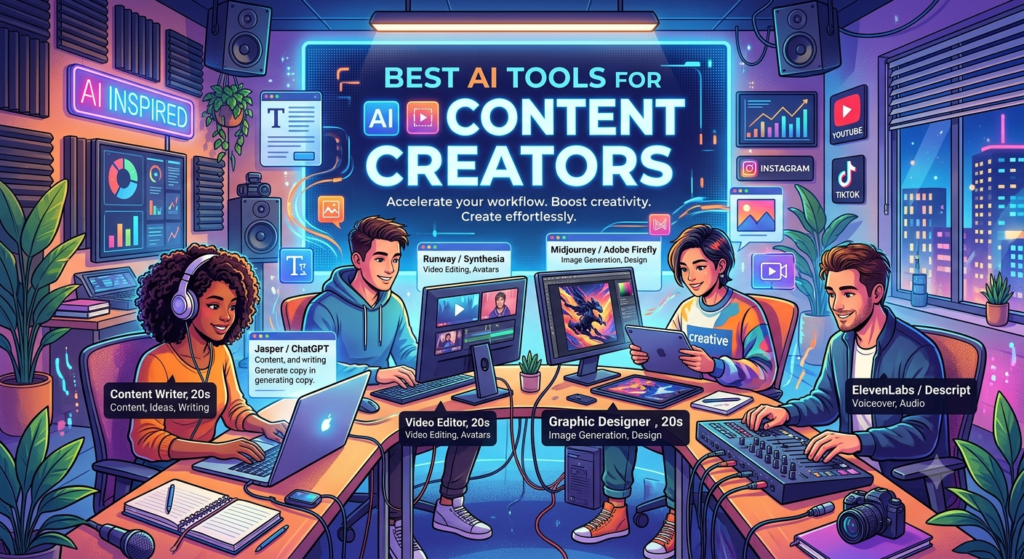
15 Best AI Tools for Content Creators in 2026 to Boost Creativity
Creating great content takes time, skill, and fresh ideas. You may need to write blog posts, edit videos, design images, create social media posts, or plan an entire marketing campaign. Managing all these tasks can feel overwhelming, especially when you’re working alone or running a small business.
That’s where the best AI tools for content creators can help. These tools use artificial intelligence to support writing, design, video production, research, and content planning. They can reduce repetitive work and help you turn simple ideas into useful content.
However, AI isn’t a replacement for human creativity. The best results come when you combine AI-powered creativity with your own knowledge, experience, and judgment.
In this guide, we’ll explore 15 useful AI creator tools for bloggers, YouTubers, designers, marketers, freelancers, and business owners. You’ll also learn how to choose the right software, use free plans, and build a simple content workflow.
1. What Are AI Content Creation Tools?
AI content creation tools are software applications that use artificial intelligence to help people produce, edit, organize, and improve digital content.
Depending on the tool, you can use AI to write an article, generate an image, create a video, summarize research, develop social media captions, or improve an existing draft.
These applications support several types of digital content production.
Types of AI Creator Tools
AI writing tools: Help create outlines, blog posts, product descriptions, email drafts, and scripts.
AI image generators: Turn text prompts into illustrations, graphics, concept art, and other visuals.
AI video generators: Help create video clips, generate scenes, add effects, or simplify editing.
AI social media tools: Support caption writing, content planning, scheduling, and performance analysis.
Content automation tools: Connect different stages of content production and reduce repetitive tasks.
Why Are Creators Using AI in 2026?
Creators need to publish content across many platforms. A single campaign might require a blog post, a YouTube video, several short clips, email copy, and social media graphics. Doing everything manually can take a lot of time.
AI tools can help creators:
- Generate ideas when inspiration is low.
- Develop content outlines more quickly.
- Improve grammar and readability.
- Create visual concepts for campaigns.
- Turn long videos into short clips.
- Repurpose articles into social media posts.
- Organize content calendars and projects.
Still, AI output needs review. Facts, examples, tone, originality, and brand details should be checked before publication.
2. ChatGPT: An All-Round Assistant for Content Creators
Best for: Bloggers, marketers, freelancers, and beginners.
ChatGPT is a flexible AI assistant for brainstorming, writing, research support, planning, and content repurposing. It can help creators move from a rough idea to a structured content plan.
Key Features
- Blog outlines and first drafts.
- Social media captions and post ideas.
- Video scripts and storytelling suggestions.
- Email newsletters and promotional copy.
- Content calendars and campaign planning.
- Rewriting and simplifying existing text.
How Creators Can Use ChatGPT
Imagine you’re writing a blog about productivity tools. You can ask ChatGPT to create an outline, suggest questions readers might have, and draft an introduction.
Next, you can refine the outline, add verified examples, and improve the article’s flow. You can also turn key points into a LinkedIn post or a short video script.
The important thing is to provide clear instructions. Mention your audience, purpose, tone, format, and preferred length.
Advantages: Versatile, beginner-friendly, and useful across many content formats.
Limitations: It can make mistakes, produce generic wording, or present incorrect details confidently. Verify important claims and add original insight.
For many people exploring the best AI tools for content creators, ChatGPT is a practical starting point.
Website: https://chatgpt.com/
3. Claude: An AI Writing Assistant for Long-Form Content
Best for: Writers, editors, researchers, and content strategists.
Claude is an AI assistant that can help creators organize complex information, review long drafts, and improve the structure of written content.
It’s useful when you need to work through detailed notes, compare sections, or make an article easier to understand.
Key Features
- Drafting and rewriting long-form content.
- Summarizing documents and research notes.
- Improving transitions between sections.
- Reviewing tone and consistency.
- Organizing ideas into clear structures.
Why Choose Claude?
Suppose you’ve collected research for a detailed industry article. You can use Claude to organize your notes into themes, identify gaps in your outline, and suggest ways to improve the article’s flow.
You should still verify the research and make sure the final article reflects your own expertise.
Advantages: Useful for detailed writing tasks and document analysis.
Limitations: Output quality depends on your instructions and source material. Some features may require a paid plan.
Website: https://claude.ai/
4. Jasper: AI Copywriting Software for Marketing Teams
Best for: Marketing teams, agencies, and businesses producing regular campaigns.
Jasper focuses on marketing content and can help teams create copy for multiple channels while maintaining a consistent brand voice.
Key Features
- Marketing copy and campaign drafts.
- Product descriptions and promotional messages.
- Brand voice support.
- Content templates and reusable workflows.
- Drafts for emails, advertisements, and landing pages.
How Jasper Helps Content Marketers
A marketing team may need to promote a product through email, paid advertisements, a landing page, and social media.
Jasper can help create initial versions of these materials. The team can then review the messaging and adapt each draft to the relevant audience.
This makes Jasper worth considering when content production involves repeated campaigns and multiple team members.
Advantages: Marketing-focused workflows and brand consistency features.
Limitations: It may be more than an individual creator needs. Review subscription costs and available features before choosing a plan.
Website: https://www.jasper.ai/
5. Grammarly: Improve Grammar, Clarity, and Readability
Best for: Bloggers, students, professionals, and editors.
Even strong writers make mistakes. Grammarly helps identify grammar issues, improve sentence clarity, and refine the tone of written communication.
Key Features
- Grammar and spelling checks.
- Punctuation suggestions.
- Clarity and conciseness improvements.
- Tone-related feedback.
- Writing assistance across supported applications.
How to Use Grammarly
After drafting an article, review it with Grammarly. Look for repeated words, unclear sentences, and unnecessary phrases.
For example, a sentence such as “The tool provides users with the ability to make the process more efficient” could become “The tool helps users work more efficiently.”
Shorter sentences are often easier to read.
Advantages: Useful for proofreading and improving clarity.
Limitations: Automated suggestions may change your intended meaning. Review every important edit.
Grammarly is particularly useful when combined with AI blog writing tools because it helps refine the draft before publication.
Website: https://www.grammarly.com/
6. Canva Magic Studio: Create Graphics Without Advanced Design Skills
Best for: Social media creators, small businesses, bloggers, and beginners.
Canva provides design tools for creating social media posts, presentations, thumbnails, posters, and marketing graphics. Its Magic Studio features add AI-assisted options to supported design workflows.
Key Features
- AI-assisted design and content creation.
- Social media templates.
- Presentation design.
- Image editing and background removal.
- Brand kits and reusable layouts.
- Visual assets for multiple platforms.
How Canva Helps Creators
Suppose you’re publishing a blog post about business productivity. You may need a featured image, an Instagram graphic, and a LinkedIn post image.
Canva can help you create these assets using templates and AI-assisted features. You can maintain consistent fonts, colors, and visual styles across your content.
Advantages: Accessible design workflow and a wide range of templates.
Limitations: Some features and premium assets require a paid subscription. Templates may also look generic without customization.
Canva is a strong option for people who want to create attractive graphics without learning advanced design software.
Website: https://www.canva.com/
7. Adobe Firefly: AI Image Generation for Creative Projects
Best for: Designers, marketers, illustrators, and visual content creators.
Adobe Firefly offers generative AI features for producing and editing visual content. Depending on the product and feature, users can create images, apply visual effects, or modify existing designs.
Key Features
- Text-to-image generation.
- Generative image editing.
- Visual effect experimentation.
- Creative asset development.
- Integration with supported Adobe workflows.
How to Use Adobe Firefly
A designer working on a technology campaign might need a background showing a modern workspace with a clean, futuristic style.
By describing the subject, lighting, composition, and visual mood, the creator can generate concepts to refine for the final campaign.
AI-generated visuals should be checked for inaccurate details, visual defects, and licensing requirements.
Advantages: Useful for creative experimentation and image editing.
Limitations: Results vary by prompt, and usage limits or feature access may depend on the plan.
Website: https://firefly.adobe.com/
8. Midjourney: Creative AI Software for Unique Visuals
Best for: Digital artists, concept designers, and creators who need distinctive imagery.
Midjourney is known for generating stylized images from text prompts. It can support concept development, visual storytelling, mood boards, and creative campaigns.
Key Features
- Text-based image generation.
- Artistic and photographic styles.
- Concept exploration.
- Visual experimentation.
- Image variations and refinement.
Why Choose Midjourney?
Imagine creating a visual campaign for a travel blog. You could explore concepts featuring dramatic mountains, warm sunset lighting, and cinematic compositions.
Instead of creating every concept manually, you can generate several directions and select the most suitable one for further development.
Advantages: Strong creative possibilities and varied visual styles.
Limitations: Results may need editing, and precise text or consistent character details can be challenging. Check the current subscription and usage terms.
For creators who need AI image generation tools for designers, Midjourney can be worth exploring.
Website: https://www.midjourney.com/
9. Runway: AI Video Generator for Creative Production
Best for: Video creators, filmmakers, advertisers, and visual storytellers.
Runway offers AI-powered tools for video generation and editing. Its features can help creators experiment with scenes, visual effects, and short video concepts.
Key Features
- AI video generation.
- Image-to-video workflows.
- Visual effects and editing support.
- Creative scene experimentation.
- Tools for developing video concepts.
How Runway Supports Video Creators
Suppose you’re planning a short promotional video. You can develop a storyboard, generate visual concepts, and experiment with scenes before final editing. This can make it easier to test creative ideas without producing every shot from scratch.
Advantages: Useful for experimental visuals and AI-assisted video production.
Limitations: Generated footage may contain inconsistencies. Review output quality, licensing, and current generation limits.
Runway is one option to consider when researching the best AI tools for YouTube creators and other video-focused projects.
Website: https://runwayml.com/
10. CapCut: AI Video Editing Software for Creators
Best for: YouTubers, TikTok creators, Instagram Reels creators, and beginners.
CapCut offers video editing tools that can help creators prepare short-form and long-form content. Depending on the version and plan, AI-assisted features may include automatic captions, background removal, and editing support.
Key Features
- Video trimming and transitions.
- Automatic caption generation.
- Templates and visual effects.
- Audio editing tools.
- AI-assisted editing features.
- Export options for supported platforms.
How CapCut Improves Video Production
A creator recording a tutorial can use editing tools to remove unnecessary pauses, add captions, and improve the video’s pace.
Captions are particularly useful for viewers who watch without sound. However, automated captions should be checked for names, technical terms, and spelling errors.
Advantages: Accessible editing workflows and useful tools for short videos.
Limitations: Feature availability can vary by device, region, and plan. Some templates or effects may make content look less distinctive.
CapCut is a practical option for beginners who want to learn video editing without immediately investing in complex software.
Website: https://www.capcut.com/
11. Descript: Edit Audio and Video Through Text
Best for: Podcasters, educators, interviewers, and YouTube creators.
Descript offers a different approach to editing. It allows users to work with transcripts alongside audio and video, making certain editing tasks easier to manage.
Key Features
- Transcription.
- Text-based audio and video editing.
- Caption creation.
- Podcast editing workflows.
- Tools for removing unwanted sections.
- AI-assisted audio cleanup in supported plans.
How Descript Saves Time
Imagine you’ve recorded a 30-minute interview. You can use the transcript to locate a particular answer, remove unnecessary sections, and prepare clips for social media.
This can simplify the process of repurposing long recordings into smaller pieces of content.
Advantages: Helpful for transcript-based editing and spoken content.
Limitations: Transcription errors can affect editing, and advanced features may require a paid plan.
Website: https://www.descript.com/
12. Synthesia: Create Videos With AI Presenters
Best for: Businesses, trainers, educators, and corporate content teams.
Synthesia helps users create videos featuring AI-generated presenters. It’s useful for explainers, training materials, onboarding videos, and certain educational projects.
Key Features
- AI presenter videos.
- Script-based video creation.
- Templates for business communication.
- Support for multiple languages and voices, depending on the plan.
- Tools for creating structured presentations.
When Should You Use Synthesia?
A company may need to explain a product feature to customers or train employees across several locations.
Instead of recording a presenter for every update, the team can create a script and produce an AI-presenter video using supported features.
Advantages: Useful for structured presentations and repeatable training content.
Limitations: AI presenters may not feel as natural as real people in every situation. Review pronunciation, gestures, accessibility, and language quality.
Website: https://www.synthesia.io/
13. VEED: An Online Platform for Video Production
Best for: Social media marketers, online educators, and video creators.
VEED offers browser-based video editing and AI-assisted production features. It can help users edit clips, add subtitles, prepare recordings, and create content for online audiences.
Key Features
- Browser-based video editing.
- Subtitle and caption tools.
- Screen recording.
- Audio and video editing.
- AI-assisted features in supported plans.
Why Consider VEED?
If you create product demonstrations, online lessons, or social media videos, a browser-based editor can simplify your workflow.
You can prepare content without building a complicated desktop editing setup.
Advantages: Accessible online editing and useful captioning workflows.
Limitations: Advanced capabilities may be paid, and internet access is needed for browser-based work.
Website: https://www.veed.io/
14. Buffer: AI Social Media Tools for Content Planning
Best for: Social media managers, freelancers, creators, and small businesses.
Buffer helps users plan, schedule, and manage social media content across supported channels. Its AI-assisted features can also help develop post ideas and adapt messaging.
Key Features
- Social media scheduling.
- Content calendar management.
- Draft organization.
- Caption and post idea assistance.
- Performance insights, depending on the plan.
How Buffer Helps Creators
Suppose you publish a weekly blog. You might want to promote it through LinkedIn, Instagram, and other relevant platforms.
Buffer can help organize publication dates and prepare posts in advance. You should still adapt each post to the platform’s audience rather than publishing identical copy everywhere.
Advantages: Helps organize publishing schedules and manage multiple posts.
Limitations: Supported networks and analytics vary by plan. It doesn’t replace the need for audience research or a clear social media strategy.
Website: https://buffer.com/
15. Notion AI: Organize Your Entire Content Workflow
Best for: Content strategists, teams, bloggers, and freelancers. Notion combines notes, documents, databases, and project management. Notion AI adds AI-assisted capabilities to supported workflows.
Key Features
- Content planning and documentation.
- Summarization and rewriting.
- Research note organization.
- Project tracking.
- Content calendar management.
- Team collaboration.
How Notion AI Supports Content Production
You can create a content database with fields for topic, target keyword, assigned writer, draft status, publication date, and distribution channels.
AI-assisted features can help summarize notes or refine draft material. The database keeps your content pipeline organized.
Advantages: Combines planning, documentation, and collaboration.
Limitations: The setup takes time, and advanced AI features may require an eligible plan.
Notion AI can be particularly useful when you want content automation tools to support your process without losing track of editorial responsibilities.
Website: https://www.notion.so/
16. How to Choose the Best AI Tools for Content Creators
Choosing software isn’t about collecting the largest number of subscriptions. It’s about identifying the tools that solve your actual problems.
Before paying for a product, consider these factors.
16.1 Define Your Content Goals
Start by identifying what you create most often.
- Bloggers: Prioritize research, writing, editing, and SEO support.
- YouTubers: Focus on scripting, video editing, captions, and thumbnails.
- Designers: Explore image generation, visual editing, and design software.
- Social media managers: Look for scheduling, caption generation, and analytics.
- Business owners: Consider marketing copy, workflow automation, and reusable templates.
16.2 Check Free Plans and Pricing
Many AI content creation tools for beginners offer free access or limited trials. These can be enough to test the workflow before committing to a subscription. However, free access may have restrictions on usage, exports, image generation, storage, or advanced features.
Review the official pricing page before purchasing.
16.3 Consider Ease of Use
A powerful application isn’t always the best choice if it takes too long to learn.
Choose software that fits your current skills and workflow. Start with one tool, learn its useful features, and add another only when you identify a clear need.
16.4 Review Privacy and Usage Rights
Don’t upload confidential business documents, customer data, or private information without understanding the provider’s policies.
Check whether the tool permits your intended commercial use and whether additional licensing restrictions apply.
16.5 Compare Tools by Purpose
|
Content Need |
Tools to Consider |
Main Benefit |
|
Writing and brainstorming |
ChatGPT, Claude |
Drafting and idea development |
|
Marketing copy |
Jasper, ChatGPT |
Campaign and promotional content |
|
Grammar and editing |
Grammarly |
Clarity and proofreading |
|
Graphic design |
Canva |
Social graphics and layouts |
|
AI-generated imagery |
Adobe Firefly, Midjourney |
Visual concept development |
|
AI video generation |
Runway |
Generated scenes and creative experimentation |
|
Video editing |
CapCut, VEED |
Editing and captions |
|
Podcast editing |
Descript |
Transcript-based workflows |
|
Presenter videos |
Synthesia |
Structured video production |
|
Social scheduling |
Buffer |
Publishing organization |
|
Content planning |
Notion AI |
Research notes and project tracking |
These are practical starting points, not a universal ranking. The right choice depends on your goals, budget, and required features.
17. How to Build an AI Content Creation Workflow
The best results come from combining tools into a repeatable process. You don’t need to automate every task. Begin with the stages that take the most time.
Step 1: Research Your Audience
Identify the questions, challenges, and interests of your target audience.
For an SEO article, examine search intent, relevant keywords, competing pages, and questions people commonly ask. AI can help organize research, but verify important facts with reliable sources.
Step 2: Create a Clear Outline
Use an AI assistant to brainstorm headings, examples, and possible FAQs.
Review the outline yourself. Make sure it answers the reader’s main question and doesn’t include unnecessary sections.
Step 3: Develop the First Draft
Use AI writing tools to help structure your ideas and prepare an initial draft.
Provide specific instructions about the audience, tone, format, and purpose. Add your own experience, examples, and original analysis.
Step 4: Create Supporting Visuals
Use a design application or image generator to prepare relevant visuals.
For videos, develop a storyboard before generating or editing footage. Check that the visuals support the message instead of distracting from it.
Step 5: Edit and Verify
Review the content for:
- Factual accuracy.
- Grammar and readability.
- Repeated ideas.
- Unsupported claims.
- Brand consistency.
- Copyright and licensing concerns.
- Search intent and usefulness.
AI-generated content should never be published without suitable human review.
Step 6: Repurpose the Content
A single well-researched article can become several smaller assets.
For example, you could turn an article into a newsletter, a LinkedIn post, a short video script, and a series of social media graphics.
Each version should be adapted to its platform rather than copied without changes.
Step 7: Publish and Measure Results
Track meaningful results, such as engagement, watch time, clicks, conversions, and audience feedback.
Use the findings to improve your next content campaign. Don’t assume that publishing more content automatically leads to better results.
Common Mistakes to Avoid When Using AI Creator Tools
AI can improve production, but poor workflows can create new problems.
Publishing Unchecked AI Content
AI-generated text may contain inaccurate facts, outdated information, or invented references. Verify claims before publication.
Using Generic Content
A draft that repeats common advice without examples or insight may provide little value.
Add original research, practical experience, expert commentary, and useful explanations.
Overusing Automation
Automating every step can remove the judgment that makes content useful. Keep people involved in strategy, fact-checking, editing, and final approval.
Ignoring Search Intent
Content should answer the question behind the search, not simply repeat keywords.
Google’s guidance on creating helpful, reliable, people-first content is a useful starting point: https://developers.google.com/search/docs/fundamentals/creating-helpful-content
Buying Too Many Subscriptions
You may not need five writing assistants or three video editors. Start with a small set of tools that address your biggest needs.
Forgetting Data Privacy
Review privacy policies and organizational rules before uploading sensitive information to any AI application.
Choose AI Tools That Support Your Creativity
The best AI tools for content creators are the ones that make your work more effective without compromising quality. Writing assistants can help you develop ideas, image generators can support visual design, and video tools can simplify editing and production. You don’t need every application in this guide to build a successful content workflow. Start with your main challenge, test a few suitable tools, and focus on the features that provide real value.
Most importantly, use AI as a creative partner rather than a substitute for your judgment. Verify facts, add original insights, respect usage rights, and create content that genuinely helps your audience. When you combine useful AI creator tools with human creativity and a clear strategy, you can build a more consistent, flexible, and effective content production process.
Know More:
”FAQs”
1. What Are the Best AI Tools for Content Creators in 2026?
The best option depends on the type of content you produce. ChatGPT and Claude support writing and brainstorming, Canva helps with graphic design, Runway supports AI video generation, and Buffer helps organize social media publishing. Choose tools based on your workflow rather than popularity alone.
2. Are There Free AI Tools for Content Creators?
Yes. Several platforms offer free plans, limited access, or trial options. Availability and restrictions can change. Check official pricing pages to understand usage limits, export options, and premium features before relying on a free plan.
3. Which AI Writing Tools Are Best for Bloggers?
ChatGPT and Claude can help with outlines, drafting, and rewriting. Jasper may suit marketing-focused teams, while Grammarly helps with proofreading and clarity. Bloggers should also conduct research, verify facts, and add original insights.
4. What Are the Best AI Tools for YouTube Creators?
The right combination may include ChatGPT for video scripts, Canva for thumbnails, CapCut or Descript for editing, and Runway for AI-generated visual concepts. Your ideal setup depends on whether you create tutorials, interviews, short videos, or cinematic content.
5. Can AI Tools Create Content Automatically?
Many tools can automate parts of content production, such as drafting captions, generating images, creating transcripts, or scheduling posts. However, fully automated workflows still need suitable supervision to protect quality, accuracy, originality, and brand consistency.
6. Do AI Content Creation Tools Help With SEO?
They can support keyword research workflows, content outlines, title ideas, summaries, and editing. However, using AI doesn't guarantee rankings. SEO success depends on search intent, technical accessibility, content quality, competition, and the usefulness of the page.
7. Are AI-Generated Articles Plagiarism-Free?
Not automatically. AI-generated text may resemble existing material or include unattributed ideas. Review the draft, verify sources, add original analysis, and use appropriate plagiarism-checking processes when needed. No tool can guarantee that every output is completely free of overlap.
8. How Many AI Tools Does a Beginner Need?
Most beginners can start with two or three tools: one for writing or brainstorming, one for visuals or editing, and one for organizing or publishing content. Add more only when a specific task requires them.
9. Will AI Replace Human Content Creators?
AI can perform or assist with many repetitive tasks, but creators still provide strategy, original perspectives, storytelling, judgment, and audience understanding. Learning to use AI responsibly can help creators improve their workflow while keeping human expertise at the center.
10. How Can Small Businesses Use AI Content Tools?
Small businesses can use AI to draft newsletters, prepare product descriptions, create social media graphics, develop video scripts, and organize campaigns. Start with tasks that consume the most time, then measure whether the tools improve quality or efficiency.