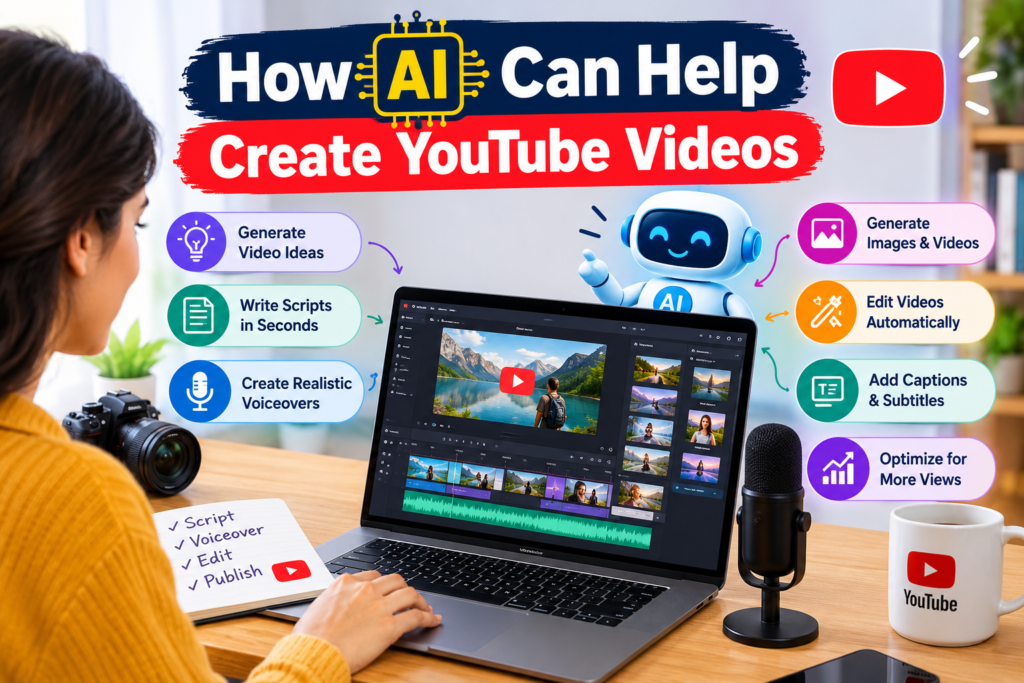
How AI Can Help Create YouTube Videos
AI for YouTube videos is changing how people create and publish online content. Today, you don’t need an expensive camera, a large team, or advanced editing skills to get started. You can use artificial intelligence to plan topics, write scripts, create visuals, generate voiceovers, and edit videos.
This makes YouTube content creation easier for beginners, students, small businesses, and experienced creators.
For example, imagine you want to create a video about the best AI tools for students. You can use an AI content assistant to research ideas, a script generator to prepare the narration, and an AI video maker to produce suitable visuals. You can then edit the result, add subtitles, create a thumbnail, and publish it on YouTube.
However, AI isn’t a replacement for creativity or human judgment. The best videos combine AI-powered video creation with original ideas, useful information, and a clear understanding of the audience. In this guide, you’ll learn how to make YouTube videos with AI, which tools can help, how to build an efficient workflow, and how to use AI to support long-term channel growth.
Understanding AI for YouTube Videos
Artificial intelligence refers to computer systems that perform tasks that usually require human intelligence. These tasks include understanding language, recognizing images, generating text, and creating video or audio.
In YouTube production, AI tools can support many stages of the video production process.
Traditional video creation often involves brainstorming, writing, recording, editing, and designing thumbnails separately. AI video creation tools can speed up several of these steps.
For example, a text-to-video AI tool may turn a written prompt into a short video clip. An AI script generator can turn a topic into a structured script. An AI voice generator can convert written text into spoken narration. These tools work in different ways. Some generate original content, while others improve existing footage or automate repetitive editing tasks.
What Is AI YouTube Video Creation?
AI YouTube video creation is the process of using artificial intelligence to plan, generate, edit, or optimize video content.
It may include:
- Generating video ideas from audience interests.
- Writing video scripts and introductions.
- Creating scenes from text prompts.
- Producing voiceovers.
- Removing silence and unwanted footage.
- Generating subtitles and translations.
- Designing thumbnails.
- Supporting YouTube SEO and performance analysis.
Some AI video creator platforms combine several features in one place. Others focus on one task, such as voice generation or editing. The right choice depends on your goals, budget, content type, and technical skills.
How Does AI Video Generation Work?
Many AI tools use machine learning models trained to recognize patterns in text, images, audio, or video.
For example, a generative AI tool can interpret a prompt such as “Show a student studying in a modern library” and generate a visual scene that matches the description. Language models can help organize ideas and produce scripts. Video models can generate or modify visual content. Speech models can create narration from text.
However, generated content isn’t always accurate. Objects may look unusual, spoken words may be mispronounced, and factual statements may be incorrect. That’s why human review remains important throughout the AI video workflow.
10 Powerful Ways AI Helps Create YouTube Videos
AI-powered video creation can support nearly every stage of a YouTube project. Here are ten practical ways creators can use it.
1. Generate Video Ideas and Plan Content
Finding fresh video ideas can be difficult, especially when you publish regularly. AI content assistants can help you brainstorm topics based on your niche, audience, and existing content.
For example, a technology creator might ask an AI assistant to suggest video topics about artificial intelligence. The result could include beginner tutorials, tool comparisons, product demonstrations, and industry explainers.
You can also use AI to create a content calendar.
A simple monthly plan might include:
- Week 1: An AI tutorial for beginners.
- Week 2: A comparison of two AI tools.
- Week 3: A practical productivity demonstration.
- Week 4: Answers to common audience questions.
This approach makes content planning more organized. Still, don’t publish every idea suggested by AI. Review search demand, competition, audience needs, and your own experience before choosing a topic.
2. Write Better Video Scripts
A good script gives your video direction. It helps you explain ideas clearly and keeps viewers interested. AI script writing tools can generate outlines, introductions, explanations, examples, and calls to action.
For instance, you can ask an AI assistant to create a five-minute YouTube tutorial about using AI for studying. The tool can organize the script into an introduction, key steps, examples, and a conclusion.
You should then review the draft for accuracy, remove repetitive points, and add your own experience.
A useful script usually includes:
- A strong opening that explains the value of the video.
- A clear introduction to the problem.
- Useful information arranged in logical steps.
- Examples that help viewers understand the topic.
- A short conclusion with a relevant next step.
Avoid generic introductions that take too long to reach the main point. Viewers should quickly understand why the video is worth watching.
3. Create Videos From Text Prompts
Text-to-video AI tools can generate short clips from written descriptions.
For example, you might enter a prompt describing a futuristic city, a business meeting, or a person learning a new skill.
Depending on the tool, it may generate a short video scene that you can use as supporting footage.
This can be useful for educational videos, storytelling, product concepts, and creative projects.
However, AI-generated clips may not provide consistent characters, realistic movement, or accurate details. You may need several attempts to obtain a suitable result.
For longer videos, combine generated clips with screen recordings, original footage, diagrams, and other licensed visuals.
4. Edit Videos More Efficiently
Video editing can take hours when done manually. AI video editing tools can help reduce repetitive work. Some tools can detect pauses, remove silence, generate captions, resize footage, or identify useful sections of a longer recording. For example, if you record a 20-minute tutorial, an AI editor may help identify unnecessary pauses and prepare a cleaner version.
Other tools can transform long videos into shorter clips for YouTube Shorts.
AI editing doesn’t guarantee a polished result. You should still check scene transitions, timing, captions, audio levels, and the overall flow. The goal is to spend less time on repetitive tasks and more time improving the quality of the final video.
5. Generate Natural Voiceovers
Not every creator wants to record their own voice. An AI voice generator can turn a script into spoken narration. This is useful for educational videos, explainers, product demonstrations, and faceless channels.
Many tools offer different voices, languages, and speaking styles. Some also allow adjustments to speed, pauses, and pronunciation.
For the best results, write scripts that sound natural when spoken. Short sentences and simple words often work better than long, complicated paragraphs. Always review the generated audio. Incorrect pronunciation or unnatural pauses can make a video difficult to follow. Use voice cloning only with proper permission, and don’t imitate another person in a misleading way.
6. Create Thumbnails With AI
A thumbnail helps viewers decide whether to click on a video. An AI thumbnail generator can help create backgrounds, suggest layouts, remove image backgrounds, and generate visual concepts.
For example, a video about AI writing tools might use a clean background, a laptop illustration, and a short headline.
A strong thumbnail should be easy to understand on a small screen.
Follow these guidelines:
- Use one clear visual idea.
- Keep text short and readable.
- Create a strong contrast between the subject and background.
- Avoid overcrowding the design.
- Make sure the image accurately represents the video.
AI can help with the design, but the creator should make the final decision. Generated text inside images may contain spelling errors, so check every detail before publishing.
7. Add Captions and Subtitles
Captions help viewers follow a video, including people watching without sound.
AI transcription tools can convert speech into text and synchronize captions with the recording.
Some tools can also translate captions into other languages, helping creators reach a wider audience.
However, automatic transcription may misunderstand names, technical terms, accents, or unusual phrases. Review captions before publishing. Correct spelling, punctuation, timing, and translations. Good subtitles improve accessibility and make videos easier to follow.
8. Improve YouTube SEO
YouTube SEO helps viewers discover videos through search and recommendations. AI tools can assist with keyword research, title ideas, descriptions, chapter suggestions, and content optimization.
For example, if your topic is AI video editing, an AI assistant can suggest related questions that viewers may search for.
You can then compare those suggestions with real search results and audience data.
Remember that adding keywords alone doesn’t guarantee better rankings. YouTube also considers how viewers respond to content and whether the video satisfies their needs.
Write titles and descriptions that clearly explain the video. Avoid keyword stuffing or misleading claims.
9. Repurpose Long Videos Into Short Clips
Creators often have useful content that can be reused in different formats.
AI clipping tools can identify potential highlights from interviews, webinars, tutorials, and podcasts.
You can turn a long video into several short clips for YouTube Shorts.
For example, a 30-minute interview may contain three useful lessons. Each lesson could become a separate short video with its own opening and caption.
Review every clip to ensure it makes sense without the full recording. Add context when necessary and avoid cutting sentences in a way that changes their meaning.
Repurposing content can improve efficiency while helping you reach different audience groups.
10. Analyze Performance and Improve Future Videos
Publishing a video is only one part of YouTube growth. You also need to understand what works.
AI-assisted analysis can help organize video analytics, identify patterns, and suggest areas for improvement.
You can review metrics such as:
- Impressions and click-through rate.
- Average view duration.
- Audience retention.
- Watch time.
- Returning viewers.
- Traffic sources.
- Subscriber growth.
Suppose viewers leave during the first 20 seconds of several videos. You might test shorter introductions, clearer promises, or faster delivery.
These patterns are useful clues, not automatic proof of the cause.
Use analytics to form a hypothesis, make one or two changes, and measure the result. This creates a more reliable approach to channel growth.
Best AI Tools for YouTube Video Creation
The best AI tools for YouTube depend on what you want to produce. Some focus on scripts, while others generate footage, edit recordings, or create voiceovers.
The following table provides examples of established tools and their typical uses. Features, prices, and free-plan limits may change, so review each provider’s current terms before choosing a subscription.
| AI Tool | Main Use | Best For |
| ChatGPT | Ideas, scripts, outlines, titles | Planning and writing |
| Google Gemini | Brainstorming and content assistance | Research support and ideation |
| Claude | Drafting and editing text | Long-form scripts |
| Runway | Generative video and visual editing | Creative scenes |
| InVideo AI | Generating videos from prompts | Draft videos and explainers |
| Descript | Transcript-based editing | Talking-head videos and podcasts |
| ElevenLabs | Voice and speech generation | Narration |
| Canva | Thumbnail and graphic design | Channel branding |
| CapCut | Video editing and captions | Beginners and short videos |
Which AI Video Maker Should You Choose?
Your choice should depend on your content type.
- For scripts: Use a language model to plan the video, structure the explanation, and improve the wording.
- For generated scenes: Try a text-to-video platform and review the quality of its output.
- For recorded tutorials: Choose an editor that makes trimming, captions, and audio cleanup easy.
- For voiceovers: Compare naturalness, pronunciation, language support, and licensing.
- For thumbnails: Use a design platform that allows you to adjust text, layout, and branding.
You don’t need every tool on this list. Starting with one writing assistant and one video editor is often enough.
Can You Create YouTube Videos With Free AI Tools?
Yes. Some tools provide free plans or limited free features for writing, editing, image creation, captions, or video generation.
A beginner can start with a simple workflow:
- Use a free AI assistant to outline the video.
- Record a tutorial using a phone or computer.
- Edit the recording with a free video editor.
- Create a thumbnail with a design tool.
- Use YouTube Studio to publish and review performance.
Free plans may have limits on exports, video length, resolution, credits, or commercial use. Check the current terms before relying on a tool for regular publishing.
How to Make YouTube Videos With AI Step by Step
If you’re new to AI YouTube video creation, start with a repeatable process. You don’t need to automate everything at once.
Step 1: Choose a Clear Topic
Begin with one topic that solves a real problem.
For example, instead of choosing the broad topic “Artificial Intelligence,” create a focused video titled “How Students Can Use AI to Prepare for Exams.” A focused topic makes it easier to plan the script and understand the audience. Research relevant search terms, competing videos, and common questions. Select a topic you can explain accurately.
Step 2: Research and Build an Outline
Use an AI content assistant to generate an initial outline.
A useful prompt might be:
Create a beginner-friendly YouTube video outline about how students can use AI for exam preparation. Include a strong introduction, five practical examples, common mistakes, and a short conclusion. Use simple English and avoid unsupported claims.
Treat the result as a starting point. Check important facts against reliable sources.
Step 3: Write and Review the Script
Use ChatGPT for YouTube videos, Gemini, Claude, or another writing assistant to develop the outline.
Ask for clear explanations, examples, transitions, and natural spoken language.
Next, read the script aloud. Remove unnecessary details and rewrite sentences that sound robotic.
If your video includes statistics, product claims, or technical instructions, verify them independently.
Step 4: Generate or Record the Visuals
Choose visuals that support the script.
You might use:
- Original screen recordings.
- Your own camera footage.
- Licensed stock video.
- AI-generated scenes.
- Slides, diagrams, and animations.
- Product demonstrations.
Use AI video prompts that describe the subject, setting, movement, lighting, and visual style.
For example:
Create a short, realistic scene of a university student using a laptop in a bright study room. Use natural lighting and a clean educational style. Review the output for visual errors and consistency.
Step 5: Add Voiceover and Edit
Record your own narration or use a suitable AI voice generator.
Import the narration and visuals into your editor. Arrange each scene to match the script.
Then:
- Remove unnecessary pauses.
- Add captions.
- Adjust audio levels.
- Use transitions where they help.
- Add suitable background music if properly licensed.
- Check the final video from beginning to end.
Keep the pacing natural. Faster editing isn’t always better if it makes the information difficult to understand.
Step 6: Create the Thumbnail and Metadata
Design a thumbnail that communicates the main idea.
Write a title that accurately describes the video and naturally includes the main keyword where appropriate.
Prepare a useful description, relevant chapters, and captions. Add a few relevant tags if they help clarify the topic, but don’t treat tags as a substitute for strong content.
Check the video for spelling errors, broken links, and misleading claims.
Step 7: Publish and Review the Results
Publish the video when it’s ready. Use YouTube Studio to monitor performance over time.
Review impressions, click-through rate, audience retention, and watch time. Compare results with similar videos on your channel rather than relying on a single universal benchmark.
Use the findings to improve your next video.
This is the key to an effective AI content workflow: create, review, publish, learn, and improve.
Creating Faceless YouTube Videos With AI
A faceless YouTube channel publishes videos without requiring the creator to appear on camera.
AI can make this format easier by helping with scripts, narration, visuals, subtitles, and editing.
Popular formats include:
- Educational explainers.
- Software tutorials.
- History and science videos.
- Animated stories.
- Product comparisons.
- Business and productivity guides.
- Screen-recorded tutorials.
For example, a creator could produce a video about spreadsheet tips using screen recordings, a clear script, voiceover, and captions.
How to Create Faceless YouTube Videos With AI
Start with a specific topic and write an original script. Create visuals that explain the subject rather than adding unrelated stock footage.
Generate or record narration, edit the scenes, and design a suitable thumbnail.
Most importantly, add real value through original explanations, demonstrations, analysis, or storytelling.
A channel built from repetitive, mass-produced videos may struggle to attract a loyal audience. YouTube’s monetization policies also distinguish original, valuable content from repetitive or reused material.
AI assistance itself doesn’t automatically prevent monetization. The finished content, originality, rights, and applicable platform policies matter.
Review the official YouTube channel monetization policies before building a monetization strategy around automated video production.
Benefits and Limitations of AI Video Creation
AI-powered video creation offers several benefits, but it also has limitations.
| Benefits | Limitations |
| Saves time on repetitive tasks | Generated results may contain errors |
| Helps beginners get started | Some tools require learning and practice |
| Supports multiple languages | Translations may need correction |
| Makes rapid editing easier | Human review is still necessary |
| Helps generate creative ideas | Outputs can feel generic |
| Supports content repurposing | Usage rights may vary by tool |
| Can reduce some production costs | Premium plans can become expensive |
How AI Saves Time and Effort
AI can reduce the time needed to brainstorm topics, prepare first drafts, create captions, and perform routine editing. This allows creators to spend more time on original ideas, research, demonstrations, and audience interaction.
However, time savings depend on the project. A complex video with custom animation or detailed research may still require significant manual work.
Why Human Creativity Still Matters
AI tools can generate content quickly, but they don’t automatically understand your audience’s full needs or your personal experience.
A useful video needs a clear point of view, accurate information, and a logical story.
For instance, two creators can use the same AI script generator but produce very different videos. One may add practical examples and original testing, while the other may publish the first draft without reviewing it.
The first approach is more likely to give viewers a meaningful reason to watch.
Copyright, Disclosure, and Responsible Use
Before publishing AI-generated content, review the licenses for your footage, music, images, and voice tools.
Don’t assume that every generated asset is automatically free for commercial use. Avoid using another person’s voice, likeness, or copyrighted material without appropriate rights.
YouTube also requires creators to disclose certain realistic, meaningfully altered or synthetic content through its applicable disclosure process. Not every AI-assisted edit requires disclosure, so check the current YouTube guidance on altered or synthetic content.
Responsible use helps protect your channel and maintain viewer trust.
YouTube SEO and Channel Growth With AI
AI can support YouTube SEO by helping creators research topics, organize keywords, improve metadata, and review audience behavior.However, no AI tool can guarantee a top ranking or viral success.
Keyword Research for YouTube
Start with the main subject of your video. Then identify related searches and questions. For example, a video about AI video creation might target phrases such as:
- AI for YouTube videos.
- How to make YouTube videos with AI.
- Best AI tools for YouTube video creation.
- AI video editing tools for beginners.
- Create faceless YouTube videos with AI.
Use these phrases naturally. The title, description, and actual video should match the viewer’s intent. You can explore YouTube’s own Creator Academy for official educational resources on developing and managing your channel.
Improve Titles and Thumbnails
AI can suggest several title variations and thumbnail concepts.
Compare the options for clarity, relevance, and accuracy. Avoid exaggerated promises that the video doesn’t fulfill.
A strong title earns attention by explaining a clear benefit. A good thumbnail supports that promise with a simple visual.
Improve Audience Retention and Watch Time
Audience retention shows how viewers respond to different parts of a video.
If many viewers leave early, check whether the introduction is too long or the content doesn’t match the title.
If viewers leave during a specific section, review the explanation, pacing, and transitions.
Use these observations to improve future videos. Watch time is important, but the best strategy is to create videos that genuinely meet viewers’ needs rather than stretching content unnecessarily.
Build a Consistent Publishing Workflow
An AI content calendar can help you organize video ideas, production dates, scripts, thumbnails, and publishing tasks.
For example, a weekly schedule might include one tutorial, one short clip, and one community post.
Choose a pace you can maintain without sacrificing accuracy or quality.
Consistency makes production easier to manage, but it doesn’t guarantee growth. Topic selection, viewer satisfaction, competition, and content quality still matter.
AI Video Creation for Students and Beginners
AI video creation for beginners can be a practical way to learn digital skills without investing heavily in equipment.
Students can create educational explainers, project presentations, tutorials, and portfolio videos. Beginners can use the same process to learn scripting, editing, narration, and video optimization.
A Simple Beginner Project
Imagine a student wants to create a three-minute video titled “Five Useful AI Tools for College Students.”
The workflow could look like this:
- Research five tools and verify their features.
- Ask an AI assistant to prepare a short outline.
- Write and review an original script.
- Record a screen demonstration or create supporting visuals.
- Add narration and captions.
- Edit the video and design a thumbnail.
- Publish it and review viewer feedback.
This project teaches several useful skills at once.
Skills You Can Learn From AI YouTube Tutorials
Beginners can learn:
- Script writing and storytelling.
- Basic video editing.
- Audio recording and voiceover production.
- Thumbnail design.
- YouTube SEO.
- Copyright and licensing awareness.
- Content planning and analytics.
These skills are valuable beyond YouTube. They can support digital marketing, education, freelancing, and other forms of online communication.
Common Beginner Mistakes to Avoid
Don’t choose tools simply because they are popular. Select them based on your project.
Avoid publishing scripts without checking facts. Don’t use random visuals that fail to support the narration. Don’t ignore audio quality or create thumbnails that promise something the video doesn’t deliver.
Most importantly, don’t expect immediate results. Focus on improving one part of your workflow with each new video.
AI for YouTube videos offers creators a practical way to simplify planning, writing, editing, narration, and optimization. With the right tools, beginners can start creating content without a large budget or advanced production experience.
The best approach is to use AI where it saves time while keeping human creativity at the center of the process. Research your topics, verify your facts, improve your storytelling, and make sure each video provides genuine value.
Know More:
”FAQs”
1. How can AI help create YouTube videos?
AI can help generate ideas, write scripts, create visuals, produce voiceovers, edit footage, add captions, design thumbnails, and review performance data. Creators can combine these features to make production faster and more organized.
2. What are the best AI tools for YouTube video creation?
The best tools depend on your needs. ChatGPT, Gemini, and Claude can support ideation and script writing. Runway and InVideo AI offer video-generation workflows, while Descript and CapCut can help with editing. Canva supports thumbnail design, and ElevenLabs offers AI voice generation.
3. Can I create YouTube videos with AI for free?
Yes. Free plans and free editing tools can help you create scripts, record footage, edit videos, add captions, and design thumbnails. However, some AI features have usage limits, watermarks, export restrictions, or commercial licensing conditions.
4. How do I make YouTube videos with AI step by step?
Choose a topic, research the audience, create an outline, write a script, generate or record visuals, add narration, edit the video, design a thumbnail, optimize the metadata, and publish. Review analytics afterward to identify improvements.
5. Can I create faceless YouTube videos with AI?
Yes. You can combine AI narration, generated visuals, stock footage with suitable licenses, screen recordings, and original scripts. Make sure your videos offer meaningful value and follow YouTube's copyright and monetization policies.
6. Can AI-generated YouTube videos be monetized?
Potentially, yes. AI use alone doesn't automatically make a video ineligible for monetization. Your content must meet YouTube's current monetization requirements and applicable originality, reused-content, copyright, and disclosure rules.
7. Is AI video creation suitable for beginners?
Yes. Many tools offer simple interfaces and templates. Beginners can start with a writing assistant and a basic editor, then learn more advanced video-generation features as their skills improve.
8. How can AI help grow a YouTube channel?
AI can help identify content ideas, organize keywords, draft titles, develop thumbnails, repurpose videos, and interpret performance patterns. Growth still depends on useful content, audience satisfaction, consistent improvement, and a good understanding of your niche.
9. Can I use ChatGPT for YouTube videos?
Yes. ChatGPT can help brainstorm ideas, organize outlines, draft scripts, suggest titles, develop descriptions, and prepare questions for research. Verify factual claims, revise the language, and add original insights before publishing.
10. Will AI replace YouTube content creators?
AI is more likely to change many production tasks than eliminate the need for creators. Human judgment, personal experience, original storytelling, subject knowledge, and audience relationships remain valuable. Creators who learn to use AI responsibly can make their workflows more efficient.