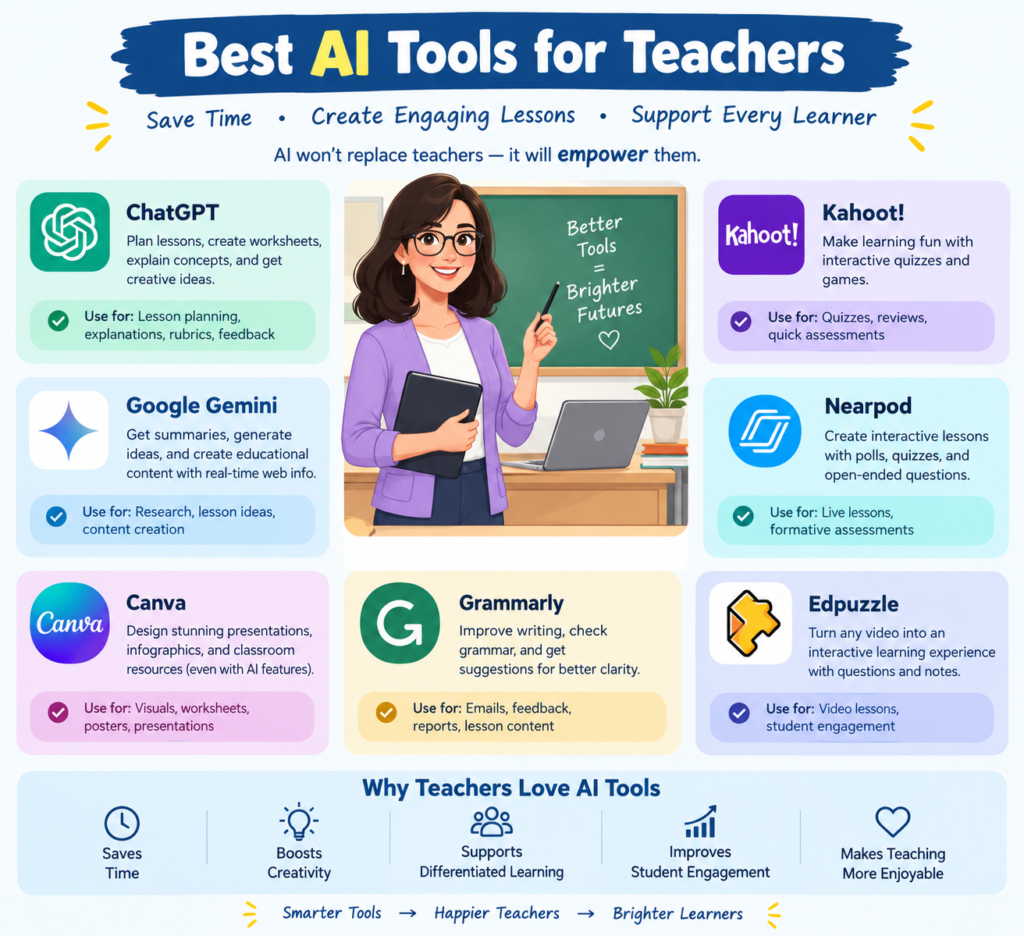
The Best AI Tools for Teachers in 2026: 15 Powerful Options to Save Time and Teach Smarter
Introduction to AI Tools for Teachers
Teaching is rewarding, but it takes time. Teachers must plan lessons, prepare worksheets, check assignments, explain difficult topics, and support students with different learning needs. These tasks can fill an entire day. The best AI tools for teachers can make this work easier. Artificial intelligence (AI) helps teachers create learning materials, develop quizzes, write feedback, and organize classroom activities. It can also help educators explain complex ideas in simple words. As a result, teachers can spend less time on repetitive work and more time helping students learn.
In 2026, AI in teaching is becoming more useful. Teachers can choose from general AI assistants, education-focused platforms, assessment tools, and classroom technology. Some tools offer free plans, while others require a paid subscription. However, AI isn’t a replacement for teachers. It works best as a teaching assistant. Educators still need to check facts, protect student information, and make decisions based on their students’ needs.
This guide explores 15 of the best AI tools for educators in 2026. You’ll learn what each tool does, how it can help, and which option may suit your classroom.
Why Are AI Teaching Tools Important?
AI teaching tools can reduce routine work and help teachers prepare better learning experiences. They offer practical support at different stages of teaching, from planning a lesson to reviewing student progress.
1. Faster Lesson Planning
Preparing a lesson can take hours. AI lesson planning tools can turn a topic, learning objective, or syllabus into a lesson outline. Teachers can then add examples, activities, and questions that match their curriculum. For example, a science teacher can ask an AI assistant to prepare a 40-minute lesson on the water cycle. The draft might include learning goals, a short explanation, a classroom activity, and a quiz.
2. Easier Assessment and Feedback
AI grading tools can help create answer keys, rubrics, practice questions, and feedback templates. Some assessment platforms can also assist with grading selected types of student work. Still, automated assessment needs human oversight. A teacher should review subjective answers, unexpected solutions, and important final grades before making decisions.
3. Personalized Instruction
Students learn at different speeds. One student may need simple examples, while another may be ready for a more challenging task. AI can help teachers adjust reading levels, generate extra practice questions, and create different versions of a worksheet. This supports personalized instruction without requiring teachers to prepare every resource from scratch.
4. More Engaging Classroom Activities
Teachers can use AI to create discussion prompts, interactive quizzes, short stories, role-play activities, and presentation ideas. These materials can make lessons more interesting and encourage students to participate.
5. Better Time Management
Teacher productivity tools can help draft parent emails, summarize notes, prepare classroom instructions, and organize weekly plans.
The goal isn’t to automate every part of teaching. It’s to reduce repetitive tasks while keeping meaningful conversations and personal support at the center of learning.
15 Best AI Tools for Teachers in 2026
The following tools serve different purposes. Some are general-purpose AI assistants, while others focus on lesson creation, student practice, assessment, or academic integrity.
1. ChatGPT: A Flexible AI Teaching Assistant
ChatGPT is a versatile AI assistant that can help teachers brainstorm ideas, prepare lessons, create worksheets, and simplify complex subjects.
Key features and uses:
- Draft lesson plans and classroom activities.
- Generate quizzes, discussion questions, and sample answers.
- Explain concepts at different reading levels.
- Create examples, writing prompts, and project ideas.
- Draft parent communications and classroom instructions.
Example: A history teacher can request a lesson on the Indian independence movement for Grade 8. The teacher can ask for learning objectives, a timeline activity, five discussion questions, and a short assessment.
ChatGPT can also revise a lesson for students who need more support. Teachers should verify historical details and adapt the material to the prescribed syllabus.
Best for: Lesson preparation, brainstorming, writing assistance, and flexible educational support.
Website: https://chatgpt.com/
2. Google Gemini: AI Support for Lesson Creation
Google Gemini can help educators develop lesson outlines, create practice materials, adjust reading levels, and explore new ways to explain topics. Its education offerings can also connect with parts of the Google education ecosystem, depending on the account and available features.
Key features and uses:
- Create lesson plans and learning objectives.
- Generate quizzes and practice questions.
- Suggest classroom activities.
- Adapt content for different student levels.
- Support research and idea development.
Example: A mathematics teacher can provide a topic and grade level, then request a lesson outline with worked examples, practice questions, and an exit ticket.
Teachers should check calculations, references, and curriculum alignment before using the generated content. Features and access can vary by account and institution.
Best for: Teachers who use Google tools and want help with planning, content creation, and differentiated instruction.
Website: https://edu.google.co.in/ai/gemini-for-education/
3. MagicSchool AI: A Dedicated Platform for Educators
MagicSchool AI is an education-focused platform with tools for planning, differentiation, assessment, and classroom communication. It brings many teacher tasks into one workspace.
Key features and uses:
- Generate lesson plans and worksheets.
- Create rubrics and assessment questions.
- Adapt material for different learning levels.
- Draft feedback and classroom communications.
- Develop ideas for inclusive instruction.
Example: An English teacher can use a lesson plan generator to create activities for teaching adjectives. The teacher can then prepare a worksheet, a short quiz, and an extension activity for advanced learners.
The generated resources still need review. Teachers should confirm that the examples suit the age group and match the learning objectives.
Best for: Educators seeking multiple AI teaching tools in one education-focused platform.
Website: https://www.magicschool.ai/
4. Khanmigo: Guided Learning and Teaching Support
Khanmigo is Khan Academy’s AI-powered educational assistant. It supports teaching and learning through guided practice and educational activities.
Its teaching-related uses include helping educators plan, explore learning resources, and support student understanding. Student-facing experiences depend on the available product and access arrangements.
Key features and uses:
- Support lesson preparation.
- Encourage students to work through problems.
- Help learners explore challenging concepts.
- Provide guided learning experiences.
- Support teaching activities linked to educational content.
Example: A teacher can use guided problem-solving activities to help students understand algebra. Rather than simply presenting an answer, a suitable tutoring approach encourages students to think through each step.
Teachers should check access requirements before selecting it for a school-wide program.
Best for: Guided learning, mathematics practice, and AI-supported educational experiences.
Website: https://www.khanacademy.org/khan-labs
5. Brisk Teaching: AI Tools Where Teachers Work
Brisk Teaching helps educators create and adapt learning resources from materials they already use. Its browser-based approach can make it easier to work with webpages, documents, and other teaching resources.
Key features and uses:
- Create lessons from existing resources.
- Develop student practice activities.
- Generate feedback and writing support.
- Adjust content for different reading levels.
- Prepare teaching materials without rebuilding everything from scratch.
Example: A teacher finds a useful article about climate change. Brisk can help turn that resource into reading questions, a classroom activity, or a lesson draft.
The teacher should review the source material and ensure the resulting questions measure the intended learning outcomes.
Best for: Teachers who want to transform existing digital resources into classroom materials.
Website: https://www.briskteaching.com/
6. Diffit: Differentiated Learning Materials
Diffit helps educators adapt educational content for different student reading levels and learning needs. This can be useful in classrooms where students have different levels of language ability or subject knowledge.
Key features and uses:
- Adapt reading passages.
- Generate comprehension questions.
- Create vocabulary activities.
- Prepare differentiated worksheets.
- Develop resources for mixed-ability classes.
Example: A teacher can take a challenging passage about ecosystems and prepare a simpler version for students who need extra support. The teacher can also develop questions to check understanding.
Adapted content should preserve the important facts and concepts in the original material.
Best for: Reading differentiation, accessible resources, and mixed-ability classrooms.
Website: https://www.diffit.me/
7. Canva for Education: Visual Learning Resources
Canva for Education helps teachers design presentations, worksheets, posters, and other visual materials. Its available AI features can assist with content creation and design tasks.
Key features and uses:
- Create classroom presentations.
- Design posters and educational infographics.
- Prepare worksheets and visual summaries.
- Develop classroom activity materials.
- Support visual storytelling.
Example: A geography teacher can create an illustrated presentation about landforms, using maps, diagrams, and short explanations to support the lesson. Visual materials should remain readable and accurate. Teachers should also check accessibility, image permissions, and the terms that apply to their accounts.
Best for: Visual learning, presentations, classroom displays, and creative educational resources.
Website: https://www.canva.com/education/
8. Quizizz (Wayground): Interactive Quizzes and Practice
Quizizz, now branded as Wayground, supports interactive learning activities and assessments. Teachers can use its available features to create practice tasks and engage students through quizzes.
Key features and uses:
- Prepare quizzes and practice questions.
- Review student responses.
- Make revision more interactive.
- Use assessment results to identify learning gaps.
- Support classroom participation.
Example: Before a biology test, a teacher can create a quiz on human digestion. The responses can help identify topics that need further explanation. Teachers should review automatically generated questions and answers before assigning them. Product features and AI capabilities may vary by plan.
Best for: Formative assessment, revision, and interactive classroom practice.
Website: https://wayground.com/
9. Gradescope: Structured Assessment and Grading
Gradescope supports digital assessment and grading workflows, particularly in educational settings that handle large numbers of written or structured responses. Its available AI-assisted features can help organize parts of the grading process.
Key features and uses:
- Organize submitted assignments.
- Apply grading rubrics.
- Group similar responses where supported.
- Provide consistent feedback.
- Review assessment patterns.
Example: A teacher grading a set of mathematics assignments can use a clear rubric to assess the same question consistently across submissions.
Teachers must check the grading criteria and review responses that do not fit common patterns. AI assistance should not replace careful judgment on complex or subjective work.
Best for: Rubric-based grading, digital assessments, and courses with many submissions.
Website: https://www.gradescope.com/
10. Eduaide.AI: AI Lesson Planning and Resource Creation
Eduaide.AI focuses on helping educators prepare instructional materials. It can support planning and the creation of resources for different classroom tasks.
Key features and uses:
- Develop lesson outlines.
- Create learning activities.
- Draft student instructions.
- Generate assessment ideas.
- Prepare differentiated resources.
Example: A teacher planning a lesson on fractions can use an AI lesson planning tool to draft an introduction, a worked example, a group activity, and an independent practice task.
The teacher should adapt the material to the class’s ability, available resources, and lesson duration.
Best for: Lesson planning and developing classroom-ready teaching resources.
Website: https://www.eduaide.ai/
11. Curipod: Interactive Lessons and Student Participation
Curipod helps teachers build interactive lessons that encourage students to respond, reflect, and participate. Its tools can support activities that go beyond a traditional slide presentation.
Key features and uses:
- Prepare interactive lesson activities.
- Develop questions and discussion prompts.
- Encourage student responses.
- Support classroom reflection.
- Create engaging learning experiences.
Example: During a lesson on environmental protection, a teacher can ask students to share ideas, respond to a prompt, and discuss possible solutions. The teacher can use student responses to identify misconceptions and guide the next part of the lesson.
Best for: Interactive instruction, class discussions, and student engagement.
Website: https://curipod.com/
12. Twee: AI Activities for Language Teachers
Twee is designed mainly for English language teaching. It can help educators develop reading, writing, listening, and vocabulary activities.
Key features and uses:
- Create reading comprehension questions.
- Prepare vocabulary exercises.
- Generate discussion prompts.
- Develop writing activities.
- Create language practice materials.
Example: An English teacher can prepare comprehension questions and vocabulary exercises based on a short passage. The teacher can then adapt the activity for beginners or more advanced learners.
Review the generated language carefully to ensure that examples are natural, appropriate, and suitable for the students’ level.
Best for: English teachers, language practice, and classroom activity creation.
Website: https://twee.com/
13. SchoolAI: Guided AI Experiences for Classrooms
SchoolAI offers AI-supported experiences designed for education. Depending on the available features and school setup, educators can create guided activities and learning spaces for students.
Key features and uses:
- Build structured AI learning activities.
- Support student exploration of topics.
- Set learning goals and instructions.
- Create opportunities for guided practice.
- Support teacher oversight of AI-assisted learning.
Example: A teacher can create a guided activity in which students explore the solar system. The instructions can encourage learners to ask questions, compare planets, and explain what they discover.
Teachers should establish clear boundaries for student use and follow school policies on data privacy.
Best for: Guided AI activities and structured student exploration.
Website: https://schoolai.com/
14. Formative: Assessment and Feedback
Formative supports digital assignments and assessments. Teachers can use it to collect student responses, review understanding, and identify areas that need further instruction.
Key features and uses:
- Create digital assessments.
- Collect responses during lessons.
- Monitor student understanding.
- Provide feedback.
- Use available AI features to support assessment creation.
Example: A teacher teaching photosynthesis can ask students to explain the process in their own words. Reviewing the responses can reveal whether students understand how plants use light, water, and carbon dioxide.
AI-assisted assessment features depend on the product plan. Teachers should verify all generated questions and grading suggestions.
Best for: Formative assessment, feedback, and monitoring student progress.
Website: https://www.formative.com/
15. Turnitin: Academic Integrity and Writing Review
Turnitin provides tools used by educational institutions to review written work and support academic integrity. Depending on the institution’s subscription, its products may include similarity checking and AI-writing indicators.
Key features and uses:
- Review text similarity.
- Support academic integrity workflows.
- Help educators examine writing submissions.
- Support conversations about citation and originality.
- Provide information for further review.
Example: If a student’s assignment raises concerns, a teacher can examine the submitted work, compare it with the available similarity information, and discuss the student’s writing process.
An AI-writing indicator is not proof that a student used AI. Teachers should not make disciplinary decisions from an indicator alone. They should consider the assignment, drafts, citations, and a fair discussion with the student.
Best for: Academic integrity processes and writing review in institutions with suitable access.
Website: https://www.turnitin.com/
Comparison of the Best AI Tools for Educators
Choosing the right tool depends on your subject, teaching style, budget, and school requirements. The table below summarizes the main use cases.
|
AI tool |
Main purpose |
Best suited for |
|
ChatGPT |
General AI assistance |
Planning and writing |
|
Google Gemini |
AI-supported content creation |
Google-based workflows |
|
MagicSchool AI |
Education-specific tools |
Multiple teaching tasks |
|
Khanmigo |
Guided educational support |
Tutoring and practice |
|
Brisk Teaching |
Adapting existing resources |
Everyday teacher workflows |
|
Diffit |
Differentiation |
Mixed-ability classes |
|
Canva for Education |
Visual content |
Presentations and worksheets |
|
Wayground |
Interactive quizzes |
Revision and assessment |
|
Gradescope |
Grading workflows |
Structured assessments |
|
Eduaide.AI |
Lesson and resource creation |
Lesson preparation |
|
Curipod |
Interactive instruction |
Participation and discussion |
|
Twee |
Language activities |
English teaching |
|
SchoolAI |
Guided AI learning |
Structured student activities |
|
Formative |
Digital assessment |
Checking understanding |
|
Turnitin |
Similarity and integrity review |
Writing review |
Before purchasing any teacher AI software, check the current price, free-plan limits, supported languages, integrations, and privacy terms. Features can change, and some products require an institutional subscription.
How Teachers Use AI in Classrooms
AI can support many parts of a teacher’s working day. The most useful approach is to start with a clear task rather than trying to automate everything at once.
1. Use AI Tools for Lesson Planning
Begin with the topic, grade, learning objective, and lesson duration. Ask the tool to create a draft with an introduction, examples, activities, and an assessment.
For example, try this prompt:
“Create a 40-minute Grade 7 science lesson on the water cycle. Include three learning objectives, a simple explanation, one classroom activity, five assessment questions, and an answer key. Use age-appropriate language.”
Review the result, correct errors, and adapt it to your syllabus.
2. Create Worksheets and Quizzes
AI can generate multiple-choice questions, short-answer questions, vocabulary exercises, and practice tasks. Ask for questions at different difficulty levels. This can help teachers prepare revision materials for students who need extra practice and extension tasks for those who are ready for a challenge. Always check the answer key. An incorrect answer can confuse students and waste valuable class time.
3. Provide More Personalized Instruction
Teachers can use AI to create different explanations of the same concept. A difficult topic might need a simple definition, a practical example, a diagram, and a challenge question. This approach supports personalized instruction while keeping the learning goal consistent for everyone.
4. Support Assessment and Feedback
AI can help draft rubric descriptions and feedback statements. For example, a writing rubric might cover clarity, organization, evidence, grammar, and originality. Teachers should review individual submissions before providing final feedback. Students need comments that reflect their actual work, not generic statements generated by software.
5. Improve Classroom Communication
Teachers can draft weekly updates, parent emails, homework instructions, and reminders with AI assistance. The teacher should confirm dates, names, school policies, and any personal details before sending the message.
6. Reflect on Student Progress
Assessment results can help teachers identify topics that need more attention. Where privacy rules and approved systems permit, educators can use aggregated or de-identified results to plan revision activities. AI can suggest possible patterns, but it shouldn’t be the sole basis for judging a student’s ability or making high-stakes educational decisions.
Free AI Tools for Educators
Teachers don’t always need to pay for AI software to get started. Several platforms offer free access, limited free plans, or education-specific access through eligible institutions.
Here are some options to investigate:
- ChatGPT: Explore its available free features for brainstorming, lesson drafts, and question generation.
- Google Gemini for Education: Eligible educational institutions may access education-specific features at no additional cost under qualifying arrangements.
- MagicSchool AI: Offers free teacher access, with some features or capabilities potentially limited by plan.
- Brisk Teaching: Offers a free starting option for teachers, subject to its current feature limits.
- Khan Academy and Khanmigo: Check current educator access and the features available in your region.
- Canva for Education: Eligible teachers and schools may qualify for education-specific access.
Free access doesn’t always mean every feature is included. Before signing up, check eligibility, usage limits, account requirements, and current terms.
For teachers in India and other regions, availability may differ from that advertised for US schools. Start with one or two tools and test whether they work well with your curriculum and language needs.
How to Choose the Right AI Teaching Tools
The best AI tools for teachers are those that solve real classroom problems. A long list of features doesn’t automatically make a platform useful. Consider these factors before choosing a tool.
Ease of Use
Choose software that fits your existing workflow. If a tool takes too long to learn, it may add work rather than reduce it.
Curriculum and Subject Fit
Check whether the tool supports your subject, grade level, language, and learning objectives. A resource for an American curriculum may need substantial changes before it fits an Indian classroom.
Accuracy and Quality
AI can produce incorrect facts, weak explanations, or unsuitable examples. Review generated content before using it in class.
Privacy and Security
Read the privacy policy and your institution’s rules. Avoid entering student names, contact details, grades, health information, or confidential records into unapproved services.
Cost and Value
Compare the free plan with paid options. Consider whether the time saved and the quality of the resources justify the cost.
Accessibility
Look for features that support different reading levels, language needs, and learning requirements. Make sure the final materials remain accessible to your students.
Responsible AI Use in Education
AI offers many benefits, but responsible use is essential. Teachers remain accountable for the material they share and the decisions they make.
Verify AI-Generated Information
Check facts, calculations, references, and examples. When possible, compare the output with trusted textbooks, official curriculum documents, or reliable educational sources.
Protect Student Data
Use approved accounts and services. Do not upload identifiable student records unless the tool and your institution explicitly permit that use.
Keep Human Judgment at the Center
AI can support grading, feedback, and classroom decisions, but it can miss context. Teachers should review important outputs and give students a fair chance to explain their work.
Teach Students to Think Critically
Students should learn that AI can make mistakes. Encourage them to verify claims, compare sources, explain their reasoning, and acknowledge AI assistance when required.
Set Clear Classroom Rules
Explain when students may use AI, what kinds of assistance are allowed, and when independent work is required. Clear rules help prevent confusion and support academic integrity. For further guidance, educators can consult UNESCO’s work on AI in education.
Choose AI Tools That Make Teaching Better
The best AI tools for teachers in 2026 can make lesson planning, assessment, resource creation, and classroom communication more manageable. Tools such as ChatGPT, Gemini, MagicSchool AI, Brisk Teaching, and Diffit offer different ways to reduce repetitive work and support student learning.
However, the best tool isn’t necessarily the one with the most features. It’s the one that fits your teaching goals, works within your budget, protects student information, and produces resources you can trust after review.
Start small. Choose a tool for one everyday task, test it with a real lesson, and improve the results using your professional judgment. As you gain experience, you can build a simple collection of AI teaching tools that supports your workflow.
AI should make good teaching easier, not make teachers less involved. When educators combine useful technology with experience, empathy, and critical thinking, they can create more engaging and supportive learning experiences for their students.
Choose AI Tools That Make Teaching Better The best AI tools for teachers in 2026 can make lesson planning, assessment, resource creation, and classroom communication more manageable. Tools such as ChatGPT, Gemini, MagicSchool AI, Brisk Teaching, and Diffit offer different ways to reduce repetitive work and support student learning. However, the best tool isn’t necessarily the one with the most features.
It’s the one that fits your teaching goals, works within your budget, protects student information, and produces resources you can trust after review. Start small. Choose a tool for one everyday task, test it with a real lesson, and improve the results using your professional judgment.
As you gain experience, you can build a simple collection of AI teaching tools that supports your workflow. AI should make good teaching easier, not make teachers less involved. When educators combine useful technology with experience, empathy, and critical thinking, they can create more engaging and supportive learning experiences for their students.
Know More:
”FAQs”
1. What are the best AI tools for teachers in 2026?
Useful options include ChatGPT, Google Gemini, Magic School AI, Brisk Teaching, Diffit, and Canva for Education. The right choice depends on whether you need lesson planning, differentiated resources, visual content, assessment support, or general writing assistance.
2. Are there free AI tools for educators?
Yes. Several platforms offer free access or limited free plans. Examples include ChatGPT's free offering, MagicSchool AI, Brisk Teaching, and eligible access to Google Gemini for Education. Availability and limits can change, so check each official website.
3. Can AI tools create lesson plans automatically?
Yes. AI lesson planning tools can create draft objectives, lesson outlines, activities, and assessment questions from a topic or syllabus. Teachers should review and adapt every plan to fit their curriculum, students, and available classroom resources.
4. Which AI tools are best for grading assignments?
Grade scope and assessment platforms such as Formative can support digital assessment workflows. General AI assistants can also help draft rubrics and feedback. However, teachers should review subjective answers and important grades before finalizing them.
5. How can teachers use AI in classrooms?
Teachers can use AI to prepare lessons, adapt reading materials, create quizzes, draft feedback, design presentations, and develop guided learning activities. They should choose tasks that save time without reducing student understanding or teacher oversight.
6. Can AI replace teachers?
No. AI can support routine work, but teachers provide human judgment, motivation, care, classroom leadership, and an understanding of students' needs. These responsibilities remain central to effective teaching.
7. Are AI teaching tools safe for students?
They can be useful when selected and used carefully. Schools should review privacy policies, age requirements, data handling, and security controls. Teachers should follow institutional rules and avoid sharing confidential student information with unapproved tools.
8. Which AI tools are best for personalized instruction?
Diffit, Google Gemini, Magic School AI, and general AI assistants can help create content at different reading levels or difficulty levels. Teachers should check that adapted materials preserve the intended meaning and meet individual learning needs.
9. Do teachers need technical skills to use AI?
Most beginner-friendly tools require little or no coding. Teachers can start with clear instructions, review the results, and refine their prompts over time. Basic digital skills and critical thinking are more important than advanced programming.
10. How should teachers get started with AI?
Choose one repetitive task, such as preparing a worksheet or drafting a lesson outline. Test one tool, review its output, and measure whether it saves time or improves the resource. Expand gradually as you become more confident.