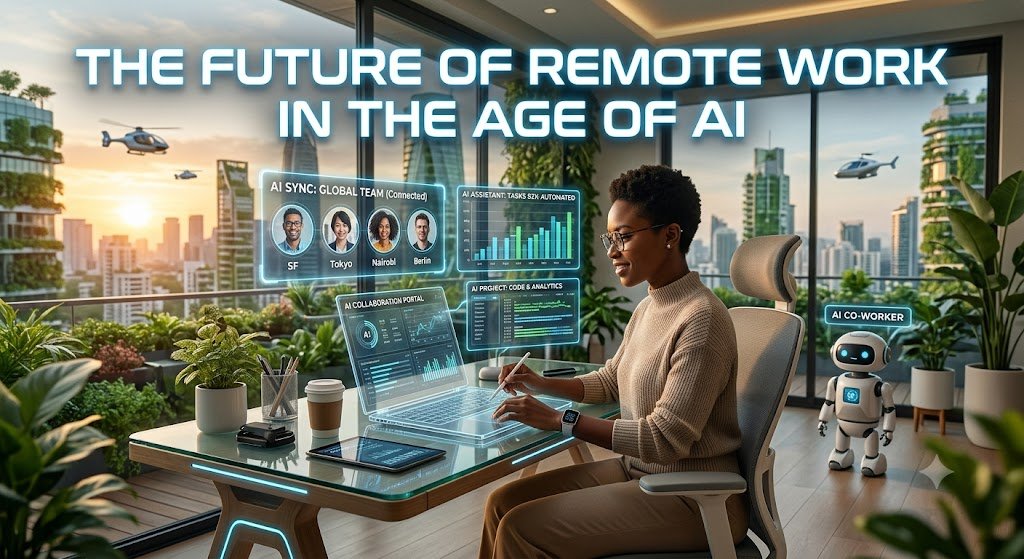
The Future of Remote Work in the Age of AI: 10 Powerful Trends Transforming Work
AI remote work is changing how people communicate, complete tasks, and build careers. Artificial intelligence is making remote jobs more flexible, helping teams work together, and creating new opportunities for businesses and employees.
The future of remote work will depend on how people use technology. AI can handle repetitive tasks, support online collaboration, and help employees make better decisions. At the same time, human skills such as creativity, communication, and problem-solving will remain important.
Remote work has already changed how many companies operate. Employees can work from home, share ideas online, and connect with colleagues across different countries. Now, artificial intelligence is taking this change even further.
The combination of remote work and AI is creating a smarter digital workplace. Businesses can manage projects more easily, while employees can focus on meaningful work instead of spending hours on routine tasks.
In this article, we’ll explore the future of remote work in the age of AI, including important workplace trends, useful tools, benefits, challenges, and practical ways to prepare for the changing world of work.
1. Understanding the Future of Remote Work and AI
The future of remote work is closely connected to artificial intelligence. Companies are moving toward digital workplaces where employees can communicate, manage projects, and complete tasks from different locations.
AI is becoming an important part of this change.
Traditional remote work often depends on emails, video meetings, messaging apps, and project management software. These tools help people stay connected, but they can also create problems.
Employees may spend too much time checking messages, organizing meetings, or searching for information.
AI can help solve these problems by making workplace technology smarter.
What Is AI Remote Work?
AI remote work means using artificial intelligence to make work-from-home and online jobs easier, faster, and more organized.
It combines remote work technology with intelligent systems that can understand information, complete tasks, and support employees.
For example, AI can help remote employees:
- Write emails and prepare reports.
- Organize meetings and schedules.
- Summarize long documents.
- Translate messages into different languages.
- Track project progress.
- Answer common questions.
- Analyze business information.
These features make the digital workplace more useful.
Imagine working from home and receiving a meeting summary automatically. Instead of spending time writing notes, you can review the important points and continue your work.
That’s one simple example of how AI is changing remote work.
Why AI Matters for Remote Employees
Remote employees often work independently. They may not have a manager or colleague nearby to answer questions.
AI can provide support when employees need information.
Virtual assistants can help workers find documents, organize schedules, and complete everyday tasks.
AI collaboration tools can also help employees communicate with international teams.
For example, a worker in India can collaborate with colleagues in the United States without worrying as much about language differences or time zone problems.
However, AI isn’t a replacement for human communication.
Employees still need to discuss ideas, solve problems, and build relationships with their teams.
The best results come when people use AI as a helpful assistant rather than depending on it for everything.
2. How AI Is Changing Remote Work
Artificial intelligence is changing remote work in several important ways.
It helps businesses reduce repetitive tasks, improve communication, and support employees.
Let’s explore the main changes.
AI-Powered Automation
Workplace automation allows computers to complete tasks that previously required human effort.
AI makes automation more flexible because it can work with different types of information.
For example, AI can help organize emails, process documents, prepare reports, and update project information.
This saves time for employees.
Consider a customer support worker who receives hundreds of messages every day.
AI can organize these messages by topic, identify urgent requests, and suggest responses.
The employee can then focus on helping customers instead of sorting through every message manually.
AI automation can also help businesses manage:
- Appointment scheduling.
- Invoice processing.
- Customer questions.
- Data entry.
- Report preparation.
- Document organization.
However, businesses should review automated work carefully.
AI can make mistakes, especially when information is incomplete or unclear.
Human employees should remain responsible for important decisions.
AI Collaboration Tools
Online collaboration is essential for remote teams.
Employees need ways to share information, discuss projects, and work together.
AI collaboration tools make these activities easier.
For example, AI can summarize video meetings, create task lists, and identify important discussion points.
Some tools can also help employees understand conversations they missed.
This is especially useful for distributed workforce teams working across different time zones.
Instead of asking colleagues to repeat an entire meeting, employees can review a summary.
AI can also support brainstorming.
Workers can use AI to generate ideas, compare solutions, and organize their thoughts.
Still, successful collaboration depends on more than technology.
Teams need clear communication, mutual respect, and shared goals.
Virtual Assistants
Virtual assistants are becoming useful tools for remote employees.
They can help workers manage their daily schedules and complete routine tasks.
For example, an AI assistant might help someone:
- Prepare a daily task list.
- Find information in documents.
- Draft a professional email.
- Schedule meetings.
- Summarize research.
- Organize project notes.
These tools can reduce the time employees spend on administrative work.
However, employees should check important information before sharing it.
AI assistants may misunderstand instructions or produce incorrect answers.
A human review helps maintain quality.
3. The Future of Remote Work in the Age of AI and 10 Powerful Trends Shaping the AI Workplace
The future workplace will include several important changes.
Some trends are already visible, while others are developing as AI technology improves.
Here are ten powerful trends that may shape the future of remote work.
1. Smarter AI Productivity Tools
AI productivity tools are becoming more useful for everyday work.
They can help employees write, research, organize, and analyze information.
For example, an employee preparing a presentation can use AI to create an outline, organize key points, and improve the wording.
The employee can then review the content and add personal knowledge.
This approach saves time without removing human responsibility.
AI productivity tools may also help employees manage their workload.
They can suggest priorities, identify unfinished tasks, and organize information.
However, productivity isn’t only about completing more tasks.
It’s also about producing useful work without creating unnecessary stress.
Employees should use AI to improve their work quality, not simply increase the number of tasks they complete.
2. AI-Powered Virtual Teams
Virtual teams are groups of employees who work together from different locations.
They may live in different cities, countries, or time zones.
AI can make these teams easier to manage.
For example, translation tools can help employees communicate across languages.
Meeting summaries can help workers understand discussions they couldn’t attend.
AI project tools can also organize tasks and identify possible delays.
These features support a distributed workforce.
They allow businesses to hire employees based on skills rather than location.
However, virtual teams still need regular communication.
Managers should encourage employees to share ideas, ask questions, and discuss problems openly.
Technology works best when people feel comfortable working together.
3. Personalized Work Experiences
AI can help create more personalized workplace experiences.
Different employees have different needs.
Some workers prefer written instructions.
Others learn better through videos or demonstrations.
AI can help organize information in ways that suit individual preferences.
For example, employees can use AI to summarize a long training document or explain a difficult concept in simpler language.
This can make workplace learning more accessible.
AI may also help employees organize their schedules.
A worker who needs uninterrupted time for important tasks can use scheduling tools to protect that time.
However, businesses should avoid using AI to make unfair assumptions about employees.
Personalization should support workers rather than limit their opportunities.
4. Advanced Remote Work Technology
Remote work technology will continue to improve.
Businesses are already using cloud platforms, video meetings, digital documents, and online project tools.
AI can make these systems more intelligent.
For example, workplace software may help employees find information without searching through multiple applications.
AI can also identify related documents and suggest useful resources.
This reduces the time spent looking for information.
Smart workplaces may also include automated support systems.
Employees could receive help with common technical problems without waiting for a support team.
These improvements can make remote work smoother.
However, businesses must ensure their systems are reliable, secure, and easy to use.
5. AI-Driven Hybrid Work
Hybrid work combines remote work with office-based work.
Some employees work from home several days a week and visit the office when needed.
AI can help businesses manage hybrid work arrangements.
For example, scheduling tools can help teams choose suitable meeting times.
Workplace systems can also help employees coordinate office visits and shared spaces.
AI meeting tools may improve communication between employees who attend meetings in person and those who join online.
This is important because remote employees can sometimes feel excluded from office conversations.
Businesses should make sure everyone has equal access to information.
Hybrid work should provide flexibility without creating separate groups of employees.
6. Intelligent Workplace Automation
Intelligent workplace automation can reduce repetitive tasks.
For example, AI can help organize documents, prepare reports, and process common requests.
This allows employees to focus on activities that require human judgment.
Automation can also support business operations.
Companies may use AI to identify unusual patterns in project data or highlight potential problems.
However, automation should be introduced carefully.
Businesses need to understand which tasks are suitable for AI.
Tasks involving sensitive information, important decisions, or complex human relationships may require additional review.
The goal should be to improve work quality and efficiency.
7. Better Remote Workforce Management
Managing a remote workforce requires clear communication and effective planning.
Managers need to understand project progress without constantly checking on employees.
AI can help by organizing project information and identifying possible delays.
For example, project management software may highlight unfinished tasks or upcoming deadlines.
Managers can use this information to offer support.
However, AI should not become a tool for excessive employee monitoring.
Tracking every message, movement, or minute of activity can damage trust.
Good remote workforce management focuses on results.
Managers should evaluate employees based on meaningful work, quality, collaboration, and agreed goals.
8. AI-Powered Learning
Technology changes quickly.
Remote employees need opportunities to learn new skills.
AI can support workplace learning by explaining difficult topics and creating practice activities.
For example, an employee learning a new software system can use AI to understand its features.
AI can also help create personalized training materials.
This makes learning more flexible.
Employees can study at their own pace instead of depending entirely on scheduled training sessions.
Businesses should also provide human guidance.
Experienced colleagues and trainers can explain practical situations that AI may not understand.
Combining AI learning tools with human support can create better results.
9. Smart Workplace Security
Remote work creates new security challenges.
Employees may connect to company systems from different locations and devices.
AI can help businesses identify unusual activity and detect possible security threats.
For example, security systems may flag suspicious login attempts or unusual access patterns.
AI can also help organize security alerts.
This allows security teams to investigate important issues more quickly.
However, AI security systems aren’t perfect.
They may produce false alerts or miss certain threats.
Businesses should combine AI security tools with strong passwords, multi-factor authentication, employee training, and regular software updates.
Protecting information should remain a shared responsibility.
10. Human and AI Collaboration
The most important workplace trend may be the growing relationship between humans and AI.
AI can handle many routine activities.
Humans can focus on creativity, judgment, communication, and problem-solving.
For example, AI can help prepare a business report.
A human employee can review the information, explain its meaning, and make recommendations.
This combination can improve work quality.
However, employees need to understand how AI works.
They should know when to trust its suggestions and when to question them.
The future workplace will likely reward people who can use technology responsibly while maintaining strong human skills.
4. Best AI Tools for Remote Teams
The best AI tools for remote teams depend on the type of work they do.
A small business may need simple communication tools.
A large organization may require advanced project management, security, and document systems.
Instead of choosing tools based only on popularity, businesses should identify their actual needs.
Here are several useful categories.
AI Writing and Communication Tools
AI writing tools can help employees prepare emails, reports, presentations, and other documents.
They can suggest clearer wording and help organize information.
For example, an employee can use AI to turn rough notes into a professional message.
However, employees should review the final content.
AI may produce incorrect facts or use a tone that doesn’t fit the situation.
These tools are most useful when they support human writing rather than replace careful communication.
AI Meeting and Collaboration Tools
Meeting tools can help remote employees communicate more effectively.
Some platforms offer meeting transcription, summaries, and action-item suggestions.
These features can reduce the need for manual note-taking.
They also help employees who couldn’t attend a meeting.
Businesses should review their privacy policies before using meeting recording or transcription features.
Employees should understand when meetings are being recorded and how the information will be stored.
AI Project Management Tools
Project management tools help teams organize tasks, deadlines, and responsibilities.
AI features can make these systems more useful.
They may help identify unfinished tasks, summarize project updates, or suggest priorities.
For example, a project manager can review a summary instead of checking every individual task.
However, AI suggestions should not replace communication with team members.
Employees should be able to explain problems and request support.
5. Benefits of AI Remote Work
AI remote work can create benefits for both employees and businesses.
These benefits depend on how the technology is implemented.
Improved Employee Productivity
AI can reduce time spent on repetitive activities.
Employees can use that time for planning, creative work, and problem-solving.
For example, AI can summarize research before an employee prepares a detailed report.
This makes information easier to review.
However, productivity improvements should be measured carefully.
Completing more tasks doesn’t always mean producing better work.
Businesses should consider quality, employee well-being, and customer satisfaction.
Greater Flexibility
Remote work allows employees to complete many tasks outside traditional office environments.
AI can make this flexibility easier to manage.
Employees can organize their schedules, access information, and communicate with colleagues using digital tools.
This can help businesses support different working arrangements.
However, flexibility requires clear expectations.
Employees should understand their responsibilities, deadlines, and communication requirements.
Access to Global Talent
Remote work allows businesses to hire employees from different locations.
AI can support communication across languages and time zones.
This can help companies build international teams.
Businesses may also find employees with specialized skills who aren’t available locally.
However, hiring internationally requires careful planning.
Companies need to consider employment laws, time zones, communication needs, and cultural differences.
Better Work Organization
AI can help employees organize information.
It can summarize documents, prepare task lists, and identify important details.
This can reduce confusion.
Employees may spend less time searching for information and more time completing meaningful work.
Good organization also helps teams avoid duplicated effort.
6. Challenges of AI in Remote Work
AI creates opportunities, but it also introduces challenges.
Businesses should understand these risks before adopting new technology.
Data Privacy
Remote employees may use AI tools to process company documents.
Some information may be confidential.
Businesses should establish clear rules about which tools employees can use and what information they can share.
Sensitive customer details, passwords, and confidential business information should receive special protection.
AI Errors
AI systems can produce incorrect information.
They may misunderstand instructions or provide outdated answers.
Employees should review important content before using it.
This is especially important for financial reports, legal documents, customer communications, and business decisions.
Employee Skills
Some employees may feel uncomfortable using AI.
Others may not understand its limitations.
Businesses should provide training and practical support.
Employees need to learn how to use AI safely and effectively.
Job Changes
AI may change the tasks people perform.
Some repetitive activities may become automated.
New responsibilities may also appear.
Businesses should support employees through training and career development.
The goal should be to help people adapt to changing work rather than create unnecessary uncertainty.
7. How Businesses Can Prepare for the AI Workplace
Businesses can prepare for the future by introducing AI carefully.
They don’t need to automate every process at once.
A gradual approach can help companies understand what works.
Step 1: Identify Repetitive Tasks
Start by reviewing everyday work.
Look for tasks that take time but require limited judgment.
Examples include organizing documents, preparing routine summaries, and managing simple requests.
These tasks may be suitable for AI assistance.
Step 2: Choose Suitable Tools
Select tools that match business needs.
Consider:
- Security.
- Cost.
- Ease of use.
- Integration with existing systems.
- Employee training requirements.
- Data privacy.
Businesses should avoid adopting technology simply because it is popular.
Step 3: Train Employees
Employees need practical training.
Show them how to use AI tools, check results, and protect information.
Training should include real workplace examples.
Employees should also understand when human review is necessary.
Step 4: Establish Clear Policies
Create rules for AI use.
Explain which tools employees can use and what information they can share.
Businesses should also define responsibilities for reviewing AI-generated content.
Clear policies help reduce confusion.
Step 5: Measure Results
Evaluate whether AI improves work.
Useful measures include:
- Time saved.
- Work quality.
- Employee satisfaction.
- Customer satisfaction.
- Project completion.
- Security incidents.
Businesses should adjust their approach based on the results.
Step 6: Keep Humans Involved
AI should support employees.
Important decisions should include human judgment.
Businesses should also encourage employees to report problems and suggest improvements.
A successful AI workplace depends on both technology and people.
The future of remote work in the age of AI is full of opportunities. Artificial intelligence can help employees complete repetitive tasks, improve communication, and organize information.
It can also support virtual teams and create more flexible digital workplaces.
However, technology alone won’t create a successful remote work environment.
Businesses need clear policies, strong security, employee training, and effective communication.
Employees need opportunities to develop new skills and understand how AI can support their work.
The most successful workplaces will combine intelligent technology with human creativity and judgment.
AI should help people work better, not simply work faster.
As remote work technology continues to improve, businesses and employees who embrace responsible innovation will be better prepared for the changing workplace.
The future isn’t just about AI replacing traditional work. It’s about creating a smarter, more flexible, and more human-centered way of working.
Know More:
”FAQs”
1. What Is the Future of Remote Work in the Age of AI?
The future of remote work will likely include smarter digital tools, automated tasks, improved online collaboration, and more flexible working arrangements. AI can help employees organize information and complete routine activities. However, human communication, creativity, and decision-making will remain important.
2. How Is AI Changing Remote Work?
AI is changing remote work by helping employees manage tasks, summarize meetings, organize documents, and communicate with colleagues. It can also support project management and workplace automation. These improvements may help employees spend more time on meaningful work.
3. What Are the Best AI Tools for Remote Teams?
The best tools depend on team requirements. Remote teams may benefit from AI writing assistants, meeting transcription tools, project management software, and virtual assistants. Businesses should choose tools based on security, usability, cost, and actual workplace needs.
4. Will AI Replace Remote Workers?
AI may automate some tasks performed by remote employees. However, many jobs also require creativity, communication, judgment, and human relationships. AI is more likely to change many job responsibilities than eliminate every role. Employees can prepare by developing digital skills and learning how to work with AI.
5. How Can AI Improve Remote Work Productivity?
AI can improve remote work productivity by reducing repetitive tasks. It can summarize information, organize schedules, prepare documents, and support project planning. Employees should review AI-generated results to maintain accuracy.
6. What Are the Biggest Challenges of AI Remote Work?
The biggest challenges include data privacy, security, AI errors, employee training, and changing job responsibilities. Businesses should establish clear policies and provide training. They should also maintain human oversight.
7. Is AI Useful for Hybrid Work?
Yes. AI can help hybrid teams coordinate meetings, share information, organize schedules, and manage projects. It can also help remote employees stay connected with office-based colleagues. However, businesses should ensure that all employees have equal access to information.
8. How Can Employees Prepare for the AI Workplace?
Employees can prepare by learning digital skills, understanding AI tools, improving communication, and developing problem-solving abilities. They should also learn how to check AI-generated information. Continuous learning will become increasingly important as workplace technology changes.