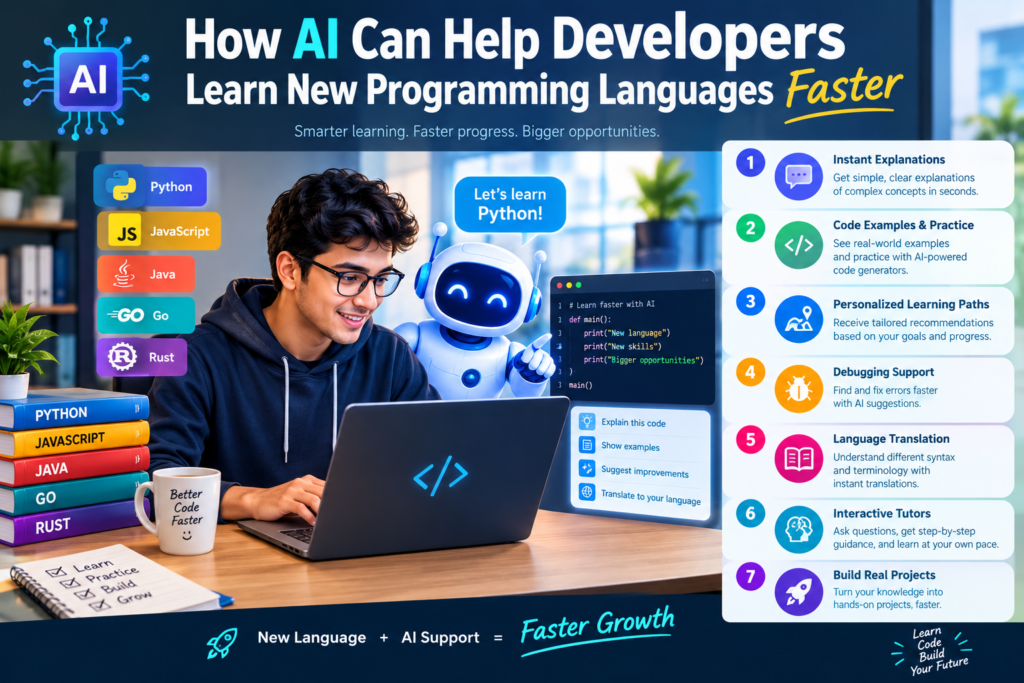
How AI Can Help Developers: A Faster Way to Learn Programming
Programming languages are always changing. Developers may need to learn Python for data analysis, JavaScript for web development, Go for backend systems, or Rust for performance-focused applications.
However, learning a new language takes time. Developers must understand its syntax, rules, libraries, tools, and best practices. They also need to learn how to apply this knowledge to real projects.
This is where AI for learning programming languages can make a difference.
AI-powered tools can explain difficult concepts, generate practice exercises, review code, and help learners understand errors. They can also adjust explanations to match a developer’s current skill level.
For example, a JavaScript developer learning Python may already understand variables, loops, functions, and basic logic. An AI learning assistant can focus on Python-specific features instead of teaching every programming concept from the beginning.
This approach makes programming language learning more focused and practical.
Still, AI isn’t a magic solution. Developers need to write code, test their ideas, read documentation, and solve problems independently. The best results come when AI supports active learning rather than replacing it.
In this guide, you’ll learn how AI programming education works, which tools can help, and how to build a practical learning routine that improves your coding skills.
Why Learning a New Programming Language Can Be Difficult
Learning a programming language involves more than memorizing commands. Developers must understand how the language works and when to use its features. Several challenges can slow down the learning process.
1. Understanding New Syntax
Every programming language has its own rules. For example, Python uses indentation to define code blocks, while JavaScript commonly uses curly braces. Developers moving between languages may understand the logic but still make syntax mistakes.
These small errors can become frustrating when they happen repeatedly.
2. Learning New Programming Concepts
Some languages introduce unfamiliar ideas. A developer moving from JavaScript to Rust may need to understand ownership, borrowing, and lifetimes.
Similarly, someone learning Python for data science may need to understand libraries, data structures, and virtual environments.
These topics often require clear explanations and repeated practice.
3. Finding the Right Learning Resources
Online tutorials, courses, videos, and documentation offer many ways to learn. However, not every resource matches a learner’s needs. A beginner may find official documentation difficult to understand. An experienced developer may find introductory courses too basic. AI software learning tools can help bridge this gap by explaining concepts at different levels.
4. Getting Useful Feedback
Traditional tutorials often provide fixed examples. If a learner changes the code and receives an unexpected result, finding the cause may take time.
An AI coding tutor can review a code snippet, explain possible errors, and suggest ways to test a solution However, developers should verify these suggestions because AI can also produce incorrect answers.
What Is AI for Learning Programming Languages?
AI for learning programming languages refers to the use of artificial intelligence tools to help people understand, practice, and apply coding skills.
These tools use techniques such as language models, code analysis, and pattern recognition to respond to programming questions and assist with learning tasks.
They can support many parts of the learning process.
- Concept explanations: Describe programming ideas in simple language.
- Code generation: Provide sample code for study and experimentation.
- Error analysis: Explain common syntax and logic problems.
- Practice exercises: Create coding challenges based on skill level.
- Code review: Identify possible improvements in readability and structure.
- Learning support: Help organize lessons and practice schedules.
For instance, a learner might ask an AI assistant to explain Python dictionaries using a real-world example. The assistant could demonstrate how dictionaries store information using keys and values. The learner could then request a practice exercise, write a solution, and ask for feedback. This creates a learning cycle that combines explanation, practice, and review.
How AI Programming Education Differs From Traditional Learning
|
Learning Method |
Traditional Approach |
AI-Assisted Approach |
|
Explanations |
Usually follows a fixed lesson |
Can adapt explanations to questions |
|
Practice |
Uses prepared exercises |
Can generate additional exercises |
|
Feedback |
May depend on an instructor or answer key |
Can provide immediate suggestions |
|
Learning pace |
Often follows a set schedule |
Can support an individual pace |
|
Error correction |
Requires independent research or help |
Can explain possible causes of errors |
|
Project support |
Uses tutorials and documentation |
Can provide guidance during development |
AI-assisted learning doesn’t make traditional resources unnecessary. Official documentation, structured courses, books, and human mentors remain valuable. Instead, AI programming education adds an interactive layer to the learning experience.
How AI Helps Developers Learn Programming Languages Faster
AI can improve the learning process by reducing unnecessary delays and helping developers focus on the concepts they need to understand. The following methods are especially useful.
1. Personalized Learning Paths
A personalized learning path focuses on a learner’s existing knowledge, goals, and weaknesses. Suppose a developer knows Java and wants to learn Python. They already understand variables, loops, conditions, and object-oriented programming.
Instead of starting with basic programming theory, an AI learning assistant can focus on Python syntax, list comprehensions, decorators, generators, and package management.
A useful prompt is:
I know Java and want to learn Python for backend development. Create a four-week learning plan that focuses on differences between the languages, daily coding practice, and one practical project each week.
The developer can then ask the AI to adjust the plan based on their progress. This approach makes learning development skills more efficient because it builds on existing knowledge.
2. AI Code Explanation
Reading unfamiliar code can be difficult, especially when it includes advanced syntax or unfamiliar libraries. AI code explanation helps developers break code into smaller parts. For example, a learner can share a Python function and ask the assistant to explain:
- What each line does.
- Which inputs the function accepts.
- What output it produces.
- Why a particular method is used.
- What happens when the input changes.
- Whether the code has potential limitations.
A developer can also request explanations at different levels. First, they might ask for a beginner-friendly explanation. Next, they could request a technical explanation that covers performance, memory use, and alternative approaches.
This process supports coding knowledge enhancement without requiring the learner to understand everything at once.
3. Interactive Coding Assistance
Interactive coding assistance allows developers to ask questions while solving problems. Imagine that a JavaScript developer is learning Go and doesn’t understand how Go handles errors.
They can ask for a simple example, study the returned error value, and modify the code to see what happens when a function fails. The AI can then explain the results and suggest another exercise.
This creates a feedback loop:
- Ask a question.
- Study a small example.
- Write the code independently.
- Run the code and inspect the output.
- Review mistakes.
- Repeat with a harder problem.
The important point is that developers should run and test the code themselves. An explanation is useful, but practical verification builds deeper understanding.
4. Faster Debugging and Error Analysis
Debugging is an important part of software development learning. New developers often struggle to understand error messages. Experienced developers may also face unfamiliar errors when working with a new language or framework.
An AI coding tutor can explain an error message, identify possible causes, and suggest tests. For better results, provide the smallest code example that reproduces the issue, the complete error message, the expected output, and the actual output.
Avoid sharing passwords, API keys, private customer data, or confidential company code with tools that aren’t approved for that information.
5. Learning Through Comparisons
Developers can learn a new language faster by comparing it with one they already know.
For example, a Python developer learning JavaScript can ask for a comparison of:
- Lists and arrays.
- Dictionaries and objects.
- Functions and arrow functions.
- Synchronous and asynchronous operations.
- Exception handling.
- Module systems.
These comparisons help learners connect familiar ideas with new syntax.
However, the languages may handle similar concepts differently. AI explanations should therefore be checked against official documentation and actual code behavior.
Best Ways to Learn Coding With AI
Using AI effectively requires a clear learning strategy. Simply asking an AI tool to generate code won’t necessarily improve programming skills.
These methods encourage active learning.
1. Build a Daily Practice Routine
Consistency matters more than occasional long study sessions.
A developer could follow this 45-minute routine:
|
Activity |
Time |
Purpose |
|
Review one concept |
10 minutes |
Build understanding |
|
Write code independently |
15 minutes |
Develop practical skills |
|
Solve a coding exercise |
10 minutes |
Apply the concept |
|
Test and review mistakes |
5 minutes |
Identify weaknesses |
|
Summarize learning |
5 minutes |
Improve recall |
The schedule is flexible. Beginners may need more time for explanations, while experienced developers may spend more time on projects.
The key is to write code every day and review what you learn.
2. Use AI-Generated Coding Exercises
AI-generated coding exercises provide extra practice when a course or tutorial doesn’t offer enough problems.
Ask the AI to create exercises with increasing difficulty.
For example:
- Beginner: Write a function that checks whether a number is even.
- Intermediate: Process a list of records and filter them by a condition.
- Advanced: Build a small service that validates incoming data and handles errors.
You can also ask for hints instead of complete solutions.
A useful prompt is:
Create five Python exercises about dictionaries. Start with a beginner problem and increase the difficulty. Don’t provide the answers until I attempt each exercise. After I submit my code, review it and explain one improvement.
This approach encourages problem-solving instead of copying answers.
3. Learn Through Small Projects
Projects connect programming concepts to real tasks.
Instead of studying syntax without context, build small applications that use the features you’ve learned.
Examples include:
- A command-line calculator.
- A task management application.
- A simple weather dashboard.
- A file organizer.
- A basic REST API.
- A program that reads and analyzes CSV data.
Ask the AI to divide each project into manageable tasks. Complete one task at a time and test the result.
For example, while building a task manager in Python, you might learn functions, lists, dictionaries, file handling, input validation, and error management.
Project-based learning also helps developers build a portfolio of work that demonstrates their skills.
4. Request Feedback on Your Code
After completing an exercise, ask the AI to review your solution.
Focus on a few questions:
- Is the code correct for the stated requirements?
- Are there edge cases I haven’t considered?
- Is the code easy to read?
- Are there simpler ways to solve the problem?
- What tests should I add?
Don’t accept every suggested change automatically. Compare alternatives and understand why one approach may be better.
5. Use Official Documentation Alongside AI
AI tools can simplify difficult topics, but official documentation remains an essential resource. For example, Python learners can use the official Python tutorial to study language features and confirm how they work.
A useful process is to ask AI for a simple explanation, read the relevant documentation, and then write a small program that tests the concept. This combination supports reliable software development learning.
Best AI Tools for Learning Coding Languages
Several AI tools can help developers study programming languages. The best option depends on whether you need explanations, code completion, debugging support, or structured practice.
- ChatGPT
ChatGPT can explain programming concepts, create coding exercises, compare languages, review code, and help plan learning projects. It works well when you want to ask follow-up questions and explore a concept step by step.
Best for: interactive explanations, practice, and personalized learning plans.
- GitHub Copilot
GitHub Copilot supports coding inside compatible development environments. It can suggest code, help explain unfamiliar sections, and assist with everyday development tasks.
Best for: learning while writing code in an editor.
- Google Gemini
Gemini can help explain concepts, generate examples, discuss algorithms, and support coding questions. Developers can use it to explore unfamiliar topics and compare possible approaches.
Best for: general learning, technical questions, and code exploration.
- Claude
Claude can help developers understand code, review longer examples, discuss software design, and break complicated tasks into smaller steps.
Best for: code analysis and detailed technical explanations.
- Replit
Replit offers an online development environment with AI-assisted features. It can be useful for experimenting with code and building small applications without setting up a complete local environment first.
Best for: hands-on experiments and beginner projects.
Tool features, access limits, and pricing can change. Check each provider’s current terms before choosing a paid plan.
How to Choose the Right AI Learning Tool
Consider your goals before selecting a tool.
|
Your Goal |
Useful Tool Type |
|
Understand a difficult concept |
Conversational AI assistant |
|
Get coding suggestions while working |
AI coding assistant |
|
Practice without complex setup |
Online coding platform |
|
Review code and discuss design |
Code analysis assistant |
|
Follow a structured course |
Learning platform with exercises and progress tracking |
You don’t need every tool on the list. Start with one assistant and a suitable code editor. Add other tools only when they solve a specific problem.
How to Master a New Programming Language Using AI
Learning becomes easier when you follow a clear sequence rather than jumping between unrelated topics.
Here’s a practical four-week plan.
Week 1: Learn the Fundamentals
Start with variables, data types, operators, conditions, loops, and functions.Ask the AI to explain each concept using short examples. Then write your own version without copying the example.
At the end of the week, build a small program that combines several basic concepts. Goal: Understand the language’s basic structure and write simple programs independently.
Week 2: Explore Data Structures and Error Handling
Study lists, arrays, dictionaries, maps, sets, classes, or other structures relevant to the language.
Learn how the language handles errors and how to read its error messages.
Ask the AI for exercises that require you to choose the right data structure. Test your solutions with different inputs.
Goal: Solve practical problems and handle common errors.
Week 3: Work With Libraries and Real Tasks
Choose a practical area such as web development, automation, data analysis, or backend programming.
Learn how to install packages, import modules, read documentation, and use external libraries.
Build a small application that solves a real problem. Ask AI for guidance when you get stuck, but try to solve each issue before requesting a full solution.
Goal: Use the language beyond basic exercises.
Week 4: Build and Review a Complete Project
Create a project that combines the skills you’ve learned.
For example, build a task manager, a simple API, or a data-processing tool.
Write tests, fix errors, improve code readability, and document the project. Use AI to review the code, but verify important suggestions by running tests.
Goal: Produce a working project and identify areas for further study.
Track Your Progress
Measure your progress by what you can do without assistance.
Useful indicators include:
- How many coding problems you can solve independently.
- Whether you can explain the code you write.
- How well you understand error messages.
- Whether you can read unfamiliar code.
- Whether you can build a small application from scratch.
These indicators are more meaningful than the number of AI prompts you send or the amount of code an assistant generates.
AI Learning for Beginners and Experienced Developers
AI can support learners at different stages, but their needs may differ.
AI-Powered Coding Education for Beginners
Beginners need clear explanations, basic practice, and a strong understanding of programming logic.
An AI learning assistant can introduce one concept at a time and provide simple examples.
For instance, a beginner learning Python can ask for a loop example that prints five numbers, then request a similar exercise with a different requirement.
Beginners should avoid relying on generated solutions too early. Writing code independently helps develop logical thinking and problem-solving skills.
AI Learning for Experienced Developers
Experienced developers often learn a new language to solve a specific business or technical problem.
They may need to understand language-specific patterns, frameworks, concurrency, memory management, or performance.
AI can help compare approaches and highlight differences between languages. It can also suggest areas to investigate in official documentation.
However, experienced developers should pay attention to differences in design philosophy. A familiar pattern from one language may not be the best approach in another.
Learn Python With AI Assistance
Python is a useful example because it supports web development, automation, data analysis, and machine learning.
A learner can ask an AI assistant to explain Python functions, generate list-processing exercises, or demonstrate how to read a CSV file.
After studying an example, the learner should change the inputs, test unusual cases, and rewrite the solution without looking at the original.
This method helps turn explanations into practical knowledge.
Common Mistakes to Avoid When Learning With AI
AI can make learning easier, but certain habits may reduce its value.
1. Copying Code Without Understanding It
Code that works once isn’t necessarily code you understand.
Before using a generated solution, explain each major step in your own words. Then modify the code and predict the result before running it.
If you can’t explain the solution, return to the underlying concept.
2. Trusting Every AI Answer
AI tools can produce outdated information, incorrect syntax, or examples that don’t work in your environment.
Verify important claims through official documentation, tests, and trusted learning resources.
For complex tasks, compare more than one possible approach.
3. Skipping Independent Practice
Watching an AI generate code can create the feeling that you’re learning, even when you aren’t developing the ability to solve problems yourself.
Try to solve exercises before asking for help. Request hints first, then ask for explanations of the parts you couldn’t solve.
4. Learning Too Many Languages at Once
Switching between several languages can divide your attention.
Choose one primary language based on your goals. Learn its fundamentals, build a small project, and then expand your skills.
Once you understand core programming concepts, learning another language may become easier.
5. Ignoring Testing and Security
Generated code may contain bugs, inefficient operations, or security weaknesses.
Test edge cases and check how the code handles invalid inputs. Review dependencies and permissions before adding them to a project.
Never run unfamiliar commands or scripts without understanding their potential effects.
Benefits and Limitations of AI Programming Education
AI programming education offers several benefits, but it also has limitations.
Key Benefits
Personalized support: Developers can request explanations that match their knowledge level.
Immediate feedback: AI can help identify possible mistakes without waiting for a class or mentor.
Flexible practice: Learners can generate exercises whenever they need more practice.
Practical examples: AI can show how concepts work in different programming situations.
Learning efficiency: Developers can spend less time searching for basic explanations and more time applying concepts.
Confidence building: Step-by-step guidance can make unfamiliar topics less intimidating.
Important Limitations
Incorrect answers: AI-generated explanations and code may be wrong.
Shallow learning: Copying solutions can reduce independent problem-solving skills.
Missing context: An assistant may not know every detail of a project’s architecture, dependencies, or requirements.
Security concerns: Sharing sensitive code or executing untrusted suggestions can create risks.
Overdependence: Developers who rely on AI for every task may struggle when working without it.
The best approach is to treat AI as a learning partner, not an authority that replaces critical thinking.
Use AI to Build Real Programming Skills
AI is changing how developers approach programming language learning. With personalized explanations, interactive coding assistance, AI-generated coding exercises, and practical feedback, developers can make their learning process more focused and flexible.
The most effective strategy combines AI tools with official documentation, consistent coding practice, testing, and project-based learning.
Start with one programming language and a clear goal. Build a daily practice routine, ask focused questions, and solve problems independently before requesting complete solutions.
Remember, the purpose of AI programming education isn’t simply to generate code faster. It’s to help you understand code, make better technical decisions, and become a more capable developer.
When you use AI thoughtfully, you can turn unfamiliar programming concepts into practical skills and build a stronger foundation for long-term professional growth.
Know More:
”FAQs”
1. How does AI help developers learn programming languages faster?
AI helps developers learn through personalized explanations, coding exercises, debugging support, and feedback. It can reduce time spent searching for answers and help learners focus on areas they don't understand. Progress still depends on regular practice and independent problem-solving.
2. What are the best AI tools for learning coding languages?
ChatGPT, GitHub Copilot, Gemini, Claude, and Replit can support different learning needs. Conversational assistants are useful for explanations and exercises, while coding assistants and online development environments help learners practice directly. The best tool depends on your goals, budget, and preferred workflow.
3. Can beginners learn programming with AI?
Yes. Beginners can use AI to understand basic concepts, practice simple exercises, and receive explanations of common errors. They should start with fundamentals and write their own code before requesting complete solutions.
4. Can I learn Python with AI assistance?
Yes. AI can explain Python syntax, demonstrate data structures, create practice problems, and help debug programs. Combine these features with the official Python tutorial, regular coding practice, and small projects.
5. Can AI replace a programming teacher or mentor?
AI can support many teaching tasks, but it doesn't fully replace a skilled teacher or mentor. Human mentors can provide context, professional judgment, career guidance, and feedback based on real project experience. AI is most useful as an additional learning resource.
6. How much time does it take to learn a new programming language using AI?
The time varies based on your existing experience, the language, your learning goals, and how regularly you practice. Developers familiar with programming may learn the basics in a shorter period than complete beginners. Building professional-level skill usually requires continued practice and real project experience.
7. Is AI-generated code always correct?
No. AI can produce code with syntax errors, logical mistakes, outdated methods, or security issues. Run tests, check documentation, and review the code before using it in a real application.
8. What is the best way to use an AI coding tutor?
Use it to explain concepts, provide hints, generate exercises, and review your attempts. Write the code yourself, test the output, and ask follow-up questions about anything you don't understand. This approach builds skills rather than dependence.
9. Can AI help experienced developers switch programming languages?
Yes. AI can compare language features, explain unfamiliar syntax, and identify differences in common programming patterns. Experienced developers can use it to focus on new concepts rather than relearning programming fundamentals.
10. How can I measure improvement when learning coding with AI?
Track your ability to solve problems independently, explain your code, debug errors, and complete projects. Review your progress each week and repeat exercises that expose weaknesses. Independent performance is a stronger indicator of learning than the amount of code AI generates.