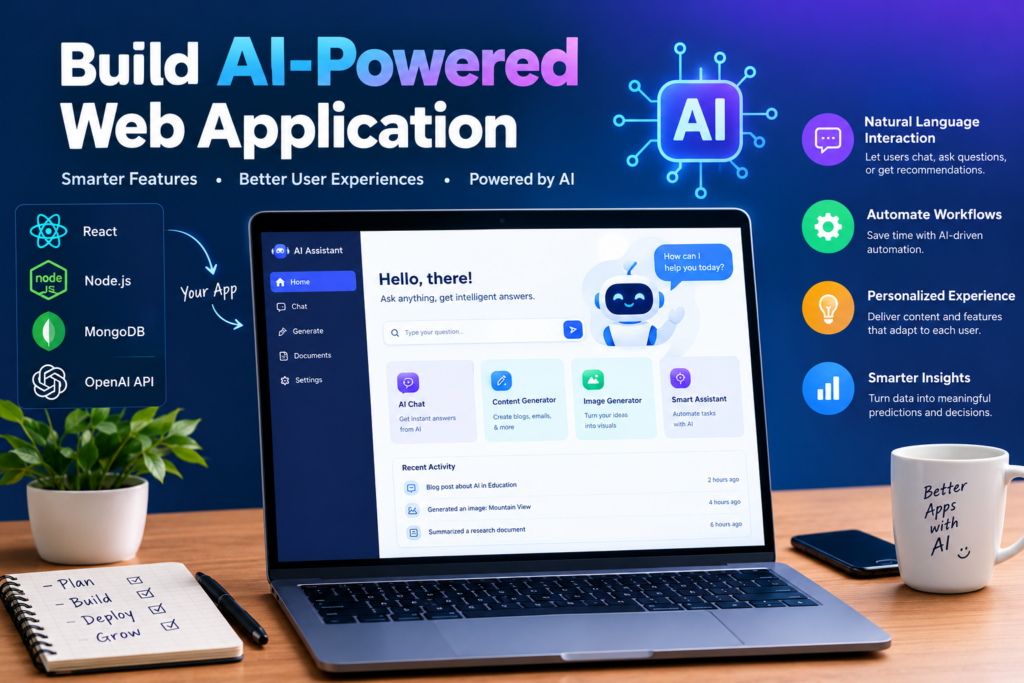
Build AI-Powered Web Application from Scratch: 11 Essential Steps
Artificial intelligence is changing how developers build web applications. From intelligent chatbots to content assistants and recommendation platforms, AI can make software more interactive and useful.
An AI-powered web application combines a user interface, backend services, and an AI model or external AI service. Users provide information, the application processes it, and the AI generates a response or prediction.
Building such an application requires more than connecting an AI API. Developers must also plan the architecture, manage user data, handle errors, test the system, and deploy it securely.
This step-by-step guide explains how to build an AI-powered web application from scratch, including the tools, code structure, integration process, and production considerations.
1. What Is an AI-Powered Web Application?
An AI-powered web application uses artificial intelligence to provide features beyond ordinary website functionality.
Examples include:
- AI chatbots.
- Writing assistants.
- Document summarization tools.
- Product recommendation systems.
- Customer support applications.
- Intelligent search interfaces.
- Data analysis platforms.
- Personalized learning applications.
These applications may use a hosted AI API, a self-hosted model, or a machine learning system trained for a particular task.
The right approach depends on your budget, technical skills, data requirements, and expected usage.
2. Build AI-Powered Web Application and Plan Your AI Development Project
Before writing code, define the problem your application will solve.
For example, suppose you want to create an AI writing assistant. Users enter a topic, select a writing style, and receive a draft.
Start by identifying the essential features.
Minimum viable product features:
- A form for user input.
- A button to submit the request.
- A backend endpoint.
- An AI service connection.
- A response display area.
- Error messages and loading indicators.
Avoid building every possible feature at the beginning. Start with one useful workflow, test it, and expand based on feedback.
3. Choose the Technology Stack
Your technology stack determines how the application is built and maintained.
|
Layer |
Example Technologies |
Purpose |
|
Frontend |
React, Next.js |
User interface |
|
Backend |
Node.js, Python |
Request processing |
|
AI service |
A hosted AI API or suitable model |
AI responses |
|
Database |
PostgreSQL or another suitable database |
Persistent application data |
|
Authentication |
An established authentication solution |
User access |
|
Deployment |
A suitable cloud hosting provider |
Running the application |
|
Monitoring |
Logging and performance tools |
Diagnosing problems |
You don’t need every technology listed above. Choose a small stack that fits your project’s needs. For a beginner, React with a Node.js backend and a hosted AI API can be a reasonable starting point.
Official learning resources include:
- React: https://react.dev/
- Next.js: https://nextjs.org/docs
- Node.js: https://nodejs.org/
- PostgreSQL: https://www.postgresql.org/docs/
4. Design the Web Application Architecture
A basic AI web application has three main layers.
Frontend
The frontend collects user input and displays the result. It may include a text field, submit button, loading indicator, and response panel.
Backend
The backend validates requests, applies business rules, manages access, and communicates with the AI service. It also protects private credentials from being exposed in the browser.
AI Service
The AI service receives the request and returns generated content, classifications, summaries, or other supported outputs. The backend processes the result before returning it to the frontend.
A typical request flow looks like this:
User
|
v
Frontend Interface
|
v
Backend API
|
v
AI Service
|
v
Backend Validation
|
v
Frontend Response
This separation helps keep sensitive operations on the server and makes the application easier to maintain.
5. Build the Frontend Interface
Start with a simple interface. For an AI writing application, you might include:
- A page title.
- A text area for the topic.
- A style selector.
- A Generate button.
- A loading message.
- A result panel.
- An error message area.
Here’s a simplified React component:
import { useState } from “react”;
export default function WritingAssistant() {
const [topic, setTopic] = useState(“”);
const [result, setResult] = useState(“”);
const [loading, setLoading] = useState(false);
const [error, setError] = useState(“”);
async function generateText() {
if (!topic.trim()) {
setError(“Please enter a topic.”);
return;
}
setLoading(true);
setError(“”);
setResult(“”);
try {
const response = await fetch(“/api/generate”, {
method: “POST”,
headers: {
“Content-Type”: “application/json”
},
body: JSON.stringify({ topic })
});
if (!response.ok) {
throw new Error(“Unable to generate content.”);
}
const data = await response.json();
setResult(data.text);
} catch {
setError(“Something went wrong. Please try again.”);
} finally {
setLoading(false);
}
}
return (
<main>
<h1>AI Writing Assistant</h1>
<label htmlFor=”topic”>Enter your topic</label>
<textarea
id=”topic”
value={topic}
onChange={(event) => setTopic(event.target.value)}
/>
<button onClick={generateText} disabled={loading}>
{loading ? “Generating…” : “Generate”}
</button>
{error && <p role=”alert”>{error}</p>}
{result && <section>{result}</section>}
</main>
);
}
This component demonstrates the frontend workflow. It requires a functioning backend endpoint at /api/generate. It does not call the AI provider directly, and the backend must be implemented before the feature will work.
6. Integrate an AI API
The next step is connecting your backend to an AI service. Choose a provider that meets your requirements for model quality, cost, privacy, latency, and supported features. Read the official documentation before writing the integration.
How the Integration Works
The frontend sends the user’s topic to the backend. The backend validates the input, checks the user’s permissions, and sends an appropriate request to the AI service. The service returns a response. The backend then validates the result and sends it to the frontend.
Example Backend Logic
The following simplified Express route shows the structure of an AI endpoint. It assumes that the project has installed Express and the appropriate provider SDK.
app.post(“/api/generate”, async (req, res) => {
try {
const topic = req.body?.topic;
if (typeof topic !== “string” || !topic.trim()) {
return res.status(400).json({
error: “A valid topic is required.”
});
}
if (topic.length > 2000) {
return res.status(400).json({
error: “The topic is too long.”
});
}
// Call your chosen AI provider here.
// Read the API key from a server-side secret.
// Apply authentication, usage limits, and timeouts.
const text = await generateWithAI(topic.trim());
return res.json({ text });
} catch (error) {
return res.status(500).json({
error: “Content generation failed.”
});
}
});
The function generate With AI() is a placeholder for the provider-specific implementation. You must implement it using the chosen service’s current SDK or HTTP API.
Protect the API Key
Never place a private AI API key inside frontend JavaScript.
Store it using server-side environment variables or a secrets manager. Restrict access and avoid logging the key.
7. Add a Database When Needed
A database becomes useful when users need saved conversations, project history, preferences, or subscription information. Choose the data you actually need to store.
For example, an AI writing application might store:
- User account identifiers.
- Saved document titles.
- Generated text, if users request saving.
- Creation timestamps.
- Usage information.
Don’t store sensitive data unnecessarily. Define retention policies, access controls, and deletion procedures.
A small prototype may not need a database at all. You can add one when the product requirements justify it.
8. Add Security and Usage Controls
AI applications can face risks beyond ordinary web applications.
Validate User Input
Set input length limits and validate the request format.
Don’t assume that content supplied by users is safe or appropriate for every downstream operation.
Add Authentication When Required
If the application stores personal information or offers paid features, implement suitable authentication and authorization.
Check permissions on the server rather than relying on hidden frontend controls.
Control Usage and Costs
AI requests may create variable costs.
Use rate limits, quotas, request-size limits, and usage monitoring. Consider requiring authentication for expensive features.
Handle Untrusted AI Output
AI-generated content can be inaccurate or contain unsafe instructions.
If the application renders generated text as HTML, sanitize it appropriately. Never execute generated code automatically without suitable isolation and review.
Plan for Failures
Handle timeouts, service errors, rate limits, and malformed responses.
Show clear user messages without exposing private server details.
9. Test the AI Web Application
Testing should cover both normal website behavior and AI-specific risks.
Check:
- Empty and invalid inputs.
- Very long prompts.
- API failures.
- Slow responses.
- Unauthorized requests.
- Rate-limit behavior.
- Incorrect or incomplete AI output.
- Mobile layouts.
- Keyboard accessibility.
- Database access controls.
AI output may vary between requests. Where possible, test deterministic parts of the application separately from model-dependent behavior. Use automated tests for repeatable checks and manual review for user experience and unusual cases.
10. Deploy and Monitor the Application
Once the application works locally, prepare it for production.
Deployment Checklist
- Configure production environment variables.
- Remove development-only settings.
- Enable HTTPS.
- Configure access controls.
- Run automated tests.
- Check dependencies for known vulnerabilities.
- Set up error logging.
- Monitor response times and AI usage.
- Create a recovery plan.
- Test the deployed application.
Choose hosting that supports your framework and operational requirements.
After launch, monitor user feedback, failures, latency, and costs. Use those findings to improve the application.
Building an AI-powered web application from scratch is easier to approach when the project is divided into manageable steps.
Start with one clear problem and a small set of features. Build the interface, connect a secure backend, integrate the AI service, and test the complete workflow before adding advanced functionality.
As the application grows, focus on security, cost control, monitoring, and user feedback.
AI can accelerate software development, but reliable applications still depend on careful planning and engineering. Combining AI-assisted coding with structured testing and secure architecture provides a practical foundation for building modern intelligent web applications.
Know More:
”FAQs”
1. What is an AI-powered web application?
It's a web application that uses an AI model or service to generate content, analyze data, answer questions, make predictions, or support another intelligent feature.
2. How can I build an AI web app from scratch?
Define the problem, choose a technology stack, create the frontend, build a secure backend, connect an AI service, test the application, and deploy it.
3. Do I need machine learning knowledge to build an AI web application?
Not necessarily. Developers can use hosted AI APIs without training a model. Understanding API integration, web development, security, and data handling is still important.
4. Which programming language is best for AI web development?
JavaScript and TypeScript are useful for full-stack web development. Python is also popular for AI and backend tasks. The best choice depends on your existing skills and project requirements.
5. Can I build an AI chatbot for my website?
Yes. A chatbot can send user messages to a backend, call an AI service, and return the response to the browser. Production systems also need access controls, usage limits, error handling, and privacy safeguards.
6. Is an AI API necessary?
No. You can use a hosted AI service, run a suitable model yourself, or build a traditional application with machine learning components. Each option has different infrastructure and maintenance requirements.
7. How much does it cost to build an AI web application?
Costs depend on development time, hosting, AI usage, database needs, security requirements, and ongoing maintenance. A small prototype may be inexpensive, while a high-traffic production application can require significant investment.
8. How do I make an AI web application secure?
Keep secrets on the server, validate inputs, enforce permissions, limit usage, protect stored data, and review generated output. Test the application before deployment and monitor it afterward.
9. Can AI coding tools build the entire application?
AI coding tools can help generate components, backend routes, tests, and documentation. However, developers must verify architecture, functionality, security, and deployment settings.