15 Best AI Tools for Students in 2026 to Study Smarter
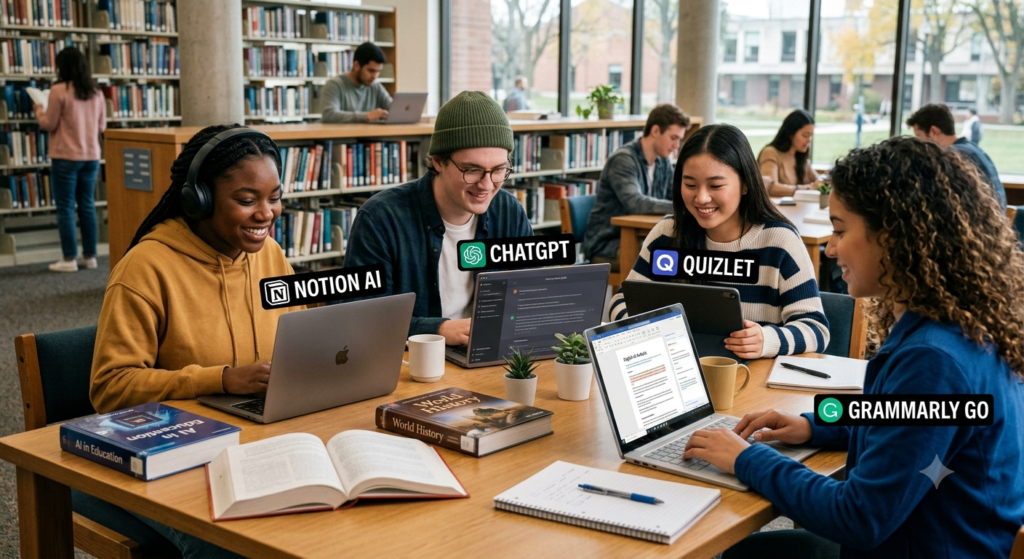
Why Students Need AI Tools in 2026
Studying can be challenging. Students must attend classes, complete homework, prepare for exams, write assignments, and manage their time. Sometimes, there just aren’t enough hours in the day.
That’s where the best AI tools for students can help.
Artificial intelligence, or AI, is changing the way students learn. It can explain difficult topics, summarize long documents, organize notes, improve writing, and help learners practice for exams. These tools can also support students who need extra help with a subject.
In 2026, AI learning tools are useful for school students, college students, university learners, and researchers. Some tools offer free features, while others require a paid subscription for advanced options.
However, AI isn’t a replacement for teachers, textbooks, or independent thinking. The best results come when students use AI to understand a topic rather than simply copy an answer.
In this guide, we’ll explore 15 useful AI tools for students in 2026, compare their features, and explain how to choose the right options for your studies.
What Are AI Tools for Students?
AI tools for students are digital applications that use artificial intelligence to support learning and academic work.
They can answer questions, explain concepts, suggest improvements, organize information, and create practice exercises. Some tools work like personal tutors, while others focus on writing, research, or productivity. For example, a student who struggles with physics can ask an AI assistant to explain Newton’s laws using simple examples. A college student can use a research tool to discover academic papers. Another student can turn class notes into flashcards for revision.
These tools are part of a wider shift toward AI-powered education and personalized learning.
Common Types of Educational AI Tools
- AI study tools: Help students understand topics and review lessons.
- AI homework assistants: Explain questions and guide problem-solving.
- AI note-taking tools: Organize notes and summarize lectures.
- AI research tools: Help find papers, explore evidence, and manage sources.
- AI writing assistants: Improve grammar, clarity, and structure.
- AI tutoring platforms: Provide guided practice and personalized explanations.
- Student productivity tools: Help manage tasks, schedules, and study plans.
The right tool depends on your learning goals, budget, subject, and preferred study method.
Best AI Tools for Students in 2026
Here are 15 AI tools worth exploring. Each has different strengths, so you don’t need to use all of them. Choose the ones that solve your actual study problems.
1. ChatGPT: Best for General Study Help
ChatGPT is a flexible study assistant that can help students understand lessons, practice questions, plan assignments, and review difficult topics.
Suppose you’re studying biology and don’t understand photosynthesis. You can ask ChatGPT to explain it in simple English, provide an example, and then test your knowledge with five questions.
You can also ask it to explain a topic at different levels of difficulty.
Key features
- Explains complex concepts in simple language.
- Creates quizzes, revision questions, and study plans.
- Helps brainstorm essay ideas.
- Supports coding practice and problem-solving.
- Can work with supported uploaded files and images.
Best for: School students, college learners, and students who need help across multiple subjects.
Example prompt: “Explain photosynthesis in simple English, give three examples, and create five multiple-choice questions.”
ChatGPT is one of the most versatile AI tools for studying and homework. However, it can make mistakes, so check important facts against reliable sources.
Website: https://chatgpt.com/
2. Google Gemini: Best for Everyday Learning
Google Gemini can help students explore ideas, understand subjects, summarize information, and plan academic tasks.
Its usefulness may be especially clear for students who already work with Google services. Depending on the account, region, and available features, Gemini may connect with supported Google applications.
You can use it to create a weekly study schedule, brainstorm presentation topics, or ask follow-up questions about a difficult lesson.
Key features
- Explains academic topics.
- Helps brainstorm essays and projects.
- Supports research and content summaries.
- Assists with planning and organizing work.
- Offers integrations with supported Google services on eligible plans.
Best for: Students who use Google tools and want a general-purpose learning assistant.
Remember that AI-generated information should be checked before you include it in assignments.
Website: https://gemini.google.com/
3. Perplexity: Best for Research and Source Discovery
Perplexity helps students explore questions and discover information from online sources.
Traditional search engines often provide a list of websites. Perplexity can produce a summarized answer with links to sources, helping students investigate a topic more quickly.
For example, a student writing about renewable energy can use it to explore recent developments, discover relevant reports, and identify sources for further reading.
Key features
- Answers questions with source links.
- Helps explore research topics.
- Summarizes information from available sources.
- Supports follow-up questions.
- Can help students discover additional reading material.
Best for: Research projects, presentations, current topics, and initial fact-finding.
Important tip: Open the original sources. A citation doesn’t automatically prove that a claim is accurate or that the source supports every part of the answer.
Website: https://www.perplexity.ai/
4. Grammarly: Best for Grammar and Writing
Grammarly helps students improve the clarity and correctness of their writing.
It can identify grammar mistakes, spelling errors, unclear sentences, and problems with tone. Depending on the plan, it may also offer AI writing support and additional feedback.
For instance, if your assignment contains long sentences, Grammarly can suggest ways to make them clearer.
Key features
- Grammar and spelling checks.
- Suggestions for clarity and readability.
- Tone and style feedback.
- Writing support for emails and assignments.
- Additional AI features on eligible plans.
Best for: Essays, reports, emails, applications, and academic writing.
Grammarly can improve your writing, but it shouldn’t decide what you want to say. Review each suggestion and keep your own ideas and voice.
Website: https://www.grammarly.com/
5. QuillBot: Best for Summaries and Language Improvement
QuillBot offers writing tools that can help students revise sentences, summarize text, and improve readability. Students sometimes struggle to explain complex information in their own words. QuillBot can suggest alternative phrasing and help shorten long passages.
Key features
- Paraphrasing assistance.
- Text summarization.
- Grammar checking.
- Vocabulary and sentence improvement.
- Other writing features depending on the plan.
Best for: Draft revision, study summaries, and language practice.
Use paraphrasing tools carefully. Changing a few words doesn’t make someone else’s work your own. Cite the original source when required, and make sure your final writing reflects your understanding.
Website: https://quillbot.com/
6. Notion AI: Best for Study Planning and Organization
Notion combines notes, tasks, databases, and project organization. Its AI features can help students work with information stored in their workspace.
You can create a page for each subject, record deadlines, organize project notes, and plan your weekly revision.
Key features
- Organizes class notes and study materials.
- Helps summarize and rewrite content.
- Supports task and project planning.
- Keeps study resources in a shared workspace.
- Offers AI capabilities subject to plan and availability.
Best for: Students managing several subjects, group projects, and assignment deadlines.
A simple setup is enough to start: create a page for each subject, add your upcoming tasks, and review your progress every Sunday.
Website: https://www.notion.com/
7. NotebookLM: Best for Learning from Your Own Materials
NotebookLM is useful when you want to study specific documents rather than rely only on general AI answers.
Depending on supported formats and current features, you can add source materials such as documents, PDFs, and other references. NotebookLM can help summarize those materials and answer questions based on the sources you provide.
Imagine you have 100 pages of course notes. You can use the tool to identify major themes, generate study questions, and revisit important ideas.
Key features
- Works with supported source materials.
- Helps summarize long documents.
- Answers questions using provided sources.
- Supports study guides and question generation.
- Helps students review information from several documents.
Best for: Exam preparation, lecture notes, textbooks, and document-based research.
Always check the original material when a detail matters. A summary can leave out important context.
Website: https://notebooklm.google.com/
8. Elicit: Best for Academic Research
Elicit helps researchers and students explore scientific literature and organize findings from research papers.
For a college project, you may need to compare studies, identify research methods, or understand what researchers have found. Elicit can help with the early stages of this work.
Key features
- Helps discover relevant research papers.
- Supports literature review workflows.
- Organizes information from studies.
- Helps compare research findings.
- Reduces some of the manual work involved in reviewing papers.
Best for: University students, postgraduate learners, and research projects.
Don’t treat an AI-generated research summary as a substitute for reading important studies. Review the methods, sample sizes, limitations, and conclusions before drawing your own findings.
Website: https://elicit.com/
9. Otter.ai: Best for Lecture Transcription
Otter.ai can turn supported audio into text and help users review spoken information.
For students, transcription can be useful when reviewing lectures, interviews, discussions, and group meetings.
Key features
- Audio transcription.
- Searchable transcripts.
- Summaries and key-point extraction on supported plans.
- Support for reviewing recorded discussions.
- Tools for organizing spoken information.
Best for: Students who need searchable lecture notes or who conduct interviews for projects.
Transcription isn’t always perfect. Technical terms, accents, and background noise can cause errors. Also, obtain permission before recording lectures and follow your institution’s privacy rules.
Website: https://otter.ai/
10. Canva: Best for Presentations and Visual Learning
Canva helps students create presentations, posters, diagrams, and other visual learning materials. Its AI-powered features can assist with selected design and content tasks.
For example, you can turn a project outline into a presentation draft, then improve the slides with diagrams and clear visuals.
Key features
- Presentation and poster design.
- Templates for school and college projects.
- Visual summaries and infographics.
- AI-assisted design features.
- Collaboration options for group assignments.
Best for: Presentations, visual notes, project posters, and classroom projects.
Don’t fill every slide with text. Use short points, readable fonts, and visuals that support your message.
Website: https://www.canva.com/
11. Khan Academy and Khanmigo: Best for Guided Tutoring
en.khanacademy.org
Khan Academy provides lessons and practice across many subjects. Its AI tutoring offering, Khanmigo, is designed to support learning through guided interaction.
Instead of simply receiving an answer, students can work through a problem step by step.
Key features
- Guided learning support.
- Practice across supported subjects.
- Help understanding difficult concepts.
- Learning activities linked to educational content.
- AI tutoring features subject to access and eligibility.
Best for: Students who want structured practice and help understanding a topic.
Availability and pricing can vary by location and user type. Check the official website to confirm what you can access.
Website: https://www.khanacademy.org/
12. Quizlet: Best for Flashcards and Revision
kuse.ai
Quizlet helps students memorize definitions, terms, facts, and key concepts.
Flashcards work well for subjects that require repeated recall, such as biology, history, languages, and medical terminology.
Key features
- Digital flashcards.
- Practice tests and review activities.
- Study sets for different subjects.
- AI-supported study features on eligible plans.
- Options for reviewing material in short sessions.
Best for: Vocabulary, definitions, factual recall, and exam revision.
A useful method is to answer each flashcard before revealing the solution. This helps you test what you know instead of merely recognizing familiar information.
Website: https://quizlet.com/
13. Photomath: Best for Mathematics Practice
teknologi.id
Photomath helps students work through mathematical problems using supported input methods, including camera-based problem entry.
Its step-by-step explanations can help learners understand how a solution is reached.
Key features
- Mathematical problem solving.
- Step-by-step explanations for supported problems.
- Support for several levels of mathematics.
- Help checking work.
- Additional explanation features depending on the plan.
Best for: Students learning arithmetic, algebra, and other supported mathematics topics.
Don’t copy the final number and move on. Study each step, then solve a similar question without help. That’s how you turn an answer into a skill.
Website: https://photomath.com/
14. Wolfram|Alpha: Best for Advanced Calculations
theaitoolsbox.com
Wolfram|Alpha is a computational tool that can help students explore mathematical expressions, scientific questions, and quantitative problems.
It can be particularly useful for students working with equations, functions, calculus, statistics, and other technical topics.
Key features
- Mathematical computation.
- Equation evaluation.
- Scientific and quantitative queries.
- Support for technical subjects.
- Step-by-step solutions for selected problems and eligible features.
Best for: Engineering students, mathematics learners, science students, and quantitative research.
Check whether the result answers the exact question you intended. A correct calculation can still be applied incorrectly to a problem.
Website: https://www.wolframalpha.com/
15. Microsoft Copilot: Best for Everyday Productivity
qz.com
Microsoft Copilot can help students brainstorm ideas, summarize information, prepare outlines, and work through everyday academic tasks.
Students who use Microsoft applications may also benefit from eligible integrations with supported services.
Key features
- Answers questions and explains topics.
- Helps create assignment outlines.
- Supports brainstorming and summarization.
- Assists with everyday productivity.
- Offers additional capabilities depending on the product and subscription.
Best for: Students who use Microsoft tools and want help with writing, planning, and general study tasks.
Review generated material before using it in an assignment. Always follow your institution’s rules for AI assistance.
Website: https://copilot.microsoft.com/
Comparison of the Best AI Study Tools
The following table summarizes the main use cases of these student productivity tools.
|
AI tool |
Main purpose |
Best suited for |
|
ChatGPT |
Explanations and practice |
General learning |
|
Google Gemini |
Learning and productivity |
Google users |
|
Perplexity |
Research and source discovery |
Research assignments |
|
Grammarly |
Grammar and clarity |
Writing |
|
QuillBot |
Summaries and paraphrasing |
Draft revision |
|
Notion AI |
Notes and planning |
Organization |
|
NotebookLM |
Source-based study |
Course materials |
|
Elicit |
Academic literature |
Researchers |
|
Otter.ai |
Transcription |
Lecture review |
|
Canva |
Visual content |
Presentations |
|
Khanmigo |
Guided tutoring |
Concept practice |
|
Quizlet |
Flashcards |
Memorization |
|
Photomath |
Mathematics |
Math practice |
|
Wolfram|Alpha |
Computation |
STEM subjects |
|
Microsoft Copilot |
Productivity |
Microsoft users |
No single tool is best for every student. A strong combination might include one general AI assistant, one note-taking tool, and one subject-specific learning platform.
Best Free AI Tools for Students in 2026
You don’t need to pay for every AI application. Several platforms offer free access or limited free features that can help with everyday learning.
If you’re searching for the best free AI tools for students in 2026, start with the following options.
|
Tool |
What you can use it for |
What to check |
|
ChatGPT |
Questions, explanations, and practice |
Usage limits |
|
Google Gemini |
Study help and brainstorming |
Feature availability |
|
Perplexity |
Research and source discovery |
Search limits |
|
NotebookLM |
Studying uploaded materials |
Source and usage limits |
|
Grammarly |
Grammar and writing feedback |
Free feature limits |
|
Canva |
Presentations and designs |
AI usage limits |
|
Khan Academy |
Lessons and practice |
Khanmigo access |
|
Quizlet |
Flashcards and revision |
Premium restrictions |
|
Photomath |
Mathematics practice |
Advanced solutions |
|
Wolfram|Alpha |
Calculations |
Paid step-by-step features |
Free access and available features may change. Some tools offer free accounts, while others provide limited trials or restrict advanced features to paid plans.
How to Get the Most from Free AI Tools
Follow these simple tips:
- Start with one tool that solves your biggest study problem.
- Check its free-plan limits before creating an account.
- Use AI to explain concepts, not just generate answers.
- Save useful notes in a document or notebook you control.
- Compare important facts with textbooks and trusted sources.
- Upgrade only when a paid feature provides clear value.
For many students, a free AI assistant combined with a reliable note-taking system is enough to build an effective study routine.
How to Choose the Right AI Study Assistant
Choosing an AI tool can feel confusing because many applications offer similar features. The easiest way to decide is to start with your goal.
1. Identify Your Biggest Study Challenge
Ask yourself what takes the most time.
- Do you struggle to understand difficult topics? Try ChatGPT, Gemini, or guided tutoring platforms.
- Do you need help finding sources? Explore Perplexity or Elicit.
- Do you forget what you study? Try Quizlet or NotebookLM.
- Do you make grammar mistakes? Consider Grammarly.
- Do you struggle to organize deadlines? Explore Notion.
- Do you need help with calculations? Try Photomath or Wolfram|Alpha.
2. Check Accuracy and Reliability
A tool may sound confident and still give incorrect information. This matters when you’re preparing for exams or writing academic papers.
Check whether the tool provides sources, explains its reasoning, and allows you to review the original information.
For research, read the source itself. For mathematics, verify the method. For writing, check that the final result expresses your intended meaning.
3. Compare Price and Free Features
Before paying, compare the available plans.
Look at usage limits, file uploads, advanced features, privacy options, and whether you need a subscription at all.
The most expensive platform isn’t necessarily the best choice. A simple tool that fits your needs may be more useful than a complex application you rarely use.
4. Consider Privacy and Academic Rules
Don’t upload personal records, passwords, private messages, or confidential university information to an AI tool.
Check how your data may be used and follow your school’s or university’s AI policy. If an assignment requires independent work, make sure your use of AI is permitted.
How Students Can Use AI Effectively
AI can support learning when students use it with a clear plan. Here are practical ways to make AI-powered study assistants more useful.
Create a Personalized Study Plan
Tell an AI assistant about your subjects, exam dates, available study hours, and difficult topics. Ask it to create a realistic weekly timetable.
For example:
“Create a seven-day study plan for biology, mathematics, and English. I can study for two hours each day. Include short breaks, revision sessions, and practice questions.”
Review the timetable and adjust it to fit your real schedule.
Use AI for Active Recall
Active recall means trying to remember information without looking at the answer.
After studying a chapter, ask an AI tool to create questions about the key concepts. Answer them yourself before checking the explanations.
This is more useful than repeatedly reading the same notes because it helps you identify what you actually understand.
Prepare for Exams with Practice Questions
AI tools for exam preparation can generate practice quizzes, explain wrong answers, and help you review weak areas.
Try this prompt:
“Create 15 practice questions about photosynthesis. Start with easy questions and gradually increase the difficulty. Give me one question at a time and explain my mistakes after I answer.”
Use your syllabus and past papers to ensure the questions match your exam.
Improve Academic Writing
Use AI writing assistants to check grammar, brainstorm ideas, and organize your arguments.
A practical workflow is:
- Research the topic.
- Create your own outline.
- Write an initial draft.
- Ask for feedback on clarity and structure.
- Verify facts and citations.
- Edit the final version in your own voice.
This approach helps you learn writing skills instead of relying entirely on generated text.
Turn Notes into Revision Materials
AI note-taking tools can help turn long documents into summaries, questions, and revision lists.
For example, upload permitted course notes to a suitable tool and ask it to identify the main concepts. Then create flashcards for important definitions and formulas.
Always compare the summary with your original notes to avoid missing important details.
Benefits and Limitations of Educational AI Tools
AI can make studying easier, but students should understand both its advantages and its risks.
Main Benefits
Personalized learning: AI can explain the same idea in different ways and adjust the level of detail to your needs.
Time savings: Summaries, study plans, and automated note organization can reduce repetitive work.
Extra practice: Students can generate quizzes and practice questions whenever they need them.
Writing support: AI can identify unclear sentences, grammar mistakes, and opportunities to improve structure.
Research assistance: Suitable tools can help discover sources and organize findings.
Flexible learning: Online learning AI tools can provide support outside normal classroom hours, subject to access and usage limits.
Important Limitations
Incorrect information: AI may invent facts, misunderstand questions, or provide outdated answers.
Overdependence: Copying answers without understanding them can weaken independent thinking and problem-solving skills.
Academic integrity: Submitting generated work as your own may violate school or university rules.
Privacy concerns: Uploaded documents and personal data may be handled according to a provider’s policies.
Unequal access: Paid subscriptions, device requirements, and internet access can affect which features students can use.
A Simple Rule for Responsible AI Use
Use AI to help you learn, not to avoid learning.
Try solving a problem yourself first. Ask AI for a hint if you get stuck. Review its explanation, and then solve a similar problem without assistance.
This makes AI a learning partner rather than a shortcut.
For more guidance, visit UNESCO’s official website, which provides resources on AI and education.
Choose AI Tools That Help You Learn Better
The best AI tools for students in 2026 can make learning more organized, flexible, and effective. From ChatGPT and Gemini to NotebookLM, Quizlet, and Grammarly, each tool offers different ways to improve studying, research, writing, and exam preparation.
You don’t need every tool on this list. Start with one or two that address your biggest challenges. If you struggle with difficult subjects, choose a learning assistant. If you need better revision notes, explore note-taking tools. If research takes too long, try a research-focused platform.
Most importantly, use AI with curiosity and care. Check its answers, protect your personal information, follow academic rules, and practice solving problems independently.
AI is most valuable when it helps you understand more, think clearly, and build skills that last beyond the classroom.
Start small, study consistently, and use AI to become a more confident learner.
Know More:
”FAQs”
1. What are the best AI tools for students in 2026?
Some useful options include ChatGPT for explanations, Gemini for general learning, Perplexity for research, Grammarly for writing, NotebookLM for source-based study, and Quizlet for revision. The best choice depends on your subject and learning goals.
2. What are the best free AI tools for students in 2026?
Students can explore free access or free features in ChatGPT, Gemini, Perplexity, NotebookLM, Grammarly, Canva, Khan Academy, and other platforms. Check each provider's current terms because usage limits and available features vary.
3. Can AI tools help with homework?
Yes. AI homework assistants can explain concepts, demonstrate problem-solving methods, create practice questions, and help students identify mistakes. Students should understand the solution and follow their institution's rules before using AI for assessed work.
4. Which AI tools are best for exam preparation?
NotebookLM can help students review supported course materials, Quizlet can support flashcard practice, and ChatGPT can generate quizzes and explain difficult topics. Combining these tools with textbooks, past papers, and active recall can create a useful revision routine.
5. Are AI writing assistants allowed in colleges?
It depends on the institution, course, and assignment. Some teachers allow grammar checks and brainstorming, while others restrict AI-generated content. Check your academic policy, disclose AI use when required, and never submit prohibited work.
6. Can AI tools replace teachers?
No. AI can provide explanations and extra practice, but teachers offer human judgment, classroom experience, feedback, and support that automated systems may not provide. AI works best alongside teachers and trusted learning materials.
7. How can students use AI effectively without becoming dependent on it?
Attempt the task independently first. Use AI for hints and explanations, verify its answers, and repeat the task without assistance. This builds understanding while reducing dependence on automated answers.
8. Are AI research tools reliable for academic assignments?
They can help discover papers and organize information, but they aren't automatically reliable. Read the original studies, verify authors and publication details, check the evidence, and cite sources according to your institution's required style.