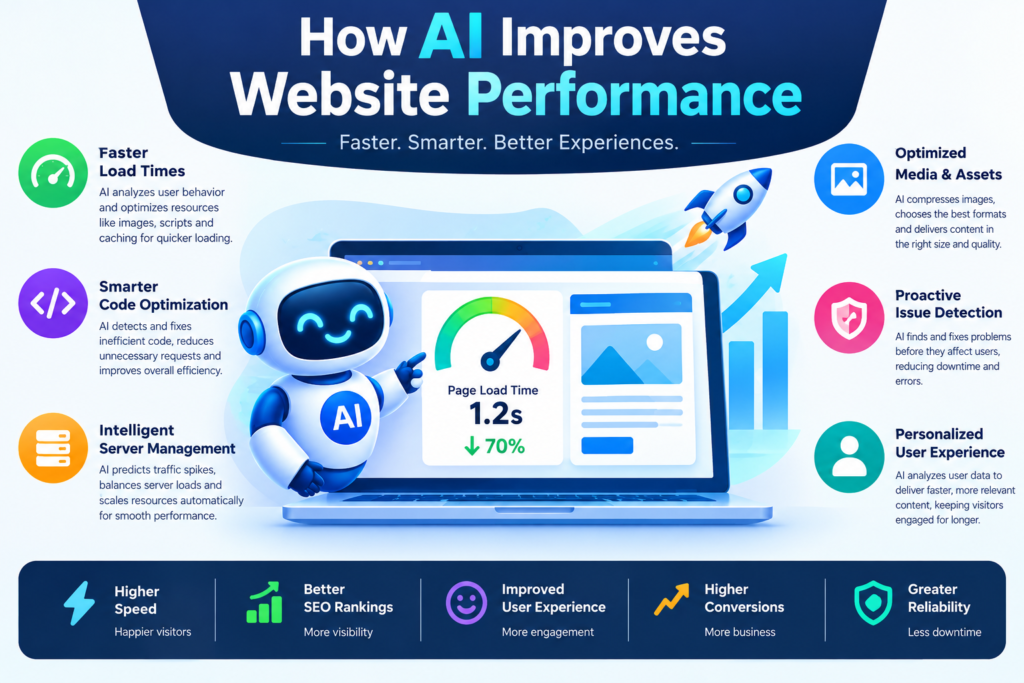
1. How AI Improves Website Performance and Introduction to AI Website Optimization
Website speed is an important part of the online experience. Visitors expect pages to load quickly, navigation to feel responsive, and content to appear without unexpected movement. Slow websites can frustrate users, reduce engagement, and make important tasks more difficult.
For developers, improving website performance can involve many technical challenges. Large images, excessive JavaScript, inefficient CSS, slow server responses, unnecessary network requests, and poorly configured caching can all affect loading speed.
Artificial intelligence is providing new ways to investigate these problems. AI-powered development assistants can explain performance reports, analyze code, suggest optimizations, and help developers identify possible bottlenecks. Some monitoring systems can also use machine learning to identify unusual behavior in performance data.
Learning how AI helps developers optimize website performance and loading speed can help you build faster, more responsive, and more reliable websites.
However, AI is not a substitute for performance measurement. A suggestion that improves one website may make another website slower or more complicated. Developers should measure actual results, understand the underlying cause of a problem, and test changes before deploying them.
This guide explains how AI can support website speed optimization, including Core Web Vitals, JavaScript and CSS improvements, image optimization, caching, technical SEO, and practical development workflows.
2. What Is Website Performance Optimization?
Website performance optimization is the process of improving how quickly and smoothly a website loads and responds to user actions. A website may appear slow for several reasons. Its server may take too long to respond, images may be too large, JavaScript may delay rendering, or the browser may need to download too many resources before displaying useful content.
Performance optimization begins by identifying the actual problem rather than making random changes.
Important Website Performance Factors
- Server response time: The time required for the server to begin responding to a request.
- Resource size: Large images, scripts, fonts, and stylesheets can increase download time.
- JavaScript execution: Heavy scripts can delay rendering or make the page unresponsive.
- CSS complexity: Poorly organized stylesheets or render-blocking resources can affect how quickly content appears.
- Caching: Appropriate caching allows browsers and servers to reuse resources instead of repeatedly downloading or generating them.
- Network requests: Too many requests can add overhead, especially on slower connections.
- Third-party scripts: Analytics, advertising, chat widgets, and other external services can affect performance.
Why Measurement Matters
A page may load quickly on a developer’s computer but perform poorly on a mobile device or a slower network. Developers should examine real-user data where available and compare it with controlled laboratory tests. Laboratory tools help reproduce and diagnose problems, while field data shows how actual visitors experience the site.
AI can help interpret these measurements, but the data must come from reliable monitoring and testing tools.
3. How AI Helps Improve Website Loading Speed
AI supports website optimization in several ways. Its role may range from explaining a performance report to helping automate repetitive development tasks.
Identifying Performance Bottlenecks
Developers can provide an AI assistant with a performance report, relevant source code, and information about the affected page. The assistant may identify likely causes, such as an oversized hero image, a render-blocking stylesheet, or an expensive JavaScript operation.
These suggestions should be treated as hypotheses. Developers must confirm them through profiling and testing.
Analyzing JavaScript
JavaScript can support interactive features, but excessive code or expensive operations can delay page rendering and user interaction. AI coding assistants can help identify repeated calculations, unnecessary event handlers, inefficient loops, and opportunities to split code into smaller bundles. The appropriate fix depends on how the code executes in the browser and whether it actually affects performance.
Improving Image Delivery
Images often account for a large share of a page’s downloaded bytes. AI-assisted workflows can help identify oversized images and recommend modern formats, responsive sizes, and appropriate compression.
Image recognition can also help generate descriptive alt text or categorize media, although accessibility descriptions should be reviewed for accuracy.
Analyzing Performance Trends
Monitoring systems may use statistical methods or machine learning to detect unusual increases in response times, error rates, or resource consumption.
AI can help summarize these changes and suggest areas for investigation, but the underlying measurements must still be checked.
Supporting Developers with Code Suggestions
AI tools can draft optimized code, explain technical concepts, and generate scripts for repetitive performance checks. Developers should verify that suggested changes preserve functionality, accessibility, security, and maintainability.
4. Understanding Core Web Vitals
Core Web Vitals are Google’s metrics for evaluating important aspects of user experience. They focus on loading performance, responsiveness, and visual stability.
The three current Core Web Vitals are Largest Contentful Paint, Interaction to Next Paint, and Cumulative Layout Shift.
Largest Contentful Paint
Largest Contentful Paint (LCP) measures how long it takes for the largest relevant content element in the viewport to render.
A large banner image, prominent heading, or hero section may become the LCP element.
Common improvements include:
- Reducing the size of the main image.
- Serving appropriately sized images.
- Improving server response time.
- Avoiding unnecessary render-blocking resources.
- Ensuring critical content can load promptly.
AI can help inspect the page structure and suggest likely improvements. Browser performance traces and other measurements are needed to confirm the cause.
Interaction to Next Paint
Interaction to Next Paint (INP) measures responsiveness by evaluating the delay between user interactions and the next visual update. Long-running JavaScript tasks, expensive rendering, and complex event handlers can contribute to poor INP.
Developers can improve responsiveness by breaking up long tasks, reducing unnecessary work, and simplifying expensive rendering operations. AI may help explain profiling results and suggest code changes, but those changes should be tested against real interactions.
Cumulative Layout Shift
Cumulative Layout Shift (CLS) measures unexpected visual movement during a page’s lifetime. For example, an image without reserved dimensions may load after the surrounding text appears and push the content downward. Useful improvements include defining image dimensions or aspect ratios, reserving space for advertisements, and avoiding unexpected content insertion. AI can review markup and styles for common causes, but browser-based testing is necessary to determine whether the layout has actually improved.
Core Web Vitals Reference Values
|
Metric |
Good |
Needs improvement |
Poor |
|
LCP |
2.5 seconds or less |
Over 2.5 to 4 seconds |
Over 4 seconds |
|
INP |
200 milliseconds or less |
Over 200 to 500 milliseconds |
Over 500 milliseconds |
|
CLS |
0.1 or less |
Over 0.1 to 0.25 |
Over 0.25 |
These thresholds are evaluated at the 75th percentile of page visits, segmented by mobile and desktop where applicable. Use current official documentation when interpreting results.
Official reference: https://web.dev/articles/vitals
5. Benefits of AI-Powered Website Optimization
Faster Problem Diagnosis
AI can help developers interpret technical reports and narrow down possible causes of slow loading. This can reduce the time spent manually searching through unfamiliar code.
More Efficient Development
AI assistants can draft code changes, performance-testing scripts, and optimization checklists. Developers can use these drafts as a starting point instead of writing every component from scratch.
Better Mobile Experiences
Mobile devices often have less processing power and may use slower connections. AI-assisted analysis can help identify large assets, expensive scripts, and layout issues that particularly affect mobile users.
Improved User Experience
A faster website can make navigation, form submission, browsing, and purchasing feel smoother. Performance work is especially valuable when it removes delays from important user tasks.
Support for Technical SEO
Page experience is one part of a broader search optimization strategy. Better performance can support usability, but it does not guarantee higher search rankings.
Content quality, relevance, crawlability, site architecture, and other factors remain important.
Continuous Performance Monitoring
AI-assisted monitoring may help teams identify unusual performance changes and summarize patterns across multiple pages.
This is particularly useful for large websites that receive frequent updates and depend on many third-party services.
6. Best AI Tools for Website Performance
AI website optimization often combines traditional measurement tools with AI coding assistants. The measurement tools identify what is happening; AI can help interpret the results and propose fixes.
Google Page Speed Insights
Page Speed Insights provides performance analysis and, where available, real-user field data. It includes recommendations and information related to Core Web Vitals.
Website: https://pagespeed.web.dev/
Lighthouse
Lighthouse audits web pages for performance and other quality considerations. Developers can use it through supported browser tools or automation workflows.
AI can help explain Lighthouse findings, but developers should prioritize recommendations according to the page’s actual bottlenecks.
Documentation: https://developer.chrome.com/docs/lighthouse/
Chrome DevTools
Chrome DevTools provides tools for examining network activity, JavaScript execution, rendering, and performance traces.
It is particularly valuable when a developer needs to confirm why a page is slow.
Documentation: https://developer.chrome.com/docs/devtools/
GitHub Copilot and Other AI Coding Assistants
AI coding assistants can help review JavaScript, CSS, component structures, and application code. Developers can request alternative implementations and explanations of potential performance costs.
These assistants do not replace browser profiling or real-user monitoring.
Real-User Monitoring Platforms
Performance monitoring platforms collect information about actual website behavior. Some provide anomaly detection or AI-assisted analysis.
Choose a platform based on data quality, privacy requirements, integration support, alerting features, and cost.
How to Choose the Right Combination
For a small website, PageSpeed Insights, Lighthouse, and an AI coding assistant may be sufficient for many optimization tasks.
A larger application may require real-user monitoring, automated performance budgets, continuous integration checks, and more detailed profiling.
Start with measurement tools that show the problem clearly. Add AI assistance where it improves diagnosis or reduces repetitive work.
7. How to Use AI to Analyze Website Performance
A structured workflow makes AI-assisted optimization more reliable.
Step 1: Establish a Baseline
Run performance tests on representative pages. Record LCP, INP where available, CLS, page weight, JavaScript size, and other relevant measurements.
Test both mobile and desktop experiences when they matter to your audience.
Step 2: Identify the Main Bottleneck
Review the report and determine which issue is most likely responsible for the poor experience.
A slow LCP may be caused by a large image or slow server response. Poor responsiveness may result from long JavaScript tasks. Layout shifts may be caused by content that loads without reserved space.
Do not attempt to fix every warning at once.
Step 3: Provide AI with Relevant Context
Share the relevant code, performance trace excerpts, or report findings with an approved AI assistant.
For example, ask:
“Analyze this performance report and the relevant component code. Identify the three most likely causes of the slow LCP, explain the evidence for each, and suggest changes that can be measured independently.”
Avoid sharing credentials, private user data, or confidential information that the selected service is not approved to process.
Step 4: Request Specific Changes
Ask the AI assistant to propose a focused change rather than rewriting the entire website.
A narrow change is easier to review, test, and roll back if it causes a problem.
Step 5: Review the Code
Check whether the suggested implementation preserves the page’s behavior and accessibility. Inspect dependencies, loading conditions, browser compatibility, and error handling.
Step 6: Test the Change
Run the same tests under comparable conditions. If possible, use multiple runs and compare the results rather than relying on a single score.
Step 7: Monitor Real Users
After deployment, check whether the change improves actual user experience. Laboratory results may differ from field measurements because devices, networks, and user behavior vary.
Step 8: Repeat the Process
Continue with the next significant bottleneck. Keep a record of changes and their measured effects so your team can distinguish successful optimizations from ineffective ones.
8. AI for JavaScript and CSS Optimization
JavaScript and CSS affect how quickly a browser can render a page and respond to user actions.
AI coding assistants can help developers understand complex components, simplify code, and identify possible optimization opportunities.
Reduce Unnecessary JavaScript
Unused or unnecessary JavaScript increases download, parsing, compilation, and execution work.
Developers can examine bundle reports and remove code that is no longer needed. AI can help identify duplicate functionality or suggest smaller alternatives, but the actual dependency graph and runtime behavior must be checked.
Use Code Splitting
Code splitting divides application code into smaller bundles that can be loaded when needed.
For example, a website may load a large charting library only when a user opens an analytics page instead of including it in every page’s initial bundle.
AI can help draft code-splitting changes for supported frameworks. Verify that routes, loading states, and error handling still work correctly.
Reduce Long Tasks
Long JavaScript tasks can delay interactions and make a page feel unresponsive.
Possible improvements include splitting work into smaller tasks, avoiding unnecessary recalculations, using efficient data structures, and moving suitable computation to a Web Worker.
Use browser performance profiles to identify which tasks actually consume time.
Optimize CSS Delivery
Large stylesheets and unnecessary CSS can add overhead. AI can help locate duplicate rules, unused styles, and overly complicated selectors.
However, removing CSS without understanding the complete page can break visual states or responsive layouts. Test important pages and interaction states after making changes.
Avoid Premature Optimization
A short function is not necessarily faster than a longer one, and fewer lines of code do not guarantee better performance.
Measure the impact of changes and prioritize improvements that address demonstrated bottlenecks.
9. AI-Powered Image Optimization
Images can significantly affect website loading speed, particularly on content-heavy pages and mobile connections.
AI can support image optimization by helping identify oversized assets, automate image-processing workflows, and generate useful descriptions.
Use Appropriate Image Formats
Modern formats such as WebP and AVIF can reduce image file sizes compared with some traditional formats, depending on the image and encoding settings.
Choose formats based on browser support, visual quality, and the needs of your delivery pipeline.
Resize Images for Their Display Size
A small thumbnail does not need the same image dimensions as a full-width banner.
Generate appropriate image variants and serve the one that fits the user’s screen and layout.
Use Responsive Images
HTML responsive-image features allow browsers to select suitable image resources for different display conditions.
For example:
<img
src=”product-800.webp”
srcset=”product-400.webp 400w,
product-800.webp 800w,
product-1200.webp 1200w”
sizes=”(max-width: 600px) 100vw, 800px”
width=”800″
height=”600″
alt=”Product displayed on a desk”
/>
The example illustrates responsive image selection. Adjust the file names, dimensions, and sizes value to match your actual layout.
Lazy-Load Below-the-Fold Images
Images that appear far below the initial viewport can often be loaded lazily.
<img
src=”article-image.webp”
width=”800″
height=”500″
loading=”lazy”
alt=”Illustration of website performance testing”
/>
Avoid lazy-loading an important above-the-fold image that is needed for the initial visual experience. The largest content element may benefit from being discovered and loaded promptly.
Preserve Accessibility
AI can help draft alt text, but automatically generated descriptions may be inaccurate or unnecessarily verbose. Review descriptions to ensure they communicate the purpose of the image.
Decorative images may need empty alt text, while informative images should have meaningful alternatives.
10. Improving Server Response Time and Caching
Not every performance problem originates in the browser. Slow server responses can delay the entire page.
Analyze Server Response Time
Developers should inspect request timing, backend logs, database queries, and external service calls.
AI can help summarize traces and suggest likely causes, but it needs relevant evidence. A model cannot reliably identify a database bottleneck from a Lighthouse score alone.
Improve Database Queries
Slow queries can delay page generation or API responses. AI can help review query structure, suggest indexes, and explain query plans when provided with suitable context.
Test suggested indexes and queries against realistic data. An index can improve reads but may increase storage use and write costs.
Use Appropriate Caching
Caching allows frequently requested content to be reused.
Common approaches include browser caching, CDN caching, server-side caching, and application-level caching.
AI can help draft caching policies, but developers must consider freshness, authorization, invalidation, and the risk of exposing personalized content through a shared cache.
Use a Content Delivery Network
A content delivery network can serve eligible resources from locations closer to users. This may reduce latency for globally distributed audiences.
CDN configuration should match the content type and caching requirements. Sensitive or personalized responses need special care.
Monitor After Changes
Measure response time and error rates before and after a caching or database change. Confirm that the change improves performance without returning stale data or breaking application behavior.
11. AI for Mobile Website Performance
Mobile performance deserves particular attention because mobile devices may have limited processing power and users may connect through variable networks.
Test on Representative Devices
A website that feels fast on a powerful desktop can be slow on an entry-level phone.
Use laboratory testing that simulates constrained conditions where appropriate, and examine real-user measurements when available.
Reduce Download Size
Serve appropriately sized images, avoid unnecessary libraries, and reduce resources that must load before users can interact with the page.
AI can help review bundle reports and suggest possible reductions, but each change should be measured.
Improve Touch Responsiveness
Large event handlers, unnecessary re-rendering, and expensive visual effects can make interactions feel delayed.
Use browser profiling to identify the cause and test the proposed fix on realistic devices.
Make Layouts Stable
Reserve space for images, embeds, and other content that loads after the initial page render.
This helps prevent unexpected movement that can interrupt reading or cause users to tap the wrong element.
Avoid Excessive Third-Party Scripts
Chat widgets, analytics libraries, advertisements, and tracking scripts can increase page weight and execution time.
Review which scripts are necessary, load them appropriately, and assess their effect on both performance and privacy.
12. How AI Supports Technical SEO
Website speed optimization and technical SEO overlap, but they are not identical.
Search engines need to discover, crawl, and understand content. Users also need pages that load reliably and provide a good experience.
Improve Page Experience
Core Web Vitals provide measurable signals related to loading, responsiveness, and visual stability. AI can help developers interpret reports and generate code changes that target identified issues.
Passing these metrics does not guarantee high search rankings. Search visibility depends on multiple factors, including content relevance, quality, crawlability, and competition.
Identify Technical Issues
AI can help summarize crawl reports, identify repeated page-template problems, and draft remediation plans for issues such as oversized assets or inconsistent metadata.
Use reliable crawler data and validate findings against the website.
Protect Content Quality
Performance changes should not remove useful content or important structured data merely to reduce page size.
A fast page that fails to answer the user’s question is not a successful result.
Measure the Right Outcomes
Track performance metrics alongside business and SEO indicators such as engagement, conversion rates, indexing, and organic traffic.
Avoid assuming that every performance improvement will produce an immediate increase in search rankings.
13. Step-by-Step Website Optimization Workflow
The following workflow combines AI assistance with traditional performance testing.
Step 1: Select a Representative Page
Choose a page that matters to users, such as a homepage, article template, product page, or checkout flow.
Step 2: Run a Performance Audit
Use PageSpeed Insights, Lighthouse, or suitable browser tools to identify the major issues.
Save the results so you can compare them with later tests.
Step 3: Inspect the Network and Rendering
Use browser developer tools to inspect resource sizes, loading order, JavaScript execution, and layout behavior.
Identify the evidence that supports your suspected bottleneck.
Step 4: Ask AI for a Diagnosis
Provide the relevant findings and ask the assistant to prioritize likely causes and recommend measurable fixes.
Request explanations and note any assumptions that need confirmation.
Step 5: Implement One Focused Change
Examples include resizing a large image, reducing an unnecessary script, improving a caching policy, or simplifying an expensive component.
Make changes in a development branch rather than modifying the production site directly.
Step 6: Test Functionality
Run relevant unit tests, integration tests, browser checks, and accessibility tests. Confirm that the optimization has not broken the user experience.
Step 7: Measure Performance Again
Repeat the original tests under comparable conditions. Compare actual metrics rather than relying solely on AI predictions.
Step 8: Deploy Carefully
Use the team’s normal deployment and rollback process. For important sites, consider gradual releases and monitoring.
Step 9: Review Real-User Data
After deployment, check field metrics and error reports. Continue monitoring because third-party changes, content updates, and traffic patterns can affect performance.
Step 10: Document the Results
Record the problem, change, measured outcome, and any trade-offs. This creates a useful performance history for future development.
14. Common Challenges and Limitations
Incorrect AI Recommendations
AI may suggest an optimization that does not address the real bottleneck. Confirm the diagnosis using performance traces, network data, and repeatable tests.
Changes That Break Functionality
Removing dependencies or altering rendering logic can introduce bugs. Use tests and careful code review before deployment.
Misinterpreting Performance Scores
A score is useful, but it does not explain every aspect of the user experience. Review the underlying metrics and determine which issues matter most.
Over-Optimization
Developers can spend too much time reducing minor resources while ignoring major bottlenecks. Prioritize improvements based on measured impact.
Privacy and Data Exposure
Performance logs may contain URLs, identifiers, or other sensitive information. Remove unnecessary personal data before sharing diagnostic material with external AI services.
Changing Website Conditions
Network quality, server load, third-party services, and user devices can change over time. Use repeated measurements and field data to understand performance under realistic conditions.
15. Best Practices for AI Website Optimization
Measure before changing code. Establish a baseline so you can tell whether an optimization actually works.
Prioritize high-impact problems. Focus on issues affecting important pages and user interactions.
Give AI useful context. Include relevant code, performance findings, and the desired outcome rather than asking for generic speed improvements.
Make small changes. Focused modifications are easier to evaluate and reverse.
Keep accessibility intact. Ensure that optimization does not remove meaningful alt text, keyboard functionality, or accessible loading states.
Test real devices and networks. Desktop-only testing can miss problems that mobile visitors experience.
Protect private data. Review logs and source code before sending them to an AI service.
Use automated performance budgets. Where appropriate, establish limits for resource sizes, bundle growth, and important performance metrics.
Monitor after deployment. Laboratory improvements do not always translate into better field results.
Document trade-offs. Faster code should also remain maintainable, reliable, and secure.
16. The Future of AI in Web Performance
AI tools are becoming more integrated into software development, testing, monitoring, and debugging workflows.
Future tools may help developers connect real-user performance problems to specific code changes, generate targeted fixes, and evaluate whether those fixes improve measurable outcomes.
AI may also support more proactive monitoring by detecting unusual patterns across deployments, devices, and page templates. Developers could use these insights to prioritize problems before they affect a large number of visitors.
However, automated optimization must remain accountable. A model may suggest a change that improves one metric while increasing complexity, affecting accessibility, or creating a new bottleneck elsewhere.
The most useful systems will combine AI-generated recommendations with browser profiling, reliable field measurements, automated tests, and developer review.
Website performance will continue to depend on sound engineering fundamentals: efficient resources, responsive interfaces, reliable infrastructure, and continuous measurement. AI can help developers apply those fundamentals more efficiently, but it cannot replace the need to understand the website and its users.
AI is creating new opportunities for developers to optimize website performance and loading speed. It can help explain technical reports, analyze code, suggest JavaScript and CSS improvements, support image optimization, and identify possible infrastructure problems.
The most effective approach begins with measurement. Developers should establish a baseline, investigate the largest bottleneck, use AI to generate targeted suggestions, and verify every change through testing.
Core Web Vitals, browser profiling, real-user monitoring, and automated tests provide the evidence needed to evaluate improvements. Security, accessibility, maintainability, and privacy must remain part of the optimization process.
AI works best as a development assistant rather than an unquestioned authority. By combining AI-powered analysis with established web performance techniques, developers can create websites that load efficiently, respond smoothly, and deliver a better experience across devices.
Know More:
”FAQs”
1. How does AI improve website loading speed?
AI can help analyze performance reports, identify possible bottlenecks, suggest code improvements, optimize image workflows, and assist with debugging. Developers must measure the results to confirm that the recommendations improve actual performance.
2. What are the best AI tools for website optimization?
A practical toolkit may include an AI coding assistant, Google PageSpeed Insights, Lighthouse, Chrome DevTools, and real-user monitoring tools. Each serves a different purpose: AI assists with analysis and code, while measurement tools provide evidence about performance.
3. Can AI improve Core Web Vitals?
AI can help developers identify potential LCP, INP, and CLS problems and draft fixes. The improvements must be verified using suitable laboratory tests and field data.
4. Can AI optimize JavaScript and CSS?
AI coding assistants can suggest code simplification, code splitting, removal of unused resources, and stylesheet improvements. Always profile the application and test functionality before deploying the changes.
5. Does website speed affect SEO?
Website performance contributes to user experience, and Core Web Vitals are used by Google as part of its page-experience evaluation. However, good scores do not guarantee higher rankings. Content quality, relevance, and other search factors remain important.
6. How can AI help optimize website images?
AI can help identify oversized images, recommend suitable dimensions and formats, automate processing workflows, and draft image descriptions. Developers should verify visual quality, accessibility, and loading behavior.
7. Is AI website optimization suitable for beginners?
Yes. Beginners can use AI to understand performance reports and learn common optimization techniques. They should start with small changes, follow official documentation, and test their work before publishing.
8. Can AI automatically fix a slow website?
Some tools can propose or apply code changes, but automatic fixes are not always correct. A reliable workflow includes diagnosis, review, testing, measurement, and a rollback plan.
9. How often should website performance be checked?
Check performance during development, after significant releases, and periodically in production. High-traffic or business-critical websites may benefit from continuous monitoring and alerts.
10. What is the most important first step in website optimization?
Establish a reliable performance baseline and identify the largest bottleneck. Fixing the main cause of a poor user experience is generally more useful than making random code changes.