AI Image Generators: How They Work and How to Use Them
AI image generators are changing how people create digital visuals. You no longer need advanced drawing skills to make an illustration, product concept, or social media image. You can describe your idea in simple words and let artificial intelligence help bring it to life.
These tools are useful for students, teachers, designers, business owners, marketers, and content creators. They can turn ideas into images in a short time. They can also help people test different designs without starting from scratch.
But how do AI image generators actually work? How can beginners use them? And what should users know before publishing AI-generated images?
This guide answers these questions in simple language. It explains the technology, shares practical examples, and provides steps for creating better images with AI.
What Are AI Image Generators?
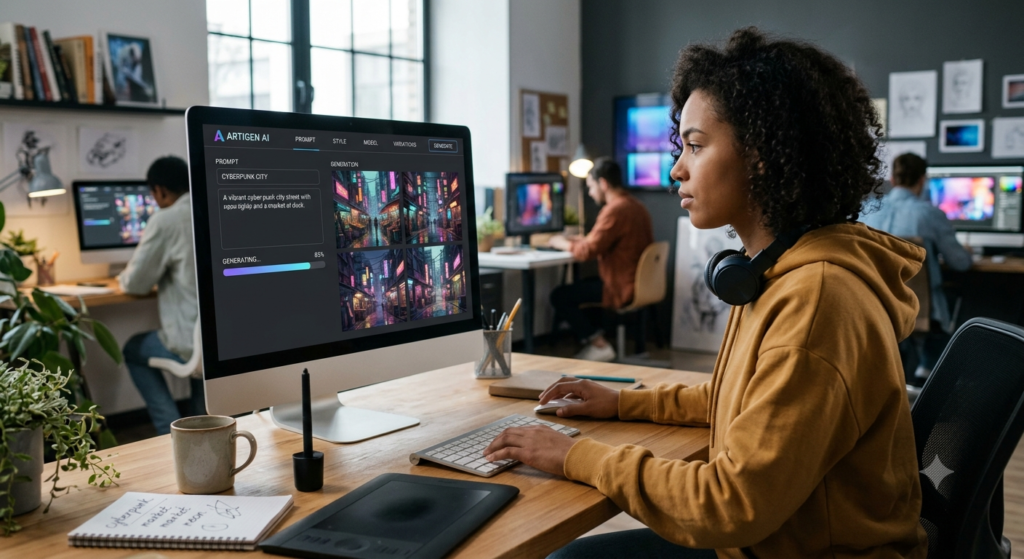
AI image generators are software tools that use artificial intelligence to create images from text descriptions, reference images, or other inputs. For example, you could enter this prompt:
Create a realistic image of a student studying in a modern library, with natural sunlight, bookshelves, and a laptop on the desk. An AI image generator analyzes your description and creates a visual that matches it as closely as possible.
The result might be a realistic photograph-style image, a cartoon, a painting, a 3D illustration, or a simple design. Unlike traditional design software, these tools don’t always require users to draw every object manually. Instead, they use machine learning models trained on large collections of data to learn visual patterns.
What Can an AI Image Generator Create?
Depending on the tool, you can create:
- Realistic images of people, places, and objects.
- Illustrations for books, presentations, and educational materials.
- Product concepts and advertising visuals.
- Posters, banners, and social media graphics.
- Digital artwork and creative backgrounds.
- Images for blogs, websites, and online courses.
- Visual concepts for games, films, and animations.
An artificial intelligence image generator can also help edit existing pictures. Some tools can remove backgrounds, expand an image, change its style, replace objects, or generate new details.
AI Image Generators vs. Traditional Design Tools
| Feature | AI image generators | Traditional design tools |
| Main input | Text prompts, images, or both | Manual design and editing |
| Speed | Often generates drafts quickly | Depends on the design task |
| Design skills | Basic skills may be enough | Some tools require training |
| Creative control | Depends on prompts and settings | Often offers precise manual control |
| Editing | AI-assisted changes may be available | Direct control over individual elements |
| Best use | Idea generation and rapid visual creation | Detailed editing and final layout |
These tools aren’t a complete replacement for designers. Instead, they offer another way to explore ideas and speed up parts of the creative process.
How Do AI Image Generators Work?
Understanding how AI image generators work becomes easier when you break the process into a few steps.
Most modern systems use deep learning models trained on image data and, in many cases, related text descriptions. During training, these models learn patterns involving objects, shapes, colors, lighting, textures, and visual styles. When you provide a prompt, the system uses what it has learned to generate a new image.
Step 1: Learning From Images
AI models learn from training datasets. These datasets may contain images, captions, and other information. During training, a model learns patterns that help it distinguish different visual concepts.
For example, it may learn that:
- A tree often has a trunk, branches, and leaves.
- A sunset can contain orange, pink, and purple colors.
- A photograph may have shadows and realistic lighting.
- A cartoon often uses simplified shapes and bold outlines.
The model doesn’t learn exactly like a human artist. It uses mathematical representations to recognize patterns in data. The quality and variety of the training data can affect the model’s capabilities, limitations, and output.
Step 2: Understanding Text Prompts
When you type a prompt, the system processes the words and converts them into a representation that the model can use.
This is where text-to-image AI becomes useful.
Consider the prompt:
An orange cat sleeping on a blue sofa in a sunny living room.
The system needs to interpret several ideas:
- Subject: an orange cat.
- Action: sleeping.
- Location: a living room.
- Object: a blue sofa.
- Lighting: sunlight.
The model uses these relationships to guide image generation. However, AI systems don’t always interpret every word correctly. Long descriptions, complex scenes, and precise spatial instructions can be difficult for some models.
Step 3: Creating an Image
Many modern image generation systems use diffusion models. In a simplified explanation, a diffusion model learns how to transform noise into a meaningful image. During training, it learns to reverse a process that gradually adds noise to images.
When generating an image, the model starts from a noisy representation and gradually creates visual structure based on the prompt. This process may develop from rough shapes into more detailed objects, colors, textures, and lighting.
Some systems generate images in a compressed representation called latent space. This can make the process more efficient than working directly with every pixel from the beginning. Other AI image generation systems use different methods, so not every tool follows exactly the same process.
Step 4: Refining the Result
After the image is generated, the tool presents the result for review. You can then improve it by changing your prompt or using editing features.
For example, you might change:
- The image style from realistic to watercolor.
- The background from a city to a forest.
- The lighting from bright sunlight to a soft evening glow.
- The composition from a close-up to a wide-angle scene.
Some platforms also offer image variations, inpainting, outpainting, and upscaling. Inpainting changes a selected part of an image. Outpainting extends an image beyond its original edges. Upscaling increases image resolution, although it may add generated details rather than recover the original details perfectly.
The key idea: AI image generation is an iterative process. A clear prompt gives you a starting point, and careful refinement helps you get closer to your goal.
Main Technologies Behind AI Image Generation
Several machine learning techniques support modern image generation. Knowing the basics helps you understand why different tools produce different results.
Diffusion Models
Diffusion models are widely used in modern generative AI for images. They learn to remove noise from visual data and generate images that match a given prompt. Popular tools and model families have used diffusion-based approaches, including Stable Diffusion.
Diffusion models can support:
- Text-to-image generation.
- Image-to-image transformation.
- Background replacement.
- Image expansion.
- Style changes.
- Detailed visual editing.
Their results depend on the model, prompt, settings, and available computing resources.
Generative Adversarial Networks (GANs)
Generative adversarial networks use two competing neural networks.
The first network, called the generator, creates synthetic images. The second network, called the discriminator, tries to distinguish generated images from real examples. During training, the generator improves its output as the two networks compete.
GANs have been used for realistic faces, image enhancement, and other visual applications. Although diffusion models are common in many current image-generation systems, GANs remain important in the history and development of generative AI.
Transformers and Neural Networks
Neural networks are machine learning systems that learn patterns from data. They form a core part of many image-generation technologies.
Transformer models can help process text and understand relationships between words. Some image-generation systems also use transformer-based architectures to represent or generate visual information. A model may combine different components to understand a prompt, represent image features, and produce the final result.
Computer vision is another related field. It focuses on how computers process and interpret visual information. Together, these technologies support creative AI applications across design, education, entertainment, and business.
How to Use AI Image Generators for Beginners
You don’t need to understand neural networks before using an AI image creator. Most platforms provide a simple interface where you enter a prompt and choose settings.
Follow these steps to create your first image.
Step 1: Choose an AI Image Generator
Start with a platform that matches your needs.
Some tools focus on general image generation. Others offer advanced artistic controls, editing features, or integration with design software.
When comparing the best AI image generators, consider:
- Ease of use.
- Free usage limits and subscription costs.
- Image quality.
- Available art styles.
- Editing and export options.
- Commercial-use terms.
- Privacy and data-handling policies.
Don’t choose a tool only because it is popular. Pick one that fits your project and budget.
Step 2: Decide What You Want to Create
Before writing a prompt, identify your goal.
For example, you might want to create:
- A blog featured image.
- A school project illustration.
- A product advertisement.
- A poster for an event.
- A visual for a social media post.
Knowing the intended use makes it easier to select the correct style, size, and composition.
Step 3: Write a Clear Prompt
Describe the subject, setting, style, lighting, and composition.
Instead of writing:
Make a picture of a city.
Try:
Create a detailed illustration of a modern city at sunset, with tall buildings, busy streets, warm orange light, and a wide cinematic composition.
The second prompt provides more useful visual information.
Step 4: Generate the Image
Enter the prompt and select the available settings.
Depending on the platform, you may be able to choose an aspect ratio, image style, resolution, or number of variations.
Generate the image and review the result.
Don’t expect every first attempt to be perfect. Sometimes the image may contain incorrect details, unusual shapes, or an arrangement that doesn’t match your idea.
Step 5: Improve the Result
Make small changes rather than rewriting everything at once. For example, if the image looks too dark, ask for brighter natural lighting. If the background is too busy, request a simple background.
You can also use reference images or editing tools when the platform supports them.
Step 6: Check the Image Before Publishing
Review the final result carefully. Check faces, hands, text, logos, object placement, and small details. AI-generated images may contain errors that aren’t obvious at first glance. Also, check the platform’s usage terms before publishing the image, particularly for commercial projects.
How to Write Better AI Image Prompts
Prompt engineering is the process of writing instructions that help an AI system produce a more useful result. A good prompt doesn’t have to be long. It should be clear and specific.
Use This Simple Prompt Formula
A practical formula is:
Subject + Action + Setting + Style + Lighting + Composition
For example: An astronaut exploring a rocky planet, walking near a futuristic spacecraft, science-fiction concept art, dramatic blue lighting, wide-angle composition.
Each part gives the model more information about the intended image.
Examples of Better Prompts
| Goal | Example prompt |
| Education | A labeled illustration of the solar system for middle-school students, simple shapes, clear spacing |
| Marketing | A premium reusable water bottle on a clean studio background, soft shadows, product photography |
| Social media | A modern workspace with a laptop, notebook, coffee cup, and natural window light, vertical composition |
| Blog content | A small business owner analyzing sales charts on a computer, realistic office scene, professional style |
| Digital art | A magical forest with glowing plants, misty pathways, fantasy illustration, rich visual detail |
If you need text inside the image, keep the wording short. Some image models still struggle with spelling and precise typography. For important text, it’s often better to generate the background first and add the text using a design editor.
Common Prompt-Writing Mistakes
Avoid these common problems:
- Giving vague instructions.
- Combining too many unrelated styles.
- Adding conflicting lighting or composition requirements.
- Expecting perfect text and logos in every image.
- Changing too many prompt elements at once.
A useful approach is to create one image, identify what needs improvement, and adjust the prompt accordingly.
Best Uses of AI Image Generators
AI image generation has applications across education, marketing, business, entertainment, and everyday creative work.
AI Image Generators for Students
Students can use AI image generators to understand difficult concepts and present ideas visually.
For example, a student studying astronomy might create an illustration of a planetary system. A history student might generate a visual concept of an ancient city, provided the image is checked against reliable historical sources.
Useful applications include:
- Presentation illustrations.
- Science project visuals.
- Creative writing and storytelling.
- Concept maps and visual explanations.
- Art and design experiments.
- Learning exercises about artificial intelligence.
AI-generated images can make educational materials more engaging. However, students should follow their school’s rules and clearly identify generated content when required.
They should also avoid presenting invented historical scenes or scientific illustrations as verified facts.
AI Image Generators for Digital Marketing
Marketing teams need fresh visuals for websites, advertisements, email campaigns, and social media.
AI image generation can help them test different creative directions without producing every concept manually.
For example, a small business selling handmade products could generate background concepts for a campaign and then use a design editor to create the final advertisement.
Common applications include:
- Blog featured images.
- Social media graphics.
- Advertising concepts.
- Landing-page illustrations.
- Email campaign visuals.
- Product mockups.
AI image generation in digital marketing can reduce the time needed to develop initial concepts. However, businesses should verify product accuracy and avoid creating misleading advertising.
AI Image Generators for Graphic Design
Designers can use AI-powered design tools during brainstorming and early production.
A designer might generate several visual directions for a website homepage, explore color combinations, or create concept art for a client presentation.
These tools can also help produce textures, backgrounds, and visual references.
Still, professional design requires more than generating an image. Designers must consider brand consistency, accessibility, layout, image rights, and the needs of the audience.
AI tools work best when combined with human judgment and editing.
AI Image Generators for Content Creators
Bloggers, educators, video creators, and social media managers often need many visuals.
AI creative tools can help them create images for different platforms while maintaining a consistent theme.
For instance, a creator could develop a set of illustrations for a beginner’s guide to machine learning. The same visual style could then be used across blog articles, presentation slides, and short educational videos.
However, creators should review each image for quality, factual accuracy, and licensing restrictions before publishing it.
Benefits of AI Image Generation
AI image generators offer several practical advantages.
1. Faster Idea Development
Traditional illustration may take hours or days, depending on the complexity of the project. AI can often produce initial concepts much faster. This allows users to explore several ideas before deciding which direction to pursue.
2. Greater Creative Access
People without advanced drawing skills can create visual concepts through simple text Instructions. This makes AI image creation useful for students, small businesses, independent creators, and beginners.
3. More Design Experiments
AI tools make it easier to test different styles, settings, and compositions. For example, a marketing team can compare a realistic product image with a minimalist illustration before choosing a final design.
4. Support for Content Production
AI-generated visuals can support blogs, presentations, advertising campaigns, and social media content. When combined with other AI content creation tools, they can help teams develop visual materials as part of a larger content workflow.
5. Lower Initial Production Costs
Some platforms offer free access or low-cost plans. This can reduce the cost of creating early concepts and simple visuals. However, advanced features, commercial licenses, editing time, and subscriptions may still involve expenses.
6. Flexible Creative Workflows
Users can generate a visual, edit it, change its size, and adapt it for different channels. This flexibility can make digital content production more efficient. Even so, AI doesn’t remove the need for human review. The strongest results usually come from combining automation with creative direction.
Limitations and Risks of AI-Generated Images
AI image generators can produce impressive results, but they also have limitations.
Incorrect Visual Details
An image may contain distorted hands, unusual objects, inconsistent shadows, or unrealistic body proportions. These issues can be especially important in medical, scientific, educational, or technical illustrations. Always review the output before using it.
Limited Control Over Exact Details
A model may struggle to follow precise instructions about the number of objects, the position of each item, or the exact appearance of a character. Some editing tools offer greater control, but results vary by platform.
Bias in Training Data
AI models learn patterns from their training data. If that data contains social or cultural biases, the generated images may reflect those biases. For example, a model might repeatedly associate certain professions with one gender or represent cultures in stereotypical ways. Users should review images for unfair or inaccurate representations.
Privacy Concerns
Uploading personal photos, confidential documents, unpublished designs, or sensitive business information can create privacy risks. Before uploading material, review the platform’s data policies and settings.
Cost and Access
Some tools offer free plans, while others require paid subscriptions for higher resolution, faster generation, or advanced features. Usage limits and commercial rights can also differ.
Advantages and Disadvantages at a Glance
| Advantages | Disadvantages |
| Fast visual concept creation | Results can contain errors |
| Helpful for beginners | Complex prompts may be misunderstood |
| Supports many visual styles | Exact control may be limited |
| Useful for content production | Commercial rights may vary |
| Encourages experimentation | Bias and privacy risks exist |
Understanding these limitations helps users make better decisions about when and how to use AI-generated visuals.
Copyright, Privacy, and Responsible AI Use
Before publishing AI-generated images, consider the legal and ethical questions involved.
Are AI-Generated Images Copyright Free?
No. AI-generated images aren’t automatically copyright free. The legal position depends on the country, the level of human creative contribution, the source material, the tool’s terms, and the way the image is used.
In some jurisdictions, purely AI-generated content may receive limited or no copyright protection. Human editing and creative contributions may affect the analysis, but rules vary.
An image may also raise questions involving trademarks, privacy, publicity rights, or copyrighted material used in training.
For a general starting point, see the U.S. Copyright Office’s AI resources.
This resource explains the U.S. position and should not be treated as a substitute for local legal guidance in other countries.
Can You Use AI Images Commercially?
Some platforms permit commercial use under certain plans or conditions. Others impose restrictions. Before using an image in an advertisement, product, website, or paid campaign, check:
- The platform’s current terms.
- Whether commercial use is allowed.
- Whether attribution is required.
- Whether the output contains protected logos or recognizable people.
- Whether the intended use could mislead viewers.
- Whether the platform places restrictions on particular content.
A paid subscription doesn’t automatically guarantee unrestricted ownership or usage rights.
How to Use AI Responsibly
Responsible AI image creation includes a few simple practices:
- Don’t use AI to create deceptive evidence or fake documentary images.
- Avoid uploading private images without permission.
- Check facts in educational and technical visuals.
- Respect the rights and privacy of other people.
- Follow school, workplace, and platform policies.
- Disclose AI-generated content when appropriate or required.
These steps help users gain the benefits of generative AI while reducing avoidable risks.
AI Image Generators and AI Video Generation
AI visual technology is expanding beyond still images. Many platforms now support video creation, animation, and AI-powered video editing. An AI video creator can use text prompts, reference images, or existing footage to produce short video clips.
For example, a creator might generate a landscape image and use an AI video tool to animate clouds, water, or camera movement.
How AI Video Generation Works
The exact process depends on the tool, but a typical workflow involves these steps:
- The user describes a scene or uploads a reference image.
- The model interprets the prompt and visual information.
- The system generates a sequence of video frames.
- The tool attempts to maintain movement and visual consistency.
- The user reviews and edits the result.
Text-to-video AI is more complex than still-image generation because the system must create both visual details and movement across time. Objects should remain consistent from frame to frame. Movements should look natural, and the scene should follow the intended action. These tasks remain challenging for some models.
How Image and Video Tools Work Together
AI image generators and AI video generators can support a single content workflow.
| Task | Possible AI tool use |
| Planning | Generate visual concepts and storyboards |
| Image creation | Create characters, locations, and backgrounds |
| Video production | Generate clips from text or images |
| Editing | Apply AI-powered video editing features |
| Publishing | Adapt content for social media and websites |
For example, a business might create a product concept image, use it as a reference for a short promotional video, add captions in a video editor, and publish the final result. This process can support automated video creation, but human review remains important for brand accuracy, message quality, and visual consistency.
AI Image Generation Trends in 2026
AI image generation continues to develop as models and creative platforms improve. Several trends are worth watching in 2026.
Better Control Over Images
Tools are moving toward more flexible editing and stronger control over composition, reference images, and visual consistency. This can make AI image creation more useful for professional design workflows.
More Personalised Content
Businesses can use generative AI to explore different visual styles for different audiences. However, personalization should respect privacy and avoid unfair or misleading targeting.
Integration With Design Software
AI image creation is increasingly part of broader creative workflows rather than a separate task. Users may be able to generate images, edit layouts, remove backgrounds, and prepare designs within connected tools.
Growth in Education
AI image generators for students can support visual explanations, creative assignments, and classroom materials. Teachers can also use AI-generated illustrations to introduce topics or encourage discussion about visual accuracy and AI ethics. Students should still verify important facts and follow their institution’s rules.
Combined Image, Audio, and Video Creation
Multimodal AI systems can work with several forms of content, including text, images, audio, and video.
This creates opportunities for more connected content production. For example, a creator could plan a story, generate visual scenes, produce video clips, and prepare supporting captions using several AI tools.
Stronger Focus on Trust and Authenticity
As synthetic images become easier to create, audiences may need better ways to understand where digital content comes from.
Content credentials, provenance systems, and clear disclosure can help viewers assess the origin of an image, although no single method solves every authenticity problem.
The future of AI image generation will depend not only on image quality but also on responsible use, legal clarity, privacy, and public trust.
AI image generators make visual creation more accessible. They allow beginners to turn written ideas into images without mastering complex drawing techniques. They also help professionals explore concepts, prepare design drafts, and support content production.
The basic process is simple: choose a tool, write a clear prompt, generate an image, and refine the result. Learning about diffusion models, neural networks, and prompt engineering can help you understand the technology more deeply.Still, AI-generated visuals require careful review. Images can contain errors, reflect bias, or raise questions about privacy and copyright. Always check the output and the platform’s terms before using it.
For students, marketers, designers, and content creators, the best approach is to treat AI as a creative assistant rather than a replacement for human judgment. Use it to explore ideas, improve workflows, and create useful visual content.
Know More:
”FAQs”
1. What is an AI image generator?
An AI image generator is a software tool that uses artificial intelligence to create images from text prompts, reference images, or other inputs. It can generate illustrations, digital artwork, realistic scenes, and design concepts.
2. How do AI image generators work?
AI image generators use machine learning models trained on visual data. The models learn patterns in images and related text. When a user provides a prompt, the system uses those learned patterns to generate a new image.
3. How does AI create images from text?
Text-to-image AI converts a written prompt into a representation that guides the generation process. Depending on the model, it may start with noise or another internal representation and gradually create an image that matches the description.
4. What are diffusion models in AI?
Diffusion models are generative AI models that learn to reverse a process of adding noise to images. During generation, they use this learned process to create new images, often guided by a text prompt.
5. Which AI image generator is best for beginners?
The best option depends on your needs, budget, and desired image style. Beginners should look for a tool with a simple interface, clear usage terms, useful editing features, and a free or affordable plan. Compare current features before choosing.
6. Can students use AI image generators?
Yes. Students can use AI image generators for presentations, creative projects, visual explanations, and design practice. They should follow school policies, check factual accuracy, and disclose AI assistance when required.
7. How can I create images using AI?
Choose an AI image generator, describe the image you want, select available settings, and generate the result. Review the image and refine your prompt until it meets your needs. Check usage rights before publishing it.
8. Are AI-generated images copyright free?
Not necessarily. Copyright protection and usage rights depend on the applicable law, the tool's terms, human contributions, and other circumstances. Always review the relevant legal rules and licensing conditions before using an image commercially.
9. How can AI image generators help students?
They can help students visualize abstract concepts, create presentation illustrations, explore digital art, and develop creative projects. However, students should use reliable sources to verify educational content and avoid treating generated visuals as factual evidence.
10. What is the future of AI image generation?
AI image generation may offer better editing, more consistent visuals, improved integration with creative software, and closer connections with video generation. Progress will also depend on improvements in reliability, privacy, rights management, and transparency.
11. How will AI change video content creation?
AI video tools can help users develop storyboards, generate clips, animate images, and automate some editing tasks. They may reduce the time needed for early production, but human direction and quality checks will remain important.