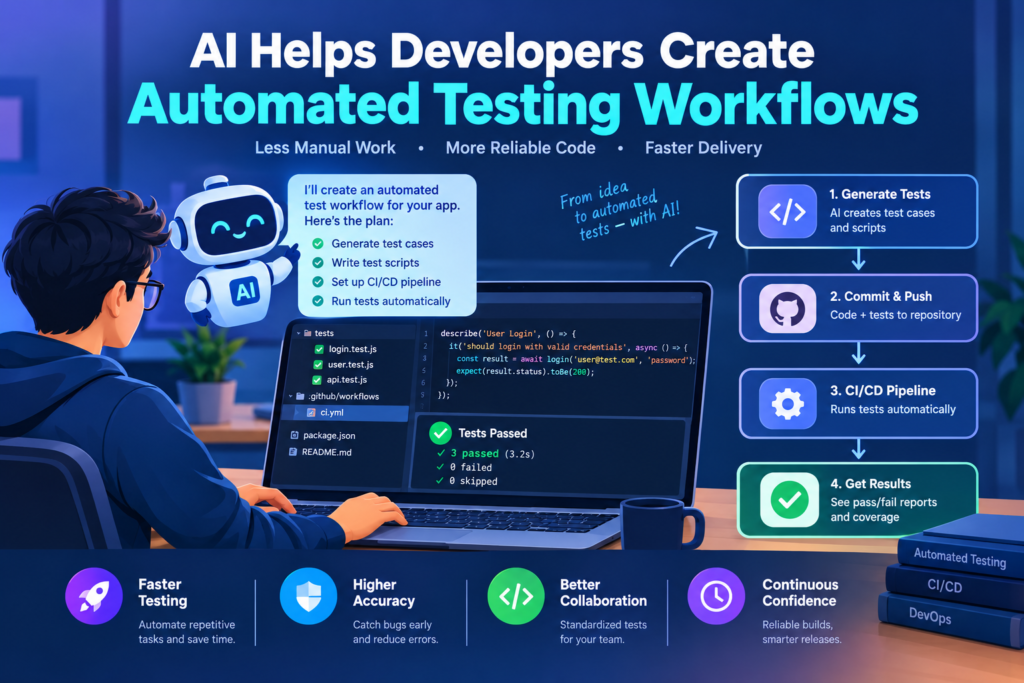
AI Helps Developers Create Automated Testing Workflows: 10 Powerful Ways
Software testing is essential for building reliable applications. Before a website or application goes live, developers need to check that its features work correctly, user data remains protected, and updates don’t break existing functionality. Manual testing is useful, but it can become repetitive and time-consuming as an application grows.
AI automated testing tools can help developers generate test cases, create test scripts, analyze failures, and identify potential defects. They can also support regression testing and continuous quality assurance.
However, AI doesn’t guarantee bug-free software. Developers must review test quality, confirm expected behavior, and investigate failures before releasing changes.
This guide explains how to use AI to automate software testing workflows and improve application reliability.
1. What Is AI Automated Testing?
AI automated testing uses artificial intelligence to assist with creating, running, analyzing, or maintaining software tests.
Traditional test automation follows predefined instructions. AI-assisted systems can help generate test scenarios, suggest locators, interpret errors, and identify patterns in test results.
Applications include:
- Frontend testing automation.
- Backend API testing.
- Regression testing.
- Test script generation.
- Visual interface testing.
- Test failure analysis.
- Quality assurance documentation.
- Continuous integration workflows.
AI can improve testing efficiency, but it doesn’t replace the need for clear requirements and expected results.
2. Benefits of AI Software Testing
Faster Test Creation
AI coding assistants can turn written requirements into draft test cases and automation scripts. This can reduce repetitive setup work, especially for forms, navigation, and common user journeys.
Better Test Coverage
AI can suggest additional scenarios that developers may overlook, such as empty inputs, invalid values, expired sessions, or network failures. The team must still prioritize tests based on application risks.
Reduced Maintenance Effort
Some testing tools offer features that help identify changing UI elements or maintain test scripts. These capabilities can reduce maintenance, although they may not eliminate false failures.
Faster Bug Investigation
AI can summarize logs, group similar errors, and suggest likely causes. Developers should confirm these explanations using reproducible test cases and actual application behavior.
3. Best AI Testing Tools for Developers
|
Tool |
Main Use |
|
Playwright |
Browser automation and end-to-end tests |
|
Cypress |
Web application testing |
|
Selenium |
Browser automation |
|
Postman |
API testing |
|
GitHub Copilot |
Test code generation and explanation |
|
Applitools |
Visual testing and visual comparison |
Official resources:
- Playwright: https://playwright.dev/
- Cypress: https://www.cypress.io/
- Selenium: https://www.selenium.dev/
- Postman: https://www.postman.com/
- GitHub Copilot: https://github.com/features/copilot
- Applitools: https://applitools.com/
These tools have different purposes. Some provide testing frameworks, while others support AI-assisted coding or visual validation.
4. How to Create an Automated Testing Workflow with AI
Step 1: Define the Expected Behavior
Start with clear requirements.
For example, a login form should accept valid credentials, reject invalid credentials, and display an appropriate error message when authentication fails.
Step 2: Generate Test Cases
Ask an AI assistant to suggest test cases for each requirement.
Include normal scenarios, invalid inputs, boundary conditions, and relevant security cases.
Step 3: Create Automated Tests
A browser testing framework can execute these scenarios.
For example, a simple Playwright test might look like this:
import { test, expect } from “@playwright/test”;
test(“homepage displays the main heading”, async ({ page }) => {
await page.goto(“http://localhost:3000”);
await expect(
page.getByRole(“heading”, { level: 1 })
).toBeVisible();
});
This example assumes that the application runs locally on port 3000 and contains a visible level-one heading.
AI can help generate similar tests, but selectors and assertions must match the actual application.
Step 4: Run the Tests
Execute the test suite locally or in your testing environment.
Review failures, screenshots, logs, and traces where available.
A failing test doesn’t always mean that the application has a bug. The test itself, test data, or environment may be responsible.
Step 5: Fix and Retest
Investigate the underlying issue before changing the test.
After applying a fix, run the failed test and related tests again. This helps ensure that the change hasn’t introduced another problem.
Step 6: Integrate Testing into CI/CD
Configure automated tests to run when developers submit changes or create pull requests. A release pipeline can prevent deployment when critical tests fail, subject to the team’s release rules.
5. AI-Powered Test Case Generation
AI can transform requirements into structured test scenarios. For an online checkout, suggested tests might include:
- Successful payment.
- Missing delivery information.
- Invalid payment details.
- Empty shopping cart.
- Expired login session.
- Failed payment provider response.
- Repeated submission.
- Incorrect product quantity.
Review each scenario to ensure it reflects actual business rules. Good tests have clear inputs, expected outcomes, and reproducible conditions. Avoid creating large numbers of tests that repeat the same checks without adding coverage.
6. Automated Regression Testing
Regression testing checks whether existing functionality still works after a change. For example, changing a shared navigation component might affect several pages. Automated regression tests can check that navigation and related page behavior remain correct.
AI can help identify affected components and propose additional tests. Visual regression tools can also compare screenshots and highlight unexpected differences. Review visual changes carefully because some differences are intentional.
7. Continuous Testing in CI/CD Pipelines
Continuous testing means running appropriate tests throughout the development and release process. A typical pipeline might include:
- Code formatting and linting.
- Unit tests.
- API tests.
- Integration tests.
- Browser-based end-to-end tests.
- Security and dependency checks.
- Build verification.
Not every test needs to run at every stage. Fast tests can run early, while more expensive end-to-end tests may run later or on selected changes.
AI can help generate scripts and summarize failures, but release decisions should follow clear team policies.
8. Challenges and Best Practices
Avoid Flaky Tests
Tests that fail intermittently reduce confidence in automation.
Use stable selectors, reliable test data, proper synchronization, and isolated environments.
Protect Sensitive Data
Don’t expose customer records, passwords, or production credentials in prompts, logs, or test reports.
Use synthetic data and secure secrets management where possible.
Measure Test Quality
Track meaningful indicators such as defect escape rates, test reliability, execution time, and coverage of critical user journeys.
A high number of tests doesn’t necessarily mean that an application is well tested.
Keep Human Review
AI may generate incorrect assertions or tests that pass without validating the intended behavior.
Review generated scripts and investigate failures instead of automatically accepting AI recommendations.
AI automated testing can help developers generate test cases, improve regression coverage, and investigate failures more efficiently. The best results come from combining AI-assisted test creation with reliable testing frameworks, meaningful assertions, and clear release procedures.
Start with the most important user journeys, automate repeatable checks, and expand coverage as the application grows. This creates a more efficient QA workflow without sacrificing software reliability.