
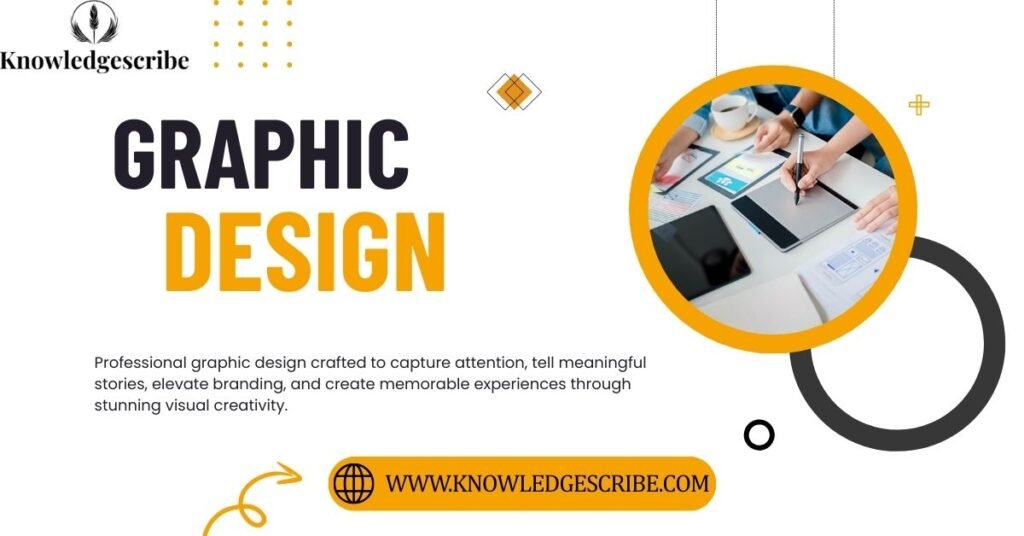
Graphics Design: Graphics design also called graphic design or even “graphics designing” is one of the most important creative fields shaping the digital world today. Whether you’re scrolling social media, buying a product, reading a website, or watching an ad, you’re experiencing graphics design in action. And in 2026, the demand for skilled designers is only increasing, especially with tools like Canva, Figma, Adobe Illustrator, 3D software, AI powered design apps, and advanced motion graphics platforms.
In this complete guide, we’ll explore everything: what graphics design really is, how it works, why it matters, the tools you need, how to start, career options, trends for 2026, questions about design today, graphic design job, graphic design bachelor’s degree online , this article covers every angle.
Also Check : TCS Free Information Technology Certification
What is Graphics Design?
Graphics design is the art and science of creating visual content that communicates ideas through typography, color, layout, shapes, images, and design principles.
In simpler words: it’s how brands communicate without speaking.
Modern graphics design includes everything from logo design to social media design, 3D design, web graphic design, and even motion graphics for Instagram Reels. The field combines creativity, psychology, technology, and strategy making it one of the most influential careers in digital media.
Today, it’s used in:
- Marketing and advertising
- Brand identity and business collateral
- Websites and mobile apps
- Social media posts and ad campaigns
- Packaging and print materials
- UI/UX design, product design, and digital experiences
The History of Graphic Design: From 1950s Posters to 2026 AI Tools
Graphics design has evolved through decades, starting from the 1950s graphic design posters, 1960s Swiss style design, 1970s bold typography, 1980s neon aesthetics, 1990s minimalism, and 2000s digital design boom, all the way to AI enabled design systems in 2026. Each era brought new colors, new styles, and new technologies.
Today, AI tools like Adobe Firefly, Canva AI, and Midjourney have changed the workflow but not the importance of human creativity, idea generation, and design intelligence.
Why Graphics Design Still Matters in 2026
Despite AI and automation, graphics design isn’t going anywhere. In fact, it’s becoming even more essential because the digital world is more crowded, more competitive, and more visual than ever before. Businesses need powerful visuals to stand out. And people trust brands with strong design.
Here’s why graphics design is still a top career:
- Brands rely on clear and compelling visuals to communicate.
- People judge credibility based on design quality within 0.05 seconds.
- Good design increases sales, engagement, and brand loyalty.
- Every industry from tech to education needs design.
This is why terms like graphic design jobs, graphic design internships, and graphic design online courses continue trending worldwide.
The 7 Types of Graphic Design
- Brand Identity Design : logos, color palettes, brand guidelines.
- Marketing and Advertising Design : posters, flyers, banners, ads.
- User Interface (UI) Design : apps, websites, dashboards.
- Publication Design : books, magazines, annual reports.
- Packaging Design : product boxes, labels, bottles.
- Motion Graphics Design : animations, intros, reels.
- Environmental Design : signage, store branding.
Essential Elements and Principles of Graphic Design
Every professional designer follows two systems: Elements and Principles. Think of them as the grammar of visuals. Without them, designs feel confusing and incomplete. With them, even simple layouts look polished and professional.
The 7 Elements of Graphic Design
- Line : guides the eye, builds structure.
- Shape : circles, squares, abstract forms.
- Color : emotion, contrast, brand personality.
- Texture : adds depth and tactile feeling.
- Space : breathing room; essential for minimalism.
- Form : 3D shape and realism.
- Typography : fonts, hierarchy, readability.
The 7 Principles of Design
- Balance : symmetrical or asymmetrical stability.
- Contrast : difference in color, scale, or shape.
- Emphasis : what the viewer notices first.
- Movement : how the eye flows across a layout.
- Proportion : well sized elements.
- Repetition : consistency that strengthens identity.
- Unity : all parts feel connected.
These fundamentals apply whether you’re designing a logo, website, t shirt graphic, or business card. Even Canva templates and AI generated compositions rely heavily on these rules, proving design principles are timeless.
How Graphics Design Works Today (Research, Idea Generation and Grids)
Modern design begins long before opening Photoshop or Illustrator. Today’s workflow follows a strategic path involving research, idea generation, sketching, grid systems, digital exploration, and refinement.
Step 1: Design Research
Good designers ask questions like:
- Who is the audience?
- What emotion should the design create?
- What message must be delivered?
- What problem am I solving?
Research helps avoid random design decisions and ensures that visuals support communication goals.
Step 2: Idea Generation
This is where creativity takes off. Designers explore mood boards, sketches, word maps, user insights, and brand styles until something unique appears. Idea generation is also a key reason AI can’t fully replace designers algorithms lack emotional intuition.
Step 3: Grid Systems and Layout Structure
Graphic design grids are the skeleton of every strong layout. They create structure, alignment, spacing, and balance. Even free tools like “graphic design like Canva” rely on invisible grid systems.
Step 4: Digital Design and Iteration
After sketches, designers jump into digital tools Photoshop, Illustrator, Figma, or even 3D applications. No design becomes final in one attempt. Iteration is the soul of creativity.
Step 5: Finalization and Export
Once approved, designers export in formats like PNG, JPEG, WEBP, SVG, PDF, MP4, and sometimes 3D formats. This is also where designers manage kerning, color profiles (CMYK vs RGB), and accessibility standards.
Graphics Design Careers: Degrees, Jobs and Salary Breakdown
One of the biggest questions people ask is: Is graphic design a good career in 2026? The answer: absolutely yes if you pick the right niche and build a strong portfolio.
Graphic Design Degree Options
- Graphic design bachelor’s degree online
- Graphic design 2 year degree
- Graphic design without a degree (portfolio-based career)
- Graphic design masters (for specialization)
Many top designers today are self taught thanks to graphic design free courses and graphic design programs online.
Entry Level to Advanced Job Roles
- Graphic designer
- Brand identity designer
- Motion graphics designer
- UI/UX designer
- Product designer
- Marketing designer
- Publication designer
- 3D graphic artist
- Freelance graphic designer
Is Graphic Design Well Paid?
Yes especially for designers specializing in UX, product design, or brand identity.
- Entry level: Good but modest
- Mid-level: Above average earnings
- Top designers: Among the highest paid creatives online
The highest paid roles include: UX designers, product designers, creative directors, and brand identity specialists.
The only thing that determines a designer’s income is skill not degrees or expensive software.
Must Know About : What Are The Top WordPress Themes
Graphic Design Skills You Need in 2026
Whether you’re starting out or leveling up, mastering the right graphic design skills can make or break your career. In 2026, skills aren’t just about making things look pretty they’re about solving problems, communicating clearly, and working smart. Here are the top skills every designer should have on their toolkit.
Core Creative and Technical Skills
- Typography and Layout Sense: Understanding spacing, kerning, readability, and how typography works with imagery or color. This matters in logos, web pages, print, or even social media posts.
- Color Theory and Branding Knowledge: Choosing color palettes that align with a brand’s voice. This helps you create strong brand identity design or even minimalist graphic design that looks modern.
- Image Editing and Illustration: Ability to work with raster and vector graphics (logos, icons, digital illustrations). Great for advertisement design, custom graphic design services, or creative illustration and graphic design services.
- Layout and Grid System Mastery: Using design grids correctly for grids-based layout helps in web graphic design, print materials, and ensures balance and unity.
- UX / UI Fundamentals: Even if you’re not a full-time UX designer, knowing basics of usability, accessibility, responsive design, and user flow helps if you move from graphic design to UX design or to product design.
Soft and Strategic Skills
- Design Research and Concept Thinking: Before design starts, you need to understand audience, brand goals, messaging part of basics graphic design research. This makes you more than just a “graphic creator.”
- Communication and Client Handling: Explaining your design choices, understanding client requirements, offering feedback this is essential, especially if you do freelance graphic design or run a graphic design agency.
- Time Management and Iteration Discipline: Projects often go through multiple rounds. Being able to manage revisions, meet deadlines, and refine designs under time pressure is a must.
- Adaptability and Lifelong Learning: Design trends change (e.g. graphic design trends 2026), tools update, new formats emerge staying curious and updating your skills (e.g. learning 3D design, motion graphics) keeps you competitive.
- Business Acumen and Branding Understanding: For those doing custom design services or starting small agencies, understanding marketing, brand positioning, client needs, and design’s role in business growth is critical.
Mastering these skills helps you stand out whether you choose to work as a freelancer, join an agency, or work fulltime as a UI/UX or product designer. It also helps answer a common question: “Can graphic design be replaced by AI?” If you bring human creativity and smart thinking to the table, your value remains high.
Can AI Replace Graphic Designers?
With the rise of AI powered tools such as generative image platforms, template-based design apps, and auto-layout tools, many people ask: Will graphic design jobs be replaced by AI? The short answer: no not fully. But yes, parts of the workflow are changing. Here’s a balanced look.
What AI Can Do And How It Helps Designers
- Speed up repetitive tasks: Resizing images for multiple formats, generating quick mockups, converting color schemes, and other grunt tasks become faster freeing designers to focus on creativity.
- Provide instant inspiration: An AI tool can suggest layout ideas, color palettes, or even generate rough designs you can refine. Good for early-stage mockups, brainstorming, or mood-boarding.
- Enable non-designers to produce simple visuals: Social media posts, flyers, or quick ads can be created by small businesses without hiring a designer useful for basic needs and tight budgets.
What AI Can’t Fully Replace: The Human Advantage
- Contextual thinking and real world understanding: AI doesn’t fully grasp brand mission, cultural nuances, user psychology, or the emotional resonance a human designer builds.
- Creative problem solving and originality: Coming up with a unique brand identity, a smart layout, a memorable logo, or a creative campaign still requires human intuition, taste, and strategy.
- Client management and branding strategy: Understanding business goals, audience insights, long term brand consistency these require human to human communication, empathy, iteration, and decision making.
- Quality control and final polish: Kerning adjustments, accessibility considerations, color correctness (print vs screen), responsive layouts humans still need to review and refine.
So AI will not kill graphic design. Instead, it’s transforming parts of it. Designers who adapt by learning new tools, focusing on strategy, branding, UX, and high level creative thinking will stay relevant and in demand.
Tools, Software and Laptops Needed for Graphic Designers
If you want to become a pro graphic designer either as a freelancer, in an agency, or for yourself you’ll need the right tools. Here’s a snapshot of what works best in 2026.
Popular Software and Tools
- Vector and Illustration Tools: Adobe Illustrator, Affinity Designer, Inkscape perfect for logos, icons, typography-based graphics.
- Raster and Photo Editing: Adobe Photoshop, GIMP, Procreate great for editing photos, textures, mockups, and digital art.
- Layout and Page Design: Adobe InDesign, Affinity Publisher used for print design, magazines, brochures, and more.
- UI / Web / UX Design Tools: Figma, Adobe XD, Sketch essential if you’re doing web graphic design, app interfaces, or transitioning from graphic design to UX design or product design.
- Motion Graphics and Animation: Adobe After Effects, Blender, Canva (with animation), or 3D software for motion graphics, animated intros, short video promos.
- AI Assisted and Template Tools: Online tools (like Canva, Crello, AI based design assistants) which help for quick designs, social media graphics, or rapid mockups.
Recommended Hardware: Laptops and Machines
For serious design especially 3D, motion graphics, or heavy illustration your hardware matters. Here’s what to look for:
- Powerful CPU and GPU : useful for rendering, 3D, heavy editing.
- At least 16GB RAM (32GB preferred) : for smooth performance in heavy apps.
- Color-accurate display (sRGB / Adobe RGB capable) : ensures color correctness for print and web.
- Good storage SSD (512GB or more) : for quick loading, saving multiple high resolution files.
- Portability vs power tradeoff : choose based on whether you mostly work desk-based or prefer flexibility (freelancing, cafes, co working spaces).
Also Check : Web Development Servises
How to Learn Graphic Design (With or Without Drawing Skills)
Many beginners wonder whether graphic design requires traditional drawing talent. The truth? No drawing is optional, but visual thinking is essential. Here’s how to learn graphic design step-by-step, even if you’ve never sketched a line.
1. Start With the Basics
Begin by understanding the core foundations that every designer must know:
- Color theory
- Typography
- Layout and composition
- Negative space
- Visual hierarchy
- Branding principles
These basics are the heart of good design and they matter more than sketching ability.
2. Use Beginner Friendly Tools
If you’re just starting:
- Canva
- Figma
- Adobe Express
These tools help you learn layout, typography, and visual balance without overwhelming features.
3. Then Upgrade to Professional Software
Once comfortable, move to tools like:
- Photoshop
- Illustrator
- InDesign
- Affinity Designer
- Procreate (for illustration)
Professional tools help you take your skills to the next level.
4. Copy : Practice : Create
The fastest learning formula:
- Copy great designs for practice
- Recreate them to understand structure
- Create original variations
This builds instinct and confidence.
5. Learn by Doing Real Projects
Start small:
- Logo redesigns
- Social posts
- Posters
- Business cards
- Website mockups
Practical work teaches more than theory.
6. No Drawing Skills? No Problem
Graphic design is more about:
- Concept
- Ideation
- Layout
- Branding
- Color
- Strategy
Drawing is helpful but not required. Many top designers don’t draw at all they think visually and use tools to build ideas.
Also check : Graphic design complete guide
Graphic Design Trends for 2026
Here are the biggest trends dominating 2026
1. Minimalist Luxury Branding
Clean, elegant, timeless branding using:
- Serif fonts
- Neutral colors
- Wide spacing
2. AI Enhanced Design
AI is becoming a co pilot for:
- Layout suggestions
- Color palettes
- Mockup creation
- Fast iterations
Designers who adapt will stay ahead.
3. 3D and Depth Based Graphics
3D typography, floating shapes, depth layers, and realistic textures are trending heavily.
4. Bold Typography
Oversized and expressive type focused layouts are replacing image heavy designs.
5. Maximal Color Palettes
Vibrant duotones, gradients, neon blends, and futuristic hues are back.
6. Illustrated Brand Mascots
Brands use characters or small illustrated icons to humanize visuals.
7. Retro and Vintage Mashups
70s, 80s, and 90s design influences continue to rise, especially in social media branding.
8. Organic Shapes and Natural Textures
Soft, fluid shapes and earthy tones remain popular for wellness and lifestyle brands.
9. Motion Graphics in Branding
Short looping animations, animated logos, and kinetic typography push engagement.
10. Ultra Clean UI Aesthetics
SaaS, app, and web UI design continues moving toward:
- Flat shadows
- Rounded corners
- Soft gradients
How to Graphic Design a Logo (Step by Step)
Here’s a simplified but powerful workflow:
Step 1: Understand the Brand
Ask:
- What is the purpose?
- Who is the audience?
- What emotion should the logo evoke?
- What are the competitors doing?
Step 2: Research and Brainstorm Concepts
Sketch rough ideas even stick figures work. You’re shaping concepts, not artwork.
Step 3: Choose a Style
Common logo styles:
- Wordmark
- Symbol / icon logo
- Lettermark
- Combination mark
- Emblem
- Minimalist logo
Step 4: Pick Colors and Typography
Choose fonts and palettes that reflect the brand’s personality.
Step 5: Create the Logo Digitally
Use:
- Illustrator (best)
- CorelDRAW
- Affinity Designer
- Figma
Step 6: Test and Refine
Check:
- Scaling
- Color variations
- Print quality
- Black and white version
- Responsiveness on screens
Step 7: Deliver the Final Files
Provide:
- PNG
- SVG
- EPS
- Brand guideline sheet
Also visit: TCS Free Information Technology Certification
Why Graphic Design Still Matters in 2026 and Beyond
Graphic design is more than decorating visuals it’s about solving communication challenges. From branding and marketing to UI/UX and motion graphics, it shapes everything we see online and offline.
And even with AI tools evolving, the demand for skilled, strategic, and creative designers continues to rise because:
- Brands need originality.
- Businesses need strong identities.
- Consumers respond to good design.
”FAQs”
Q1. What does a graphic designer do?
Ans: A graphic designer creates visual concepts using typography, images, colors, and layouts to communicate messages for branding, marketing, advertising, websites, and digital content.
Q2. What skills do you need for a graphic designer?
Ans: You need creativity, visual communication, typography knowledge, color theory, design principles, software skills (Photoshop, Illustrator, Figma), problem solving, and attention to detail.
Q3. What things can a graphic designer do?
Ans: Graphic designers create logos, posters, social media creatives, websites, brochures, packaging, brand identity systems, infographics, ads, UI designs, and print/digital artwork.
Q4. What are the 7 types of graphic design?
Ans: Branding and identity design
Marketing and advertising design
UI/UX design
Packaging design
Publication design
Motion graphic design
Environmental design
Q5. What is the highest paid graphic designer?
Ans: Creative Directors, UX Designers, UI Designers, and Brand Identity Designers often earn the highest salaries in the graphic design industry.